Buying a sewing or embroidery machine is deceptively difficult. The market places mechanical sewing machines, computerized sewing models, embroidery-only systems, combination sewing-and-embroidery machines, sergers, and commercial multi-needle equipment beside one another, even though they solve fundamentally different problems.
That distinction matters more than any isolated specification. A machine with hundreds of decorative stitches is not automatically useful to someone producing embroidered logos. A large embroidery field offers little benefit to a garment sewer who primarily needs reliable seams, buttonholes, and feed control. A 12-needle commercial embroidery machine can dramatically reduce manual color changes, but its cost, physical footprint, operating demands, and workflow are difficult to justify for occasional monograms.
The history behind these machines helps explain their specialization. The Smithsonian Institution’s record of Elias Howe Jr.’s 1846 sewing-machine patent documents a system using an eye-pointed needle and shuttle to create a lockstitch. Five years later, Isaac Merritt Singer received U.S. Patent No. 8,294 for his commercial sewing machine on August 12, 1851. Those machines were mechanical attempts to automate a basic structural task. Modern computerized embroidery equipment adds digital design files, automated positioning, color management, thread cutting, wireless transfers, and increasingly sophisticated editing.
That technological expansion has created more choice but not necessarily easier buying decisions.
This guide separates those decisions by workload and machine architecture. Our Score, Customer Sentiment, Buyer Confidence, and Value ratings are editorial decision signals designed to compare products without pretending that radically different machines belong in a single performance hierarchy.
The Best Machines at a Glance
Several models emerge as particularly coherent choices once their intended work is defined.
| Machine | Type | Our Score | Customer Sentiment | Buyer Confidence | Value | Best Fit |
|---|---|---|---|---|---|---|
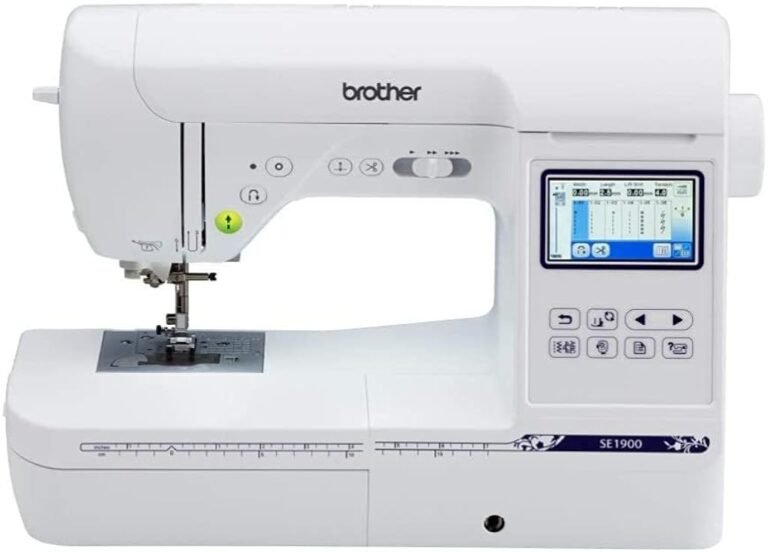
| Brother SE1900 | Sewing/embroidery combo | 9.01/10 | 8.94 | 9.80 | 8.52 | Higher-end home combination use |
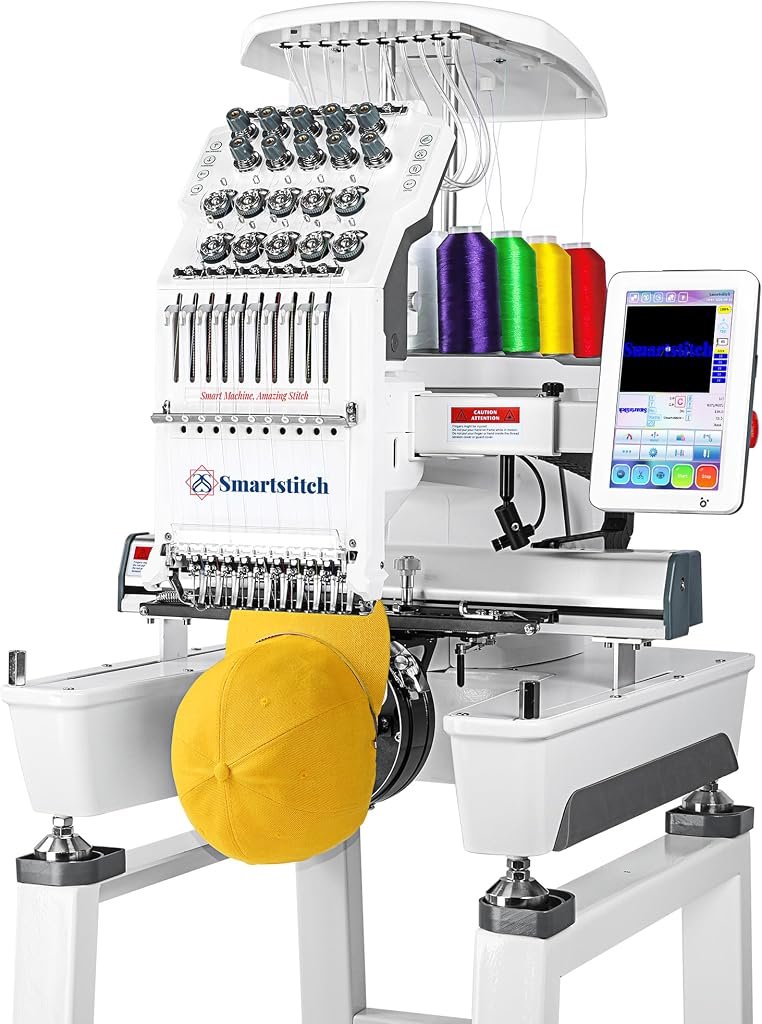
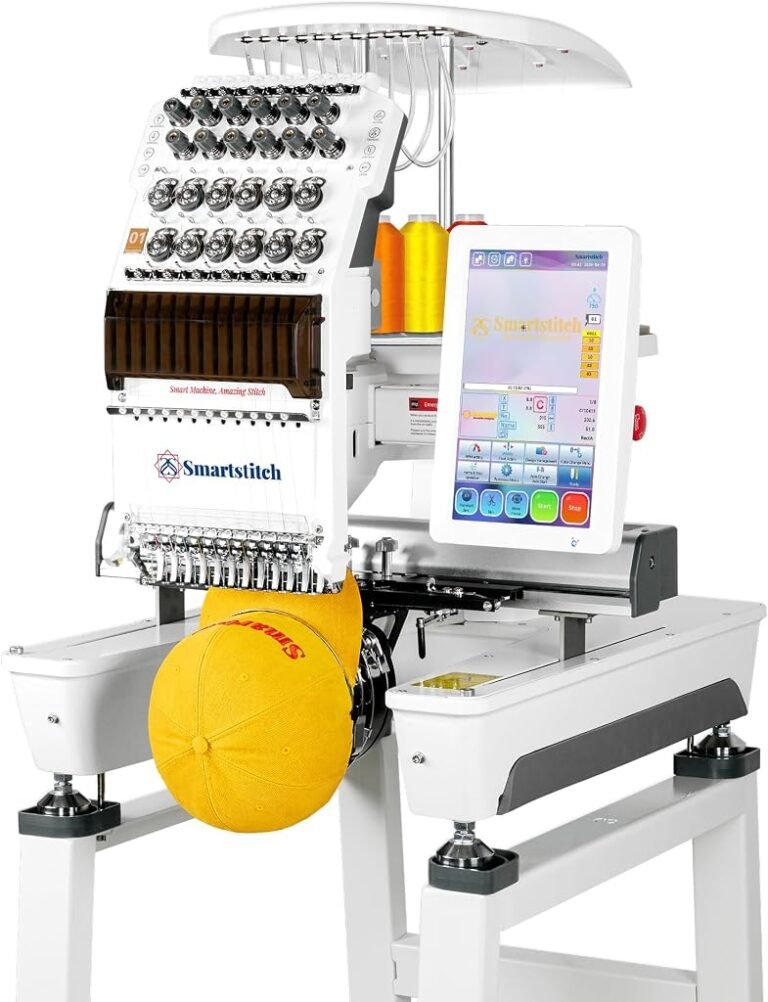
| Smartstitch S-1001 | Multi-needle embroidery | 8.97/10 | 9.16 | 8.84 | 8.64 | Small embroidery businesses |
| Smartstitch S-1201 Plus | Multi-needle embroidery | 8.97/10 | 9.16 | 8.87 | 8.64 | Higher-capacity multi-needle work |
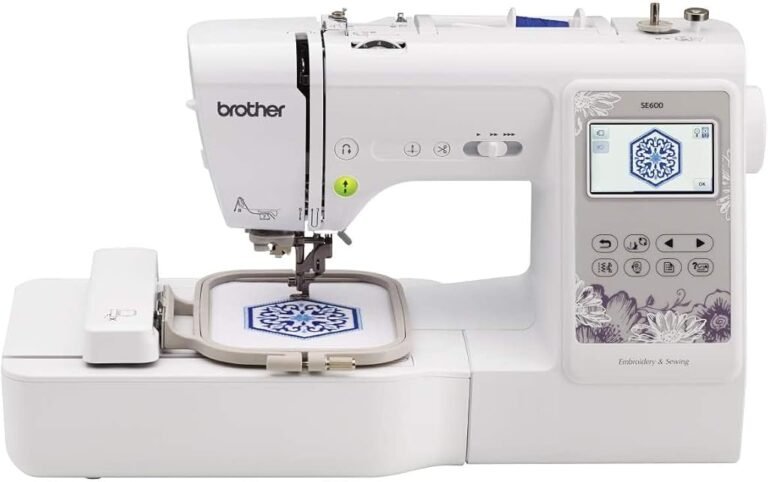
| Brother SE600 | Sewing/embroidery combo | 8.86/10 | 8.72 | 9.80 | 8.40 | Value-oriented combo buyers |
| Brother 1034D | Serger | 8.86/10 | 8.72 | 9.80 | 8.40 | Seam finishing and stretch fabrics |
| Janome JW8100 | Computerized sewing | 8.85/10 | 8.72 | 9.78 | 8.40 | General sewing |
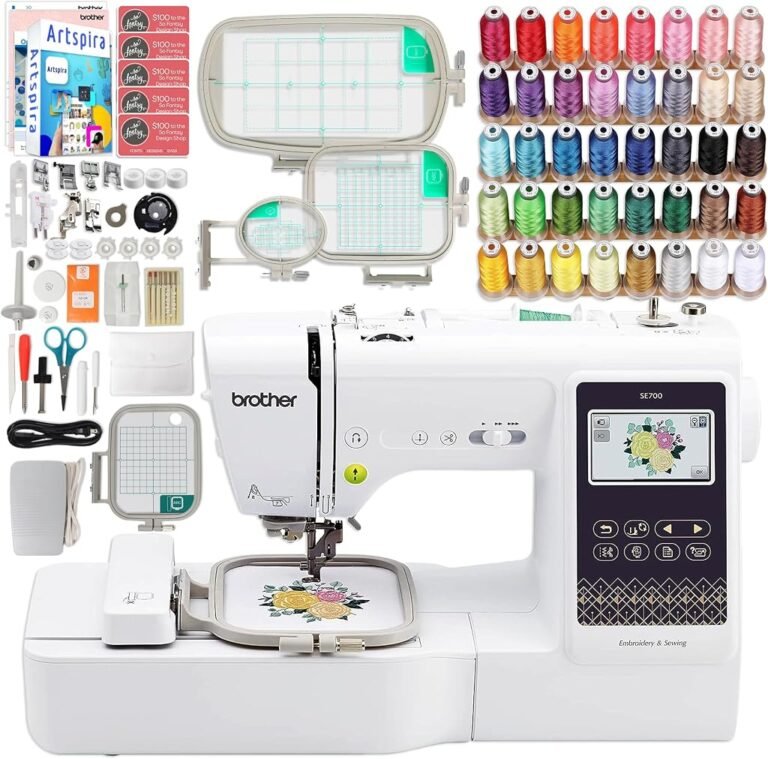
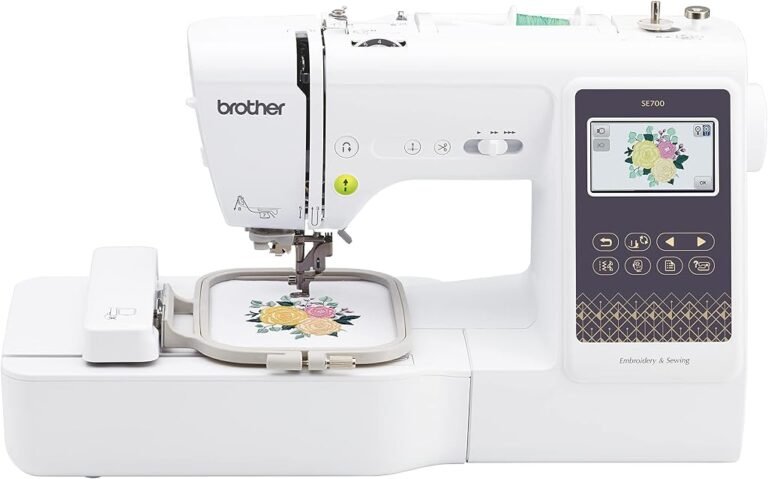
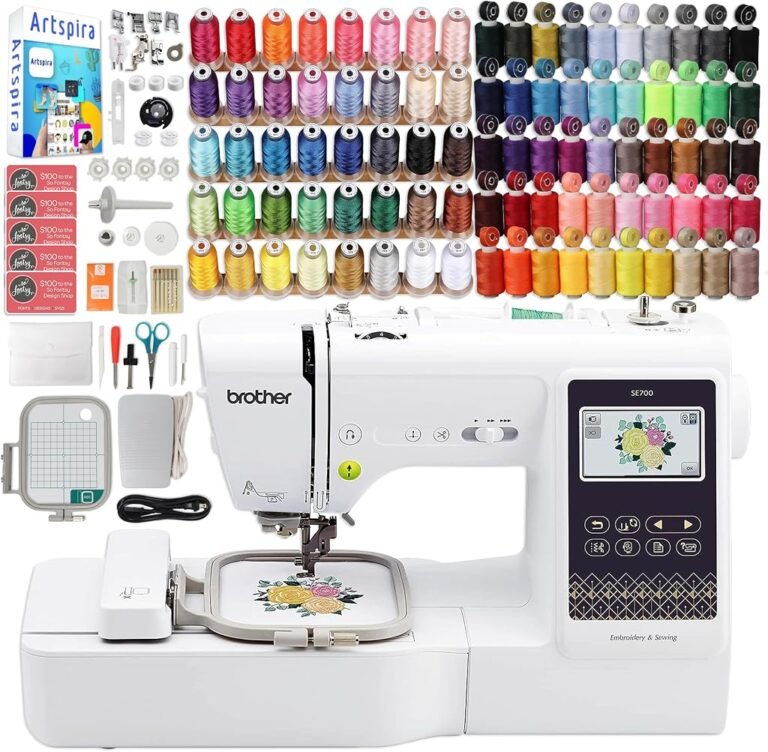
| Brother SE700 | Sewing/embroidery combo | 8.71/10 | 8.50 | 9.80 | 8.28 | Connected beginner embroidery |
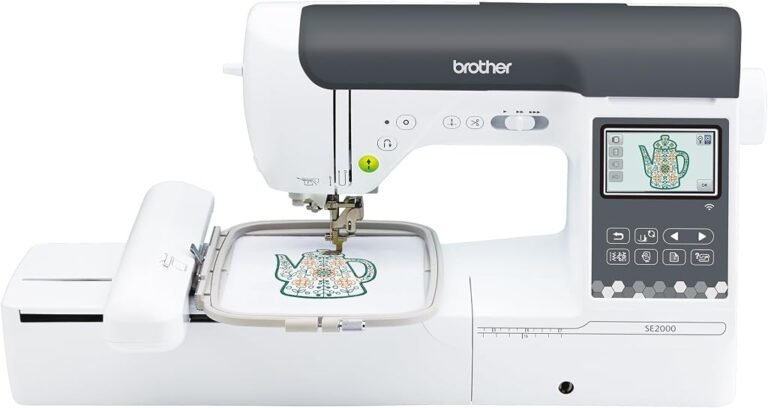
| Brother SE2000 | Sewing/embroidery combo | 8.71/10 | 8.72 | 9.05 | 8.40 | Larger-format home embroidery |
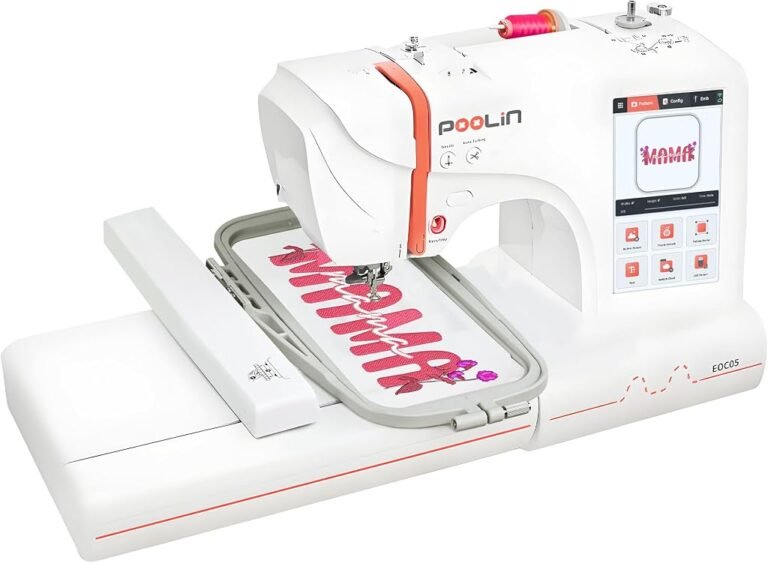
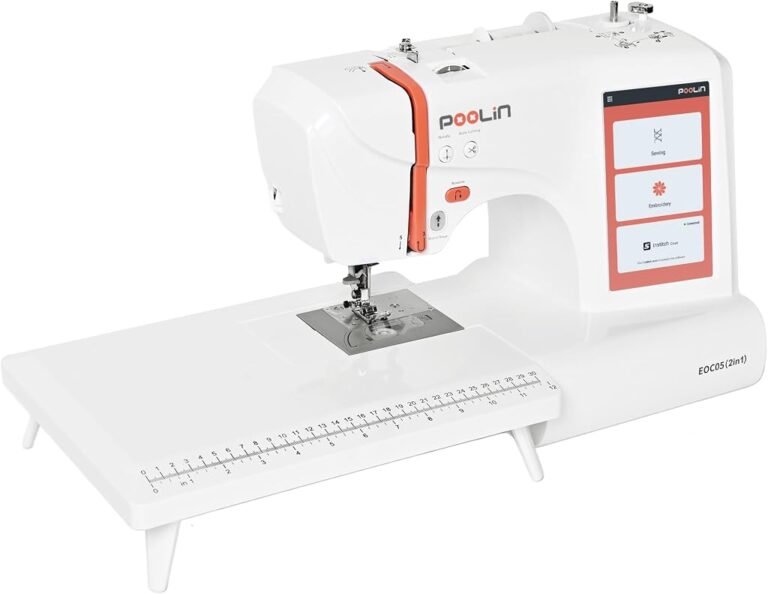
| POOLIN EOC05 | Embroidery-focused | 8.61/10 | 8.50 | 9.32 | 8.28 | Large-screen home embroidery |
| Brother PE900 | Embroidery-only | 8.59/10 | 8.50 | 9.22 | 8.28 | 5 × 7-inch dedicated embroidery |
| Brother PE545 | Embroidery-only | 8.58/10 | 8.50 | 9.15 | 8.28 | Entry-level dedicated embroidery |
| SINGER Quantum Stylist 9960 | Sewing/quilting | 8.55/10 | 8.28 | 9.80 | 8.15 | Stitch-rich sewing and quilting |
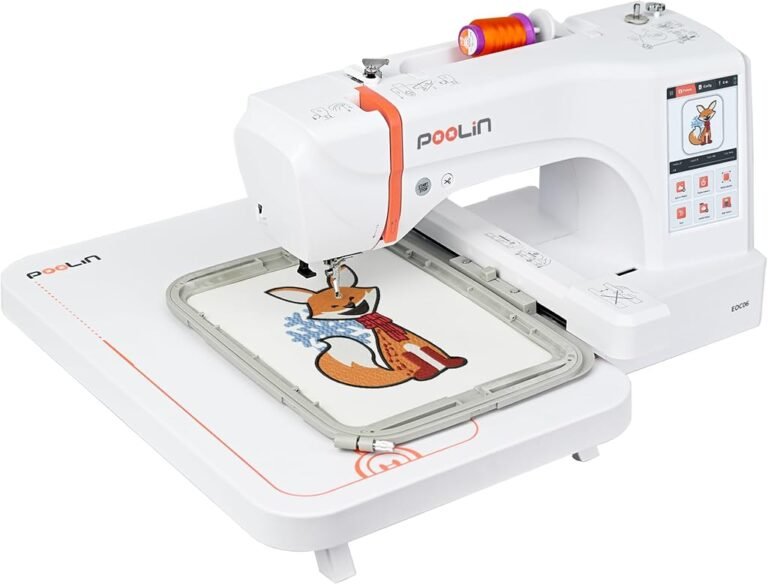
| Poolin EOC06 | Embroidery-only | 8.46/10 | 8.28 | 9.35 | 8.15 | Larger home embroidery |
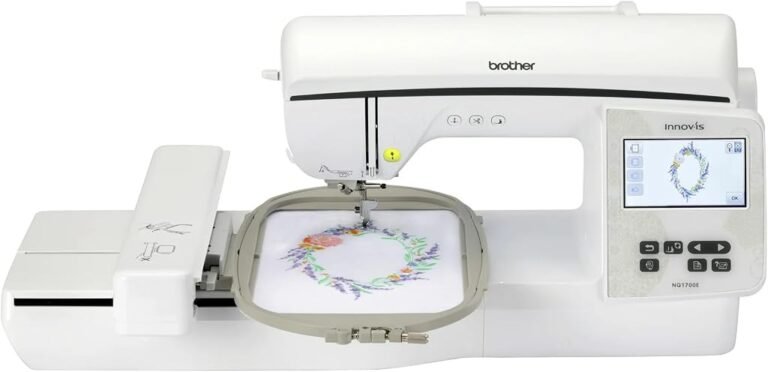
| Brother Inno-vis NQ1700E | Embroidery-only | 8.45/10 | 8.50 | 8.54 | 8.28 | Large-field dedicated embroidery |
| SINGER Heavy Duty 500 | Sewing | 8.36/10 | 8.28 | 8.85 | 8.15 | Conventional sewing workloads |
| Brother NQ1700E | Embroidery-only | 8.32/10 | 8.28 | 8.64 | 8.15 | Advanced home embroidery |
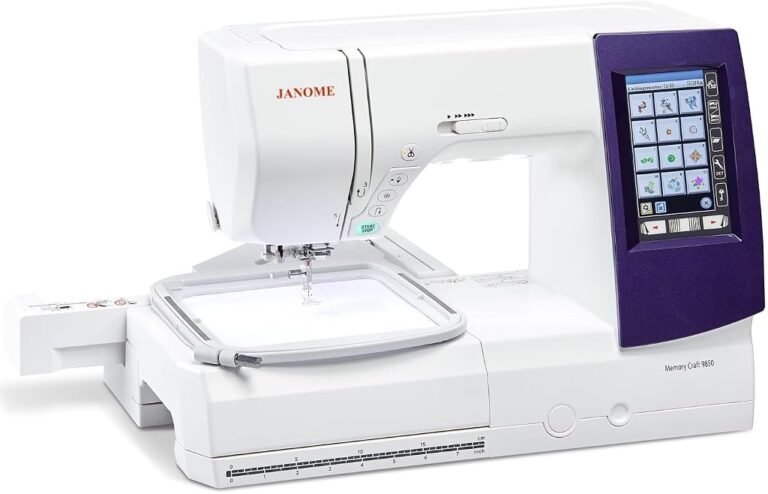
| Janome Memory Craft 9850 | Sewing/embroidery combo | 8.20/10 | 8.06 | 8.81 | 8.03 | Advanced sewing plus embroidery |
The table reveals why score alone should not determine the purchase. A Smartstitch multi-needle system and Janome JW8100 are designed for different production environments. Their numerical ratings help assess each product within its intended job; they do not erase those distinctions.
Sewing vs Embroidery Machine: Start With the Work
The sewing vs embroidery machine question should precede brand comparison.
A conventional sewing machine joins fabric. It constructs garments, inserts zippers, makes buttonholes, hems trousers, pieces quilts, repairs seams, and performs related operations. Decorative stitches can embellish fabric, but they are still produced through the machine’s conventional feeding system.
An embroidery machine operates differently. Fabric is stabilized inside a hoop, and the machine moves that hoop according to digital stitch coordinates. The user is therefore managing designs, thread colors, stabilization, hoop placement, density, registration, and thread behavior rather than manually steering a seam.
Combination machines unite both systems.
That arrangement makes models such as the Brother SE700, SE2000, SE1900, and Janome Memory Craft 9850 attractive when physical space or budget makes two machines undesirable. Yet combination equipment also creates a workflow tradeoff: a machine embroidering a long design cannot simultaneously be used to sew a garment.
Dedicated equipment becomes increasingly rational as workload rises.
Brother SE700 Review: A Logical Starting Point for Connected Embroidery
A Brother SE700 review has to begin with its 4 × 4-inch embroidery field because that dimension determines what the machine can accomplish without repositioning.
The Brother SE700 product documentation confirms a 4 × 4-inch maximum embroidery area, 135 built-in embroidery patterns, 10 embroidery fonts, wireless LAN, Artspira compatibility, automatic thread cutting, and sewing speeds up to 710 stitches per minute.
Our score is 8.71/10, supported by Buyer Confidence of 9.80 and Value of 8.28. Its appeal is less about maximum embroidery dimensions than about accessibility: one machine handles conventional sewing and introduces digital embroidery without demanding commercial-scale space or expenditure.
A Brother SE700 Artspira review also changes the assessment slightly. Wireless design transfer is more consequential than it initially sounds because embroidery increasingly begins on a computer or mobile device rather than at the machine itself. Brother states that Artspira can create patterns from drawings on a mobile device and transfer them wirelessly to the SE700.
A Brother SE700 bundle review requires more restraint. Bundles can include thread, stabilizer, additional hoops, tools, or other accessories, but the useful question is not how many pieces appear in the package. Buyers should calculate how many are supplies they would independently purchase. Forty low-priority accessories do not automatically outweigh several rolls of appropriate stabilizer, suitable embroidery thread, spare needles, or a genuinely useful hoop.
The SE700’s constraint is straightforward: 4 × 4 inches can become restrictive quickly. Buyers expecting large jacket backs, substantial home-decor motifs, or larger uninterrupted compositions should look higher in the range.
Brother SE700 vs SE600: Connectivity or Proven Simplicity?
Brother SE700 vs SE600 is a particularly revealing comparison because both share the 4 × 4-inch embroidery format.
The older Brother SE600 is now listed by Brother as discontinued. Brother specifies 80 embroidery designs, 103 built-in sewing stitches, a 4 × 4-inch embroidery area, and seven included accessory feet.
The Brother SE600 review remains relevant because our score of 8.86/10 is slightly above the SE700’s 8.71. Buyer Confidence is 9.80, while Value is 8.40.
That does not automatically make the older machine the preferred purchase. The SE700’s wireless LAN and Artspira integration create a more contemporary design-transfer workflow. The SE600 can make sense where available at an attractive price and where wireless transfer carries little value. The SE700 makes more sense for buyers who expect to source, edit, and move designs digitally.
The physical embroidery limit remains essentially the same purchasing constraint: neither is the natural answer for someone who already knows that 4 × 4 inches will feel small.
Brother SE2000 Review: The 5 × 7-Inch Step Matters
Moving from 4 × 4 to 5 × 7 inches sounds modest numerically. In actual embroidery planning, it changes what can fit inside one hooping.
The Brother SE2000 has a 5 × 7-inch maximum embroidery area, 193 built-in embroidery designs, 241 built-in sewing stitches, 13 embroidery lettering fonts, wireless capability, and a 3.7-inch color LCD. Brother lists sewing speed up to 850 stitches per minute.
Our Brother SE2000 review produces an 8.71/10 score, with Customer Sentiment at 8.72, Buyer Confidence at 9.05, and Value at 8.40.
Its strongest argument is not simply “more features.” It is reduced hooping friction. Designs that exceed a 4 × 4 field often require splitting, repositioning, or redesigning. A 5 × 7 field allows more work to remain inside one setup.
That matters because every rehooping introduces another opportunity for alignment error.
Brother SE1900 Review: Our Highest-Rated Home Combo
The Brother SE1900 earns our highest overall editorial score among the listed combination machines at 9.01/10. Customer Sentiment is 8.94, Buyer Confidence reaches 9.80, and Value is 8.52.
The Brother SE1900 review therefore lands in a different position from the SE700. It is aimed at the buyer who already expects sewing and embroidery to share substantial time rather than someone merely experimenting with machine embroidery.
Its purchasing logic is strongest when one machine must carry both sides of a serious home sewing practice. A buyer primarily interested in embroidery, however, should still compare dedicated embroidery machines. Paying for strong sewing capability that will rarely be used is inefficient allocation.
Brother PE545 vs PE900: Embroidery Field Wins the Argument
The Brother PE545 vs PE900 decision demonstrates how embroidery field can outweigh a long list of secondary specifications.
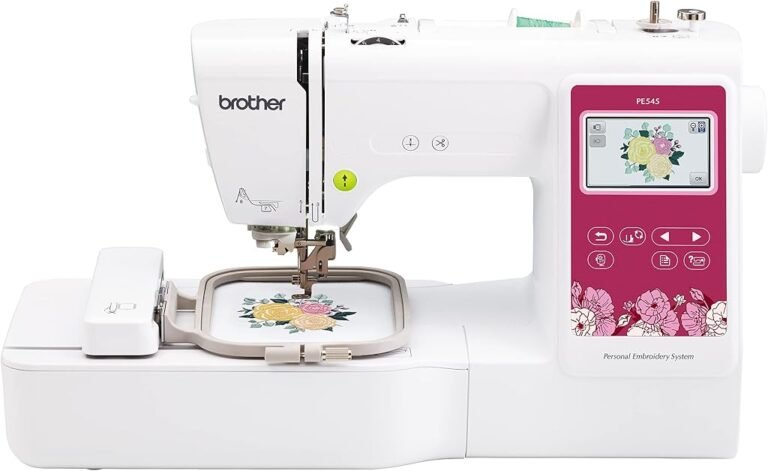
The Brother PE545 provides a 4 × 4-inch embroidery field, 135 built-in designs, 10 lettering fonts, wireless LAN, a 3.7-inch color display, automatic thread cutting, and embroidery speed up to 400 stitches per minute.
Our Brother PE545 review scores it 8.58/10, with Buyer Confidence at 9.15.
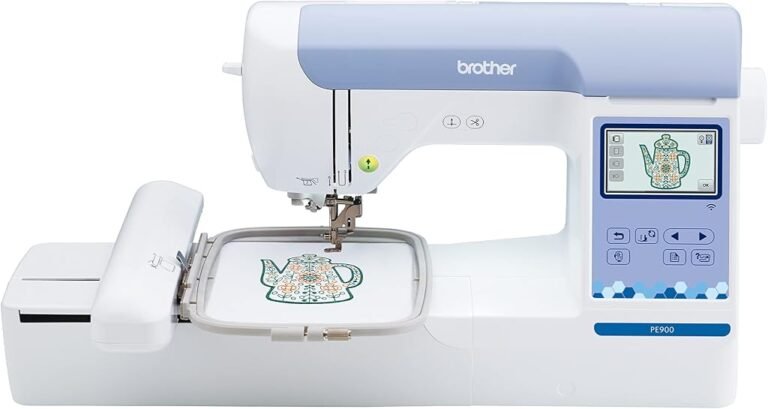
The Brother PE900 expands the field to 5 × 7 inches and includes 193 built-in embroidery designs and 13 embroidery fonts. Its editorial score is 8.59/10, virtually identical numerically, while Buyer Confidence rises to 9.22.
The Brother PE900 review therefore produces a simple recommendation pattern. PE545 suits buyers whose designs genuinely fit 4 × 4 inches and who prioritize a lower entry cost. PE900 is more defensible when larger names, chest graphics, decorative panels, and medium-format designs are expected.
The difference is not about prestige. It is about avoiding unnecessary rehooping.
Brother NQ1700E Review: When 6 × 10 Inches Changes the Workflow
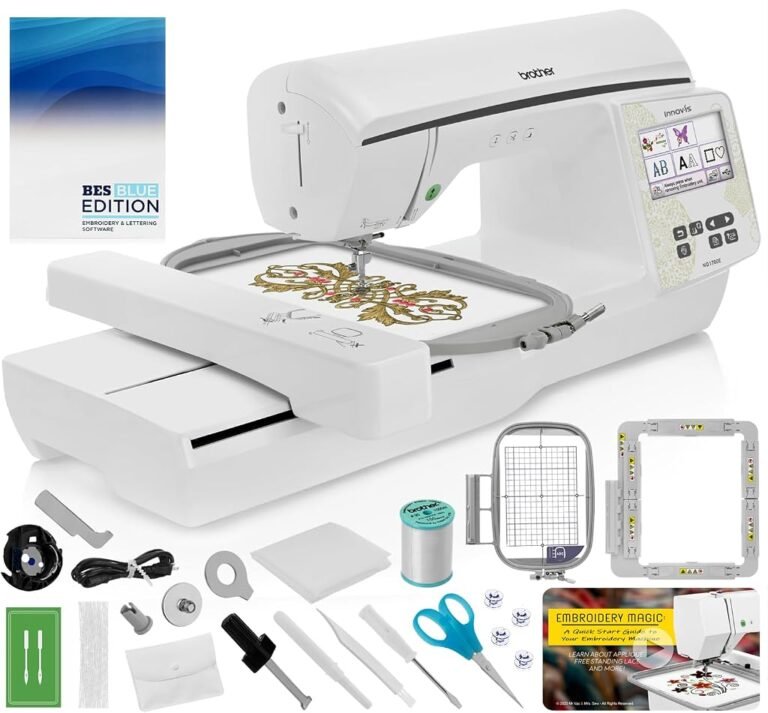
The Brother NQ1700E moves dedicated home embroidery into substantially larger territory. Brother specifies a 6 × 10-inch maximum embroidery area, 258 built-in designs, 13 fonts, wireless capability, a 4.85-inch color LCD, and an embroidery speed reaching 850 stitches per minute.
Our Brother NQ1700E review scores the model 8.32/10. The closely related Brother Inno-vis NQ1700E review reaches 8.45/10 in our assessment.
Those scores sit below several cheaper machines, but that illustrates why rankings need context. The NQ1700E is not trying to be an inexpensive introduction. Its 6 × 10 field addresses users who have already discovered that smaller hoops interrupt their workflow.
For that buyer, physical embroidery capacity can outweigh a fraction of a point in an editorial rating.
Janome Memory Craft 9850 Review: Sewing Depth Meets Larger Embroidery
The Janome Memory Craft 9850 is another serious combination-machine proposition.
Janome specifies 200 built-in sewing stitches, six one-step buttonholes, automatic thread tension, sewing speed up to 1,000 stitches per minute, 175 embroidery designs, and a maximum embroidery area of 6.7 × 7.9 inches. Design transfer uses USB, while embroidery speed reaches 800 stitches per minute.
Our Janome Memory Craft 9850 review gives it 8.20/10, with Customer Sentiment at 8.06, Buyer Confidence at 8.81, and Value at 8.03.
Its appeal lies in balance. This is not merely an embroidery machine with rudimentary sewing attached, nor merely a sewing machine with novelty embroidery. It suits users who expect substantial conventional sewing and meaningful embroidery capacity from the same chassis.
POOLIN EOC05 Combo Review and Poolin EOC05 Embroidery Review
Product naming around the EOC05 can create confusion because the machine is fundamentally embroidery-focused in its current manufacturer documentation.
The PooLin EOC05 supports hoops measuring 10 × 10 cm and 10 × 23.5 cm, reaches a stated maximum of 650 stitches per minute, includes 130 patterns and eight fonts, and uses a 7-inch touchscreen. PooLin also lists needle threading, bobbin winding, thread trimming, and a thread-break alarm.
Our POOLIN EOC05 combo review and Poolin EOC05 embroidery review assessment is 8.61/10, with Buyer Confidence of 9.32.
Its unusual advantage is the long 10 × 23.5 cm field. That shape can be useful for vertically oriented designs, lettering, borders, and similar work where a square 4 × 4 hoop becomes restrictive.
Buyers should nevertheless compare local dealer access, training resources, replacement parts, file workflow, and warranty support alongside headline hardware. Embroidery ownership extends well beyond the day the machine leaves its box.
Poolin EOC06 Review: A Larger Canvas
The PooLin EOC06 increases maximum embroidery area to 20 × 28 cm. Manufacturer specifications list a maximum speed of 860 stitches per minute, 200 built-in patterns, eight fonts, Wi-Fi, USB transfer, and a 7-inch touchscreen.
Our Poolin EOC06 review scores it 8.46/10, with Buyer Confidence of 9.35.
Its purchasing case is predominantly geometric: the larger field reduces design splitting and repeated hooping. Buyers whose designs remain small will not automatically benefit from that capacity, while those routinely pushing against smaller fields may find the additional working area far more consequential than built-in design counts.
Single Needle vs Multi Needle: Where Production Economics Begin
The single needle vs multi needle question becomes unavoidable once embroidery moves from hobby activity toward repeated paid work.
A single-needle machine generally requires manual thread changes as a design progresses through colors. Multi-needle machines keep several colors threaded simultaneously and can move between needles according to the design sequence.
That distinction changes labor.
Imagine a design containing ten color blocks. Stitch speed alone does not determine throughput. The operator may need to stop, rethread, confirm color order, trim, and restart repeatedly. A multi-needle machine can reduce that intervention substantially when its needles are preloaded with the required colors.
This is why commercial embroidery machines cannot be evaluated purely through stitches per minute.
Smartstitch S-1001 Review: Entry Into Multi-Needle Production
The Smartstitch S-1001 uses 10 needles, a 7-inch touchscreen, Wi-Fi capability, a stated maximum speed of 1,200 stitches per minute, and a 14.2 × 9.5-inch embroidery area. Smartstitch lists the machine at 93 pounds.
Our Smartstitch S-1001 review gives it 8.97/10, with Customer Sentiment at 9.16, Buyer Confidence at 8.84, and Value at 8.64.
This is where the home vs commercial embroidery machine distinction becomes concrete. The S-1001 costs far more than entry-level single-needle equipment, but its multiple needles and larger field target a fundamentally different workflow.
For a business repeatedly producing multicolor logos, names, patches, garments, or hats, operator time becomes an economic input. For someone embroidering several gifts per month, the same hardware can represent unused capacity.
Smartstitch S-1201 Plus Review: More Needles, More Field
The Smartstitch S-1201 Plus moves to 12 needles, a 10-inch display, Wi-Fi, a 16 × 12-inch embroidery area, and a stated maximum speed of 1,200 stitches per minute.
Our Smartstitch S-1201 Plus review also scores 8.97/10, with Customer Sentiment at 9.16, Buyer Confidence at 8.87, and Value at 8.64.
Smartstitch S-1001 vs S-1201 Plus therefore comes down less to the identical editorial score than to production requirements. The S-1001 offers 10 needles and a smaller field; the S-1201 Plus increases both needle count and embroidery area.
A business should quantify how often existing jobs exceed the smaller field and how frequently designs use more than 10 colors. Capacity that solves a recurring bottleneck has measurable value. Capacity purchased merely because the specification is larger does not.
SINGER Quantum Stylist 9960 Review: For Sewing, Not Machine Embroidery
The SINGER Quantum Stylist 9960 belongs in a different category.
SINGER lists 600 built-in stitches, five alphabets, 13 one-step buttonhole styles, an extension table, 25 needle positions, a maximum 7 mm stitch width, and sewing speed up to 850 stitches per minute.
Our SINGER Quantum Stylist 9960 review scores it 8.55/10, with Buyer Confidence of 9.80.
The crucial distinction is that decorative sewing stitches are not equivalent to hoop-based digital machine embroidery. The 9960 is better interpreted as a feature-rich sewing and quilting machine. Someone wanting garment construction, quilting controls, decorative stitching, lettering, and buttonholes may find that far more relevant than paying for an embroidery module.
Janome JW8100 Review: The Case for Buying Only What Is Needed
The Janome JW8100 illustrates why a dedicated sewing machine can outperform a combo machine as a purchasing decision even without embroidery.
Janome specifies 100 built-in stitches, seven one-step buttonholes, a built-in needle threader, seven-piece feed dog, start/stop control, speed slider, 15 needle positions, 7 mm maximum stitch width, extension table, and hard cover.
Our Janome JW8100 review scores it 8.85/10, with Buyer Confidence of 9.78 and Value of 8.40.
For someone who does not actually need digital embroidery, buying embroidery capability creates expense and mechanical complexity without solving a real problem. The JW8100’s high score reflects a focused proposition: computerized sewing without pretending to be a production embroidery platform.
Brother 1034D Review and Serger vs Sewing Machine
A serger is another category frequently misunderstood.
The Brother 1034D is a 3/4-thread serger with differential feed and maximum stitching speed of 1,300 stitches per minute. Brother lists four-thread overlock, three-thread overlock, narrow hem, rolled hem, and ribbon-lock stitch options.
Our Brother 1034D review gives it 8.86/10, with Buyer Confidence of 9.80.
The serger vs sewing machine question is therefore not an either-or comparison for many garment makers. A sewing machine constructs seams, installs zippers, produces buttonholes, topstitches, and performs many general operations. A serger trims and encloses raw edges while forming overlock stitches, with differential feed particularly useful when handling fabrics prone to stretching or puckering.
Many serious garment workspaces eventually use both.
SINGER Heavy Duty 500 Review
Our SINGER Heavy Duty 500 review places the machine at 8.36/10, with Customer Sentiment of 8.28, Buyer Confidence of 8.85, and Value of 8.15.
Its place in this guide is conventional sewing rather than computerized embroidery. That distinction should drive the buying decision more than the “heavy duty” label. Buyers should match a sewing machine to the actual materials, seam structures, needle system, presser-foot needs, and frequency of use rather than assuming a category name automatically defines every suitable workload.
Embroidery Hoop Size Guide
An embroidery hoop size guide should begin with the finished design rather than the machine.
The maximum embroidery field defines how much of a design can be stitched in one placement. Larger fields can reduce splitting and rehooping, but larger is not automatically better for every project.
A practical progression looks like this:
- Around 4 × 4 inches: monograms, small motifs, children’s designs, patches, compact logos.
- Around 5 × 7 inches: medium decorative motifs, larger lettering, more flexible apparel work.
- Around 6 × 10 inches: larger garment designs and compositions that would require repositioning on smaller machines.
- Fields approaching 8 × 11 inches and beyond: larger decorative work and production-oriented designs.
- Commercial fields above those dimensions: broad garment graphics, jacket work, bags, and business workflows requiring fewer rehoops.
The cost of a small hoop is not merely limited design dimensions. It is operator time.
How to Hoop Fabric Without Creating New Problems
Learning how to hoop fabric is as consequential as learning the machine interface.
Fabric needs adequate stabilization because embroidery repeatedly penetrates a concentrated area with hundreds or thousands of stitches. Stretch, distortion, or movement can cause outlines to drift away from fills and lettering to deform.
The basic process is straightforward:
- Select stabilizer according to fabric structure and stitch density.
- Mark the intended design center and orientation.
- Keep fabric grain aligned rather than pulling one side harder than another.
- Secure the fabric and stabilizer without stretching the textile out of shape.
- Tighten the hoop enough to resist movement.
- Use the machine’s tracing or boundary function, where available, before stitching.
“Drum tight” is sometimes interpreted too aggressively. Stretching knit fabric during hooping can cause it to contract after removal, producing puckering around an otherwise correctly stitched design.
When Embroidery Thread Keeps Breaking
When embroidery thread keeps breaking, replacing the thread should not be the automatic first response.
Thread failure can originate anywhere along the path from spool to needle. Common checks include the thread path, spool orientation, tension, needle condition, needle size, burrs, thread quality, design density, speed, and stabilization.
A systematic diagnosis is faster than random adjustment.
First rethread the machine completely with the presser foot in the appropriate position for threading. Then inspect the needle. A bent, blunt, damaged, or incorrectly installed needle can repeatedly cut or shred upper thread.
Next inspect the spool and thread path for snags. Decorative spools sometimes unwind differently depending on spool construction. Then evaluate tension and design density. Excessive tension or unusually dense stitching can increase stress.
If breakage occurs at almost exactly the same stitch location repeatedly, the design itself deserves scrutiny. If it occurs randomly, thread path, needle condition, spool feeding, and tension become stronger suspects.
How to Clean a Sewing Machine
Anyone learning how to clean a sewing machine should begin with the manufacturer’s manual because lubrication requirements and accessible components vary.
Routine cleaning usually centers on lint. Fabric fibers and thread debris collect around the bobbin and feed system. Removing the needle plate where the manual permits access allows accumulated lint to be brushed away.
Compressed air is not universally desirable because it can drive debris farther into the mechanism. Nor should oil be applied indiscriminately. Some modern machines specify limited user lubrication or no routine owner oiling at certain points.
The maintenance pattern should therefore be conservative: unplug the machine, remove thread and the needle where appropriate, clean accessible lint, inspect the bobbin area, replace damaged needles, and follow model-specific lubrication instructions.
Commercial embroidery equipment adds another variable: downtime. Maintenance that seems optional during light home use becomes an operating-cost issue when a machine generates revenue.
Home vs Commercial Embroidery Machine: Calculate Labor, Not Just Price
The home vs commercial embroidery machine decision can be framed economically.
Suppose a single-needle machine requires several manual color changes for each item. If a business produces only a few pieces per week, the labor penalty may be trivial. If it produces dozens of multicolor items per day, those interventions accumulate.
Commercial multi-needle machines also make it easier to keep common colors permanently threaded. That reduces setup work between designs.
But multi-needle ownership carries its own costs: higher acquisition price, larger workspace requirements, training, maintenance, consumables, cap systems or specialized frames, and potentially greater consequences when the machine is unavailable.
The correct threshold is therefore not “when embroidery becomes serious.” It is when saved labor, expanded job capability, or increased throughput can justify the capital and operating cost.
How to Read Scores Without Letting Them Make the Decision
Our scores deliberately combine several editorial signals rather than rewarding the largest specification sheet.
The Brother SE1900’s 9.01/10 makes it our strongest-rated home combination option in this group. The Smartstitch S-1001 and S-1201 Plus both reach 8.97/10 for multi-needle embroidery. The Brother SE600 and Brother 1034D both reach 8.86/10 despite doing completely different jobs.
That is not contradictory.
Scores answer, “How convincing is this machine within its intended role?” Machine category answers, “Is this role actually needed?”
The second question comes first.
A buyer choosing between an 8.97 multi-needle machine and an 8.85 computerized sewing machine is not really choosing between scores. That buyer is choosing between embroidery production and conventional sewing.
A More Rational Buying Checklist
Before paying for a machine, the buyer should be able to answer several practical questions:
- Is the primary workload garment construction, quilting, embroidery, seam finishing, or paid embroidery production?
- What is the largest design that will routinely be stitched?
- How often will pro