Electric standing desks have changed how people approach office ergonomics. Instead of remaining seated throughout the working day, employees, freelancers, and home-office users can adjust their workstations to accommodate different postures.
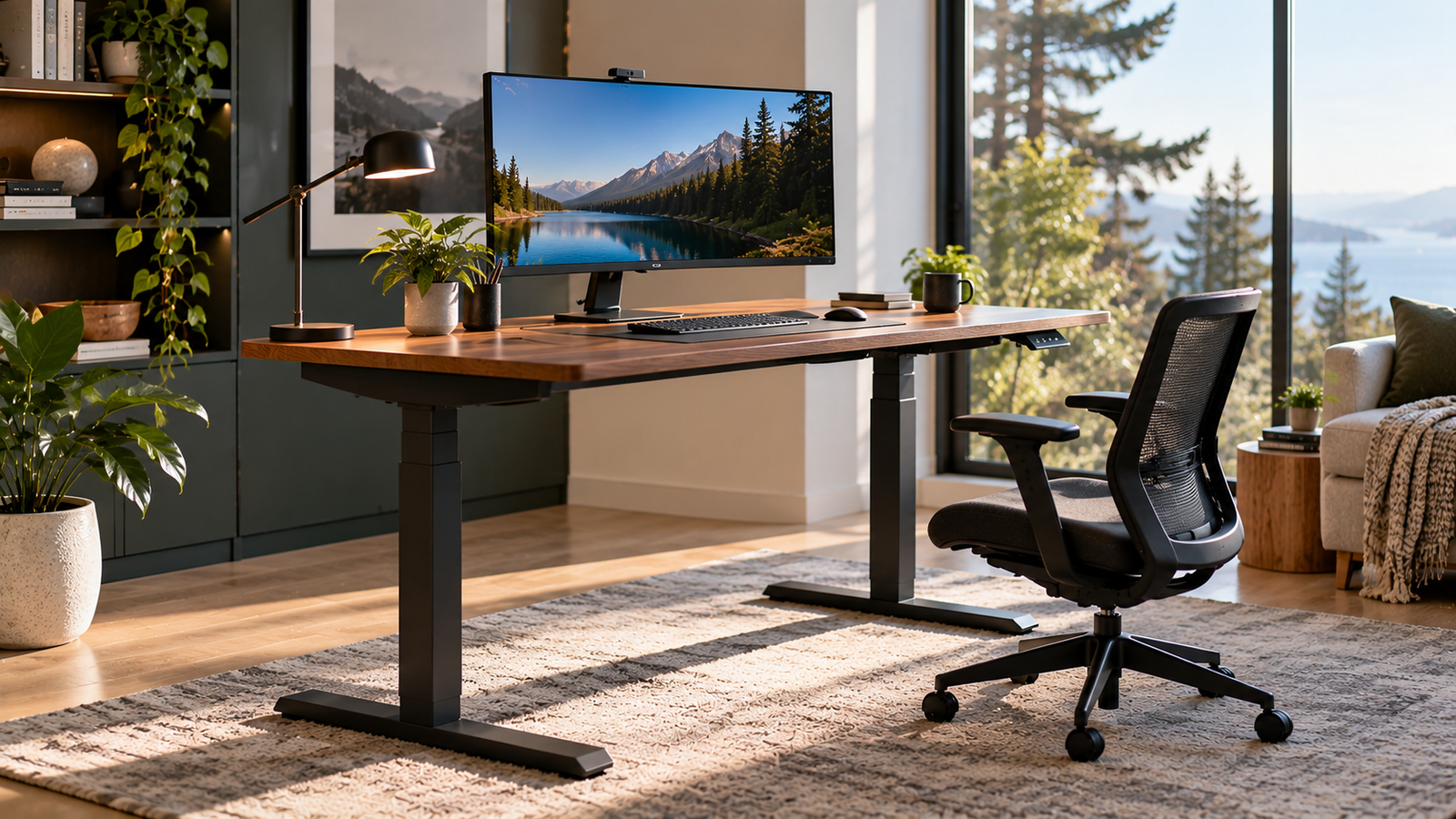
Yet beneath the desktop lies a mechanical distinction that receives surprisingly little scrutiny: the number of motors responsible for lifting the work surface.
Single-motor and dual-motor standing desks perform the same fundamental task. Both use electrically powered mechanisms to raise and lower a desktop. Their differences concern how lifting force is generated, distributed, and controlled.
These engineering decisions can influence load capacity, adjustment speed, mechanical complexity, noise, maintenance, and purchase price.
However, the widespread assumption that two motors automatically produce a better standing desk deserves examination.
Motor count is only one element of a much larger mechanical system. Frame geometry, lifting-column quality, electronic controls, desktop dimensions, and manufacturing tolerances can have equally meaningful effects on everyday performance.
For buyers evaluating their first adjustable workstation, understanding these distinctions can prevent unnecessary spending while helping identify equipment suited to actual working conditions.
How Electric Standing Desks Work
An electric standing desk combines several mechanical and electronic components.
Most conventional two-leg designs include telescoping lifting columns, an electric drive system, a control unit, a height-adjustment keypad, and a supporting steel frame.
When the user activates the controls, electrical power drives a motor connected to a mechanism that extends or retracts the lifting columns.
The movement changes the height of the desktop while the frame supports the weight of the working surface and its equipment.
The fundamental difference between single-motor and dual-motor desks concerns how this movement is produced.
Single-Motor Standing Desks
A conventional single-motor, two-leg standing desk uses one electric motor to drive both lifting columns.
In many designs, the motor connects to a mechanical transmission shaft that transfers rotational movement between the two sides of the frame.
The shaft allows one motor to operate both lifting mechanisms.
This arrangement reduces the number of electric motors and may simplify certain electrical components.
However, the design still requires mechanical coordination between the lifting columns.
The transmission shaft, gears, bearings, and lifting mechanisms must work together to maintain reasonably even movement.
Single-motor construction is frequently associated with more affordable standing desks, although the actual cost depends on materials, manufacturing quality, and additional features.
Dual-Motor Standing Desks
A dual-motor desk generally incorporates a separate motor for each lifting column.
Both motors receive instructions from a shared electronic control system.
Instead of transferring power across the frame through a central drive shaft, each motor drives its corresponding lifting mechanism.
The control system coordinates movement to maintain the intended desktop position.
Depending on the design, this coordination may involve position sensors, motor feedback, or other electronic monitoring methods.
Dual-motor arrangements are common in higher-capacity adjustable desks.
Nevertheless, having two motors does not establish a universal advantage in performance.
The quality of the motors, lifting columns, gearing, and electronic synchronization remains central to the result.
Single-Motor vs Dual-Motor Standing Desks: Key Differences
The principal distinctions can be organized into several purchasing considerations.
| Feature | Single-Motor Standing Desk | Dual-Motor Standing Desk |
|---|---|---|
| Motor configuration | One motor drives both legs | Usually one motor per leg |
| Power distribution | Commonly uses a mechanical transmission shaft | Motors drive their respective lifting columns |
| Load capacity | Often lower in budget designs | Often higher in premium designs |
| Adjustment speed | Varies by motor and gearing | Varies by motor and gearing |
| Synchronization | Mechanical coordination | Electronic coordination |
| Electrical complexity | Generally fewer powered components | Additional motor and control requirements |
| Mechanical complexity | May require a cross-frame drive shaft | Usually avoids a shared mechanical drive shaft |
| Noise | Depends on the complete drive system | Depends on the complete drive system |
| Maintenance | Transmission components may require attention | Motor and synchronization components may require attention |
| Purchase price | Frequently more affordable | Frequently more expensive |
| Best suited to | Basic and moderately equipped workstations | Heavier or more demanding configurations |
These differences describe common design approaches rather than fixed performance rules.
A well-engineered single-motor desk can outperform a poorly constructed dual-motor alternative.
The more useful comparison concerns measurable performance under realistic working conditions.
Lifting Capacity: How Much Weight Can Each System Handle?
Weight capacity is one of the most frequently advertised standing desk specifications.
Manufacturers typically express it in pounds or kilograms.
A desk advertised with a 150-pound lifting capacity, for example, is rated to support approximately 68 kilograms.
A 300-pound capacity corresponds to approximately 136 kilograms.
The difference is substantial, particularly for equipment-heavy workstations.
Why Dual-Motor Desks Often Support More Weight
Dual-motor systems distribute powered lifting across two columns.
Each motor drives its respective side of the desk, reducing reliance on a single motor to transmit movement through the entire frame.
This architecture can support designs intended for heavier loads.
However, total lifting capacity is not simply the sum of two motor ratings.
The frame, lifting columns, gear mechanisms, electronic controls, and structural connections must all support the specified load.
A desk with powerful motors but inadequate structural rigidity may still perform poorly.
Likewise, a single-motor system with appropriate gearing and robust lifting columns can support substantial weight.
Calculating the Actual Workstation Load
Buyers should calculate the total weight of the intended setup before selecting a desk.
Consider a hypothetical workstation containing:
| Component | Example Weight |
|---|---|
| Desktop | 45 lb |
| Two monitors | 30 lb |
| Monitor arms | 15 lb |
| Desktop computer | 25 lb |
| Keyboard and mouse | 5 lb |
| Speakers and accessories | 15 lb |
| Total | 135 lb |
These are illustrative equipment weights, not measurements of a particular workstation.
If a desk’s published capacity includes the desktop, the example setup would require at least 135 pounds of supported load.
Additional capacity would provide flexibility for future equipment.
A buyer planning to install heavy monitors, professional audio equipment, or substantial desktop accessories should examine the manufacturer’s lifting specification carefully.
For a lightweight laptop workstation, the extra capacity associated with many dual-motor desks may offer little practical benefit.
Adjustment Speed: Does Having Two Motors Make a Desk Faster?
A common purchasing assumption is that two motors must raise a desk faster than one.
Mechanically, the relationship is not that straightforward.
Adjustment speed depends on motor rotational speed, gearing, lifting-column design, load, and electronic controls.
A dual-motor desk with conservative gearing can move more slowly than a single-motor model designed for faster travel.
Similarly, a single-motor system may experience greater speed reduction under heavy loads, depending on its available torque and transmission design.
Understanding Advertised Speed
Manufacturers commonly express lifting speed in inches or millimeters per second.
Suppose one desk advertises a speed of 1 inch per second while another advertises 1.5 inches per second.
For a 20-inch height adjustment:
- At 1 inch per second, theoretical travel time is 20 seconds.
- At 1.5 inches per second, theoretical travel time is approximately 13.3 seconds.
- The difference is approximately 6.7 seconds.
These calculations assume constant movement speed.
Real desks may accelerate gradually, slow before stopping, or adjust movement according to load.
Consequently, advertised speed should be treated as a useful comparison metric rather than a guaranteed measurement for every adjustment.
How Much Speed Is Actually Necessary?
For someone changing positions several times during the working day, moderate adjustment speed may be entirely adequate.
A desk does not need to move exceptionally quickly to encourage regular posture changes.
Smooth movement, predictable stopping, and consistent operation are often more relevant.
Buyers should therefore compare adjustment speed alongside stability, noise, and control quality.
A faster desk that shakes equipment or stops abruptly may provide a less comfortable experience than a slower, more controlled alternative.
Stability: Why Two Motors Do Not Automatically Mean Less Wobble
Stability is one of the most misunderstood aspects of electric standing desks.
A desk can lift hundreds of pounds and still exhibit noticeable movement when someone types or leans against the desktop.
This happens because lifting capacity and structural rigidity describe different characteristics.
Lifting capacity concerns the load a system is designed to support.
Stability concerns resistance to movement under external forces.
What Actually Determines Stability?
Several structural characteristics influence desk movement.
Frame geometry: The distance between lifting columns, the shape of the supporting feet, and the arrangement of crossbars affect resistance to movement.
Lifting-column construction: Column dimensions, overlap, internal guides, and manufacturing tolerances influence rigidity.
Desktop dimensions: Wider or deeper surfaces can create greater leverage when force is applied near their edges.
Working height: As telescoping columns extend, the geometry of the structure changes. Movement may become more noticeable at elevated positions.
Floor conditions: Uneven flooring or poorly adjusted leveling feet can introduce rocking.
Equipment placement: Heavy monitor arms extending beyond the central support area can amplify visible movement.
None of these characteristics is determined exclusively by motor count.
A single-motor desk with a rigid frame may remain more stable than a dual-motor desk with flexible lifting columns.
How Buyers Can Evaluate Stability
When possible, stability should be assessed at the intended standing height rather than only at the lowest position.
A useful evaluation includes gentle front-to-back and side-to-side movement.
Monitor arms deserve particular attention because small desktop movements can become more visible at the screen.
Buyers should also distinguish between minor movement during deliberate force and distracting movement during ordinary typing.
The objective is not necessarily absolute immobility.
It is a workstation that remains comfortable during normal use.
Noise Levels: Is One Motor Quieter Than Two?
Motor noise can matter in shared offices, bedrooms converted into workspaces, and environments where calls or recordings take place.
However, counting motors does not reliably predict operating noise.
A single-motor desk may generate sound from its motor, gears, and transmission shaft.
A dual-motor desk may generate sound from two motors and their associated lifting mechanisms.
The total noise depends on component design, mounting, vibration, lubrication, and operating load.
Understanding Decibel Ratings
Manufacturers sometimes advertise noise levels in decibels.
A desk rated below 50 dB may appear quieter on paper than one rated below 55 dB.
Yet meaningful comparisons require equivalent measurement conditions.
Distance from the desk, room acoustics, background noise, and equipment load can affect the recorded result.
Decibels also use a logarithmic scale.
A 10 dB increase represents a tenfold increase in sound intensity, although perceived loudness does not increase in the same proportion.
Therefore, a small difference between manufacturer noise ratings should not automatically determine a purchase.
Independent measurements conducted under consistent conditions are more informative.
For most buyers, the practical question is whether the desk produces distracting noise during occasional height adjustments.
Durability and Reliability: Which Motor System Lasts Longer?
A standing desk may undergo thousands of height adjustments during its service life.
Reliability therefore deserves attention beyond the initial purchase.
Single-motor and dual-motor systems present different mechanical and electrical considerations.
Single-Motor Reliability
Single-motor desks contain fewer electric motors.
This reduces the number of motor assemblies that could potentially require replacement.
However, the mechanical transmission system introduces components that must remain correctly aligned and connected.
Depending on the design, these may include drive shafts, couplings, gears, and related hardware.
Wear or misalignment in these components can affect operation.
A single-motor architecture is therefore not automatically simpler in every mechanical respect.
Dual-Motor Reliability
Dual-motor desks eliminate the need for a shared mechanical drive shaft in many conventional designs.
Instead, the control system must coordinate two independently driven lifting columns.
This introduces additional electrical components and synchronization requirements.
If one motor or its associated control system develops a fault, the desk may stop operating correctly.
Well-designed electronic controls can detect certain movement irregularities and interrupt operation.
However, the presence of two motors alone does not establish longer service life.
What Buyers Should Examine
Warranty coverage and replacement-part availability provide more useful ownership information than motor count by itself.
Relevant questions include:
- Are the motors covered by the full warranty?
- Does coverage include the electronic control unit?
- Are lifting columns and mechanical components protected?
- Can replacement parts be purchased after the warranty expires?
- Are repairs possible without replacing the entire frame?
- Does the manufacturer provide troubleshooting instructions?
- Are warranty claims handled locally or internationally?
A desk with accessible replacement components may offer better long-term ownership value than one with impressive specifications but limited service support.
Energy Consumption: Does a Dual-Motor Desk Use More Electricity?
Two motors might appear to imply twice the electricity consumption.
That assumption overlooks how electric power and operating time interact.
Electrical energy consumption depends on power draw and duration.
A simplified calculation uses:
Energy consumption (Wh) = Power (W) × Operating time (hours)
Consider two hypothetical systems.
A single-motor desk draws 100 watts while moving for 20 seconds.
Its energy consumption for that movement is approximately 0.56 watt-hours.
A dual-motor desk draws 160 watts but completes the same movement in 15 seconds.
Its consumption is approximately 0.67 watt-hours.
The dual-motor system uses more energy in this illustration, but not twice as much.
These figures are hypothetical and do not represent measured consumption from commercial desks.
Actual electricity use depends on motor efficiency, gearing, load, movement distance, and control electronics.
Standby Power Matters Too
Electric standing desks often remain connected to power throughout the day.
Consequently, standby consumption can contribute to annual electricity use.
For example, a device drawing 1 watt continuously would consume approximately 8.76 kilowatt-hours over a 365-day year.
At an illustrative electricity price of $0.20 per kilowatt-hour, that would cost approximately $1.75 annually.
Actual standby consumption varies by model.
For most conventional home-office setups, electricity cost is unlikely to outweigh ergonomic fit, reliability, and purchase price.
Nevertheless, buyers concerned about energy efficiency can compare published standby-power specifications.
Ergonomics: Motor Count Is Less Important Than Height Range
The primary ergonomic advantage of an adjustable desk is the ability to change working posture.
Whether that movement comes from one motor or two is secondary.
The desk must reach suitable seated and standing heights.
The Occupational Safety and Health Administration’s workstation purchasing guidance identifies adjustable keyboard-height ranges of 22–30 inches for seated tasks and 36–46.5 inches for standing tasks.
These figures are general workstation guidance rather than universal dimensions for every individual.
A desk’s advertised height range must also be interpreted carefully.
Some manufacturers specify frame height without the desktop.
Others publish the total working-surface height.
A one-inch desktop changes the actual keyboard position by approximately one inch.
For shorter users, this difference can determine whether the desk reaches a comfortable seated position.
Keyboard Position
OSHA’s keyboard ergonomics recommendations emphasize relaxed shoulders, elbows close to the body, and straight wrists.
A desk that cannot lower sufficiently may encourage raised shoulders.
A desk that cannot rise high enough may encourage forward bending while standing.
Neither problem is corrected by installing an additional motor.
Monitor Position
The same principle applies to display placement.
OSHA recommends positioning the monitor directly ahead, with the upper portion of the screen at or below eye level.
Its monitor guidance also identifies a preferred viewing distance of approximately 20–40 inches.
Monitor arms, desktop depth, and seating position all influence whether these recommendations can be achieved.
A properly configured single-motor desk can therefore provide better ergonomics than a poorly arranged dual-motor workstation.
What Research Actually Says About Standing Desks
Standing desks are frequently associated with better health, reduced discomfort, and improved productivity.
Scientific research supports a more measured interpretation.
A scoping review of 53 studies examining sit-stand desks evaluated behavioral, physiological, psychological, discomfort-related, posture, and work-performance outcomes.
The researchers found statistically significant results in 61% of behavioral outcomes, compared with 37% of physiological outcomes and 7% of work-performance outcomes.
These percentages describe the share of reported outcomes reaching statistical significance within each research category. They do not represent the percentage of workers who experienced improvement.
The findings suggest that sit-stand desks can change workplace behavior, particularly sitting and standing patterns.
Evidence for substantial improvements in productivity or broader health outcomes is less consistent.
Another investigation, the Take-a-Stand Project published by the CDC, examined an intervention involving sit-stand devices.
The study reported a reduction in workplace sitting time of 66 minutes per day during the intervention period.
The researchers also observed improvements in certain discomfort and mood measures.
However, the study was relatively small, and its findings should not be interpreted as guaranteed outcomes for every standing desk user.
Crucially, neither investigation establishes that dual-motor desks produce better health outcomes than single-motor desks.
The benefits associated with adjustable workstations concern opportunities to change posture and reduce prolonged sitting.
Motor configuration is an engineering choice, not a medical intervention.
Price Differences and Long-Term Value
Single-motor desks are frequently positioned toward the affordable end of the electric standing desk market.
Dual-motor systems are common among midrange and premium models.
However, motor count does not determine price independently.
Desktop materials, frame construction, adjustment range, electronics, accessories, warranty coverage, and distribution costs all contribute to the final amount.
A basic dual-motor desk may cost less than a highly customized single-motor model.
Similarly, a premium single-motor desk with a solid-wood desktop may cost considerably more than an entry-level dual-motor alternative.
Evaluating the Price Difference
Consider a hypothetical purchasing decision.
A single-motor desk costs $250.
A comparable dual-motor desk costs $350.
The difference is $100.
If both provide suitable height adjustment, adequate lifting capacity, acceptable stability, and equivalent warranty protection, the additional expense may offer limited practical benefit.
However, if the dual-motor model provides a substantially greater usable load capacity or a more appropriate height range, the price difference may be justified.
The calculation should focus on the features that change the working experience.
Paying more for a second motor is not inherently beneficial.
Paying more for a desk that better accommodates the intended workstation can be.
Which Motor System Is Better for Different Users?
The most useful purchasing distinction concerns workload rather than assumptions about quality.
Laptop-Based Home Offices
A compact workstation containing a laptop, external keyboard, mouse, and modest accessories generally places relatively little demand on a lifting system.
A well-constructed single-motor desk may provide sufficient capacity and adjustment performance.
For these buyers, desktop dimensions, minimum height, stability, and warranty coverage may matter more than motor count.
Dual-Monitor Workstations
Two monitors introduce additional weight and may require monitor arms.
However, the total equipment load can still fall comfortably within the capacity of many single-motor desks.
Buyers should calculate the complete load rather than assuming two monitors require two motors.
A dual-motor desk becomes more attractive when additional equipment or a larger desktop increases mechanical demands.
Heavy Professional Workstations
Workstations containing multiple large monitors, desktop computers, audio equipment, and substantial accessories place greater demands on the lifting system.
A higher-capacity dual-motor desk may be a more appropriate choice.
Nevertheless, the published load rating and structural design should determine the decision.
Shared Workstations
Desks used by multiple people require sufficient adjustment range to accommodate different body dimensions.
A dual-motor desk does not necessarily offer a wider height range.
Buyers should prioritize the actual minimum and maximum working-surface heights.
Memory presets may also improve convenience when users regularly alternate between established positions.
Budget-Conscious Buyers
For buyers working within a limited budget, a reliable single-motor desk can represent a sensible compromise.
The savings may allow greater investment in an adjustable chair, suitable monitor positioning, or other workstation improvements.
Those purchases can have a more direct effect on comfort than motor count alone.
Common Buying Mistakes
Several recurring assumptions can lead to unsuitable purchases.
Assuming More Motors Always Mean Better Stability
Structural design determines much of a desk’s resistance to movement.
Motor count alone cannot establish stability.
Ignoring Desktop Weight
A heavy desktop reduces the remaining capacity available for equipment when the published rating includes the working surface.
Buyers should verify how the manufacturer defines maximum load.
Comparing Maximum Heights Without Checking Minimum Heights
A desk suitable for tall standing users may not lower sufficiently for shorter seated users.
Both ends of the adjustment range matter.
Treating Advertised Speed as a Complete Performance Measure
Movement speed says little about vibration, stopping behavior, noise, or long-term reliability.
Overlooking Warranty Details
A long warranty is useful only when its coverage and service procedures address the components most likely to require attention.
Buying Excess Capacity Without a Practical Reason
A lightweight workstation rarely needs an exceptionally high lifting rating.
Additional capacity can be useful for future expansion, but it should be weighed against cost and other features.
A Practical Standing Desk Buying Guide
A disciplined purchasing process can reduce the influence of marketing claims.
The following sequence provides a practical framework.
- Measure seated elbow height. Determine the working-surface position needed for relaxed shoulders and comfortable keyboard use.
- Measure standing elbow height. Confirm that the desk can reach the required position without forcing the user to bend forward.
- Calculate total equipment weight. Include the desktop, monitors, mounting hardware, computer equipment, and accessories.
- Select appropriate desktop dimensions. Ensure sufficient depth for comfortable viewing distance and enough width for frequently used equipment.
- Compare lifting specifications. Examine maximum capacity, adjustment speed, and operating range.
- Assess structural design. Look beyond motor count to frame construction, lifting columns, feet, and available stability evidence.
- Examine controls and safety features. Check whether the desk includes memory presets, movement protection, and clearly documented operating procedures.
- Review warranty and service arrangements. Determine whether replacement motors, controllers, and lifting components are available.
- Calculate the complete price. Include the desktop, accessories, shipping, and any additional components required for the intended setup.
- Choose according to actual workload. A suitable single-motor desk may be preferable to an unnecessarily expensive dual-motor model, while demanding installations may justify the additional capacity of a well-engineered dual-motor system.
This process places measurable requirements ahead of marketing categories.
Final Considerations
Single-motor and dual-motor standing desks represent different approaches to the same engineering challenge.
Single-motor systems generally use one motor and a mechanical transmission arrangement to raise both sides of the desk.
Dual-motor systems typically use separate motors coordinated through electronic controls.
The second arrangement can support higher-capacity designs and eliminate the need for a shared drive shaft.
However, two motors do not automatically guarantee faster movement, quieter operation, better stability, or longer service life.
Those outcomes depend on the complete mechanical and electronic design.
For lightweight home-office setups, a well-built single-motor desk may deliver everything necessary for comfortable height adjustment.
For larger workstations carrying substantial equipment, a dual-motor desk with an appropriately rated frame may offer greater flexibility.
The decisive specifications are usable height range, lifting capacity, structural rigidity, adjustment behavior, warranty protection, and total cost.
Ergonomic suitability should remain central.
A desk that positions the keyboard correctly, supports the required equipment, and allows convenient changes between sitting and standing has fulfilled its primary purpose.
The broader evidence also reinforces a practical distinction: adjustable desks can help people change sedentary working habits, but their benefits are not determined by the number of motors beneath the desktop.
For buyers, the most effective decision is therefore neither automatically choosing the cheaper mechanism nor assuming the more elaborate system must be superior.
It is selecting a workstation whose engineering matches the demands of the person using it.
A second motor can be useful. A properly fitted, stable, and reliable desk is indispensable.