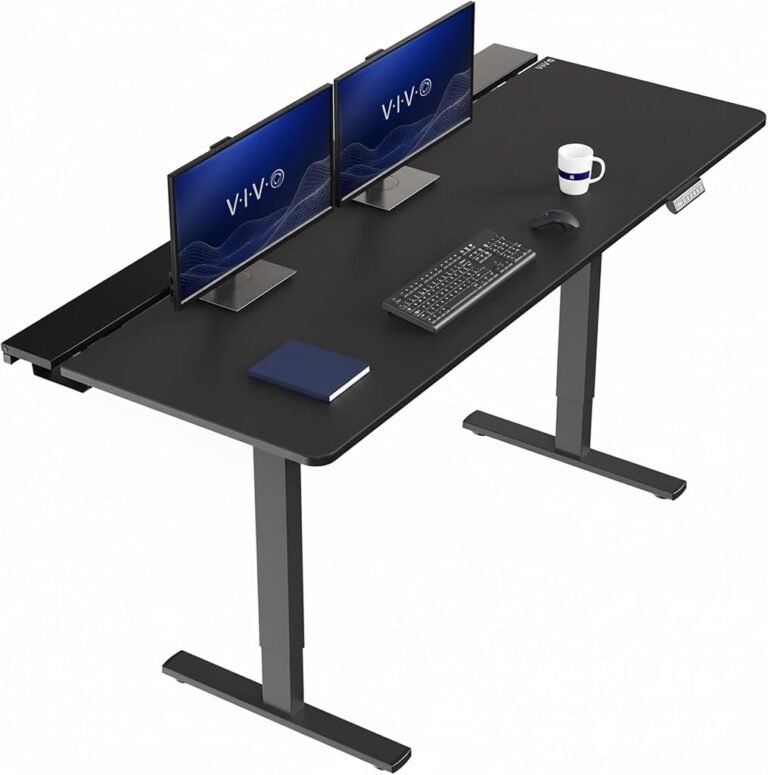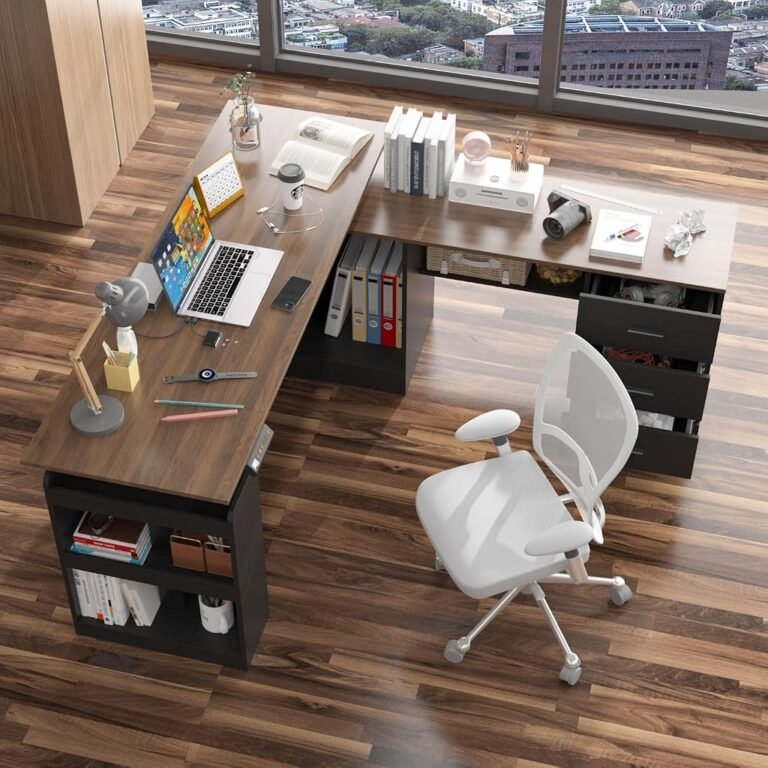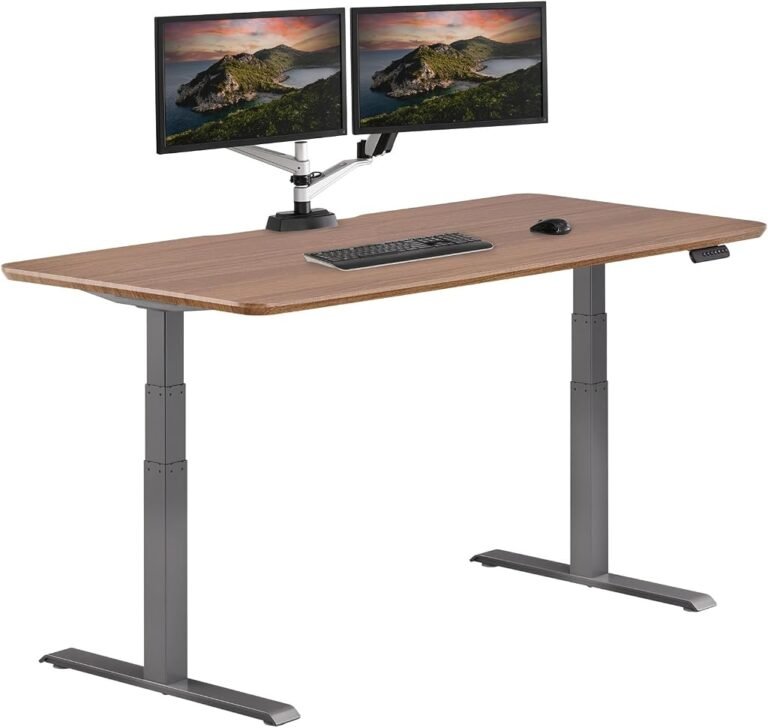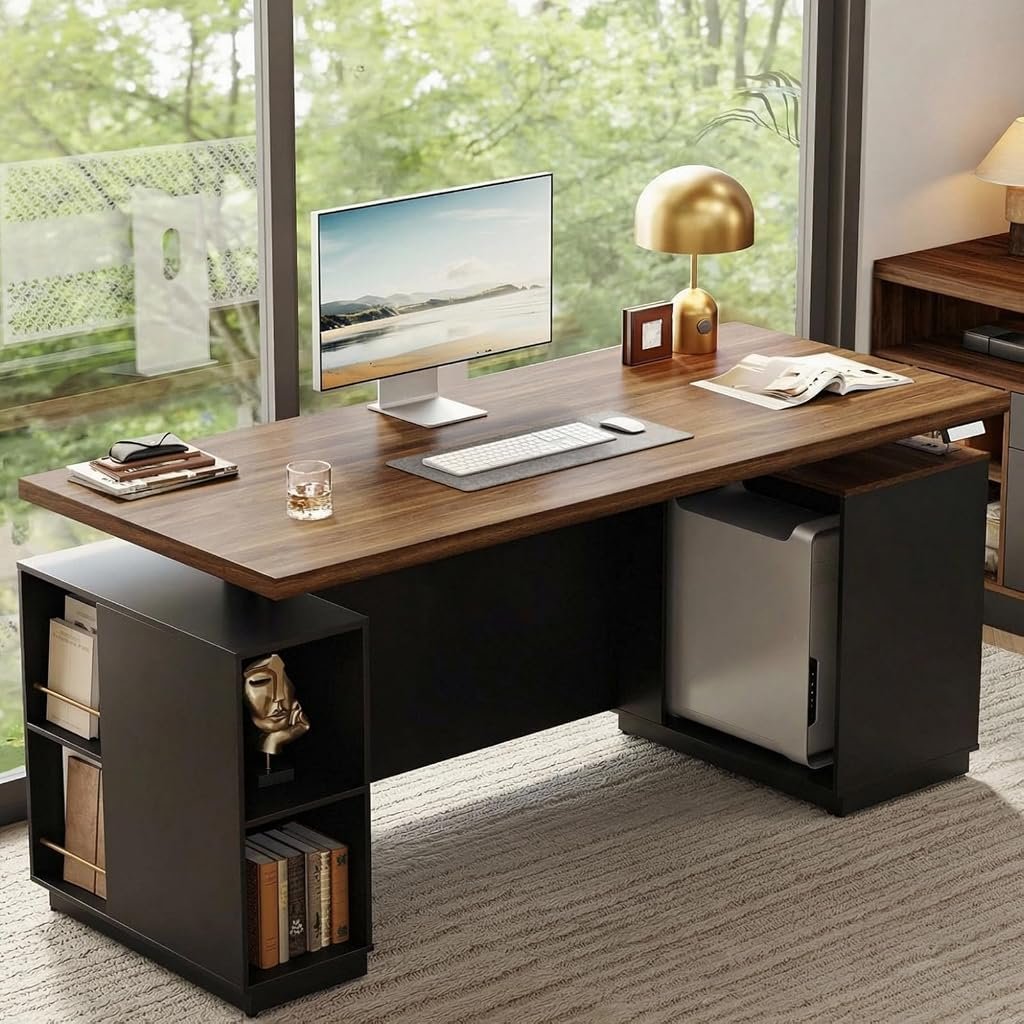
The traditional executive desk was designed around permanence. Its large working surface, substantial construction, and enclosed front panel established a recognizable office layout long before electric height adjustment became common.
The ModernMate 71-Inch Executive Standing Desk with Privacy Panel attempts to combine that established furniture design with the flexibility of a contemporary sit-stand workstation.
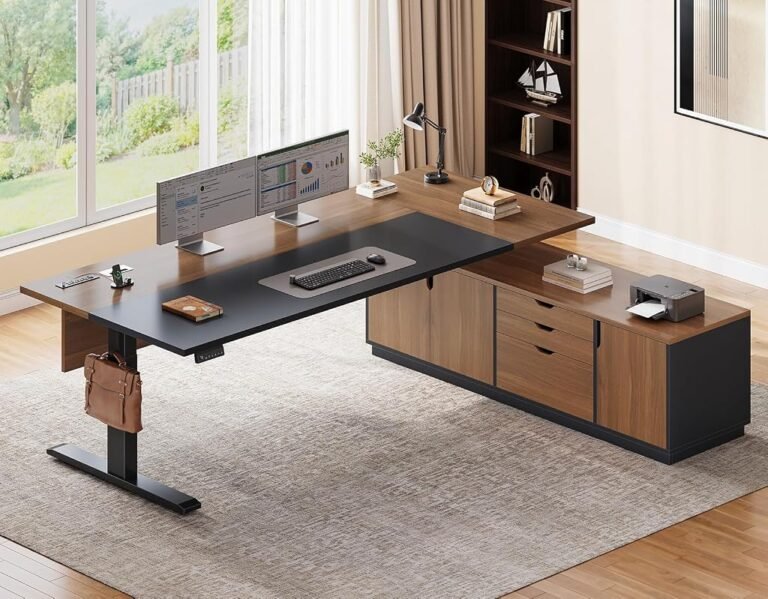
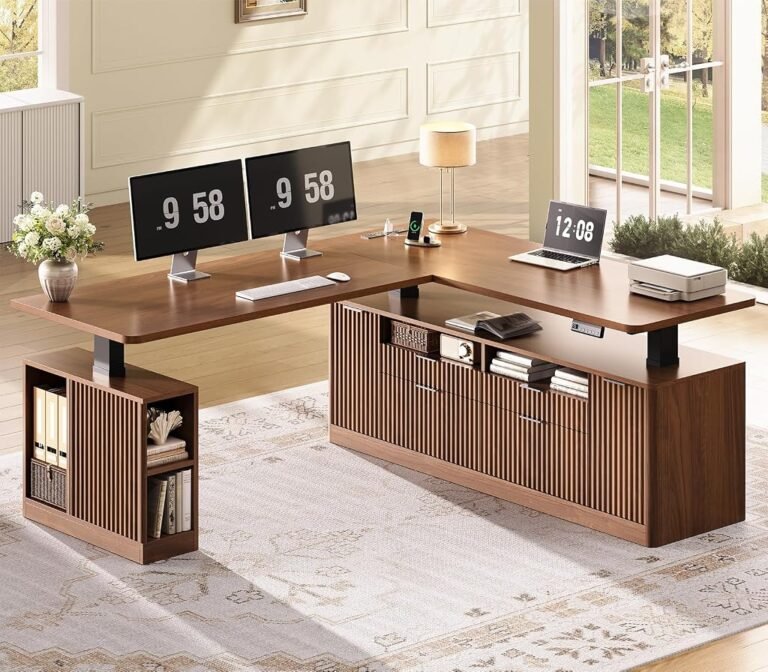
Its defining characteristics include a 71 × 30-inch desktop, electric height adjustment, integrated storage, built-in charging facilities, and a front privacy panel. The black walnut finish reinforces its executive styling, while the adjustable steel frame allows the working surface to move between seated and standing positions.
At approximately $479.99, the ModernMate occupies a different position from basic electric standing desks. Its appeal rests not only on mechanical adjustment but also on its ability to function as a complete office workstation.
The distinction matters. A conventional standing desk generally provides a desktop and lifting frame. The ModernMate incorporates additional furniture elements that can reduce the need for separate storage and organization accessories.
However, those additions introduce trade-offs involving legroom, overall weight, assembly, and flexibility.
Our Score: 8.29/10. The ModernMate earns a very good editorial assessment for combining substantial desktop space with integrated office features. Its strongest advantages are practical, although its executive construction will not suit every working environment.
Design and Construction: An Executive Desk With Electric Adjustment
The ModernMate F1 uses a rectangular desktop measuring approximately 71 inches wide and 30 inches deep.
That provides a nominal working surface of 2,130 square inches, equivalent to approximately 14.8 square feet.
For comparison, a conventional 48 × 24-inch desktop provides 1,152 square inches.
The ModernMate therefore offers approximately 85% more nominal surface area than that smaller reference size.
This difference is substantial for users who regularly work with multiple monitors, documents, and peripheral equipment.
The desktop uses engineered wood with a black walnut finish, supported by an alloy-steel frame.
Its design incorporates a continuous desktop surface rather than relying on the visibly segmented appearance found on some adjustable desks.
The one-piece construction contributes to the desk’s conventional executive appearance.
However, the large panel also creates practical challenges during transportation and assembly.
A 71-inch-wide desktop requires sufficient room to maneuver through doorways, around corners, and into the intended office.
The complete desk is listed at approximately 154 pounds, making installation planning particularly relevant.
The Significance of the Black Walnut Finish
The black walnut appearance gives the ModernMate a more traditional furniture character than many minimalist standing desks.
This can make the workstation visually compatible with executive offices, studies, and rooms containing conventional wood-finish furniture.
However, the surface should not be confused with solid walnut construction.
Engineered wood and solid hardwood have different material characteristics.
Engineered wood can provide a consistent appearance and controlled manufacturing dimensions, but its resistance to moisture and surface damage depends on the finish and underlying construction.
The ModernMate’s design is therefore better understood as an executive-style workstation than as a solid-wood furniture investment.
Key Specifications
The ModernMate’s principal specifications establish its size, adjustment capabilities, and intended equipment capacity.
| Specification | ModernMate Executive Standing Desk |
|---|---|
| Brand | ModernMate |
| Model | F1 |
| Product type | Electric executive standing desk |
| Desktop width | 71 inches |
| Desktop depth | 30 inches |
| Nominal desktop area | 2,130 square inches |
| Desktop material | Engineered wood |
| Finish | Black walnut |
| Frame material | Alloy steel |
| Minimum listed height | 27.9 inches |
| Maximum listed height | 45.7 inches |
| Vertical adjustment range | 17.8 inches |
| Maximum recommended load | 176 pounds |
| Memory presets | Two |
| Privacy panel | Integrated |
| Storage | Built-in shelving and compartments |
| Charging facilities | Integrated power outlets |
| Assembly | Required |
| Reference price | $479.99 |
The product’s construction and operating features are described in the ModernMate F1 documentation.
These specifications identify a large workstation with a useful collection of integrated features.
However, the numbers also reveal limitations that deserve closer examination, particularly the 45.7-inch maximum height and 176-pound recommended load.
Desktop Space: The Advantage of a 71 × 30-Inch Surface
The ModernMate’s desktop dimensions are among its most persuasive characteristics.
At 71 inches wide, the desk provides considerable horizontal room for arranging computer equipment.
The 30-inch depth is equally relevant.
Many electric standing desks use desktops approximately 24 inches deep. The ModernMate provides six additional inches of front-to-back space.
That represents a 25% increase in depth compared with a 24-inch surface.
For users with large monitors, this difference can affect how comfortably equipment is positioned.
A deeper desk can accommodate a monitor stand while preserving space for the keyboard, mouse, and documents.
Multiple-Monitor Workstations
A conventional 27-inch monitor with a 16:9 aspect ratio has a visible screen width of approximately 23.5 inches.
Two such screens have a combined visible width of approximately 47 inches before accounting for bezels and mounting hardware.
A 71-inch desktop therefore provides substantial additional horizontal room.
This can accommodate speakers, a laptop, or frequently used documents beside a dual-monitor arrangement.
Three-monitor configurations are also possible, particularly when the outer screens are angled inward or supported by monitor arms.
However, monitor count alone does not establish compatibility.
Mounting hardware, screen dimensions, and equipment weight must still be considered.
Why Depth Matters for Ergonomics
The Occupational Safety and Health Administration’s monitor guidance recommends positioning computer screens approximately 20–40 inches from the user’s eyes.
The appropriate distance varies according to screen size, readability, and individual requirements.
A 30-inch-deep desktop provides greater flexibility for achieving a suitable viewing distance than a shallower surface.
However, desktop depth and eye-to-screen distance are not identical.
The final arrangement depends on the user’s seated position and the location of the monitor.
The ModernMate provides useful physical space, but correct equipment positioning remains necessary.
Electric Height Adjustment: Flexibility With Defined Limits
The ModernMate uses an electric lifting system with a listed height range of approximately 27.9–45.7 inches.
This provides 17.8 inches of vertical adjustment.
The control panel includes two programmable memory positions, allowing users to save preferred seated and standing heights.
For a single-user workstation, two presets are generally sufficient for the primary working positions.
One can store the preferred seated height, while the other stores the standing position.
Additional adjustments can still be made manually when needed.
Is the Minimum Height Suitable?
The 27.9-inch minimum height is an important consideration.
Some shorter users require a lower keyboard position to maintain relaxed shoulders and comfortable elbow angles while seated.
The OSHA workstation purchasing guide identifies a broad seated keyboard-height adjustment range of approximately 22–30 inches.
The ModernMate falls within that range, but it does not extend to its lower end.
Consequently, the desk may require a chair adjustment, footrest, or alternative keyboard arrangement for users who need a particularly low typing position.
This limitation should be evaluated before purchase rather than addressed after assembly.
Maximum Standing Height
The 45.7-inch maximum height is adequate for many users.
However, particularly tall individuals may require a higher working surface.
Standing keyboard height should generally correspond to relaxed elbow height.
If the desk cannot reach that position, the user may compensate by bending forward or raising the shoulders.
The ModernMate’s adjustment range is therefore suitable for many conventional workstations, but it is not unusually expansive.
Privacy Panel: A Distinctive Feature With Practical Boundaries
The integrated privacy panel is the ModernMate’s most recognizable design element.
Traditional executive desks frequently incorporate a front modesty panel to conceal the space beneath the desktop.
The ModernMate adapts that concept to an adjustable workstation.
The panel can reduce direct visibility into the desk’s lower working area.
This may be useful in offices where the desk faces visitors, colleagues, or an open room.
It also contributes to a more enclosed furniture appearance.
Privacy Is Not the Same as Sound Isolation
The panel provides a visual barrier.
It should not be interpreted as an acoustic enclosure or a substitute for confidential meeting facilities.
A desk panel cannot independently prevent conversations from being overheard.
Likewise, it does not prevent nearby people from seeing computer screens positioned above the desktop.
Users handling confidential information still need appropriate screen placement, room arrangements, and workplace security practices.
The panel’s strongest contribution is visual organization rather than guaranteed privacy.
The Effect on Legroom
A privacy panel also changes the space beneath the desktop.
Depending on its position, it may limit how far the user can extend the legs.
This is particularly relevant when the desk is lowered.
A seated workstation must provide adequate room for the knees, thighs, and feet.
The ModernMate’s privacy panel and storage components therefore require more careful clearance assessment than an open-frame standing desk.
The design favors a furnished executive appearance, but that appearance introduces physical boundaries.
Integrated Storage: Convenience With Compromises
The ModernMate includes built-in storage areas intended for office supplies, books, and computer equipment.
Its arrangement incorporates shelving and compartments beneath the desktop.
This can reduce reliance on separate storage furniture.
For example, frequently used notebooks, reference materials, and small accessories can remain close to the workstation.
A desktop computer may also be positioned within a designated storage area when its dimensions and ventilation requirements permit.
However, storage should not interfere with normal working posture.
Equipment Ventilation
Desktop computers and other electronic equipment require adequate airflow.
A compartment that physically accommodates a computer does not automatically provide sufficient ventilation.
The equipment manufacturer’s clearance recommendations should govern placement.
Power supplies, ventilation openings, and cables must remain accessible.
Storage Versus Leg Clearance
Built-in compartments reduce the open area beneath the desk.
For users who prefer substantial freedom to reposition their legs, this can be a disadvantage.
The OSHA desk ergonomics recommendations emphasize maintaining sufficient clearance beneath the working surface.
The agency also advises against storing objects where they restrict leg movement.
The ModernMate’s storage is therefore most useful when its organization benefits outweigh the reduction in open space.
Built-In Charging Facilities
The desk incorporates integrated power outlets intended to support electronic devices.
This is a practical addition for workstations containing laptops, phones, monitors, and charging accessories.
Accessible power connections can reduce the need to route every charging cable directly to a wall outlet.
However, the presence of integrated charging facilities does not eliminate the need for cable management.
The desk still moves vertically.
Any cable connecting the workstation to a fixed wall outlet must accommodate the complete height adjustment range.
Electrical Planning
Users should examine the location of the charging outlets before positioning equipment.
Power cables should remain clear of the lifting mechanism.
The integrated electrical system should be used within its specified limits.
Extension cords and power strips should not be overloaded.
These precautions are particularly relevant when several monitors and a desktop computer share the workstation.
The charging feature improves convenience, but electrical safety remains dependent on correct installation and use.
Weight Capacity and Frame Stability
The ModernMate has a listed maximum recommended load of 176 pounds.
This is sufficient for many conventional office setups.
However, a large desktop encourages users to install substantial equipment.
Multiple monitors, mounting arms, computers, and accessories can create a considerable combined load.
Consider an illustrative workstation:
| Equipment | Example Weight |
|---|---|
| Two monitors | 30 lb |
| Monitor mounting hardware | 12 lb |
| Desktop computer | 25 lb |
| Keyboard and mouse | 5 lb |
| Speakers and accessories | 13 lb |
| Total Equipment Weight | 85 lb |
These are hypothetical weights rather than measurements of a particular installation.
They demonstrate why the complete equipment load should be calculated before purchasing a desk.
The manufacturer’s capacity definition must also be checked to establish whether the desktop’s own weight is included.
Stability at Standing Height
A desk’s load rating does not establish its resistance to movement.
Stability depends on lifting-column construction, frame geometry, equipment placement, and floor conditions.
Monitor arms can amplify visible movement because they extend the display away from its mounting point.
A desk may remain within its rated load while still exhibiting some screen movement during typing.
The ModernMate’s substantial construction provides a conventional furniture appearance, but appearance alone cannot establish superior stability.
For users with heavy monitor arrangements, careful equipment distribution and correct assembly are especially important.
Assembly and Installation
The ModernMate’s size and integrated features make assembly more involved than installing a basic adjustable desk frame.
The one-piece desktop, steel structure, privacy panel, storage components, and electrical connections must be assembled correctly.
Its listed weight of approximately 154 pounds also makes handling an important consideration.
Preparing the Room
The intended installation area should accommodate a 71 × 30-inch desktop.
Additional clearance is necessary for chair movement and access to surrounding furniture.
The desk’s height adjustment must remain unobstructed.
Nearby shelves, windowsills, and wall-mounted accessories should be checked before the lifting system is operated.
Handling the Desktop
A large engineered-wood panel should be supported carefully during installation.
The surface should be protected against scratches and edge damage.
Fasteners should be installed according to the manufacturer’s instructions.
Excessive tightening can damage engineered-wood mounting points.
Assistance is sensible when positioning large or heavy components.
Testing the Completed Desk
After assembly, the workstation should be moved through its full adjustment range.
The process should confirm that:
- The lifting mechanism moves without obstruction.
- The privacy panel clears nearby furniture.
- Storage components remain securely attached.
- Electrical cables have sufficient slack.
- The desk remains properly positioned on the floor.
- Monitor stands and other equipment do not shift during movement.
These checks are particularly relevant because the ModernMate combines several furniture elements within one adjustable structure.
Noise and Everyday Operation
The ModernMate is presented as a relatively quiet electric desk.
Published product descriptions indicate a low-noise lifting system, although the exact acoustic measurement varies across listings.
A numerical noise claim should not be interpreted as a guarantee of identical sound levels in every room.
Actual perceived noise depends on equipment load, floor construction, room acoustics, and measurement distance.
For most office environments, the more important practical question is whether height changes can occur without significant disruption.
The two memory presets simplify repeated transitions.
However, the desk’s long-term operating behavior depends on correct installation and maintenance.
Does Standing More Improve Workplace Health?
An adjustable desk provides the ability to change working posture.
It does not automatically improve health simply because the user spends more time standing.
The National Institute for Occupational Safety and Health examined the risks associated with prolonged standing in a review of workplace standing research.
The agency identified associations between extended standing and discomfort, fatigue, muscle pain, and leg swelling.
Its discussion emphasized the importance of movement and the ability to change posture.
This distinction is directly relevant to the ModernMate.
The desk can facilitate transitions between sitting and standing.
However, it cannot replace walking breaks or correct workstation setup.
The most useful approach combines comfortable seated work, manageable standing periods, and regular movement.
The desk provides flexibility; working habits determine how that flexibility is used.
Editorial Ratings: Strong Confidence, More Measured Value
The ModernMate receives an Our Score of 8.29/10, reflecting a very good overall assessment.
Its strongest qualities are the spacious desktop, integrated privacy panel, built-in storage, and convenient electrical features.
These characteristics distinguish it from simpler adjustable desks.
However, the design introduces trade-offs that prevent an unqualified recommendation.
The 176-pound capacity is appropriate for many offices but may restrict unusually heavy installations.
The 45.7-inch maximum height may also be limiting for taller users.
Integrated storage and the privacy panel reduce some of the open space beneath the desktop.
Customer Sentiment: 8.28/10
Our Customer Sentiment score of 8.28 reflects a favorable overall assessment of the desk’s intended user experience.
The design offers a coherent combination of workspace, storage, and adjustment.
Its appeal is strongest for users who want an executive-style workstation rather than a minimalist lifting frame.
The score remains measured because its integrated furniture arrangement is less adaptable than an open desk.
Buyer Confidence: 8.5/10
Buyer Confidence receives 8.5, the highest of the four editorial measures.
The product’s dimensions, main functions, and intended workstation arrangement are sufficiently defined to support a clear purchasing decision.
Its 71-inch desktop and integrated features provide identifiable advantages for appropriate buyers.
However, purchasers should still verify the applicable warranty conditions and ensure the height range suits their requirements.
Value: 8.15/10
The Value score of 8.15 reflects a more restrained assessment.
At approximately $479.99, the ModernMate includes features that would otherwise require separate furniture or accessories.
Nevertheless, buyers focused primarily on electric height adjustment may find less expensive desks that meet their needs.
The difference between Buyer Confidence and Value is therefore meaningful.
The ModernMate presents a clearly defined workstation concept, but its financial appeal is strongest when the privacy panel, storage, and large desktop will all be used.
Strengths of the ModernMate Executive Standing Desk
The desk offers several practical advantages.
- Large working surface: The 71 × 30-inch desktop provides substantial room for monitors, documents, and accessories.
- Integrated privacy panel: The front barrier contributes to visual separation and a conventional executive appearance.
- Built-in storage: Shelving and compartments can reduce the need for additional office furniture.
- Electric height adjustment: The lifting system supports transitions between seated and standing work.
- Two memory presets: Preferred working heights can be saved for convenient access.
- Integrated charging: Built-in power connections improve access to electricity for compatible devices.
- Executive styling: The black walnut finish creates a more traditional office appearance than many exposed-frame standing desks.
These advantages are most meaningful when the workstation’s complete design matches the intended office environment.
Drawbacks and Limitations
The ModernMate also has identifiable disadvantages.
Restricted Under-Desk Space
The privacy panel and storage compartments reduce the open area beneath the working surface.
Users who prefer unrestricted leg movement may find a simpler frame more comfortable.
Moderate Maximum Height
The 45.7-inch upper limit may not accommodate every tall user’s preferred standing keyboard position.
Substantial Weight
At approximately 154 pounds, the desk requires more installation planning than lightweight alternatives.
Limited Flexibility
Integrated storage cannot necessarily be repositioned as easily as separate office furniture.
Load Capacity
The 176-pound rating accommodates many conventional workstations but may be restrictive for specialized equipment installations.
Price
The desk’s additional features contribute to its cost.
Buyers who do not need storage or a privacy panel may obtain better value from a simpler design.
Who Should Consider the ModernMate?
The ModernMate is particularly suitable for users who want an executive-style workstation with electric adjustment.
Home-Office Professionals
The desk’s large surface provides room for computer equipment, documents, and routine administrative tasks.
Its appearance may also suit rooms where the workstation is visible to visitors.
Dual-Monitor Users
The 71-inch width and 30-inch depth provide substantial flexibility for arranging multiple displays.
Users Seeking Integrated Storage
The built-in compartments may reduce the need for separate shelving or small storage cabinets.
Offices With Visitor-Facing Desks
The privacy panel provides visual separation between the front of the workstation and the space beneath it.
Buyers Who Prefer Traditional Furniture Styling
The black walnut finish and enclosed design may integrate more naturally with conventional office furnishings than minimalist standing desks.
Who Should Consider Alternatives?
The ModernMate is less suitable for certain requirements.
Shorter users needing a particularly low seated keyboard position should verify the minimum height carefully.
Very tall users should confirm that the maximum adjustment height is sufficient.
Buyers with heavy equipment installations may require a higher-capacity frame.
Users who prioritize unrestricted legroom may prefer an open-frame standing desk.
Those working in compact rooms should also consider whether a 71-inch-wide workstation will restrict movement.
Finally, buyers seeking only basic electric height adjustment may find the ModernMate’s integrated furniture features unnecessary.
A Practical Standing Desk Buying Guide
Before purchasing the ModernMate, several measurements and checks can clarify its suitability.
- Measure the available room space. Confirm that a 71 × 30-inch desktop fits without restricting chair movement.
- Check seated elbow height. Ensure that the minimum adjustment position supports comfortable keyboard use.
- Measure standing elbow height. Verify that the desk can reach the required working position.
- Assess under-desk clearance. Account for the privacy panel and integrated storage.
- Calculate equipment weight. Include monitors, mounting hardware, computers, and accessories.
- Examine monitor placement. Confirm that the desktop provides suitable viewing distance.
- Plan electrical connections. Ensure adequate cable length throughout the adjustment range.
- Evaluate storage requirements. Determine whether the integrated compartments suit the intended equipment.
- Review assembly requirements. Prepare sufficient room and assistance for handling large components.
- Compare the complete workstation cost. Evaluate the desk against alternatives that may require separate storage or charging accessories.
These checks help establish whether the ModernMate’s distinctive features will provide meaningful benefits.
Final Considerations
The ModernMate Executive Standing Desk with Privacy Panel combines the visual character of conventional executive furniture with the flexibility of electric height adjustment.
Its 71 × 30-inch desktop is a substantial advantage for users who need room for multiple monitors, paperwork, and supporting equipment.
The integrated privacy panel, storage compartments, and charging facilities create a more complete workstation than a basic adjustable desk.
However, those additions introduce practical limitations.
The enclosed construction reduces some under-desk flexibility, while the 176-pound recommended load and 45.7-inch maximum height establish boundaries for equipment-heavy installations and taller users.
Its substantial weight also makes assembly and relocation more demanding.
Our overall score of 8.29/10 reflects these competing characteristics.
The ModernMate is a very good choice for users who specifically want a large executive-style standing desk with integrated organization.
Its 8.5 Buyer Confidence score reflects a clearly defined product design, while the 8.15 Value score recognizes that its additional features are not equally useful to every buyer.
At approximately $479.99, the desk is most persuasive when its privacy panel, storage, and generous working surface replace the need for additional furniture.
For buyers seeking an open, lightweight, or highly adjustable frame, a simpler workstation may be more appropriate.
The ModernMate’s strongest quality is its ability to combine several office functions within one substantial piece of furniture.
When its dimensions, height range, and under-desk arrangement match the user’s requirements, it offers a practical balance between executive styling and adjustable working positions.