The Brother SE700 Artspira bundle sits at the intersection of two different ideas about what a modern sewing machine should be. One is mechanical and familiar: needle, thread, fabric, presser feet, buttonholes, and carefully controlled stitches. The other is increasingly digital: downloadable embroidery files, wireless transfer, mobile design tools, on-screen editing, and a library that extends beyond patterns stored inside the machine.
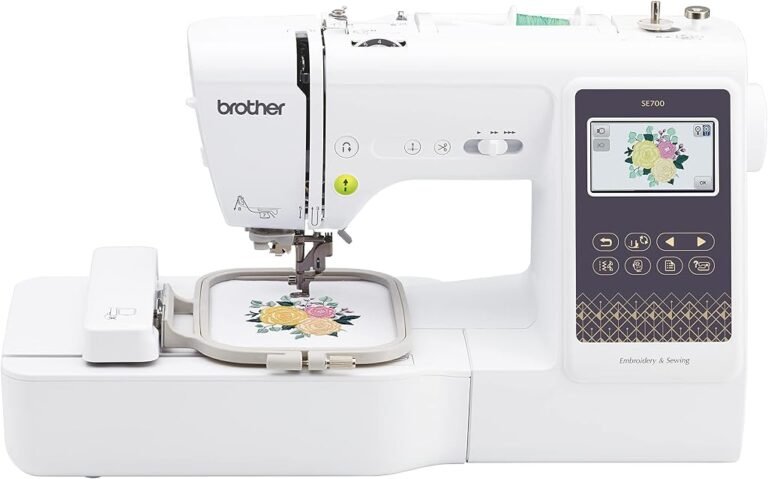
The SE700 attempts to join those environments without moving into commercial embroidery territory. It is a computerized sewing and embroidery machine built around a 4 × 4-inch embroidery field. Its wireless LAN connection and compatibility with Brother’s Artspira mobile platform distinguish it from older machines that rely more heavily on physical media and built-in design libraries.
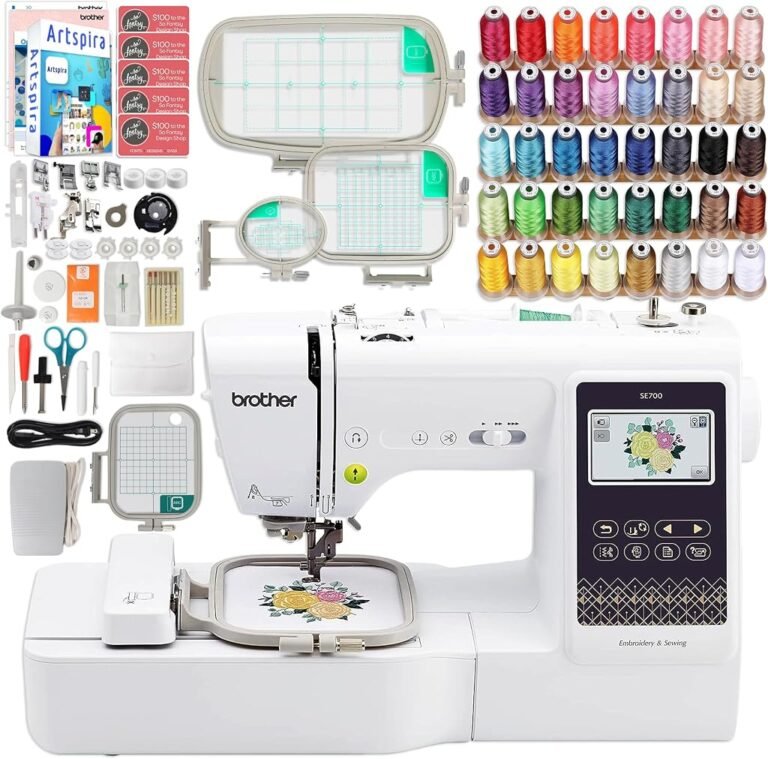
The Artspira bundle concept adds another layer. The value is not merely in receiving accessories beside a machine. It is in whether those accessories and the digital workflow reduce the number of obstacles between opening the package and completing useful work.
Our Score is 8.44/10. Customer Sentiment is 8.5, Buyer Confidence is 8.46, and Value is 8.28. Those ratings describe a capable combination machine with appealing connectivity but an unavoidable physical constraint: software can expand the design library almost indefinitely, while the machine’s embroidery field remains 4 × 4 inches.
That tension defines the product.
The SE700 Is a Sewing Machine and an Embroidery Platform
The SE700 is a combination machine rather than an embroidery-only system.
According to Brother’s official SE700 specifications, it has a 4 × 4-inch maximum embroidery area, 135 built-in embroidery designs, 10 embroidery lettering fonts, 103 built-in sewing stitches, 10 one-step auto-size buttonhole styles, wireless LAN, automatic thread cutting, and a 3.2 × 1.8-inch color LCD. Brother lists a maximum sewing speed of 710 stitches per minute.
This matters because the SE700’s usefulness cannot be measured solely through its embroidery features.
A household can use the same machine for garment construction, alterations, repairs, buttonholes, decorative sewing, and digital embroidery. The embroidery unit adds automated hoop movement, while ordinary sewing relies on the conventional feed system.
For someone who needs both capabilities but lacks space for two machines, the arrangement is efficient.
There is an operational cost. The machine cannot sew one project while embroidering another. As workload grows, a combination machine can become a scheduling bottleneck. For occasional home use, that issue may be negligible. For frequent embroidery alongside regular garment construction, separate machines begin to make more practical sense.
Artspira Changes Where the Creative Process Begins
Traditional sewing largely begins at the machine or cutting table. Connected embroidery can begin on a phone.
That is the conceptual difference Artspira introduces.
Brother’s Artspira transfer instructions describe a process in which a design is selected or edited in the mobile application, a registered embroidery machine is chosen, and the pattern is transferred to the machine for retrieval.
The attraction is easy to understand. The embroidery machine no longer functions as an isolated appliance containing a fixed library. A mobile device becomes part of the design-selection and transfer process.
That does not mean the phone replaces embroidery knowledge.
The user still has to choose suitable fabric, stabilizer, thread, needle, placement, hooping technique, and design size. Software can make a design easier to access; it cannot prevent fabric from puckering because it was inadequately stabilized.
This distinction is central to evaluating an Artspira-focused bundle. Digital convenience can remove administrative friction, but embroidery remains a physical process.
External Designs Make the Built-In Library Less Decisive
The SE700 contains 135 built-in embroidery designs and 10 embroidery fonts. Those figures are useful, particularly during the first projects, but they should not dominate the purchasing decision.
Brother documents external pattern importing through Artspira for embroidery files including PES, PHC, PHX, and DST formats.
That changes the significance of the factory design count.
A machine with wireless transfer and support for imported designs is not permanently limited to the artwork stored in its internal memory. The available design library can grow as the user creates, purchases, downloads, or otherwise obtains compatible files.
The machine’s physical embroidery area is much less flexible.
A buyer can add another design tomorrow. The buyer cannot download a larger needle travel area.
That is why hoop capacity deserves more attention than the number of decorative motifs shown on a product page.
The 4 × 4-Inch Field Remains the Governing Limit
The SE700’s maximum embroidery area is 4 × 4 inches.
For monograms, children’s motifs, names, small logos, compact patches, towel designs, pocket graphics, and many gift projects, that area can be entirely usable.
For larger compositions, it becomes restrictive.
A design exceeding the available embroidery field may have to be resized, split into sections, or stitched through a repositioning workflow. Those approaches can extend what a small-field machine accomplishes, but they demand more preparation.
Alignment becomes especially significant when multiple design sections must meet accurately.
The issue is not that 4 × 4 inches is inherently inadequate. The issue is whether the buyer’s actual project list fits within it.
Someone interested mainly in names, monograms, children’s clothing, small decorative graphics, and introductory embroidery can work comfortably within that scale. Someone already envisioning large sweatshirt fronts, substantial jacket graphics, broad home-decor compositions, or larger uninterrupted lettering should examine machines with larger native fields.
No mobile application changes that calculation.
An Artspira Bundle Should Be Judged on More Than Software
The phrase “Artspira bundle” can imply that the digital component is the main source of value. In practice, bundle economics remain grounded in physical supplies.
Embroidery consumes materials.
Thread is used continuously. Bobbin thread disappears beneath the fabric where it is barely noticed until the bobbin runs out. Needles wear or become damaged. Stabilizer is consumed with every project. Hoops can make certain placements easier, although they remain subject to the machine’s embroidery limits.
A useful bundle therefore reduces immediate purchases.
A poor bundle simply accumulates objects.
The buyer should separate included items into three groups:
- Consumables that will predictably be used, such as suitable thread, stabilizer, bobbins, and needles.
- Reusable accessories that improve workflow, such as genuinely compatible hoops or useful tools.
- Low-priority extras that duplicate equipment already included with the machine or are unlikely to be used.
That simple classification is more informative than an advertised accessory count.
Brother Already Supplies a Substantial Standard Accessory Set
The SE700’s normal equipment should be understood before assigning value to any bundle.
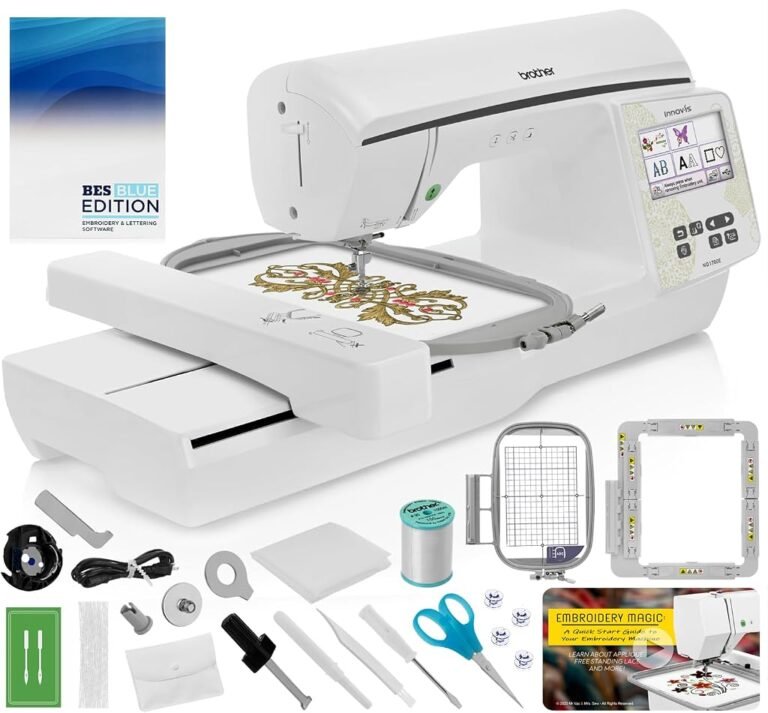
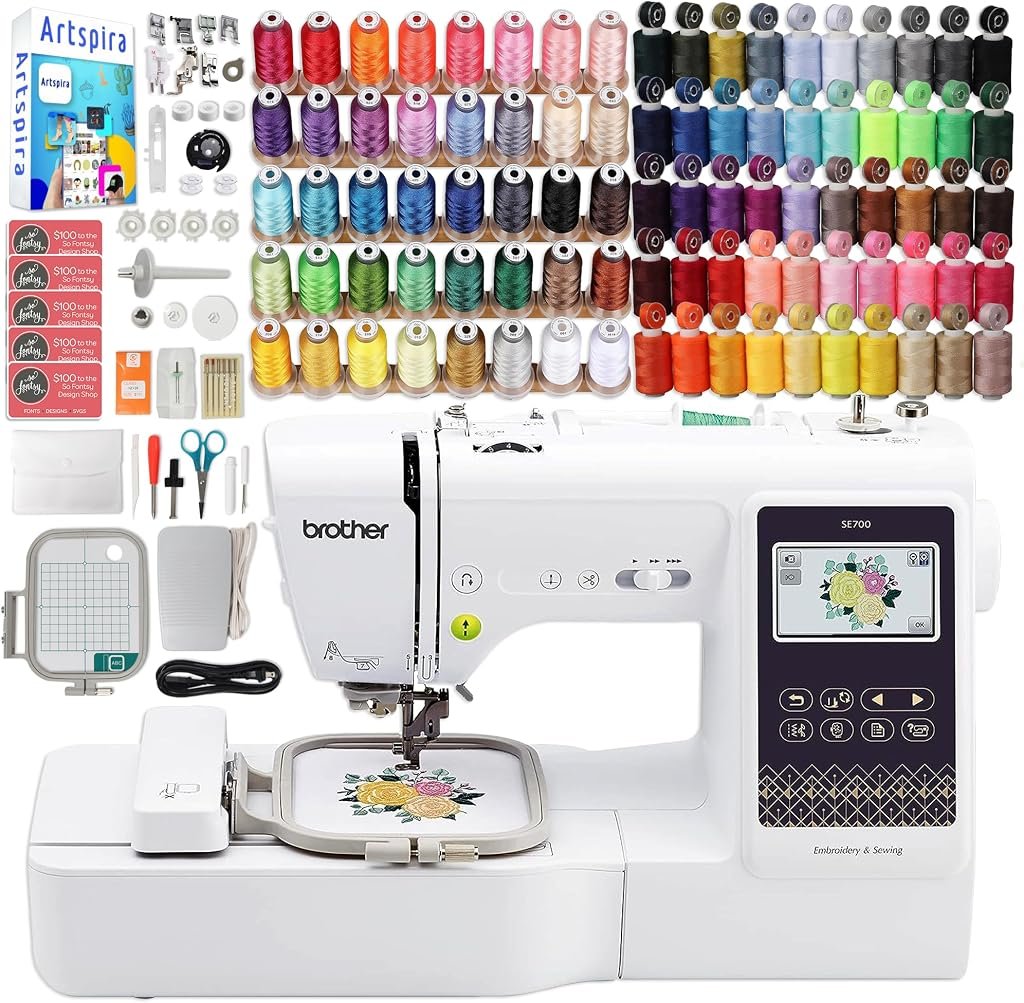
Brother lists eight presser feet: zigzag, monogramming, overcasting, zipper, blind-stitch, button-fitting, buttonhole, and embroidery feet. The manufacturer also includes needles, a twin needle, bobbins, pre-wound embroidery bobbins, bobbin clips, scissors, a seam ripper, a cleaning brush, an eyelet punch, screwdrivers, spool accessories, a foot controller, an accessory bag, a dust cover, documentation, and a 4 × 4-inch embroidery frame set.
This matters because some bundles visually inflate their apparent value with items that duplicate the standard carton.
A second pair of scissors is still a second pair of scissors. It does not transform the machine.
Additional thread, stabilizer, needles, bobbins, or useful compatible frames can have more measurable value because those items support repeated work.
The distinction is mundane but financially relevant.
Wireless Transfer Reduces One of Embroidery’s Repetitive Chores
The SE700’s wireless LAN connection is arguably more consequential than several of its decorative specifications.
Brother’s Design Database Transfer software allows compatible Windows computers to send embroidery data wirelessly to supported machines and provides thumbnail-based file management.
This changes a repetitive part of the embroidery workflow.
Design collections tend to expand. Files accumulate in folders, external libraries, downloads, and project directories. Moving those designs manually through removable media is not particularly difficult, but it creates another repeated action.
Wireless transfer removes some of that friction.
It does not improve stitch formation, expand hoop size, repair poor digitizing, or choose the correct stabilizer. Its benefit is procedural rather than mechanical.
That distinction makes the feature easier to value accurately.
Artspira Has Workflow Limits of Its Own
Mobile connectivity should not be mistaken for unrestricted project management.
Brother’s Artspira transfer guidance states that multiple patterns cannot be transferred to the machine simultaneously. Only one pattern is transferred at a time, and previously transferred data may be overwritten if it has not been retrieved.
For ordinary home projects, this may create little inconvenience. For users imagining a large queue of designs waiting on the machine, the workflow is more constrained.
The broader lesson is useful: software features should be evaluated according to the actions they eliminate, not according to the vague prestige of connectivity.
Artspira makes browsing, editing, creating, and transferring designs more accessible from a mobile device. It does not convert the SE700 into a networked commercial production system.
That boundary is appropriate for the machine’s category.
Mac Users Should Understand the Transfer Distinction
Wireless capability can also differ according to the device used.
Brother states in its Mac wireless-transfer guidance that there is no application for directly transferring embroidery designs wirelessly from a Mac computer to the machine in the same manner as its Windows Design Database Transfer software.
Brother instead points compatible users toward Artspira through supported mobile devices.
This is a small technical detail with disproportionate relevance for a buyer whose creative workflow is centered on a Mac.
“Wireless embroidery machine” can sound platform-neutral. The actual software route is more specific.
A buyer planning to organize files on Windows has one workflow. A buyer working primarily on macOS may rely more heavily on mobile transfer or other supported methods.
That is exactly the kind of ownership detail that deserves attention before the machine arrives.
The Screen Supports Editing Without Becoming a Design Workstation
The SE700 uses a 3.2 × 1.8-inch color LCD and supports on-screen editing.
That display is useful for routine design interaction, positioning, selection, and adjustment at the machine. Its dimensions also establish reasonable expectations.
It is not a tablet-sized workspace.
This matters more in an Artspira-oriented package because the mobile device and machine naturally divide the workflow. Some design interaction can occur on the larger phone or tablet interface, while the SE700 screen handles machine-side controls and final project interaction.
That division is sensible.
Trying to force extensive graphic editing onto a compact sewing-machine display would be inefficient. The connected workflow allows some creative work to happen elsewhere while the machine focuses on execution.
Sewing Capability Prevents the SE700 From Becoming a One-Purpose Device
The SE700 provides 103 built-in sewing stitches and 10 one-step auto-size buttonhole styles.
That makes the machine relevant even when embroidery is not being used.
A household can construct garments, make repairs, install zippers, sew buttonholes, perform decorative stitching, and then attach the embroidery unit for personalization.
For buyers comparing the best sewing and embroidery machines, this dual-purpose structure is one of the SE700’s strongest arguments.
A dedicated embroidery machine may offer a larger field at a similar point in a buyer’s budget, but it cannot replace the conventional sewing machine needed for construction work.
The correct comparison therefore depends on what equipment is already available.
Someone who owns a satisfactory sewing machine may gain more from an embroidery-only model. Someone starting without either capability can find more efficiency in a combination platform.
Automatic Thread Cutting Has Practical Value
Automatic thread cutting is not the kind of specification that dominates marketing photographs, but it addresses an action repeated throughout sewing and embroidery.
The SE700 includes an automatic thread cutter.
In ordinary sewing, it can reduce manual trimming at the end of stitching sequences. In embroidery, automated thread handling contributes to a workflow in which the machine performs more of the repetitive mechanical tasks while the user manages project setup and color changes.
The benefit should not be exaggerated. Automatic cutting does not eliminate all trimming or thread management.
It does, however, fit the broader logic of the SE700: reduce small repetitive actions while keeping the machine accessible to home users.
Our Score: 8.44/10
We rate the Brother SE700 Artspira bundle at 8.44/10.
The score recognizes a capable combination platform with useful digital integration but also reflects the limitations of its physical architecture.
Wireless LAN and Artspira compatibility make design acquisition and transfer more flexible. The combination of 103 sewing stitches, 135 embroidery designs, 10 embroidery fonts, automatic thread cutting, and conventional sewing functionality gives the machine breadth.
The bundle concept can further improve first-project readiness when it includes supplies that would otherwise need to be purchased separately.
The score is restrained by the 4 × 4-inch field.
This is not a software problem and cannot be corrected through an application update. Buyers whose ambitions already extend into larger embroidery should not assume that digital flexibility compensates for limited physical working area.
It does not.
Customer Sentiment: 8.5
Our Customer Sentiment score is 8.5.
That rating reflects a product proposition with substantial appeal but a clearly defined audience.
The SE700 makes sense for someone interested in small-format embroidery, conventional sewing, mobile design access, and wireless transfer. The machine offers several ways to begin creating without demanding the cost, space, or operational knowledge associated with commercial embroidery equipment.
The same product becomes less compelling when evaluated against larger-field ambitions.
The score therefore reflects balance rather than universal suitability.
A buyer whose project list lives comfortably inside 4 × 4 inches is likely to perceive the machine differently from a buyer repeatedly trying to divide larger designs.
Buyer Confidence: 8.46
Buyer Confidence is 8.46.
Brother’s documentation strengthens confidence in the machine itself. Specifications, accessories, manuals, software guidance, compatible supplies, and troubleshooting information are accessible through the manufacturer’s SE700 support resources.
The slightly more measured score reflects the broader bundle proposition.
Bundle contents can vary. Thread selection, hoop configurations, tools, and consumable quantities are not necessarily identical across packages carrying similar names.
The buyer should therefore verify the exact contents of the specific bundle rather than assuming that “Artspira bundle” describes a standardized package.
The software side is more predictable because Artspira compatibility is tied to the SE700 itself.
The physical extras require closer inspection.
Value: 8.28
Our Value score is 8.28.
The SE700 creates value by consolidating sewing and embroidery into one machine while adding wireless design transfer and mobile integration.
The bundle can improve that equation when the extras are genuinely useful.
Thread that will be used has value. Stabilizer that matches planned projects has value. Compatible bobbins and needles have value. An additional hoop that improves a recurring workflow can have value.
Unused accessories do not gain practical value merely because they arrived in the same carton.
The most rational approach is to compare the bundle with the standalone machine and assign value only to extras that would otherwise have been purchased.
This prevents an accessory-heavy listing from appearing cheaper merely because it contains more objects.
The Strengths That Matter Most
The SE700 Artspira bundle has several meaningful advantages:
- Sewing and embroidery functions share one machine.
- The 4 × 4-inch field is suitable for many small personalization projects.
- Wireless LAN simplifies compatible design-transfer workflows.
- Artspira integrates mobile design browsing, editing, creation, and transfer.
- External embroidery files can be imported through supported Artspira workflows.
- The machine includes 135 embroidery designs and 10 embroidery fonts.
- There are 103 built-in sewing stitches and 10 one-step auto-size buttonhole styles.
- Automatic thread cutting reduces repetitive manual work.
- A useful bundle can provide thread, stabilizer, bobbins, needles, or hoops needed for early projects.
- Brother maintains extensive product and software support documentation.
These strengths form a coherent home-use package rather than a disguised commercial system.
The Limitations That Should Not Be Ignored
The largest constraint is the 4 × 4-inch embroidery field.
A second limitation is the single-needle architecture. Multicolor embroidery still requires operator involvement when thread colors change.
A third is the combination format itself. The machine cannot perform ordinary sewing while it is occupied with embroidery.
The 3.2 × 1.8-inch display is functional but compact.
Artspira also transfers designs within a defined workflow rather than acting as an unlimited project queue, and computer-based wireless transfer differs between Windows and Mac environments.
Finally, bundle accessories vary in practical usefulness. A large item count should never substitute for careful inspection of what is actually included.
Who Is the SE700 Artspira Bundle For?
The strongest buyer profile is a newcomer or intermediate sewer who wants to add small-format machine embroidery without maintaining two separate machines.
It is particularly suitable for projects such as:
- Monograms
- Names
- Small logos
- Children’s clothing details
- Towels
- Linens
- Compact patches
- Small bag designs
- Pocket-sized graphics
- Personalized gifts
- Decorative sewing
- General garment construction and repairs
It also suits users attracted to mobile design workflows who prefer sending compatible embroidery designs without relying exclusively on removable storage.
The bundle is more useful when the buyer does not already own substantial embroidery supplies.
Who Should Look at Larger or More Specialized Machines?
Anyone already planning designs larger than 4 × 4 inches should examine larger-field embroidery machines before buying.
An experienced sewer who already owns a capable sewing machine should also compare embroidery-only alternatives. Paying for duplicate sewing capability may not be the most efficient allocation.
Production-oriented embroidery businesses represent another category.
A single-needle combination machine can certainly produce paid work at modest volume, but repeated multicolor orders expose the labor involved in changing threads and managing sequential jobs. Multi-needle machines address a different production problem.
The SE700 should therefore be evaluated according to its intended scale rather than stretched into a role it was not built to fill.
Final Considerations
The Brother SE700 Sewing and Embroidery Machine Artspira Bundle represents a distinctly modern version of entry-level embroidery: mechanical work at the needle paired with digital work on computers and mobile devices.
Our Score of 8.44/10 reflects that balance. Customer Sentiment of 8.5 supports the machine’s broad appeal within its intended audience. Buyer Confidence at 8.46 recognizes strong manufacturer documentation while accounting for the variable nature of bundle contents. Value at 8.28 reflects useful dual-purpose capability without overlooking the limitations of a 4 × 4-inch platform.
Artspira is a meaningful part of the proposition, but it should be valued accurately.
It can expand access to designs, support mobile interaction, import compatible external files, and transfer patterns to the SE700. Wireless connectivity can reduce the repetitive inconvenience of moving embroidery files through physical media.
None of those capabilities enlarges the embroidery field.
That physical limit is ultimately more consequential than the size of the digital design library. A user can acquire thousands of designs, but only designs compatible with the machine’s available stitching area can be executed without resizing, splitting, or repositioning.
The bundle therefore makes the most sense when three conditions align: the buyer genuinely needs both sewing and embroidery, intended embroidery projects fit the 4 × 4-inch format, and the included accessories replace supplies that would otherwise have been purchased separately.
When those conditions are met, the SE700 offers a coherent route into connected machine embroidery while retaining the everyday utility of a computerized sewing machine.
When larger embroidery is already part of the plan, the more rational response is not to search for a richer bundle. It is to choose a machine with a larger native field.