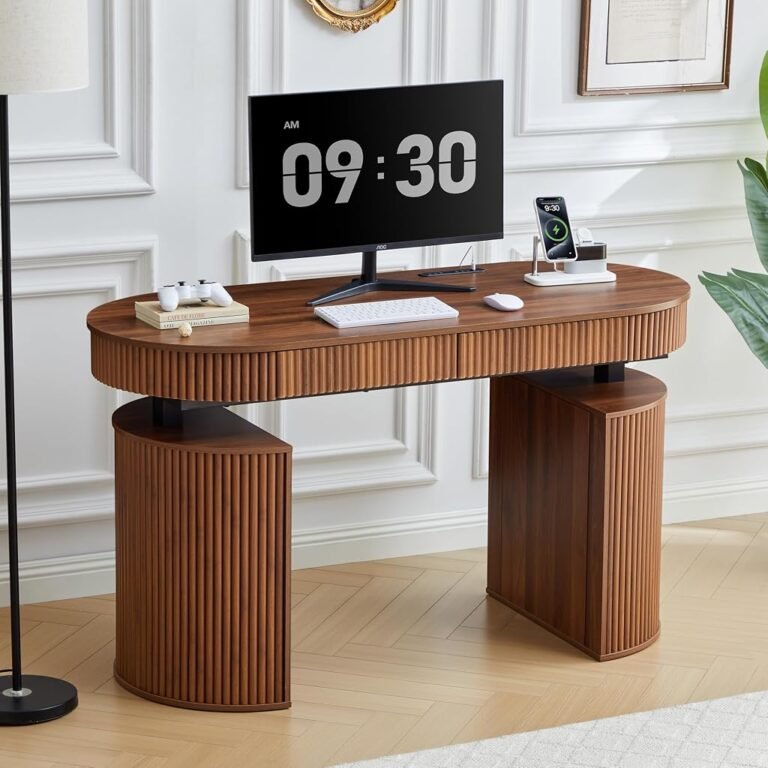
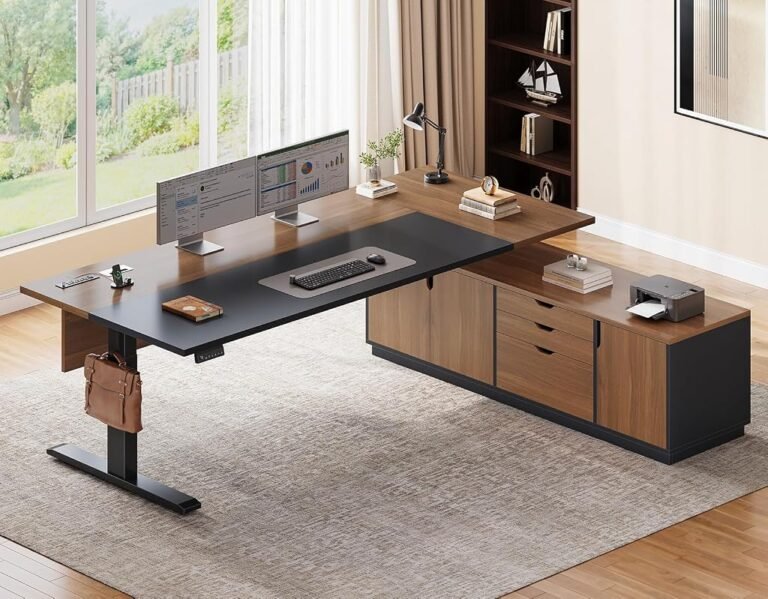
Choosing between three electric standing desks from the same manufacturer should be straightforward. In practice, closely related models can present a more difficult decision than products from competing brands.
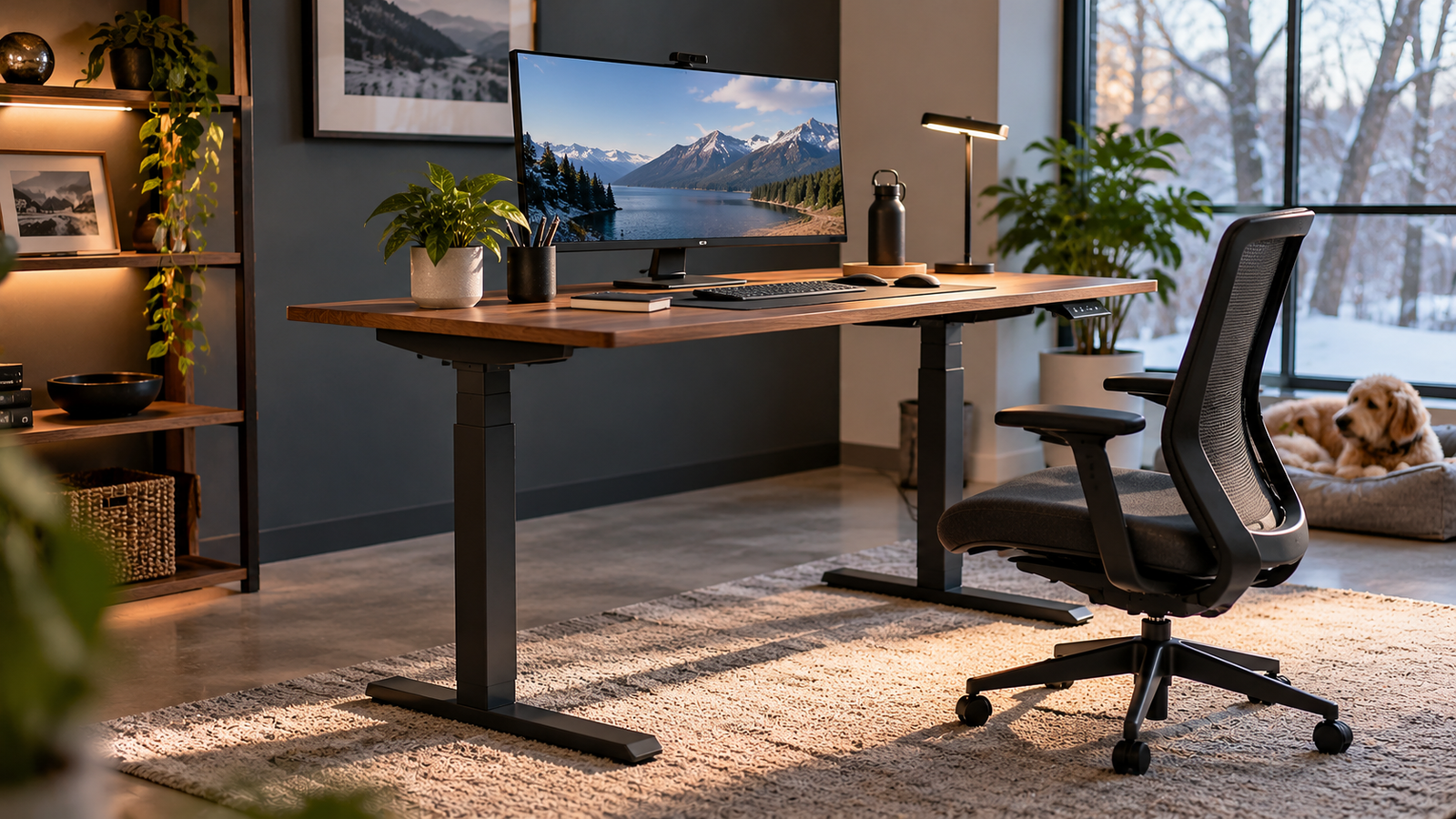
The Vari Ergo, ComfortEdge, and Classic share a central purpose: allowing users to alternate between seated and standing work. Their differences concern the shape of the desktop, the amount of usable working space, the experience of resting against the desk’s front edge, and the financial commitment required.
Those distinctions matter more than they initially appear.
A curved desktop can influence how closely someone approaches a workstation. A rounded front edge can change how the surface feels against the forearms. A conventional rectangular desk can provide a more predictable arrangement for monitors, documents, and accessories.
Yet none of these characteristics independently guarantees better posture or improved health.
Our comparison places the Vari Classic first overall with 9.16/10, followed by the ComfortEdge at 9.02/10 and the Ergo at 8.95/10.
The rankings are close enough that the highest-rated desk is not automatically the most appropriate purchase.
At reference prices of $447.36 for the Ergo, $674.25 for the ComfortEdge, and $696.75 for the Classic, buyers face a meaningful difference in expenditure.
The central question is therefore not simply which desk receives the highest score. It is which design delivers the greatest practical benefit for a particular workstation.
Vari Ergo vs ComfortEdge vs Classic: The Editorial Verdict
All three desks receive favorable editorial assessments, but they appeal to different purchasing priorities.
Vari Ergo: Best for Buyers Prioritizing Cost and a Curved Desktop
The Vari Ergo earns an overall score of 8.95/10, placing it in the excellent category.
Its ratings are:
- Our Score: 8.95/10 — Excellent
- Customer Sentiment: 9.16/10
- Buyer Confidence: 8.74/10
- Value: 8.64/10
- Reference Price: $447.36
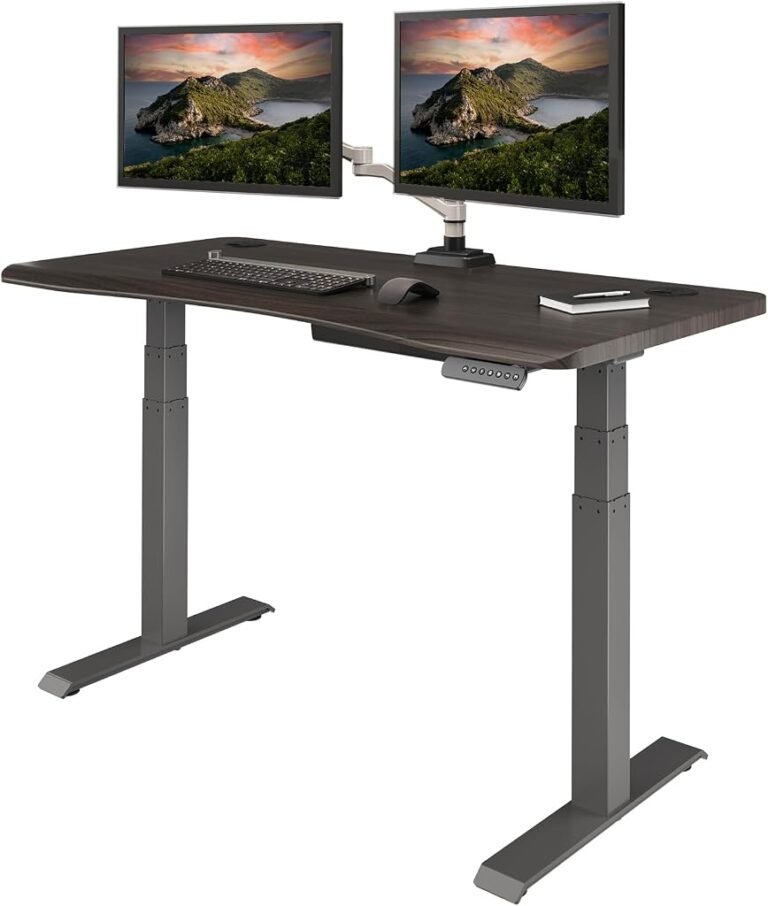
The Ergo’s defining characteristic is its curved front desktop design.
The shape is intended to provide a more accommodating working position near the front of the desk.
At $447.36, it is also substantially less expensive than the other two options.
Its strongest argument is straightforward: buyers receive electric height adjustment and an ergonomically shaped working surface while committing considerably less money.
The principal limitation is that a curved desktop will not suit every equipment arrangement.
Vari ComfortEdge: Best for Buyers Prioritizing Forearm Contact Comfort
The Vari ComfortEdge receives an overall score of 9.02/10, placing it in the exceptional category.
Its ratings are:
- Our Score: 9.02/10 — Exceptional
- Customer Sentiment: 9.16/10
- Buyer Confidence: 9.12/10
- Value: 8.64/10
- Reference Price: $674.25
The ComfortEdge emphasizes the experience of working near the front of the desktop.
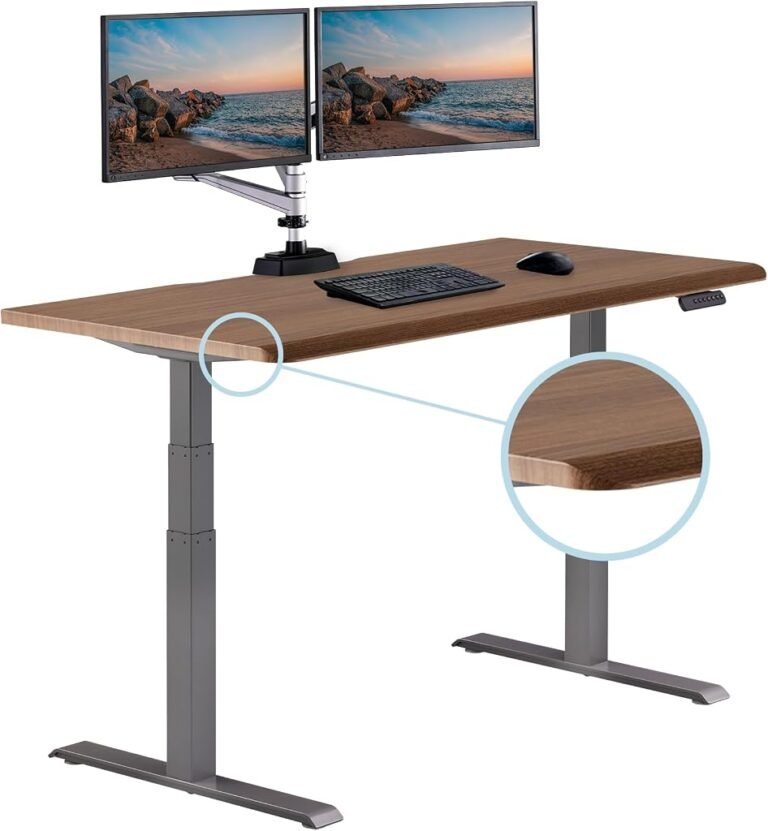
Its distinctive rounded, contoured edge is intended to create a more comfortable contact surface.
This characteristic is relevant to users who spend extended periods typing, using a mouse, or working close to the desk.
However, edge design should not be confused with complete ergonomic suitability.
Correct keyboard height, monitor placement, and chair adjustment remain necessary.
Vari Classic: Best Overall for a Conventional Professional Workstation
The Vari Classic earns the highest overall score at 9.16/10, placing it in the exceptional category.
Its ratings are:
- Our Score: 9.16/10 — Exceptional
- Customer Sentiment: 9.16/10
- Buyer Confidence: 9.8/10
- Value: 8.64/10
- Reference Price: $696.75
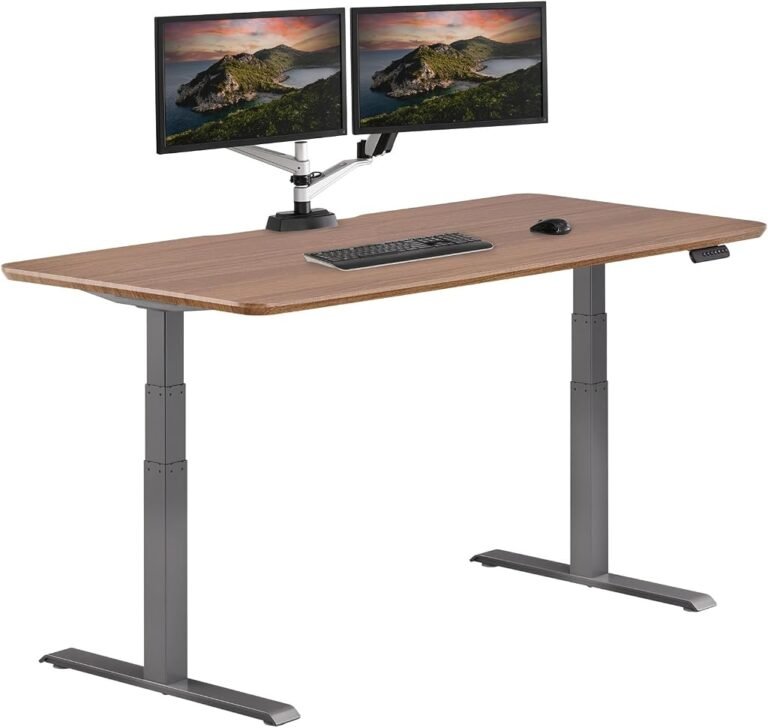
The Classic follows a conventional rectangular desktop arrangement.
Its appeal lies in the familiar working surface, flexible equipment placement, and exceptionally strong Buyer Confidence rating.
At $696.75, it is the most expensive option in this comparison.
However, the difference between the Classic and ComfortEdge is relatively small.
For buyers who prefer a traditional desktop layout, that additional expenditure may be reasonable.
Price Comparison: How Much More Does Each Desk Cost?
The three desks establish a clear pricing hierarchy.
The Ergo costs $447.36.
The ComfortEdge costs $674.25.
The Classic costs $696.75.
The ComfortEdge is $226.89 more expensive than the Ergo.
The Classic is $249.39 more expensive than the Ergo.
The difference between the ComfortEdge and Classic is only $22.50.
These figures establish two distinct purchasing decisions.
The first concerns whether the buyer should spend approximately $227–$249 more than the Ergo’s price.
The second concerns which of the two higher-priced desks offers the more appropriate working surface.
The second decision is considerably narrower financially.
Why the Ergo Has a Clear Price Advantage
The Ergo costs approximately 33.6% less than the ComfortEdge and 35.8% less than the Classic.
Those differences are substantial.
For someone establishing a home office, the money saved could remain available for other workstation requirements.
However, the lower price does not automatically establish superior value.
The buyer must still consider whether the curved desktop suits the intended equipment and working style.
Why the ComfortEdge and Classic Are a Closer Decision
The ComfortEdge and Classic are separated by only $22.50.
That difference represents approximately 3.3% of the ComfortEdge’s price.
At this level, the purchasing decision should be driven primarily by desktop design and personal working requirements.
Choosing the wrong surface to save $22.50 would be a questionable trade-off for a workstation intended for years of regular use.
Desktop Design: The Most Meaningful Difference
The strongest distinction between these three desks concerns the working surface.
All three support electric height adjustment, but they approach the front edge and desktop arrangement differently.
Vari Ergo: A Curved Working Surface
The Vari Ergo Electric Standing Desk uses an ergonomically curved front edge.
The manufacturer’s 54-by-26-inch configuration includes a 1.25-inch-thick desktop and a 200-pound weight capacity.
The curved design can help users position themselves closer to the working area.
However, the effect depends on the user’s equipment arrangement and working habits.
A curved surface may be attractive for a single-monitor setup or a workstation centered around keyboard use.
It may be less suitable for users who prefer a completely straight front edge.
Vari ComfortEdge: A Contoured Front Edge
The Vari ComfortEdge Electric Standing Desk emphasizes a rounded, contoured front edge.
The manufacturer’s 60-by-30-inch configuration has a height range of 25–50.5 inches and a 200-pound weight capacity.
The ComfortEdge’s design is relevant to people who regularly rest their forearms near the desktop’s front edge.
However, a rounded edge cannot correct an unsuitable keyboard height.
It also does not eliminate the need for movement and changes in working position.
Vari Classic: A Conventional Rectangular Desktop
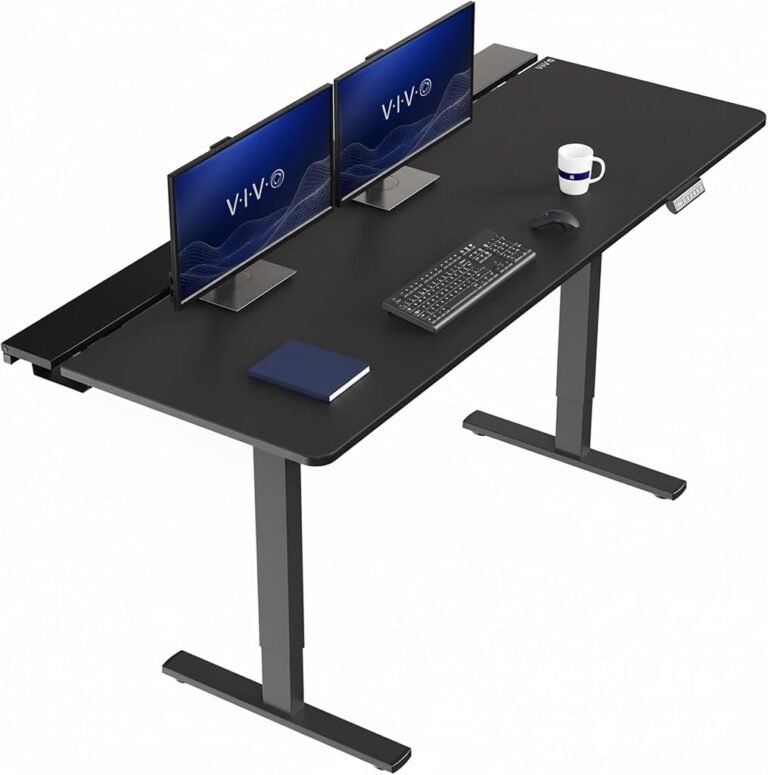
The Vari Classic Electric Standing Desk uses a conventional rectangular desktop arrangement.
The manufacturer’s 72-by-30-inch configuration provides approximately 15 square feet of working surface.
Its published specifications identify a 25–50.5-inch height range and a 180-pound weight capacity for that size.
The rectangular design provides a predictable layout for monitors, keyboards, documents, and accessories.
This can be particularly useful for users who maintain multiple pieces of equipment on the desktop.
However, a larger working surface requires more floor space.
Workspace Dimensions: Which Desk Fits Different Offices?
Desktop size is often treated as a secondary consideration.
In practice, it can determine whether a workstation is comfortable and functional.
A desk must accommodate the intended equipment while leaving sufficient clearance for a chair and surrounding furniture.
Compact Home Offices
The Ergo’s 54-by-26-inch configuration provides a relatively compact working surface.
It offers enough room for many conventional computer arrangements without requiring the footprint of a larger executive desk.
This makes it relevant to smaller home offices.
However, the curved front edge should be considered when planning equipment placement.
Medium-Sized Workstations
The ComfortEdge’s 60-by-30-inch configuration provides more working space.
The additional depth can be useful for monitor placement and document handling.
It also allows greater flexibility when arranging accessories.
However, the room must accommodate the larger footprint.
Large Professional Workstations
The Classic’s 72-by-30-inch configuration provides a substantial rectangular surface.
It is particularly relevant to users who work with multiple monitors, documents, or equipment that must remain accessible.
However, its size may be unnecessary for someone using only a laptop.
The larger desktop also increases the importance of checking floor space and equipment weight.
Height Adjustment: Similar Capabilities, Different Workstations
Electric height adjustment is the central function shared by all three desks.
Vari’s published specifications identify a height range of approximately 25–50.5 inches for the relevant Ergo, ComfortEdge, and Classic configurations.
That represents 25.5 inches of vertical adjustment.
The range is intended to accommodate seated and standing work.
However, identical adjustment ranges do not guarantee identical ergonomic suitability.
The correct desktop height depends on body dimensions, chair adjustment, keyboard placement, and equipment arrangement.
Why Minimum Height Matters
Shorter users may need a relatively low desktop position for comfortable seated typing.
If the surface remains too high, the user may compensate by raising the chair.
That can leave the feet unsupported.
A footrest may help, but the arrangement becomes more complicated.
Why Maximum Height Matters
Taller users may require a higher standing position to avoid bending forward.
A desk positioned too low can encourage uncomfortable posture.
The appropriate working height allows relaxed shoulders and elbows close to the body.
The adjustment range should therefore be evaluated against the user’s actual requirements.
Ergonomics: What the Research Supports
Standing desks are frequently associated with claims about improved health and productivity.
The scientific evidence supports a narrower interpretation.
Their principal practical advantage is the ability to reduce prolonged sitting by allowing users to alternate working positions.
A 2018 Cochrane review of workplace interventions examined 34 studies involving 3,397 employees.
The researchers found that sit-stand desks reduced workplace sitting by approximately 84–116 minutes per working day during short-term follow-up.
However, the review classified much of the evidence as low or very low quality.
It also identified uncertainty regarding longer-lasting effects.
These findings establish appropriate expectations for all three Vari desks.
They can make changing working positions easier.
They cannot independently guarantee improved health, greater productivity, or relief from existing discomfort.
Why Standing Continuously Is Not the Objective
Prolonged standing can produce discomfort just as prolonged sitting can.
Remaining in one position places sustained demands on muscles and joints.
The more practical objective is regular movement.
A user might sit during detailed keyboard work, stand during selected meetings, and take short walking breaks between tasks.
The appropriate balance varies according to comfort and working requirements.
Electric adjustment makes these transitions more convenient, but the user’s habits determine whether that flexibility becomes beneficial.
Setting Up Any Vari Desk Correctly
A standing desk can be well constructed and still produce an uncomfortable workstation when positioned incorrectly.
The relationship between chair height, keyboard placement, monitor position, and desktop height is more important than appearance alone.
The Occupational Safety and Health Administration’s workstation guidance recommends neutral body positioning, with relaxed shoulders, supported feet, and elbows kept close to the body.
OSHA identifies an elbow angle of approximately 90–120 degrees as a useful reference for computer work.
Seated Position
The chair should be adjusted before establishing the desktop height.
Feet should rest securely on the floor or an appropriate footrest.
The lower back should receive suitable support.
With the shoulders relaxed, the hands should reach the keyboard comfortably.
The desktop should then be positioned to support that arrangement.
Standing Position
When standing, the user should maintain a comfortable upright posture.
The shoulders should remain relaxed, with elbows close to the torso.
The keyboard should be positioned so that the wrists remain reasonably straight.
The desktop should not force the user to lean forward or raise the shoulders.
Monitor Position
Monitor placement deserves equal attention.
A screen positioned too low can encourage neck flexion.
A display positioned too far away may encourage the user to lean forward.
A monitor arm can provide additional flexibility, provided it is compatible with the selected desktop.
Correct positioning remains essential regardless of the desk’s adjustment capabilities.
Stability and Equipment Capacity
Stability is among the most consequential characteristics of any height-adjustable workstation.
A desk may feel secure at seated height while exhibiting greater movement when raised.
This occurs because extending the lifting structure changes how forces act on the frame.
Typing, using a mouse, or adjusting a monitor can introduce small movements that become more noticeable at greater heights.
The three Vari desks use electric lifting structures intended for regular office work.
However, stability should be evaluated through the complete workstation configuration.
Comparing Published Weight Capacities
Vari’s published specifications identify different capacities depending on desktop size.
For the configurations examined here:
- Ergo 54×26: 200 pounds
- ComfortEdge 60×30: 200 pounds
- Classic 72×30: 180 pounds
These figures should not be interpreted as direct measurements of stability.
A higher lifting capacity does not automatically mean a desk will exhibit less movement.
Desktop size, equipment distribution, frame geometry, and floor conditions also matter.
Equipment Weight and Distribution
The total weight of monitors, computers, accessories, and mounted equipment must remain within the manufacturer’s specified capacity.
A lightweight laptop arrangement places different demands on a desk than multiple monitors and a desktop computer.
Weight distribution also matters.
Heavy accessories positioned near the outer edges of the desktop can affect how forces move through the supporting structure.
Buyers should calculate their intended equipment load before installation.
Comparing the Editorial Scores
The three desks receive favorable assessments, but the differences between their scores reveal distinct purchasing strengths.
Overall Score
The Classic leads with 9.16/10.
The ComfortEdge follows at 9.02/10.
The Ergo receives 8.95/10.
The difference between the Classic and Ergo is only 0.21 points.
That is a relatively narrow separation.
It supports the Classic’s position as our highest-rated option without making the Ergo an unsuitable alternative.
Customer Sentiment
All three desks receive an identical Customer Sentiment score of 9.16/10.
This alignment is significant.
It indicates that our broader ownership assessment does not meaningfully distinguish the three products.
The differences in overall rankings therefore arise from other purchasing considerations.
Buyer Confidence
Buyer Confidence produces the clearest separation.
The Classic leads with 9.8/10.
The ComfortEdge follows at 9.12/10.
The Ergo receives 8.74/10.
The Classic’s exceptionally high score strengthens its position as the preferred option for buyers seeking a conventional long-term workstation.
The ComfortEdge also performs strongly.
The Ergo’s lower rating does not undermine its appeal, but it places greater emphasis on price and ergonomic shape.
Value
All three desks receive an identical Value score of 8.64/10.
This is a revealing result.
The Ergo costs substantially less, yet our Value assessment does not automatically favor it.
Value reflects the relationship between price, functionality, suitability, and purchasing expectations.
A less expensive desk is not necessarily better value when its design is less appropriate for the intended user.
Equally, a more expensive desk does not automatically provide greater value.
Long-Term Ownership Costs
Initial purchase price is only one part of the ownership calculation.
A desk intended for daily professional use may remain in service for several years.
Dividing the initial expenditure across an assumed ownership period can help illustrate the financial differences.
Five-Year Cost Comparison
Across five years, the average initial expenditure is approximately:
- Vari Ergo: $89.47 annually
- Vari ComfortEdge: $134.85 annually
- Vari Classic: $139.35 annually
These figures do not include maintenance, accessories, or potential replacement costs.
They also do not predict the desks’ actual service lives.
Seven-Year Cost Comparison
Across seven years, the equivalent figures are approximately:
- Vari Ergo: $63.91 annually
- Vari ComfortEdge: $96.32 annually
- Vari Classic: $99.54 annually
The annual difference between the ComfortEdge and Classic becomes relatively small across an extended ownership period.
The Ergo maintains a more substantial financial advantage.
However, the final purchasing decision should still reflect ergonomic fit and intended equipment.
Warranty and Long-Term Reliability
Warranty coverage is particularly relevant for electric standing desks.
Unlike fixed-height furniture, powered workstations contain electrical and mechanical components that may require service.
Motors, controllers, and lifting mechanisms introduce maintenance considerations beyond those associated with conventional desks.
Vari identifies lifetime warranty coverage for the relevant Ergo, ComfortEdge, and Classic configurations.
Buyers should review the applicable conditions to understand covered components, exclusions, and service procedures.
Warranty length is only one part of the ownership calculation.
Replacement-part availability, service responsiveness, and assembly requirements also influence long-term practicality.
A desk intended for daily professional use should be supported by a clear maintenance arrangement.
Assembly, Cable Management, and Maintenance
Installation quality influences the everyday usability of any adjustable workstation.
Poor assembly can introduce unwanted movement, alignment problems, or unnecessary strain on structural components.
All three desks should be assembled according to the manufacturer’s instructions.
Particular attention should be given to frame connections, electrical routing, and movement clearance.
Cable Management
Height-adjustable furniture creates a challenge that fixed desks largely avoid.
Power and data cables must accommodate changes in desktop height.
A cable that reaches comfortably at seated height may become stretched when the desk is raised.
The appropriate arrangement provides controlled slack without allowing cables to become entangled in moving components.
Cable trays and flexible sleeves can help organize equipment.
However, accessories should not interfere with the lifting mechanism.
Routine Inspection
Periodic inspection can help identify developing problems.
Relevant checks include loose fasteners, damaged cables, unusual operating sounds, and obstructions around the frame.
Electrical components should not be opened or modified without appropriate technical knowledge.
When a fault occurs, the manufacturer’s troubleshooting instructions should guide the response.
Which Vari Desk Is Best for Different Buyers?
The three desks are closely related, but their strengths align with different working environments.
Best for Budget-Conscious Home Offices: Vari Ergo
The Ergo is the strongest option for buyers who want electric height adjustment while limiting initial expenditure.
Its $447.36 price creates a substantial financial advantage.
The curved desktop also provides a distinctive ergonomic arrangement.
However, buyers should confirm that the shape suits their equipment and working preferences.
Best for Forearm Contact Comfort: Vari ComfortEdge
The ComfortEdge is the most relevant option for users who prioritize the feel of the desktop’s front edge.
Its contoured design is intended to create a more comfortable contact surface.
At $674.25, it is considerably more expensive than the Ergo.
The additional expenditure is most defensible when the front-edge design addresses a genuine working preference.
Best for Conventional Professional Workstations: Vari Classic
The Classic is our highest-rated option.
Its rectangular desktop arrangement is well suited to conventional office layouts.
The 72-by-30-inch configuration provides substantial working space.
Its Buyer Confidence score of 9.8/10 also establishes a particularly strong purchasing position.
However, its larger footprint and higher price make it less appropriate for every room or budget.
How This Comparison Fits Into a Standing Desk Buying Guide
A useful standing desk buying guide should evaluate more than price and editorial rankings.
It should connect product characteristics to the practical requirements of the intended user.
The Ergo, ComfortEdge, and Classic illustrate why that approach matters.
All three provide electric height adjustment.
All three receive favorable editorial assessments.
Yet their desktop designs and prices create different purchasing propositions.
A buyer seeking the lowest initial expenditure should begin with the Ergo.
A buyer prioritizing a contoured front edge should examine the ComfortEdge.
A buyer seeking a conventional rectangular workstation with the strongest overall editorial rating should prioritize the Classic.
The correct decision is the one that matches the user’s equipment, available space, ergonomic requirements, and expected years of use.
Final Considerations
The Vari Ergo, ComfortEdge, and Classic are closely related electric standing desks with distinct purchasing strengths.
The Vari Classic ranks first overall at 9.16/10, supported by an exceptional Buyer Confidence score of 9.8/10.
The ComfortEdge follows at 9.02/10, offering a contoured front-edge design for buyers who prioritize contact comfort.
The Ergo earns 8.95/10, combining a curved desktop with the lowest reference price of the three.
All three receive the same Customer Sentiment score of 9.16/10 and Value score of 8.64/10.
That alignment reinforces an important distinction.
The highest-rated desk is not automatically the best purchase for every user.
The Ergo’s financial advantage is substantial.
The ComfortEdge’s front-edge design addresses a specific working preference.
The Classic’s conventional rectangular surface and exceptional Buyer Confidence rating make it our preferred option for a permanent professional workstation.
The broader ergonomic benefits of adjustable desks are also supported by workplace research.
Sit-stand workstations can reduce prolonged sitting, although long-term health outcomes remain uncertain.
These findings establish appropriate expectations for all three models.
A standing desk cannot independently guarantee improved health or greater productivity.
Its value comes from enabling users to arrange their equipment comfortably and change positions throughout the working day.
For buyers prioritizing cost, the Ergo is the most compelling option.
For those prioritizing front-edge comfort, the ComfortEdge offers the clearest design advantage.
For buyers seeking the strongest overall editorial assessment and a conventional working surface, the Classic receives our recommendation.
The final decision should reflect the intended workload, available space, equipment requirements, and expected years of use.
A well-chosen standing desk should make ordinary work more comfortable and adaptable. These three Vari models approach that objective through different combinations of desktop design, purchasing confidence, and financial commitment.