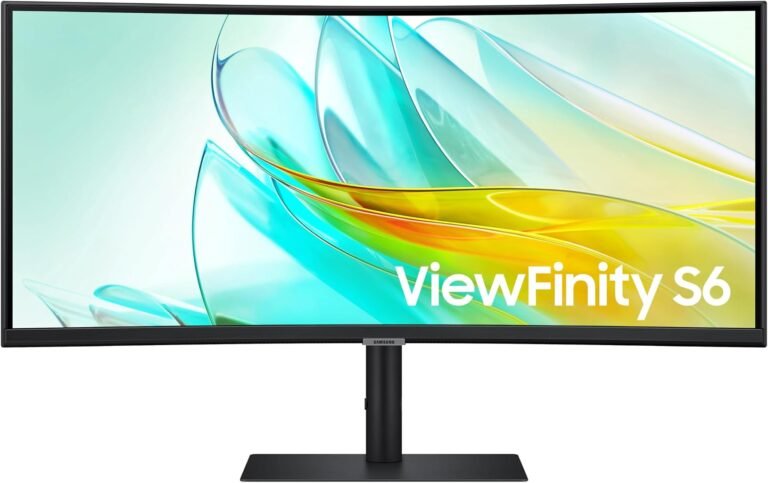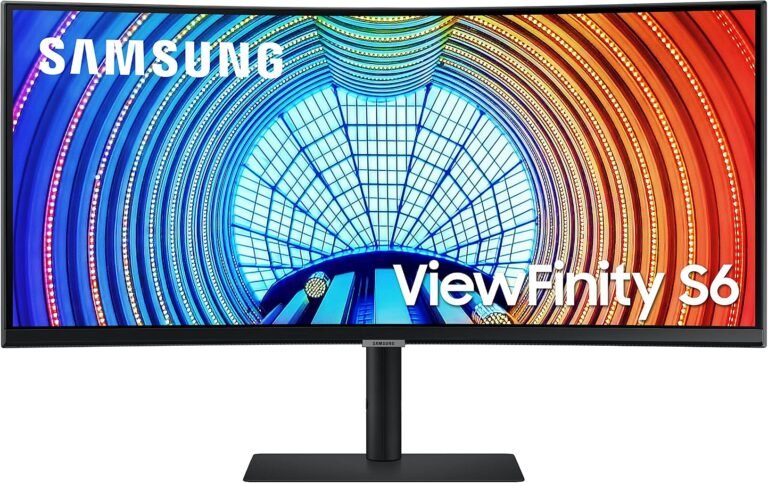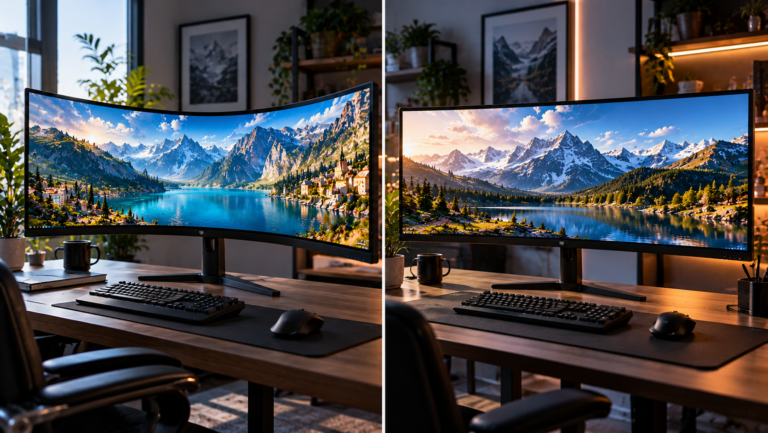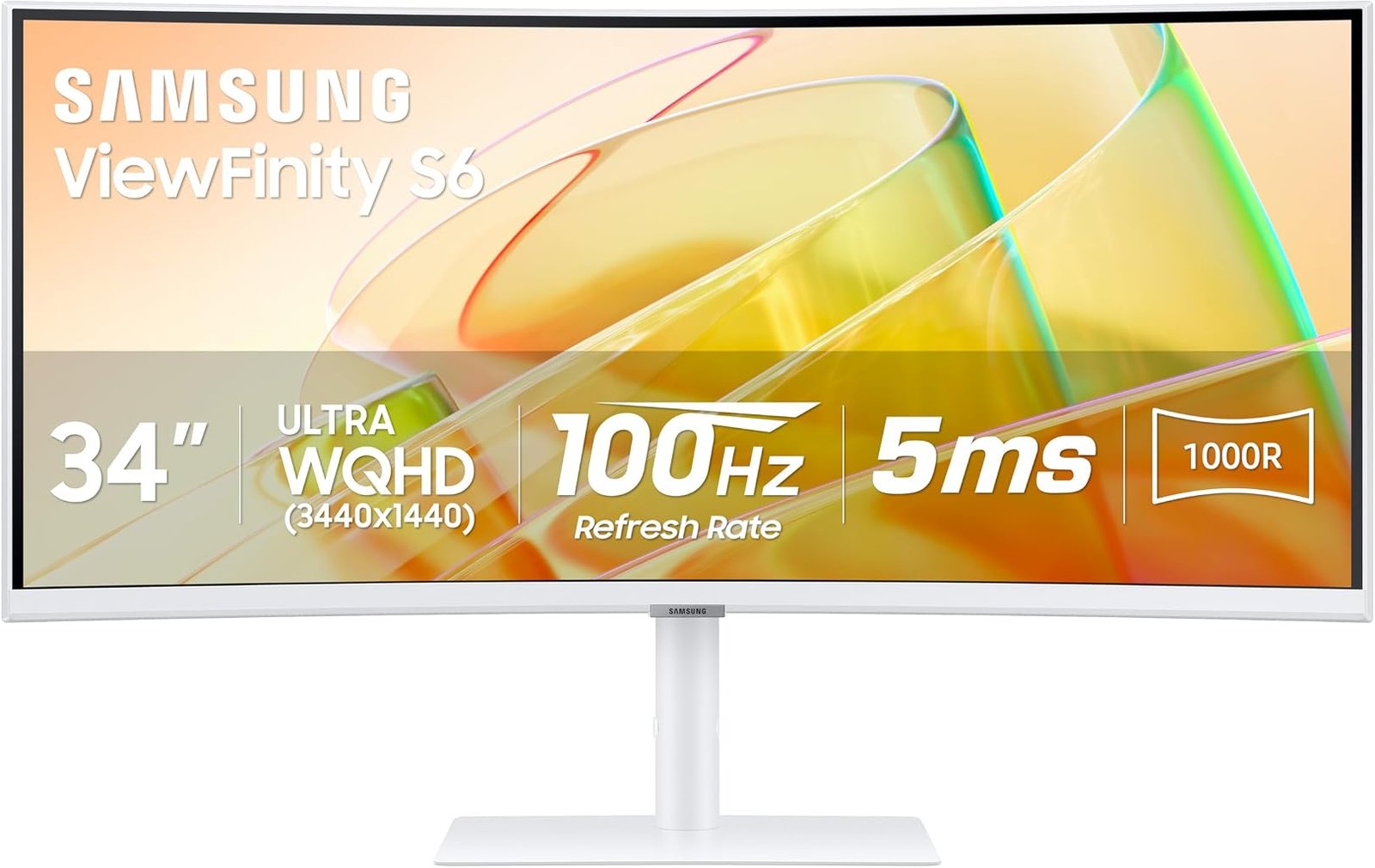
The Samsung ViewFinity S65TC approaches the 34-inch ultrawide monitor from a distinctly workstation-oriented direction. Its 3440×1440 VA panel, aggressive 1000R curvature and 100Hz refresh rate provide the visual foundation, but the more consequential hardware sits behind the screen: Thunderbolt 4, 90W device charging, Ethernet, USB connectivity, daisy-chain capability, a KVM switch and integrated speakers.
This is not simply a wide monitor with additional ports. Samsung has designed the S65TC as a potential center of a laptop-based workstation, where one display can replace portions of a dock, USB hub, Ethernet adapter and multi-monitor connection system. Samsung’s ViewFinity S65TC specifications document a 34-inch 21:9 VA display with 3440×1440 resolution, 1000R curvature, 350 cd/m² typical brightness, 3000:1 typical static contrast and a maximum 100Hz refresh rate.
Our score is 7.86/10. Customer Sentiment stands at 7.4, Buyer Confidence at 9.37 and Value at 7.67. That unusually wide spread tells much of the story. The S65TC is easy to assess because Samsung documents its capabilities extensively, which supports the high confidence rating. The lower sentiment and value figures reflect a more complicated reality: at the $399.99 reference price, much of the monitor’s appeal rests on whether the buyer will actually use Thunderbolt 4, KVM switching, Ethernet and its other workstation functions.
For the right desk, those features can remove equipment and cables. For a simple desktop-PC setup, they can become expensive infrastructure sitting largely idle.
A 34-Inch Ultrawide Built Around Work
The S65TC uses a 34-inch VA panel with a 21:9 aspect ratio and 3440×1440 native resolution. The active display area measures 797.22 by 333.72 millimeters. Samsung specifies support for as many as 1.07 billion colors and typical sRGB coverage of 115%.
The resolution produces 4,953,600 pixels per frame. Standard 2560×1440 contains 3,686,400, meaning the ultrawide format offers approximately 34% more pixels, concentrated primarily in additional horizontal workspace.
That difference is immediately relevant to productivity.
A spreadsheet can expose more columns. A video editor can extend a timeline. A document can remain open beside a browser without either application being compressed into a narrow window. Software development environments can display code alongside documentation and auxiliary tools. Financial applications can keep several information panels visible simultaneously.
This is why comparisons among the best 34 inch ultrawide monitors cannot be reduced to screen diagonal. A 34-inch 21:9 monitor changes the geometry of a desktop rather than merely enlarging it.
The resolution also avoids the extreme graphics requirements associated with 4K ultrawide configurations. At the same time, text and interface elements have substantially more pixel definition than they would on a 2560×1080 ultrawide of similar physical size.
The 1000R Curve Is an Aggressive Design Choice
The S65TC has a 1000R curve, substantially tighter than the 1500R and 1800R curvature common on many ultrawide displays.
The number describes a curve corresponding to a circle with a radius of 1,000 millimeters. Across a screen nearly 80 centimeters wide, that geometry is clearly visible.
Samsung presents the curvature as part of the productivity design rather than merely a gaming effect. The reasoning is understandable: drawing the outer edges toward a centrally seated user reduces the angle at which those edges are viewed.
The result also makes the S65TC a more personal display.
A flat screen is generally easier to view from varied positions. A strongly curved monitor assumes that the primary viewer will remain relatively centered. That works naturally at a desk, where one person normally sits directly in front of the panel. It is less appropriate for a screen frequently viewed by several people from different positions.
The 1000R curve therefore deserves more consideration than a cosmetic specification. Some users appreciate a pronounced wraparound effect; others prefer the less assertive geometry of a 1500R or 1800R ultrawide.
For a product intended primarily for individual workstation use, Samsung’s choice is coherent. It simply will not suit every visual preference.
VA Contrast Gives Dark Content More Separation
Samsung specifies a typical static contrast ratio of 3000:1 and typical brightness of 350 cd/m². The panel uses VA technology, with horizontal and vertical viewing angles listed at 178 degrees.
The 3000:1 contrast figure is particularly relevant because productivity monitors increasingly double as entertainment displays.
A stronger native contrast ratio can produce greater separation between dark and illuminated areas than lower-contrast LCD designs. Dark application interfaces, films, photographs and games can therefore benefit from the VA panel’s characteristics.
The trade-off lies in how VA technology handles motion and off-axis viewing. Samsung specifies a 5ms response time. That figure should be read as a manufacturer specification rather than a complete description of every pixel transition. LCD transition behavior varies by shade, refresh rate and overdrive configuration.
For office work, those subtleties are unlikely to define the experience. For competitive gaming, they matter considerably more.
The S65TC is not positioned as a high-speed esports monitor, and its specification set makes that distinction fairly plain.
100Hz Is a Sensible Productivity Upgrade
The maximum refresh rate is 100Hz.
A 60Hz monitor refreshes approximately once every 16.67 milliseconds. At 100Hz, that interval falls to 10 milliseconds. The difference can affect cursor motion, scrolling, window movement and interface animation before a game is even opened.
That makes 100Hz unusually appropriate for a productivity display.
High refresh rates are often discussed almost exclusively through gaming, yet office software contains motion everywhere. Pages scroll. Windows move. Cursors travel across large surfaces. Long documents accelerate and decelerate under touchpads and mouse wheels.
The jump from 60Hz to 100Hz gives those interactions more temporal resolution.
Gaming also benefits, although the S65TC should not be confused with a dedicated 144Hz, 165Hz or 240Hz gaming monitor. The 100Hz ceiling is better suited to mixed use: faster than traditional office displays, yet not engineered around competitive frame rates.
For a monitor likely to spend most of its operating life displaying work applications, that balance makes sense.
AMD FreeSync Extends the Mixed-Use Credentials
Samsung includes AMD FreeSync, with the manufacturer specifying support through HDMI or DisplayPort.
Variable refresh allows compatible graphics hardware and the monitor to coordinate display timing as frame delivery changes. AMD explains that FreeSync synchronizes display refresh with compatible graphics output, reducing artifacts such as tearing and stuttering under supported conditions.
On the S65TC, this is more useful than it may initially appear.
A 3440×1440 image requires a GPU to render nearly five million pixels per frame. Games will not necessarily maintain a fixed 100 fps, particularly when graphics settings are demanding. Variable refresh can make fluctuating performance less visually disruptive.
Still, FreeSync should be treated as a secondary capability here rather than the monitor’s defining feature.
The S65TC is fundamentally a productivity monitor that can handle gaming competently within its refresh envelope. Buyers primarily interested in competitive games have many faster alternatives.
Thunderbolt 4 Is the Feature That Changes the Workstation
Thunderbolt 4 is the most consequential connection on the S65TC.
Samsung specifies Thunderbolt 4 connectivity with up to 90W charging and simultaneous data transmission. The monitor also supports Thunderbolt daisy chaining.
The underlying interface is substantial. Intel specifies 40 Gbps as the minimum required bandwidth for Thunderbolt 4 and defines display and charging requirements as part of the standard.
For a compatible laptop, the practical impact is straightforward. One cable can connect the computer to the display while supplying power and carrying data. Peripherals attached to the monitor can then become part of the workstation without requiring separate connections directly to the laptop.
This can radically simplify a desk used with a portable computer.
A worker arrives, connects one cable and gains access to a large ultrawide display, charging, peripherals and network connectivity. When it is time to leave, one cable is disconnected.
That is a much more consequential capability than simply adding another video input.
Ninety-Watt Charging Is Genuinely Useful
Power Delivery deserves separate attention because USB-C and Thunderbolt monitors vary widely in charging capability.
Samsung specifies up to 90W through the S65TC’s Thunderbolt connection.
That amount is sufficient for many productivity laptops and mobile workstations, although individual computer requirements still need to be checked. High-performance gaming laptops and some powerful workstation notebooks can demand considerably more power through their proprietary adapters.
The distinction matters because the value of single-cable connectivity falls rapidly if the laptop still needs a second charger on the desk.
At 90W, the S65TC avoids that problem for a broad range of conventional business and creative laptops. It therefore functions much more convincingly as a docking display than monitors limited to 15W, 45W or 65W charging.
For buyers who move a laptop between home and office every day, this feature can matter more than a marginal improvement in panel specifications.
Ethernet Turns the Monitor Into Part of the Dock
Samsung includes a LAN port alongside its display and USB connectivity.
That may appear mundane until the monitor is considered as a docking device.
Many thin laptops no longer include full-size Ethernet. A wired network connection therefore often requires a dongle or dock. Routing Ethernet through the monitor means the laptop can gain wired network access through the workstation connection rather than needing another adapter.
The value is not merely aesthetic.
Wired networking can offer predictable connectivity in offices where wireless congestion is heavy or where corporate policies favor physical network connections. It also removes another object from the desk.
This is where the S65TC’s feature set begins to look less like a list of ports and more like a deliberate system. Thunderbolt, charging, USB and Ethernet work together because each allows the monitor to absorb a function otherwise handled by separate hardware.
The KVM Switch Addresses Multi-Computer Desks
The S65TC includes a KVM switch, allowing a keyboard and mouse setup to control two connected source devices through the monitor.
For hybrid workers, this can be one of the monitor’s more useful functions.
A personal desktop and corporate laptop can share the same keyboard, mouse and display environment. Instead of maintaining duplicate peripherals or manually moving USB connections between machines, the monitor can manage the transition.
The value grows further when paired with picture-by-picture functionality.
Two computers can become part of one physical workstation without requiring two complete sets of desk hardware. That is precisely the type of problem a large ultrawide is well positioned to solve.
A KVM switch will have little value for a single-computer household. For someone routinely moving between two systems, however, it changes the practical usefulness of the monitor substantially.
Picture-in-Picture and Picture-by-Picture Use the Width Intelligently
Samsung supports both Picture-in-Picture and Picture-by-Picture.
These features make particular sense on a 21:9 display because the panel has enough horizontal space to accommodate multiple sources more gracefully than a conventional 16:9 monitor.
A work laptop can remain visible beside a personal computer. A secondary system can display reference material while the primary computer handles the main task. Hardware from different platforms can share one physical screen.
This does not fully reproduce two independent monitors. Dividing the panel changes the available aspect ratio for each source, and software-based window management is generally more flexible when everything originates from the same computer.
Even so, PBP expands what the S65TC can do in multi-device environments.
Combined with KVM switching, the feature becomes more than a novelty. Samsung is clearly designing around desks where one person may use several computers.
Daisy Chaining Can Reduce Multi-Monitor Cabling
Thunderbolt daisy-chain support adds another layer to the workstation design.
Rather than routing every compatible display independently back to the computer, a Thunderbolt configuration can allow devices to be connected sequentially. Intel states that data and video can flow through a chain of Thunderbolt accessories.
This can be particularly useful with laptops that have limited physical ports.
The S65TC already offers almost five million pixels of workspace, so many owners may never need another display. Those who do can benefit from an architecture that reduces direct cable connections to the computer.
As with all advanced display configurations, system compatibility still matters. Laptop graphics capabilities, operating-system behavior and connected-device requirements can affect what arrangements are possible.
The feature is nevertheless consistent with the monitor’s broader purpose: centralizing a workstation around fewer direct laptop connections.
HDR10 Adds Color Capability Without Making This an HDR Specialist
The S65TC supports HDR10 and up to 1.07 billion colors. Samsung lists typical sRGB coverage at 115%.
Those specifications broaden the panel’s color capabilities, but expectations around HDR should remain disciplined.
The monitor’s typical brightness is 350 cd/m². Samsung does not position this model around a high-tier DisplayHDR certification or sophisticated local-dimming system. HDR10 compatibility therefore means the display can process relevant HDR material; it does not place the S65TC in the same visual category as premium mini-LED or OLED HDR displays.
For productivity, that limitation is not necessarily damaging.
The monitor’s more important image characteristics are its 3440×1440 resolution, large horizontal workspace, VA contrast and color support. Those attributes affect ordinary desktop use constantly.
Buyers doing professional color-critical work should also distinguish gamut coverage from accuracy. A wide stated color gamut does not establish low color error or replace calibration and measurement.
Integrated Speakers Support the Docking Philosophy
Samsung includes two 5W speakers.
Their value is primarily functional.
Video meetings, online presentations, training material and casual media can all produce audio without requiring another peripheral. On a desk already centered around single-cable laptop connectivity, that helps preserve the monitor’s consolidation argument.
Dedicated speakers or headphones remain preferable when audio quality is a priority. A monitor chassis has physical constraints that limit low-frequency extension and stereo scale.
The built-in speakers are therefore less about replacing serious audio hardware than allowing the workstation to function without it.
For business and home-office use, that is a defensible trade.
The Adjustable Stand Addresses a Common Ultrawide Problem
Samsung provides height adjustment along with tilt and swivel capability. The monitor also supports VESA mounting.
This matters because large ultrawides are particularly sensitive to poor positioning.
A 34-inch display spans a large portion of the user’s horizontal field of view. If it sits too high or too low, the viewer may compensate with neck position throughout the day. Height adjustment makes it easier to align the screen with the seating position rather than restructuring the desk around a fixed stand.
Swivel is also useful when connecting cables or briefly showing material to another person.
The strong 1000R curve still encourages a centered viewing position, but the adjustable stand provides considerably more flexibility than basic tilt-only designs.
For a monitor aimed at long working sessions, this is not a decorative feature. Ergonomic adjustment is part of the product’s practical value.
Eye-Care Features Reflect the Intended Workload
Samsung includes Eye Saver Mode and flicker-free operation, while the product is promoted with TÜV-certified intelligent eye-care functionality.
The monitor can adjust brightness and color temperature in response to environmental conditions under supported circumstances. Samsung notes that automatic brightness adjustment does not occur when surrounding illumination exceeds 200 lux.
Such features should not be treated as medical interventions or substitutes for appropriate lighting, viewing distance and breaks.
Their significance is more ordinary: a workstation monitor may be viewed for many hours each day, so brightness behavior, flicker management and low-blue-light modes matter more than they might on a screen used only occasionally.
The S65TC’s attention to those functions reinforces its office-oriented identity.
Buyer Confidence Is High for a Reason
Our overall score is 7.86/10, but Buyer Confidence reaches 9.37.
The difference reflects certainty about what the S65TC is rather than an assumption that every buyer should own one.
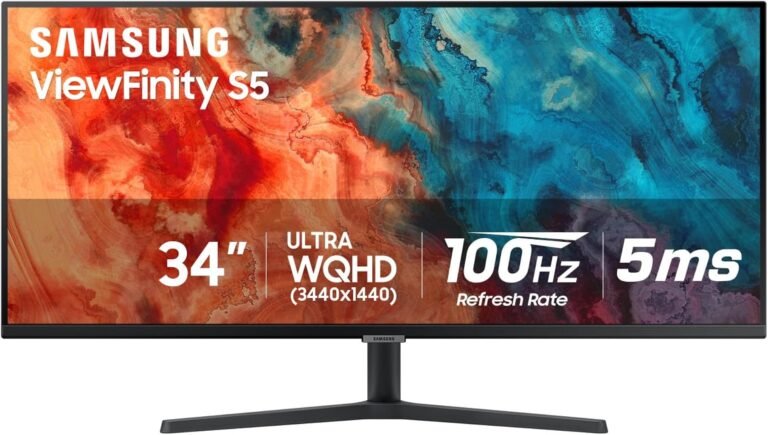
Samsung documents the core panel specifications, Thunderbolt connectivity, 90W charging, KVM capability, Ethernet, speakers, adaptive refresh and ergonomic functions extensively. Model differentiation is also unusually important here because Samsung’s S50GC is another 34-inch ViewFinity ultrawide but has a very different connectivity and physical configuration. Samsung’s own ViewFinity comparison material distinguishes the S65TC through Thunderbolt 4, LAN, KVM functionality and its height-adjustable stand.
Customer Sentiment at 7.4 is substantially lower. That score reflects the product’s narrower fit. A 1000R curve is a pronounced design choice. A 100Hz refresh ceiling is excellent for office fluidity but moderate for dedicated gaming. The monitor’s more advanced features also matter little to buyers who use a single desktop computer.
Value at 7.67 tells a similar story.
At the $399.99 reference price, the S65TC becomes attractive when it can replace part of a docking station and simplify a multi-device desk. Evaluated purely as a 34-inch 3440×1440 panel, the value equation is less distinctive because simpler ultrawides can deliver the same resolution without Thunderbolt, KVM and Ethernet hardware.
Who Should Consider the Samsung ViewFinity S65TC?
The S65TC has an unusually identifiable audience. Its strongest fit includes:
- Laptop users who can benefit from Thunderbolt 4, 90W charging and Ethernet through the monitor.
- Hybrid workers moving a notebook between locations and wanting a one-cable desk connection.
- Users switching between two computers who can exploit the integrated KVM.
- Professionals who need a broad 3440×1440 workspace without adopting a dual-monitor arrangement.
- Multi-display users who can benefit from Thunderbolt daisy chaining.
- Office users who value 100Hz fluidity over the traditional 60Hz productivity standard.
- Buyers who prefer strong VA contrast and do not object to an aggressive 1000R curve.
The weaker fit is equally specific.
Competitive gamers should favor monitors with higher refresh ceilings and gaming-centered response characteristics. Users who dislike pronounced curvature may find 1000R excessive. Desktop-only buyers with no need for Thunderbolt charging, KVM switching or Ethernet may be paying for hardware they rarely use.
Professional HDR production also demands more specialized display hardware, while tightly controlled color work requires attention to calibration and measured accuracy beyond gamut specifications.
The S65TC Makes More Sense as Infrastructure Than as a Screen Alone
The ViewFinity S65TC becomes easier to understand when its price is divided conceptually across several jobs.
It is a 34-inch ultrawide monitor. It can also act as a Thunderbolt connection point, a 90W laptop charger, a USB hub, an Ethernet interface, a KVM switch, an audio device and part of a daisy-chained display arrangement.
That does not mean every buyer saves money by purchasing it. Someone who already owns a high-quality dock gains less from duplicating those functions inside the monitor.
A buyer starting with a laptop and an empty desk faces a different calculation. One device can potentially replace several pieces of equipment and a considerable amount of cabling.
This is why specifications such as 100Hz and 350 cd/m² tell only part of the story. The S65TC’s strongest engineering decision is not found in the panel. It is the decision to make the monitor the connection center of the workstation.
Final Considerations
The Samsung ViewFinity S65TC earns its 7.86/10 score by taking the familiar 34-inch 3440×1440 ultrawide format and building a sophisticated workstation architecture around it.
The screen itself is credible: a 34-inch VA panel, 21:9 aspect ratio, 1000R curvature, 350 cd/m² typical brightness, 3000:1 typical contrast, HDR10 support and a maximum 100Hz refresh rate. The resolution supplies nearly five million pixels, while the 100Hz ceiling gives desktop motion noticeably more temporal resolution than conventional 60Hz monitors.
Yet the ports define the product more clearly than the pixels.
Thunderbolt 4 with up to 90W charging can reduce a compatible laptop workstation to one primary connection. Ethernet removes the need for a separate network adapter. USB connectivity centralizes peripherals. KVM functionality accommodates two-computer workflows. Picture-by-picture makes productive use of the 21:9 width. Daisy chaining gives multi-monitor users another way to reduce cable complexity. Integrated speakers and an adjustable stand complete a design focused on reducing auxiliary equipment.
The limitations remain visible. The 1000R curve is aggressive and preference-sensitive. A 5ms manufacturer response specification and 100Hz maximum refresh make this a mixed-use gaming display rather than an esports monitor. HDR10 compatibility does not imply premium HDR reproduction. Buyers who do not need Thunderbolt, KVM, Ethernet or 90W charging can find less elaborate 3440×1440 monitors.
Those boundaries explain the editorial ratings. Buyer Confidence at 9.37 is high because the hardware identity is unusually well defined. Customer Sentiment at 7.4 and Value at 7.67 are lower because the S65TC is specialized in ways that either solve several desk problems at once or add cost without much practical return.
Among the best 34 inch ultrawide monitors, the Samsung therefore deserves evaluation on a broader basis than panel performance alone. Its real question is not simply whether 3440×1440 looks appropriate across 34 inches. That part of the formula is already familiar.
The more consequential question is how much equipment sits between a laptop and its working environment. For a user currently relying on a charger, dock, Ethernet adapter, USB hub, peripheral switch and separate monitor connections, the S65TC can consolidate an untidy collection of hardware into the display itself.
For someone connecting a single desktop through HDMI or DisplayPort, much of that engineering will remain unused.
That distinction explains both the appeal and the restraint behind the 7.86/10 rating. The ViewFinity S65TC is not universally optimized. It is a carefully targeted ultrawide whose value rises sharply when the monitor is expected to manage the workstation rather than merely display it.