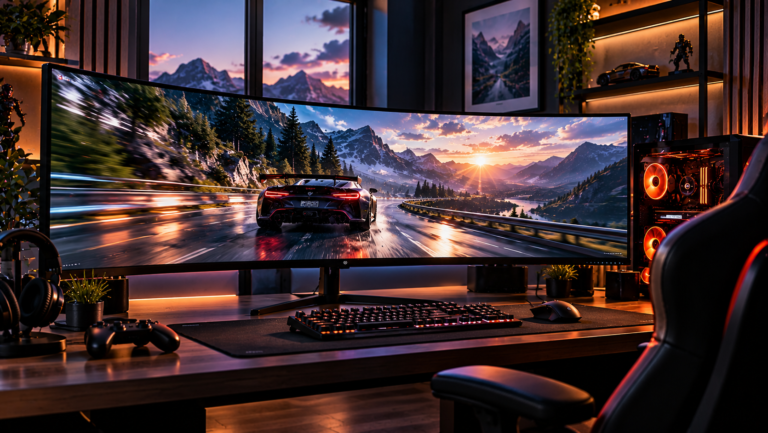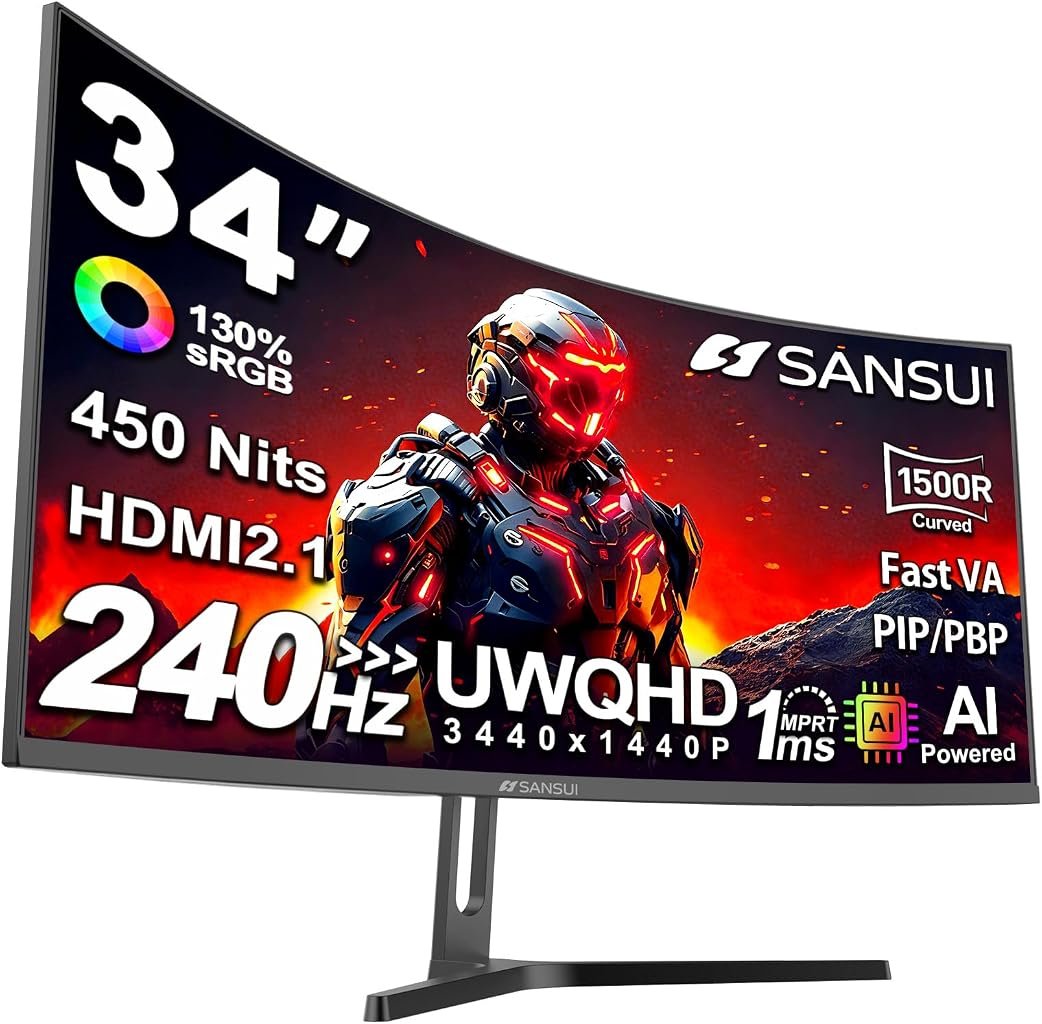
The 34-inch ultrawide gaming-monitor category has spent years forcing buyers into an awkward choice: pay heavily for elite motion performance and premium panel technology, or accept slower refresh rates to obtain the wider 3440×1440 workspace at a moderate price. The SANSUI ES-G34C5 Pro attacks that division directly.
This is a 34-inch, 21:9 curved gaming monitor built around a 3440×1440 UWQHD resolution and a refresh rate reaching 240Hz. SANSUI identifies it officially as the 34-inch C5 Pro UWQHD Gaming Monitor. Its combination of resolution, screen width and refresh rate immediately places it in a demanding part of the monitor market, where specification sheets can become more ambitious than the computers driving them.
Our score is 8.71/10. Customer Sentiment stands at 8.5, Buyer Confidence at 9.8 and Value at 8.28. Those numbers tell a fairly coherent story. This is an unusually ambitious monitor for its $329.99 reference price, with a feature set that gives performance-focused PC users considerable room to experiment. Yet the appeal is not universal. A fast VA ultrawide is fundamentally different from a premium OLED gaming display, and buyers should understand that distinction rather than treating “240Hz” as a complete description of monitor performance.
The SANSUI is therefore more interesting as a calculated compromise than as a specification-sheet spectacle.
A 34-Inch Ultrawide Built Around Speed
The central proposition starts with 3440×1440 resolution across a 34-inch 21:9 display. That resolution contains 4,953,600 pixels per frame, approximately 34% more than conventional 2560×1440. The horizontal expansion is substantial enough to change both games and desktop work.
Games supporting 21:9 can expose more scenery at the sides of the image, while productivity applications gain room for timelines, spreadsheets, editing panels or multiple windows. It is one reason buyers researching the best 34 inch ultrawide monitors frequently end up comparing gaming characteristics and productivity characteristics simultaneously. A 34-inch ultrawide can plausibly function as both.
SANSUI combines that format with a 1500R curvature and Fast VA panel architecture. Independent product records matching model ES-G34C5 Pro and ASIN B0F2TB1KNV corroborate the 34-inch size, 3440×1440 resolution and 21:9 format.
The curve matters more at this width than it would on a small 16:9 display. A 1500R screen follows an arc corresponding to a 1.5-meter radius. It does not magically create immersion, but it reduces the geometric sense that the outer edges of a wide panel are turning away from the viewer. For a desk-oriented 34-inch display, that is a rational use of curvature rather than decoration.
There is also a practical pixel-density benefit. The resolution is considerably sharper than stretching 2560×1080 across the same diagonal, while remaining substantially easier for a graphics processor to drive than 3840×2160.
That balance becomes especially relevant because this monitor is chasing 240 frames per second.
240Hz Is Meaningful, but the GPU Still Sets the Pace
A 240Hz display refreshes its image as often as every 4.17 milliseconds. At 144Hz, the interval is about 6.94 milliseconds; at 60Hz, it is 16.67 milliseconds. Those figures do not represent total input latency or pixel response time, but they illustrate why higher refresh rates can make animation, tracking and input feedback appear progressively more immediate.
The SANSUI’s 240Hz ceiling is therefore not merely a large number printed on a carton. The company’s own manual exposes a 240Hz operating setting alongside Adaptive-Sync controls, overdrive settings and MPRT.
There is an obvious catch. Rendering nearly five million pixels 240 times every second represents a theoretical flow of almost 1.19 billion pixel positions per second before considering color data, blanking intervals and interface overhead. A game must actually reach high frame rates for the upper end of the monitor’s refresh capability to matter.
That makes the SANSUI particularly logical for competitive titles whose graphics workloads can run at very high frame rates. Counter-Strike-style shooters, lightweight esports games and older competitive releases have a much more realistic chance of approaching 200-plus frames per second than graphically intensive single-player games running maximum settings.
For heavier games, 3440×1440 itself becomes the priority. The user may spend considerably more time between 70 and 140 fps than anywhere near 240 fps. That does not make the faster panel pointless. It simply means the display has refresh-rate headroom that different games will exploit to different degrees.
Adaptive-Sync Matters More Than Chasing 240 FPS Constantly
SANSUI includes an Adaptive-Sync option in the monitor’s controls. That feature deserves attention because variable refresh technology addresses one of the basic conflicts in PC gaming: a graphics processor does not necessarily finish frames at the same rhythm at which a conventional fixed-refresh monitor displays them.
Adaptive refresh allows the monitor’s timing to follow the source more dynamically, addressing visual problems such as tearing and stuttering caused by mismatches between GPU rendering and display refresh.
That is arguably more relevant to normal ownership than maintaining 240 fps at every moment.
A game fluctuating between 105 and 145 fps can still feel fluid when frame delivery and display refresh remain properly coordinated. The monitor therefore does not need to sit permanently at its numerical ceiling to justify a high-refresh architecture.
The broader display industry has also moved toward measuring variable-refresh behavior more rigorously, with certification approaches examining factors including refresh rate, flicker, gray-to-gray response, frame dropping and frame-rate jitter.
The distinction matters here: the presence of an Adaptive-Sync setting should not automatically be interpreted as evidence that this specific SANSUI monitor holds VESA AdaptiveSync certification. Those are different claims. The sensible reading is narrower: adaptive-refresh functionality is part of the ES-G34C5 Pro’s documented feature set.
Fast VA Brings a Different Set of Compromises
Panel technology is where buyers should resist judging the SANSUI solely by its 240Hz specification.
The ES-G34C5 Pro uses a Fast VA panel rather than OLED. VA technology traditionally emphasizes stronger native contrast than typical IPS LCD designs, which can give dark scenes more visual depth. Yet pixel-transition behavior matters enormously in high-refresh gaming, particularly during darker transitions.
SANSUI provides multiple overdrive settings-Off, Normal, Fast, Dynamic and Extreme-along with an MPRT option. That range of controls is useful because aggressive overdrive can reduce visible trailing in some transitions while producing inverse ghosting when pushed too far.
A claimed MPRT figure also should not be confused with universal pixel-transition performance. VESA has explained why its ClearMR motion standard replaces MPRT and other blur-characterization methods that do not fully represent the nature of motion blur.
That distinction is central to evaluating affordable high-refresh monitors. A “1ms” label cannot tell a buyer how every gray-to-gray transition behaves, whether dark smearing appears in difficult scenes or how much overshoot an aggressive overdrive mode produces.
Without instrumented response-time measurements for this unit, those characteristics should not be invented.
The useful fact is that SANSUI gives the owner adjustment options. The sensible setup procedure is to begin with a moderate overdrive setting, test motion in frequently played games, and increase overdrive only when trailing is more objectionable than overshoot artifacts.
The 3440×1440 and 240Hz Combination Creates a Connectivity Question
Driving UWQHD at very high refresh rates places genuine pressure on display interfaces.
The SANSUI provides two HDMI inputs and two DisplayPort inputs according to its on-screen menu documentation, which lists HDMI1, HDMI2, DP1 and DP2 as selectable sources. Matching product documentation identifies the physical configuration as two HDMI 2.1 and two DisplayPort 1.4 connections.
That is an unusually flexible video-input arrangement for a monitor in this price range.
The practical lesson is simple: buyers seeking full resolution and the highest refresh setting should connect through an appropriate modern GPU output and suitable cable rather than assume every laptop dock, adapter or older HDMI path can carry the requested signal.
Display Stream Compression can also enter the discussion at these data rates. DisplayPort’s official technical guidance describes DSC as “visually lossless image compression”, technology engineered to accommodate demanding high-bandwidth display configurations.
That context matters because compression in a display pipeline can sound inherently undesirable. DSC is specifically engineered for high-bandwidth display transmission rather than behaving like heavily compressed consumer video.
Connection configuration is consequently one of the first things to check if a PC exposes 3440×1440 but not 240Hz. The GPU, port, cable, operating-system setting and monitor configuration all have to cooperate.
PIP/PBP Makes the Width Useful Beyond Games
One of the more practical features is PIP/PBP support.
The monitor’s documented menu allows source selection for picture-in-picture and picture-by-picture operation, drawing from HDMI1, HDMI2, DP1 and DP2. It also offers PIP positioning and source switching.
That transforms the ultrawide format from a purely gaming feature into a potentially useful multi-device display.
A desktop PC and work laptop, for example, can share the screen without constantly moving cables. A second system can remain visible while the primary machine handles another workload. Developers, financial users, streamers and creators can find this useful even when gaming performance is irrelevant.
There are limits. Splitting a 3440-pixel-wide display between sources is not equivalent to owning two full-size monitors, and software window management is often more flexible when everything runs from one computer. Still, PBP adds genuine functional value because the panel is wide enough for divided-screen operation to make sense.
The OSD Is More Extensive Than the Price Suggests
The ES-G34C5 Pro’s menu includes an unexpectedly broad collection of adjustments. Beyond basic brightness and contrast, the documented controls include color-temperature adjustment, individual red/green/blue settings, gamma selections from 1.8 through 2.6, HDR control, picture modes, Adaptive-Sync, multiple game modes, overdrive, MPRT, Night Vision, an on-screen refresh-rate indicator, a timer, Sniper Scope and AI CrossHair functions.
Some of those gaming extras are inherently subjective. An artificial crosshair can be useful in particular games and irrelevant in others. Preset image enhancement can improve perceived visibility while simultaneously moving the picture farther from neutral reproduction.
The more meaningful controls are the conventional ones: gamma, RGB adjustment, overdrive, Adaptive-Sync and input management. Those allow the owner to tune behavior rather than being trapped inside a single factory configuration.
For desktop use, the sensible starting point is restraint. Artificial sharpening, aggressive dark-scene enhancement and game-specific processing should generally remain disabled unless they solve a specific problem. For competitive gaming, the equation changes; visibility can reasonably matter more than faithful image reproduction.
Ergonomics Are More Limited Than the Electronics
The stand is a more restrained part of the package.
SANSUI’s manual specifies forward and backward tilt adjustment, while VESA mounting provides an escape route for users requiring a more elaborate ergonomic setup. The manual documents a 5-degree forward and 15-degree backward adjustment range.
That is adequate for basic positioning but less versatile than a stand offering substantial height, swivel and tilt adjustment.
This matters more on a 34-inch ultrawide than on a small monitor because the panel occupies considerable horizontal desk space. Eye height and viewing distance affect comfort, and the 1500R curve makes centered seating preferable.
A monitor arm or compatible VESA stand can therefore be a meaningful addition for users with unusual desk heights or multi-display configurations. Buyers should include that possibility when thinking about the total setup cost rather than evaluating the panel price in isolation.
HDR Should Be Approached With Measured Expectations
HDR labels on LCD gaming monitors require careful interpretation.
The SANSUI exposes HDR control in its menu, but HDR capability alone does not establish OLED-like black levels, sophisticated local dimming or the extreme highlight intensity associated with expensive HDR displays. Panel architecture still determines what HDR material can look like.
This is one area where a lower-priced Fast VA monitor should be evaluated for what it is rather than against premium emissive displays costing far more.
HDR support can broaden compatibility with HDR games and media. It should not be treated as the primary reason to choose this model. The stronger purchasing arguments are its 3440×1440 resolution, 240Hz refresh ceiling, curved 34-inch format, Adaptive-Sync functionality and unusually broad input arrangement.
What the Editorial Scores Actually Mean
Our 8.71/10 score places the SANSUI ES-G34C5 Pro firmly in positive territory because the core specification is unusually aggressive relative to its $329.99 reference price.
Customer Sentiment at 8.5 is slightly lower. That gap fits the nature of this product: high-refresh ultrawides are more configuration-sensitive than ordinary office displays. Achieving the intended experience can involve selecting the correct connection, enabling the right refresh rate in the operating system, adjusting Adaptive-Sync and finding an overdrive setting that suits the user’s tolerance for motion artifacts.
Buyer Confidence is the standout figure at 9.8. The monitor’s identity and major capabilities are unusually easy to establish from manufacturer documentation, and SANSUI’s download library includes documentation for its monitor range.
Value is 8.28. That rating is deliberately lower than Buyer Confidence because price-to-specification ratio is not the same thing as uncompromised performance. A buyer paying for a premium OLED ultrawide is purchasing different display characteristics, particularly around pixel response and per-pixel light control. The SANSUI’s argument is that a user can obtain the wide UWQHD format and 240Hz capability without entering that price class.
That distinction gives the monitor its identity.
Who Should Buy the SANSUI ES-G34C5 Pro?
The strongest fit is a PC gamer who wants ultrawide resolution but refuses to surrender high-refresh operation. It also suits users mixing gaming with desktop work, particularly when PIP/PBP and multiple inputs are useful.
Several buyer profiles stand out:
- Competitive players who can generate very high frame rates at 3440×1440 or are willing to reduce graphics settings to prioritize responsiveness.
- Mixed-use PC owners who want one 34-inch screen for games, productivity and media.
- Multi-device users who can exploit the two HDMI and two DisplayPort inputs alongside PIP/PBP.
- Buyers prioritizing refresh rate and screen area over premium OLED characteristics.
- Users comfortable adjusting overdrive, Adaptive-Sync and image settings rather than expecting every factory preset to be ideal.
The weaker fit is equally clear. Buyers primarily seeking elite HDR reproduction, OLED-level pixel response, extensive factory stand adjustment or a display centered on professional color-critical work have different priorities.
A console-only buyer should also think carefully about ultrawide geometry. Many console experiences are fundamentally designed around 16:9 output, meaning a 21:9 monitor makes more sense when a PC is the primary gaming platform.
The Broader Value Question
The most revealing feature of the ES-G34C5 Pro is not any individual specification. It is the clustering of capabilities.
UWQHD used to imply choosing between productivity-oriented ultrawides at modest refresh rates and expensive gaming models. A 240Hz ceiling at 3440×1440 pushes the SANSUI into territory once associated with far more expensive hardware.
Yet specifications have diminishing returns unless the surrounding system can use them. Someone running graphically demanding games from a midrange GPU may obtain more visible benefit from adaptive refresh than from the difference between 165Hz and 240Hz. Someone playing esports titles on a powerful GPU can make far greater use of the additional refresh headroom.
That makes GPU pairing central to the purchase decision.
The monitor should not be bought merely because 240 is larger than 180 or 165. It should be bought when the combination of 34-inch ultrawide geometry, 3440×1440 resolution and high-refresh flexibility matches the intended workload.
Final Considerations
The SANSUI ES-G34C5 Pro is a striking example of how aggressively the 34-inch ultrawide category has moved downward in price while simultaneously moving upward in refresh rate.
Our 8.71/10 rating reflects a product with a coherent identity: 3440×1440 resolution, a 21:9 curved 34-inch panel, 240Hz capability, Adaptive-Sync controls, multiple overdrive choices, four video inputs and PIP/PBP functionality. The $329.99 reference price makes that package difficult to dismiss on specifications alone.
Its limitations are equally relevant. Fast VA is not OLED. A 240Hz specification does not guarantee flawless pixel transitions. HDR compatibility should not be confused with premium HDR reproduction. The included stand offers more modest ergonomic adjustment than some buyers will prefer. And extracting the full benefit of 3440×1440 at 240Hz requires suitable graphics hardware and a correctly configured display connection.
Those compromises explain why Value lands at 8.28 rather than matching the 9.8 Buyer Confidence rating. This is not a monitor whose merit rests on pretending that inexpensive hardware has eliminated every difference between display technologies. Its merit comes from putting a demanding combination of resolution, width and refresh capability within reach of buyers who previously had to compromise much more heavily on one of those three factors.
For PC gamers who understand that distinction, the SANSUI ES-G34C5 Pro presents a disciplined proposition: spend on the pixels and refresh headroom that directly affect everyday use, accept the limitations of its panel class and stand, and configure it with enough care to exploit what the hardware can actually deliver.
That is a more persuasive reason to consider it than any isolated 240Hz badge.