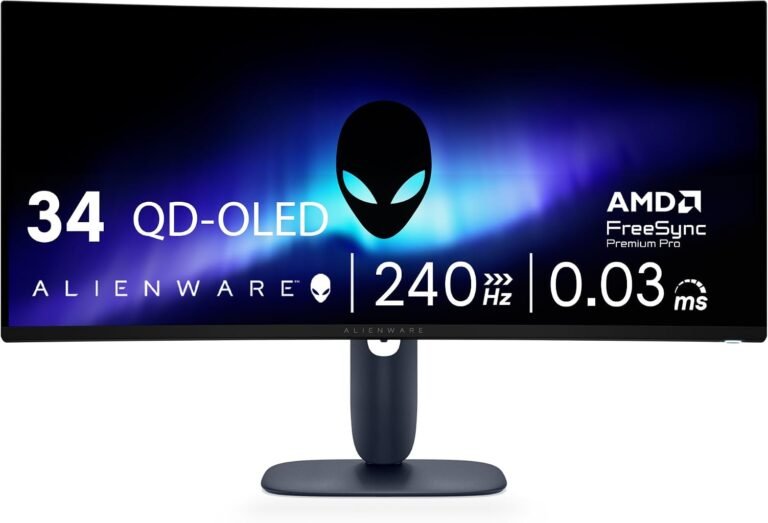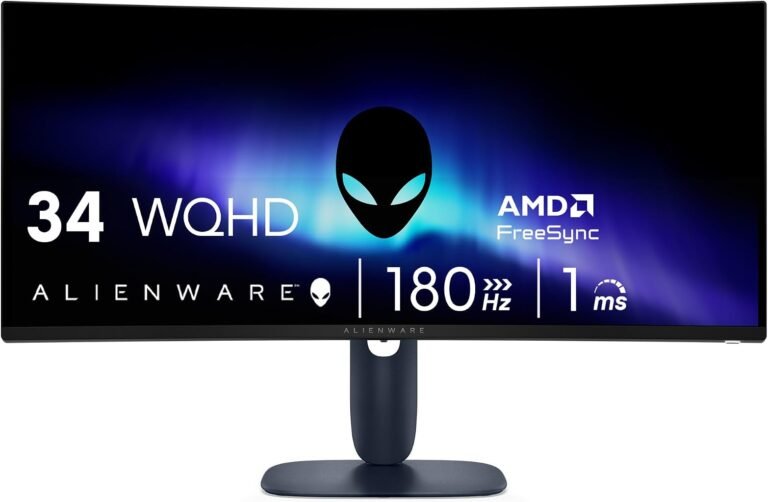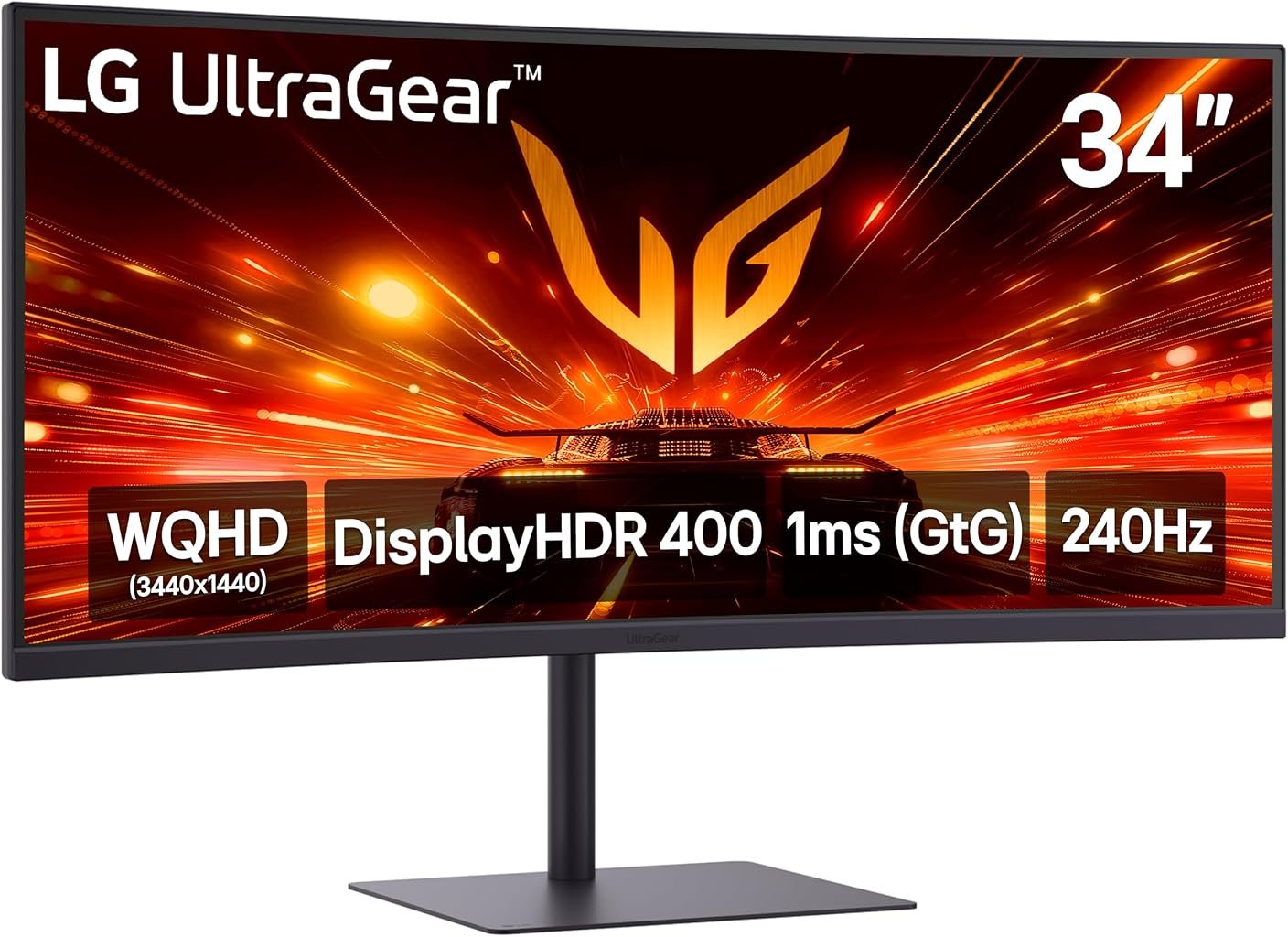
The LG UltraGear 34G630A-B is built around a demanding combination: 34 inches of curved 21:9 screen space, 3440×1440 resolution and a maximum refresh rate of 240Hz. Those specifications place considerable pressure on both the display electronics and the graphics hardware connected to them. They also explain why this monitor is more interesting than another exercise in attaching a high refresh-rate number to a gaming product.
LG has paired the 240Hz ceiling with a VA panel, 1500R curvature, AMD FreeSync Premium, VESA DisplayHDR 400 certification, USB-C connectivity, integrated speakers and an adjustable stand. LG’s official 34G630A-B product page identifies the monitor as a 34-inch UltraGear WQHD 240Hz model with a 1ms gray-to-gray response specification. The resulting package attempts to combine competitive-game responsiveness with the screen area expected from a productivity-oriented ultrawide.
Our score is 8.25/10. Customer Sentiment stands at 8.06, Buyer Confidence at 9.03 and Value at 8.03. The pattern matters. Confidence is higher than the overall rating because the 34G630A-B has a clearly documented specification set and an unusually broad collection of connectivity and gaming functions. Value sits lower because the $349.99 reference price buys impressive capability without eliminating the compromises inherent to a VA gaming monitor or the considerable GPU requirements of 3440×1440 at very high frame rates.
This is therefore a monitor that rewards matching hardware to workload. Its specifications can be genuinely useful, but only when the computer behind it can exploit them.
A 34-Inch Screen With a Serious Pixel Workload
The 34G630A-B uses a 34-inch VA panel with a 21:9 aspect ratio and native 3440×1440 resolution. That produces 4,953,600 pixels in every complete frame.
For perspective, 2560×1440 contains 3,686,400 pixels. The LG therefore displays roughly 34% more pixels than a conventional 1440p monitor. Compared with 1920×1080, which contains 2,073,600 pixels, the ultrawide LG has approximately 139% more.
Those numbers have practical consequences.
The additional horizontal resolution expands the field available for supported games, but it also creates substantial desktop space. A browser can sit beside a document without either becoming uncomfortably narrow. Video-editing timelines gain room. Large spreadsheets expose additional columns. Communication applications can remain visible beside a primary workspace.
This crossover between gaming and productivity explains why the best 34 inch ultrawide monitors are increasingly judged on more than game performance. A display of this size becomes a major part of the desk even when no game is running.
The same resolution also raises the graphics-processing burden. A GPU trying to deliver 240 frames every second at 3440×1440 is being asked to generate almost 1.19 billion pixel positions per second before accounting for other aspects of rendering and transmission.
That does not mean the GPU must maintain 240 fps continuously. It means buyers should understand what the refresh specification actually represents: available headroom rather than a guaranteed operating frame rate.
The 240Hz Refresh Rate Is the Defining Performance Feature
At 240Hz, a new refresh can begin approximately every 4.17 milliseconds. At 144Hz, the interval is approximately 6.94 milliseconds. At 100Hz, it is 10 milliseconds, while a 60Hz display waits roughly 16.67 milliseconds between refreshes.
The improvement from 60Hz to 240Hz is therefore not subtle mathematically. Whether the full difference is useful depends on game frame rate, input latency, response behavior and the user’s sensitivity to motion.
Competitive games provide the most obvious use case. Lightweight esports titles can reach frame rates that make substantial use of 240Hz, particularly when paired with a capable CPU and GPU. Graphically intensive games running high image-quality settings at 3440×1440 may operate far below that ceiling.
This distinction should influence buying decisions more than the refresh figure itself.
A player interested primarily in visually demanding single-player releases may gain more from the ultrawide resolution and adaptive-refresh behavior than from reaching 240 fps. A competitive shooter player willing to reduce visual settings can exploit considerably more of the monitor’s refresh range.
The specification is therefore useful in two ways: it provides immediate high-refresh capability for suitable games and enough overhead that the display is unlikely to become the first refresh-rate bottleneck as graphics hardware improves.
A 1ms Specification Needs Context
LG specifies a 1ms gray-to-gray response time at the Faster setting. LG’s detailed UK specifications document the 1ms GtG figure alongside the 240Hz refresh rate, 1500R curvature and 4000:1 typical contrast ratio.
That number should be interpreted as a manufacturer-rated operating mode, not as a declaration that every pixel transition under every condition takes precisely one millisecond.
LCD response behavior varies according to the starting and ending shade, overdrive configuration, refresh rate and panel characteristics. Aggressive overdrive can accelerate transitions while introducing overshoot artifacts. Dark transitions on VA technology can also behave differently from brighter ones.
This matters because a 240Hz refresh cycle lasts only about 4.17 milliseconds. Pixel behavior needs to be sufficiently fast for the high refresh rate to produce a clean moving image rather than merely refreshing unresolved transitions more frequently.
Without instrumented measurements of the specific unit, claims about exact real-world overshoot, dark smearing or average response performance would be speculative. The defensible assessment is narrower: LG has engineered the panel around high-refresh operation and specifies 1ms GtG at its Faster setting, but the single figure cannot describe every transition the screen performs.
That distinction is particularly relevant for demanding competitive players, who often care as much about motion clarity as refresh frequency.
VA Contrast Gives the Monitor a Different Visual Character
The 34G630A-B uses VA rather than IPS panel technology. LG specifies a typical contrast ratio of 4000:1, with a minimum of 3200:1.
That is an unusually relevant specification for games containing dark environments.
Higher native contrast allows greater separation between dark and bright areas of an image without requiring the same dependence on backlight-zone control used by more elaborate HDR displays. Horror games, space scenes, nighttime sequences and films can benefit from deeper-looking dark areas than lower-contrast LCD panels typically provide.
The trade-off is motion behavior. VA panels have historically required careful tuning to balance strong contrast against transition speed, particularly between darker shades. The 240Hz specification and 1ms rated mode show LG’s performance target, but buyers should still treat contrast and motion as separate characteristics rather than assuming one guarantees the other.
LG also specifies 178-degree viewing angles horizontally and vertically under its stated contrast criterion. That does not mean color and contrast remain visually identical at extreme angles. A curved 34-inch monitor is fundamentally intended for a viewer positioned near the center.
The 1500R Curve Fits the Ultrawide Geometry
The screen uses a 1500R curvature.
The number describes the radius of the circle implied by the panel’s curve: 1,500 millimeters. On a conventional small monitor, curvature can feel unnecessary. Across a 34-inch 21:9 surface, it has a clearer geometric purpose.
The curve draws the edges toward the seated user, reducing the angular difference between the center and outer sections of the display. This becomes more noticeable because the 34G630A-B is approximately 808mm wide without considering surrounding desk space.
A 1500R curve is pronounced enough to establish a centered viewing position without reaching the more aggressive geometry found on some 1000R gaming displays.
For gaming, that helps the wide image feel more cohesive. For productivity, it can make long horizontal interfaces easier to scan from a fixed seating position.
The trade-off appears when several people try to view the monitor from different angles. Curved ultrawides are inherently more personal displays than large flat televisions.
FreeSync Premium Matters When Frame Rates Move
AMD FreeSync Premium is part of the monitor’s feature set.
That becomes relevant precisely because maintaining 240 fps at 3440×1440 can be difficult. Frame rates fluctuate as game complexity changes. A quiet interior can render much faster than a crowded outdoor battle even when graphics settings remain untouched.
Variable refresh allows display timing to respond more closely to changing frame delivery. The practical objective is to reduce tearing and the uneven presentation associated with mismatched rendering and refresh schedules.
This makes the monitor’s 240Hz capability more useful across a wider range of hardware.
A player does not need to lock every game at 240 fps for the screen to make sense. A title moving well below that ceiling can still benefit from variable refresh. The 240Hz upper limit simply expands the available operating range.
The distinction is especially relevant for ultrawide gaming because the 3440×1440 workload is considerably heavier than 1920×1080. Buyers should therefore evaluate FreeSync Premium and the maximum refresh rate together rather than treating them as unrelated features.
DisplayHDR 400 Establishes a Measurable HDR Baseline
The 34G630A-B carries VESA DisplayHDR 400 certification and supports HDR10.
Certification is more meaningful than the presence of an HDR-compatible input alone because DisplayHDR defines measurable performance requirements. Under the current specification, VESA’s DisplayHDR performance criteria require the DisplayHDR 400 tier to reach 400 cd/m² in specified center-patch and full-screen flash tests, along with additional requirements covering black level, color and other display behavior.
That provides useful context without turning DisplayHDR 400 into something it is not.
The entry DisplayHDR tier does not imply the dramatic highlight range or near-black control associated with premium mini-LED and OLED displays. The 34G630A-B remains a conventional VA LCD. Its HDR certification establishes a defined baseline rather than transforming its panel architecture.
LG specifies DCI-P3 coverage at 95% typical and 90% minimum, along with support for 1.07 billion colors through 10-bit processing implemented as 8-bit plus FRC.
Those characteristics make HDR compatibility more credible than an unlabeled HDR input, but buyers primarily seeking high-end HDR reproduction should still compare backlight architecture, local-dimming capability and peak-brightness behavior rather than relying on the HDR badge alone.
USB-C Is Useful, but 15W Power Delivery Is Limited
One of the more unusual features for a gaming ultrawide is USB-C.
The port supports image transmission, data and up to 15W of Power Delivery. LG specifies that USB-C can support the monitor’s 3440×1440 resolution at up to 240Hz.
That creates useful flexibility for compatible systems, but the charging specification deserves particular attention.
Fifteen watts is far below the power requirement of most performance laptops. It should not be interpreted as a docking solution capable of replacing a gaming notebook’s high-wattage power adapter. Even many ordinary productivity laptops can require substantially more than 15W during normal operation.
The port is therefore more compelling as a video-and-data connection with modest device power than as a full laptop-docking system.
That distinction prevents an otherwise useful feature from being misunderstood. USB-C on this monitor broadens connectivity; it does not reproduce the 65W, 90W or higher charging arrangements found on productivity ultrawides designed around single-cable laptop docking.
HDMI 2.1 and DisplayPort 1.4 Broaden the Connection Options
LG equips the monitor with two HDMI 2.1 ports, one DisplayPort 1.4 connection and USB-C, according to its published specifications. DisplayPort supports DSC, or Display Stream Compression.
The collection gives the 34G630A-B considerable flexibility for a gaming monitor.
A desktop PC can remain attached through DisplayPort while consoles or secondary systems use HDMI. USB-C provides another path for compatible computers. The monitor also includes two downstream USB 3.2 Gen 1 ports and a headphone output.
The important issue is not simply the number of sockets. High-resolution, high-refresh operation requires the entire connection path to support the requested mode. Graphics hardware, cable capability, operating-system settings and monitor configuration all matter.
A computer detecting the screen successfully does not automatically mean it is operating at 3440×1440 and 240Hz.
New owners should therefore verify the active refresh rate in the operating system after installation rather than assuming the maximum setting is selected automatically.
PIP and PBP Add Productivity Value
The 34G630A-B supports picture-in-picture and two-source picture-by-picture operation.
These functions are unusually sensible on an ultrawide.
Picture-by-picture can divide the broad 21:9 workspace between two input sources. A work laptop and personal desktop can share the screen. A secondary computer can remain visible while another system handles the primary workload.
That does not perfectly reproduce two separate monitors. Each source receives only part of the panel, and software window management remains more flexible when all applications originate from one computer.
Still, PBP gives the physical width another purpose beyond gaming.
For users buying one large monitor rather than a multi-monitor arrangement, that flexibility strengthens the 34G630A-B’s position as a mixed-use display rather than a single-purpose gaming screen.
The Stand Is Better Equipped Than Basic Gaming Displays
LG specifies tilt, height and swivel adjustment. The monitor also supports a 100×100mm VESA mounting pattern.
That matters more than it may appear.
A 34-inch display occupies a substantial portion of the viewer’s field of vision, and poor vertical placement can become uncomfortable over long sessions. Height adjustment allows the panel to be positioned more appropriately relative to eye level instead of forcing the user to compensate through chair or desk changes.
The monitor measures approximately 808mm wide and 235mm deep with its stand. Height varies from roughly 392.47mm to 512.47mm depending on stand adjustment. Weight with the stand is approximately 7.3kg.
Those dimensions make pre-purchase desk measurement sensible. An 808mm-wide monitor can crowd speakers, desktop computers or secondary displays on compact furniture.
The VESA mount provides an alternative for users who want greater positioning flexibility or need to reclaim desk surface.
Integrated Speakers Reduce Peripheral Clutter
The monitor includes two 5W speakers.
Integrated speakers rarely replace dedicated audio hardware for buyers who prioritize sound quality, but their presence has practical value. They can handle system audio, video calls, casual media and situations where headphones are inconvenient.
Gaming users seeking directional audio detail or stronger low-frequency performance will generally prefer headphones or separate speakers.
The significance is therefore convenience rather than acoustic ambition.
That fits the broader character of the monitor. The 34G630A-B is clearly gaming-focused, but several features—USB-C, PBP, built-in speakers and an adjustable stand—make it more accommodating when the computer is being used for something other than gaming.
Gaming Utilities Are Focused on Visibility and Feedback
LG includes Dynamic Action Sync, Black Stabilizer, an FPS counter, VRR support and other gaming-oriented controls.
Black Stabilizer is intended to alter visibility in dark areas, while Dynamic Action Sync is LG’s gaming feature aimed at reducing processing delays in the display pipeline. These features should be understood as configurable tools rather than universal image improvements.
Increasing dark-area visibility can make opponents easier to identify in shadowed environments, but it can also change the intended appearance of a game. Competitive players may accept that trade. Someone playing a cinematic single-player title may prefer a more neutral presentation.
The FPS counter is more straightforward. It provides immediate information about current frame-rate behavior without requiring a separate software overlay.
These additions do not define the monitor, but they fit its 240Hz purpose: the user is given controls oriented toward responsiveness, visibility and monitoring rather than decorative software functions.
Power Consumption Is Relatively Modest for the Screen Size
LG specifies typical power consumption at 32W and maximum consumption at 37.5W, with sleep consumption below 0.5W and the DC-off figure below 0.3W.
Those figures are useful because a 34-inch monitor can spend thousands of hours powered each year in mixed gaming and work environments.
The actual electricity cost depends on local rates and usage patterns. A monitor running eight hours per day at an average of 32W would consume roughly 93.4 kWh over a 365-day year if that power figure remained constant throughout those operating hours. Real consumption will vary with settings and content, so the calculation is illustrative rather than predictive.
The monitor uses an external power adapter accepting 100–240V at 50/60Hz.
Buyer Confidence Is the Strongest Editorial Rating
Our overall score of 8.25/10 reflects a capable monitor whose specification set is ambitious without erasing the trade-offs associated with its panel technology and market position.
Buyer Confidence reaches 9.03, the highest of the four editorial figures. That rating reflects how extensively the product can be documented. LG’s official support page provides the 34G630A-B owner’s manual, quick guide, software downloads and warranty information. The model identity and major capabilities are therefore unusually easy to establish before purchase.
Customer Sentiment stands at 8.06. That figure sits close to Value at 8.03 and below the overall score because the product asks the buyer to make several deliberate choices.
The 240Hz refresh rate is compelling only when the connected system can generate sufficiently high frame rates. VA contrast is attractive, but buyers sensitive to motion behavior may prioritize a different panel technology. USB-C is useful, yet its 15W Power Delivery is modest. DisplayHDR 400 establishes measurable HDR capability without placing the display in the same performance category as expensive OLED or advanced mini-LED hardware.
Value at 8.03 reflects the $349.99 reference price against that mixture. The feature density is substantial, but value is strongest when the buyer uses both sides of the monitor’s identity: high-refresh gaming and ultrawide productivity.
Who Should Consider the LG 34G630A-B?
The clearest fit is a PC gamer who wants 3440×1440 ultrawide gaming without accepting a moderate refresh-rate ceiling.
Several user profiles align particularly well:
- Competitive players with hardware capable of producing high frame rates at 3440×1440 or with a willingness to reduce graphics settings.
- Mixed-use users who need ultrawide desktop space during work and high-refresh gaming afterward.
- Buyers who value VA contrast and a 1500R curve for darker games and media.
- Multi-system users who can benefit from HDMI, DisplayPort, USB-C and PBP.
- Users who value height and swivel adjustment rather than a fixed basic stand.
- Gamers who want FreeSync Premium and a substantial refresh-rate range rather than relying solely on a fixed 240Hz operating mode.
The weaker matches are equally apparent.
Buyers primarily seeking premium HDR reproduction should examine higher-tier HDR hardware. Laptop owners wanting one-cable charging should look for substantially greater USB-C Power Delivery. Users who rarely play games above 100 or 120 fps may obtain similar practical utility from a less expensive ultrawide with a lower refresh ceiling.
The GPU question should also be settled before purchase. Buying a 240Hz 3440×1440 monitor and connecting it to hardware that rarely produces high frame rates is not inherently wrong—the display can remain useful through future upgrades—but it changes the immediate value calculation.
The 240Hz Specification Should Not Distract From the Whole Product
The easiest way to misread the 34G630A-B is to treat 240Hz as its entire identity.
The refresh rate is certainly the headline performance characteristic, but the surrounding hardware makes the monitor more versatile than that number suggests. A 3440×1440 desktop provides substantial working area. PBP accommodates multiple systems. USB-C broadens source compatibility. The adjustable stand improves positioning. Built-in speakers reduce peripheral requirements. VA contrast supports dark content, while DisplayHDR 400 provides a standardized HDR baseline.
That combination explains why the monitor can make sense even when every game does not reach 240 fps.
A high-refresh ultrawide is partly about immediate performance and partly about removing constraints. The user can choose cinematic settings and accept a lower variable frame rate in one game, then switch to reduced graphics settings and pursue 200-plus fps in another without changing displays.
That flexibility is more useful than treating 240Hz as a target that must be reached continuously.
Final Considerations
The LG UltraGear 34G630A-B earns its 8.25/10 score by combining a demanding 3440×1440 ultrawide format with a 240Hz ceiling and a broader feature set than its gaming identity initially suggests.
Its 34-inch VA panel, 1500R curvature and 4000:1 typical contrast ratio establish the visual foundation. The 240Hz refresh rate and 1ms GtG manufacturer specification target high-speed gaming. AMD FreeSync Premium addresses variable frame delivery, while DisplayHDR 400 and 95% typical DCI-P3 coverage expand the monitor’s image capabilities beyond basic SDR operation.
The surrounding hardware matters almost as much. Two HDMI 2.1 inputs, DisplayPort 1.4 with DSC, USB-C, USB hub functionality, PIP/PBP, integrated 5W stereo speakers and a height-, tilt- and swivel-adjustable stand give the monitor credible mixed-use flexibility.
The limitations are equally identifiable. Fifteen-watt USB-C charging is insufficient to replace the power adapter for most performance laptops. DisplayHDR 400 should not be confused with the HDR performance of far more expensive display architectures. VA technology offers attractive native contrast while presenting different motion characteristics from other panel types. Most significantly, extracting the full value of 240Hz at 3440×1440 demands substantial graphics performance.
Those trade-offs explain why Buyer Confidence at 9.03 stands above Customer Sentiment at 8.06 and Value at 8.03. The product itself is well documented and technically coherent. Whether all of its capability is worth paying for depends on the hardware and workloads surrounding it.
For buyers comparing the best 34 inch ultrawide monitors, that distinction is useful. The 34G630A-B is not merely a wide monitor with an unusually large refresh-rate figure. Its stronger identity comes from allowing one display to move between expansive desktop work, graphically demanding ultrawide gaming and genuinely high-frame-rate competitive play.
The buyer who can exploit all three sides of that equation will find the $349.99 proposition easier to justify. The buyer who needs only one of them can reasonably choose something simpler. That is not a weakness in the design; it is the economic reality of purchasing performance that only becomes valuable when the rest of the system is prepared to use it.