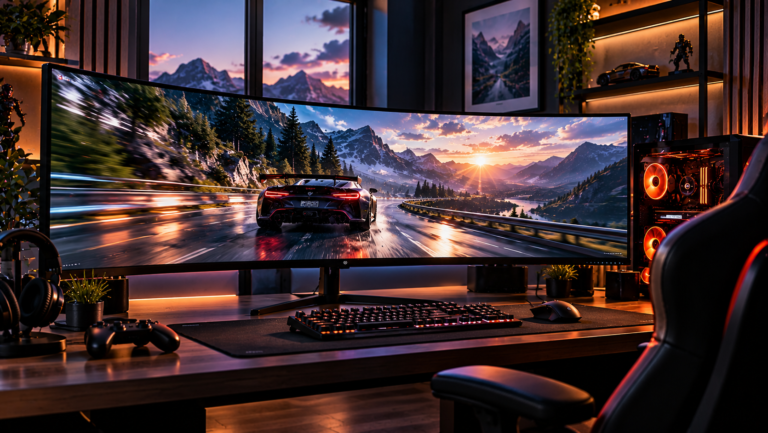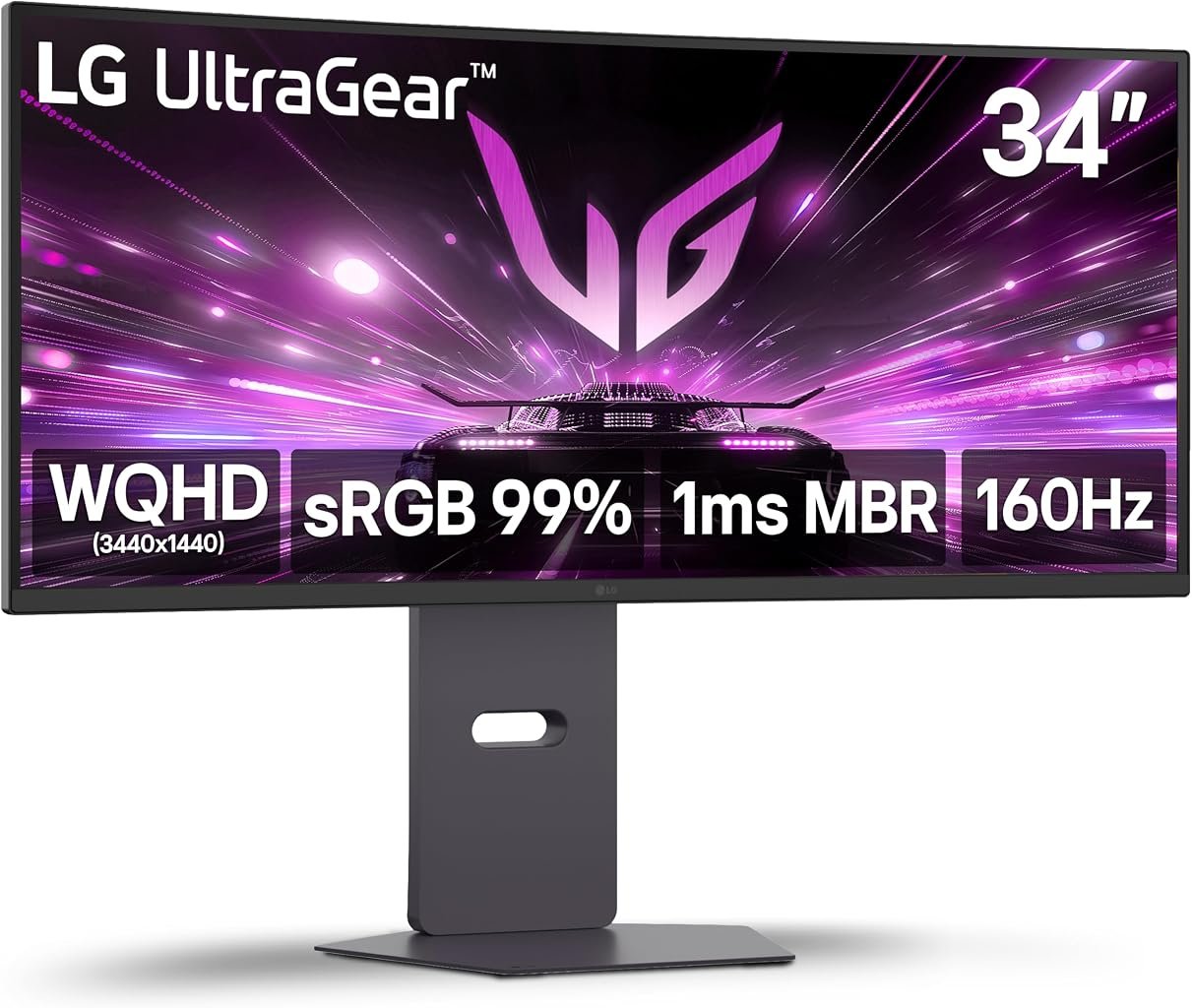
The LG UltraGear 34G600A-B sits in an increasingly important middle ground in the ultrawide market. It is not an OLED showcase and does not chase 240Hz or 360Hz headline figures. Instead, it combines a 34-inch curved VA panel, 3440×1440 resolution, a maximum 160Hz refresh rate, AMD FreeSync Premium, HDR10, HDMI 2.1 connectivity, built-in speakers and an adjustable stand.
That combination gives the monitor a practical identity. Its 21:9 format is wide enough to alter both gaming and desktop work, while 160Hz pushes well beyond conventional office displays without demanding the price associated with premium OLED hardware. The VA panel brings stronger native contrast than many IPS alternatives, although it also carries the motion characteristics associated with LCD technology.
The official LG specifications for the 34G600A-B identify a 34-inch WQHD UltraWide gaming monitor with 3440×1440 resolution, 160Hz refresh rate, AMD FreeSync Premium, HDR10, HDMI 2.1 and integrated speakers.
Our score is 8.51/10. Customer Sentiment stands at 8.5, Buyer Confidence at 8.81 and Value at 8.28. Those ratings describe a product with a coherent hardware proposition rather than one dependent on a single spectacular specification. Buyer Confidence leads because the monitor’s capabilities and intended audience are unusually straightforward. Value sits lower because the $376.99 reference price enters a crowded market where buyers can choose between cheaper 100Hz productivity ultrawides, faster gaming LCDs and increasingly accessible OLED alternatives.
The 34G600A-B therefore needs to win through balance. Its case rests on how effectively its resolution, refresh rate, contrast, adaptive synchronization and physical design work together.
3440×1440 Is Still the Core of the Experience
The monitor’s 3440×1440 resolution produces 4,953,600 pixels across its 21:9 surface.
That is approximately 34% more pixels than conventional 2560×1440, which contains 3,686,400 pixels. Compared with 1920×1080 and its 2,073,600 pixels, the LG has roughly 139% more.
Those figures explain both the appeal and the cost of ultrawide gaming.
The additional horizontal resolution can expand the visible game environment when a title properly supports 21:9. Racing games, flight simulations, strategy games and large open environments can make particularly natural use of the format. The image extends farther across the viewer’s field without the central bezel associated with dual-monitor configurations.
The same geometry works outside games. A browser and document can sit beside each other. Video-editing timelines gain substantial width. Large spreadsheets reveal additional columns. Communication software can remain visible without consuming the primary working area.
That dual identity matters when comparing the best 34 inch ultrawide monitors. A gaming monitor of this size is rarely used exclusively for games. It becomes a major desktop surface, often for many hours each day.
The 3440×1440 format remains attractive because it expands horizontal space without imposing the rendering burden of much higher-resolution ultrawides.
The GPU Still Has Nearly Five Million Pixels to Render
The resolution is manageable relative to 4K-class alternatives, but it should not be mistaken for a light graphics workload.
At 160 frames per second, 3440×1440 corresponds to approximately 792.6 million pixel positions every second before shader complexity, geometry, ray tracing, anti-aliasing and other rendering demands are considered.
That calculation does not represent actual GPU computational load by itself, but it illustrates the scale of the display pipeline.
A graphics card capable of 160 fps at 1920×1080 may produce substantially lower performance at 3440×1440. Buyers therefore need to match the monitor to the computer rather than assuming the 160Hz ceiling will automatically be reached.
This is particularly relevant in modern visually demanding games. Maximum image-quality settings and ray tracing can reduce frame rates sharply even on powerful GPUs.
The monitor remains useful below 160 fps because variable refresh can coordinate display timing with changing frame delivery. The refresh ceiling represents available performance headroom rather than a target that every game must maintain.
160Hz Is a Strong Middle Ground
A 160Hz display begins a new refresh approximately every 6.25 milliseconds.
For comparison, 144Hz corresponds to roughly 6.94 milliseconds, 100Hz to 10 milliseconds and 60Hz to approximately 16.67 milliseconds.
The jump from 60Hz to 160Hz is therefore substantial in temporal terms. Cursor movement, camera rotation and fast game motion receive many more visual updates each second.
The difference between 144Hz and 160Hz is much smaller.
That distinction is useful because it prevents the refresh specification from becoming detached from practical value. The 34G600A-B should not be viewed as dramatically faster than every 144Hz ultrawide merely because 160 is numerically larger. Its advantage is that 160Hz provides a healthy high-refresh ceiling while the monitor preserves 3440×1440 resolution and a relatively accessible price.
This is enough for many competitive and action games while remaining well suited to slower cinematic titles.
Players seeking the lowest possible frame interval for esports can find 240Hz and faster monitors. They will often pay more, accept another panel type or change resolution.
The LG’s 160Hz ceiling is less extreme and more broadly usable.
The VA Panel Prioritizes Contrast
The 34G600A-B uses VA panel technology.
That decision shapes the monitor’s visual character as much as the resolution. VA panels generally target stronger native contrast than conventional IPS displays, making them well suited to games containing dark environments and mixed bright-dark imagery.
Black backgrounds, nighttime environments, caves, space scenes and dark user interfaces can benefit from stronger separation between darker and lighter areas.
The trade-off is response behavior.
VA pixel transitions can vary considerably according to the starting and ending shades. Dark transitions in particular can behave differently from bright ones. A single response-time specification cannot describe every transition across every refresh rate and overdrive setting.
This distinction becomes more relevant at 160Hz because the display has only 6.25 milliseconds between refresh opportunities.
Without instrumented measurements of the 34G600A-B under controlled conditions, precise claims about overshoot or dark-level smearing would be unsupported. The defensible assessment is simpler: the VA architecture favors contrast while demanding careful consideration from buyers whose highest priority is competitive motion clarity.
The Curve Matches the Ultrawide Format
A 34-inch 21:9 screen spans a substantial horizontal distance, making curvature more functionally relevant than it is on smaller displays.
The curve draws the outer portions of the screen toward the seated viewer. This reduces the angular difference between the center and edges when the monitor is viewed from a typical desk position.
For games, that can make the image feel more visually cohesive across the full width. Racing and simulation titles are obvious beneficiaries, but the effect is also apparent in first-person and third-person games with proper ultrawide support.
Productivity receives a quieter benefit. A long spreadsheet or timeline extends across the panel while the outer areas remain angled toward the viewer.
Curvature remains subjective. A curved display assumes a fairly centralized viewing position and is less neutral when several people are looking from different angles.
That is a reasonable compromise for a gaming monitor, where the primary user normally sits directly in front of the screen.
FreeSync Premium Has More Value Than a Fixed 160Hz Number
AMD FreeSync Premium is one of the monitor’s more meaningful gaming features.
Variable refresh addresses a basic problem: GPUs do not render every scene at the same speed. A quiet corridor may run at 150 fps while a complicated battle falls to 105 fps. Fixed-refresh displays cannot inherently adjust their timing to every fluctuation.
AMD’s FreeSync technology documentation explains the platform’s variable-refresh approach for compatible displays and graphics hardware.
On a 3440×1440 monitor, this capability is particularly relevant because maintaining a locked 160 fps can be difficult in demanding games.
The 160Hz ceiling and FreeSync Premium therefore work together. The former establishes the upper refresh range; the latter makes performance below that ceiling more useful.
That relationship matters more than treating 160Hz as an isolated badge.
HDR10 Adds Compatibility, Not Premium HDR Hardware
The 34G600A-B supports HDR10.
HDR support broadens compatibility with games and media carrying high-dynamic-range information, but an HDR signal alone does not establish premium HDR reproduction.
Display performance depends on brightness, native contrast, color capability and, critically, how precisely the backlight can control bright and dark regions.
The 34G600A-B remains an LCD monitor. It does not gain the pixel-level illumination control of OLED merely by accepting HDR10 material.
That distinction should guide expectations.
The VA panel’s native contrast can help dark-scene presentation, but buyers prioritizing dramatic HDR highlights and precise localized contrast should examine OLED or advanced mini-LED alternatives.
For this LG, HDR10 is better treated as part of the monitor’s broad gaming compatibility rather than its defining reason for purchase.
HDMI 2.1 Broadens the Connection Strategy
LG includes HDMI 2.1 alongside DisplayPort connectivity.
HDMI 2.1 is particularly useful because gaming desks increasingly accommodate more than one platform. A PC can use DisplayPort while another source remains attached through HDMI.
Connection standards should still be evaluated in relation to actual supported display modes rather than their names alone. Port bandwidth, source hardware, cable capability and monitor configuration determine which combinations of resolution and refresh are available.
For PC owners, DisplayPort remains a straightforward route to the monitor’s high-refresh ultrawide operation.
HDMI gives the display greater flexibility when additional systems are part of the setup.
That makes the 34G600A-B easier to integrate into a mixed gaming environment than a monitor with a minimal input selection.
Built-In Speakers Are About Convenience
LG equips the monitor with integrated speakers.
Built-in monitor audio rarely replaces dedicated speakers or a capable gaming headset. The small physical space available inside a display limits driver size, stereo separation and low-frequency output.
Yet integrated sound can still be useful.
System notifications, online video, casual games and situations where headphones are inconvenient can all be handled without another device on the desk.
For users building a minimal setup, this reduces peripheral clutter.
Gaming users concerned with positional audio will generally prefer headphones or external speakers. The integrated system is therefore a convenience feature rather than a major performance characteristic.
Its presence nevertheless differentiates the LG from gaming ultrawides that omit speakers entirely.
The Adjustable Stand Strengthens the Everyday Experience
LG gives the 34G600A-B a stand supporting tilt, height and swivel adjustment.
That matters on a 34-inch monitor because physical positioning becomes more consequential as screen size increases.
A large ultrawide placed too low can encourage downward neck posture. A screen positioned too high can create the opposite problem. Height adjustment allows the monitor to adapt to the user and furniture rather than forcing the user to adapt to a fixed panel position.
Swivel simplifies small horizontal corrections, while tilt changes the screen angle.
The monitor also supports VESA mounting, giving buyers another route if they prefer an arm or wall-mounted configuration.
This is a meaningful advantage over budget ultrawides with tilt-only stands.
Stand quality is easy to overlook when comparing specification sheets, yet it affects every hour the monitor is used.
Gaming Features Focus on Visibility and Response
LG’s UltraGear monitors include gaming-oriented tools intended to modify visibility and display feedback.
Features such as Black Stabilizer and Dynamic Action Sync fit the 34G600A-B’s gaming purpose. Black Stabilizer is intended to increase visibility in dark areas, while Dynamic Action Sync targets responsive game presentation.
These functions should not automatically be treated as image-quality improvements.
Increasing visibility in shadows can change the artistic appearance of a game. Competitive players may accept that compromise because identifying an opponent matters more than preserving cinematic black levels. A player interested in atmospheric single-player games may prefer a more neutral image.
The usefulness therefore changes with the workload.
Gaming aids are most effective when treated as optional tools rather than permanent settings.
Reader Mode Reveals the Monitor’s Mixed-Use Side
LG also includes Reader Mode, a feature far removed from the competitive-game language surrounding UltraGear products.
Its presence is sensible.
A 34-inch ultrawide may spend the working day displaying documents, websites, spreadsheets and communication software before becoming a gaming display in the evening.
Reader-oriented display modes can adjust the image for text-heavy use, providing another option for users who spend long periods reading from the screen.
This mixed-use reality is often overlooked in gaming-monitor comparisons.
A monitor does not stop being office equipment simply because its refresh rate is high. For buyers with one desk and one primary display, non-gaming behavior can matter as much as gaming performance.
The 34G600A-B’s combination of ultrawide workspace, adjustable stand, speakers and Reader Mode supports that broader role.
The Monitor’s Physical Size Needs Planning
Any 34-inch ultrawide requires more desk width than a conventional 16:9 display.
This sounds obvious until speakers, a computer tower, microphone arm, lighting equipment and a second display are added to the same workspace.
Desk depth also matters because the viewing distance needs to accommodate the monitor’s width and curvature. Sitting too close can force excessive eye and head movement across the horizontal surface.
A VESA arm can help by moving the supporting structure away from the desk surface and allowing more precise placement.
The stand’s built-in height and swivel adjustment reduces the need for an aftermarket arm, but compact desks should still be measured before purchase.
A screen can fit mathematically and still dominate the workspace ergonomically.
160Hz and 3440×1440 Need an Appropriate GPU
The graphics card is part of the value calculation.
Someone buying the 34G600A-B for high-refresh gaming should examine expected frame rates at 3440×1440 rather than relying on benchmarks recorded at 1920×1080.
Nearly five million pixels must be generated per frame. That workload can expose GPU limitations quickly in demanding games.
Upscaling technologies can alter the equation. Modern games increasingly support techniques that render internally at lower resolutions and reconstruct the final image, improving frame rates while attempting to preserve image quality.
The effectiveness varies by game, settings and technology.
The broader point remains unchanged: 160Hz is capacity, not a promise.
A powerful GPU can exploit more of that capacity. A weaker system can still benefit from the monitor’s resolution, ultrawide geometry and FreeSync Premium, but the immediate value of the high-refresh specification falls.
Buyer Confidence Leads the Editorial Ratings
Our overall score is 8.51/10, while Buyer Confidence reaches 8.81.
That difference reflects the monitor’s coherent position in the market.
LG provides an identifiable combination of 3440×1440 resolution, 160Hz operation, curved VA technology, FreeSync Premium, HDR10, HDMI 2.1, integrated speakers and an adjustable stand. LG also provides monitor support resources for documentation, troubleshooting and software for supported displays.
Customer Sentiment is 8.5, almost identical to our 8.51 overall assessment. The alignment suggests a product whose strengths are easy to understand: large ultrawide space, high refresh, adaptive synchronization and practical ergonomic hardware.
Value is lower at 8.28.
At the $376.99 reference price, the 34G600A-B faces pressure from both directions. Cheaper 100Hz ultrawides can provide the same 3440×1440 workspace for productivity-focused buyers. More expensive OLED monitors offer radically different black-level behavior and faster pixel response.
The LG needs to justify itself between those poles.
Its strongest argument is that it delivers a gaming-oriented 160Hz experience without demanding OLED pricing.
Who Should Consider the LG UltraGear 34G600A-B?
The monitor is particularly well matched to:
- PC gamers seeking 3440×1440 ultrawide gaming at refresh rates substantially above 100Hz.
- Players who value VA contrast in darker games.
- Users who want FreeSync Premium for variable frame-rate operation.
- Buyers who need an ultrawide for both gaming and everyday productivity.
- Desks where built-in speakers reduce the need for additional equipment.
- Users who value height, tilt and swivel adjustment.
- Multi-platform setups that can make practical use of HDMI 2.1 and DisplayPort.
- Buyers who want a gaming-focused ultrawide without moving into OLED pricing.
Other users have clearer alternatives.
Competitive esports players prioritizing maximum refresh and the fastest possible LCD or OLED response can find more specialized hardware. Buyers primarily seeking premium HDR should investigate OLED or advanced mini-LED displays. Productivity-first laptop users may prefer a monitor with USB-C charging, a USB hub, Ethernet and KVM functionality.
The 34G600A-B is strongest when gaming is the primary purpose but not the only purpose.
The $376.99 Price Changes the Context
Price is where the 34G600A-B becomes particularly interesting.
At the $376.99 reference point, it is far removed from the four-figure ultrawide displays that once defined high-performance 21:9 gaming.
The market has changed. High-refresh 3440×1440 is no longer inherently exotic.
That puts greater pressure on secondary features.
A buyer should consider the adjustable stand, speakers, HDMI 2.1, FreeSync Premium and mixed-use functionality alongside the core panel specifications. Those features can prevent additional spending on stands or basic audio equipment.
The monitor also needs to be compared against cheaper alternatives realistically.
If gaming rarely exceeds 100 fps, paying for 160Hz may deliver limited benefit. If the connected PC regularly produces 120-160 fps at 3440×1440, the extra refresh capacity becomes much easier to justify.
Value is therefore tied directly to system performance.
LCD Still Has a Place Beside OLED
OLED increasingly dominates discussions of premium gaming monitors, but LCD retains several practical advantages.
There is no organic-pixel burn-in mechanism to manage in ordinary LCD operation. Static desktop elements therefore carry a different longevity profile, which can matter to users running productivity applications for long periods.
LCD monitors can also reach attractive price points while providing high refresh rates, ultrawide resolution and adaptive synchronization.
The trade is image behavior.
OLED provides pixel-level illumination, extremely fast pixel transitions and very deep black reproduction. VA LCD counters with lower cost and freedom from OLED-specific static-image aging concerns.
The 34G600A-B makes sense only when those differences are treated as trade-offs rather than assuming one display technology is automatically correct for every user.
A programmer displaying static interface elements throughout the working day and gaming at night may judge the balance differently from someone using the monitor almost exclusively for cinematic games.
Final Considerations
The LG UltraGear 34G600A-B earns its 8.51/10 score by assembling a balanced set of gaming and everyday features around the 3440×1440 ultrawide format.
Its nearly five million pixels provide considerably more horizontal workspace than conventional 16:9 QHD. The 160Hz maximum refresh rate reduces the frame interval to 6.25 milliseconds and creates substantial performance headroom for suitable games. AMD FreeSync Premium makes changing frame rates more manageable, while the curved VA panel prioritizes native contrast.
HDR10 broadens content compatibility without transforming the monitor into premium HDR hardware. HDMI 2.1 and DisplayPort give the display useful source flexibility. Integrated speakers remove the need for basic external audio, and the height-, tilt- and swivel-adjustable stand is more practical than the fixed or tilt-only hardware attached to many lower-cost ultrawides.
The limitations are equally clear.
VA technology does not reproduce motion in precisely the same way as OLED, and buyers highly sensitive to dark-transition behavior may prefer another panel type. A 160Hz ceiling is substantial but no longer exceptional in a market containing 240Hz and faster monitors. HDR10 support alone cannot match OLED or sophisticated mini-LED local contrast. Productivity-focused laptop users may also miss USB-C charging and docking-oriented connectivity.
Those compromises explain the score distribution. Buyer Confidence at 8.81 leads because the monitor has a coherent specification set and a clearly identifiable audience. Customer Sentiment at 8.5 nearly mirrors the 8.51 overall score. Value at 8.28 is slightly more restrained because the $376.99 reference price sits in a fiercely contested part of the monitor market.
For buyers comparing the best 34 inch ultrawide monitors, the LG’s position is straightforward. It does not try to be the fastest display available, the most elaborate docking monitor or an OLED substitute. It combines 3440×1440 resolution, 160Hz gaming, adaptive refresh, VA contrast, useful speakers and proper stand adjustment at a price far below many premium display technologies.
That approach works best when the connected PC can regularly produce high frame rates at ultrawide QHD. In that setting, the 160Hz capacity is used rather than merely advertised. The same screen can then move into productivity work without sacrificing the horizontal area that makes 21:9 attractive in the first place.
At $376.99, that versatility is the strongest part of the proposition. The 34G600A-B is not defined by one extraordinary specification. Its 8.51/10 rating comes from the way several sensible specifications reinforce one another: enough resolution to make ultrawide useful, enough refresh rate to make gaming fast, adaptive synchronization to handle imperfect frame delivery, and enough ergonomic and audio hardware to avoid feeling stripped down.
For buyers whose priorities align with that mixture, the LG UltraGear 34G600A-B represents a carefully judged middle path between inexpensive productivity ultrawides and substantially more expensive premium gaming displays.