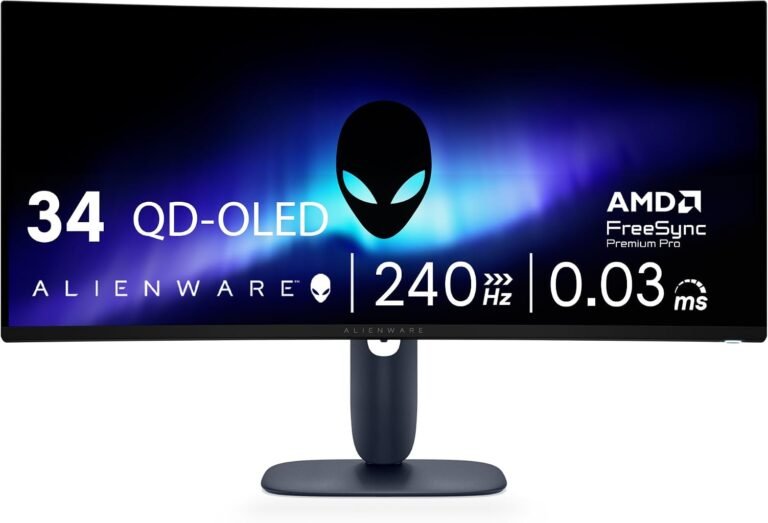
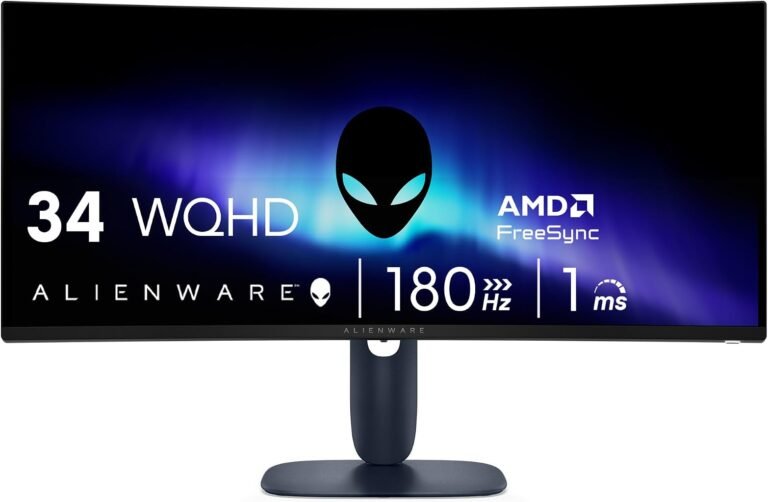
The Alienware AW3425DW and ASUS ROG Strix OLED XG34WCDG demonstrate how two monitors can share remarkably similar display foundations and still make different arguments for the same desk.
Both use a 34-inch-class 21:9 QD-OLED panel with 3440 × 1440 resolution, 1800R curvature, a quoted 0.03ms gray-to-gray response time, 99.3% DCI-P3 coverage, 250 cd/m² typical brightness, 1,000 cd/m² specified peak HDR brightness and VESA DisplayHDR True Black 400 certification. Both support variable refresh technology. Both carry three-year warranty coverage addressing OLED ownership. The decisive differences emerge elsewhere.
The Alienware AW3425DW reaches 240Hz. The ASUS ROG XG34WCDG stops at 175Hz but adds USB-C video input, an integrated KVM switch, OLED Care Pro, a Neo Proximity Sensor and more extensive USB connectivity. In other words, Alienware places greater emphasis on maximum refresh performance, while ASUS spends more of its design budget on device management and OLED-care functionality.
Our scores reflect that division. The Alienware AW3425DW receives 8.62/10, while the ASUS ROG XG34WCDG earns 8.45/10. Customer Sentiment is identical at 8.5. Buyer Confidence favors Alienware at 9.35 against 8.54. Value is exactly tied at 8.28 despite evaluated prices of $699.99 for Alienware and $749 for ASUS.
That identical Value score is not contradictory. Value is not simply the lower price winning by arithmetic. Alienware supplies more refresh-rate performance for less money; ASUS counters with stronger workstation connectivity and additional OLED-protection hardware. The correct choice depends on which capabilities will actually be used.
The Shared QD-OLED Foundation Is Remarkably Close
Before examining the differences, the similarities deserve attention because they remove several variables that normally complicate monitor comparisons.
According to Dell’s specifications for the AW3425DW, Alienware uses a 34.2-inch Quantum Dot OLED panel at 3440 × 1440, with a 21:9 aspect ratio, 1800R curvature, 0.03ms GtG response specification and 110 pixels per inch. Dell specifies 99.3% DCI-P3 coverage, 1.07 billion colors, 250-nit typical brightness and 1,000-nit peak brightness.
The ASUS ROG XG34WCDG specification sheet reads almost like a mirror image in several display categories: 34 inches, 3440 × 1440, 21:9, 1800R, QD-OLED, 0.03ms GtG, 99.3% DCI-P3, 250 cd/m² typical brightness, 1,000 cd/m² specified HDR peak brightness and 1.07 billion colors through true 10-bit output. ASUS also specifies Delta E below 2 for color accuracy.
That common foundation matters. This is not a comparison between one OLED and one conventional LCD, or between radically different resolutions. Neither monitor wins simply because it possesses OLED black levels while the other does not.
QD-OLED gives both displays pixel-level illumination. Individual pixels can produce light rather than relying on a shared LCD backlight, allowing black pixels to shut down while neighboring pixels remain illuminated.
That characteristic is particularly effective in games containing dark environments, space scenes, night skies, illuminated interfaces and small highlights against black backgrounds.
Both monitors also carry VESA DisplayHDR True Black 400 certification, establishing a standardized HDR baseline aimed at emissive displays.
The contest therefore begins unusually close.
240Hz Versus 175Hz Is the Largest Gaming Difference
Alienware creates the clearest separation with refresh rate.
The AW3425DW operates at up to 240Hz at its native 3440 × 1440 resolution. ASUS specifies a maximum of 175Hz for the XG34WCDG.
At 240Hz, each refresh interval lasts approximately 4.17 milliseconds. At 175Hz, the interval is approximately 5.71ms.
The numerical difference is therefore about 1.55ms between refresh opportunities.
That does not mean Alienware automatically reduces total input latency by precisely 1.55ms. Total system responsiveness depends on the game engine, CPU, GPU, peripheral polling, frame delivery and display processing. The calculation simply describes the difference in refresh intervals.
The practical benefit also depends heavily on frame rate.
A game running at 90fps cannot make full use of either maximum. At 160fps, both displays operate within useful high-refresh territory. Once frame rates move above 175fps, Alienware gains access to refresh opportunities that the ASUS panel cannot display.
That makes the AW3425DW more logical for competitive shooters and other games where a sufficiently powerful computer can regularly exceed 175fps at 3440 × 1440.
The challenge is computational. A 3440 × 1440 frame contains approximately 4.95 million pixels. Producing 240 of those frames every second represents almost 1.19 billion rendered pixels per second before the GPU deals with geometry, lighting, shaders and other processing.
Reaching 240fps in demanding modern games is therefore far more difficult than merely owning a 240Hz monitor.
For cinematic single-player gaming at 80 to 140fps, the Alienware refresh advantage becomes less consequential. Both displays retain the more fundamental OLED advantages of rapid pixel transitions, deep blacks and high contrast.
OLED Response Makes Both Monitors Fast Before Refresh Rate Enters the Discussion
Both manufacturers quote a 0.03ms GtG response time.
Manufacturer response claims should not be mistaken for total system latency, but OLED’s pixel-transition behavior is inherently relevant to motion clarity. LCD gaming monitors can advertise high refresh rates while still requiring pixels to physically transition between states quickly enough to keep pace.
OLED changes that equation because its pixel transitions are extremely rapid.
This means the 175Hz ASUS should not be casually described as slow merely because Alienware reaches 240Hz. A 175Hz QD-OLED still combines a refresh interval of about 5.71ms with very fast pixel transitions.
Alienware simply provides more temporal headroom.
That distinction is useful when deciding how much weight to give the refresh difference. A competitive player with a high-end GPU has a rational reason to prefer 240Hz. Someone playing graphically demanding adventures at 100fps gains little from paying attention to the difference.
The faster specification is real. Its usefulness is conditional.
Alienware Has the Cleaner Gaming Argument
Alienware supports NVIDIA G-SYNC Compatible, AMD FreeSync Premium Pro and VESA AdaptiveSync. Dell specifies a 48-240Hz vertical-frequency range through both DisplayPort 1.4 and HDMI 2.1.
ASUS also provides Adaptive-Sync, AMD FreeSync Premium Pro and G-SYNC Compatible support, with a 48-175Hz operating range through USB-C, DisplayPort and HDMI.
Both therefore address variable frame delivery across the major PC GPU ecosystems.
The difference again comes down to range. Alienware can follow frame rates farther upward before reaching its refresh ceiling.
For gaming-first buyers, the hierarchy is straightforward:
- Both provide 3440 × 1440 QD-OLED imagery.
- Both quote 0.03ms GtG response.
- Both support major adaptive-sync technologies.
- Both use a 1800R curve.
- Alienware reaches 240Hz rather than 175Hz.
When the primary job is displaying games as quickly as possible, the AW3425DW has the stronger specification.
That advantage helps explain its higher 8.62/10 overall score.
ASUS Has the Better Workstation Connectivity
The comparison changes direction as soon as a laptop enters the equation.
Alienware includes one DisplayPort 1.4 input and two HDMI 2.1 inputs. Its USB hardware consists of a 5Gbps Type-B upstream port, a 5Gbps Type-A downstream port and a USB-C 5Gbps downstream port with 15W charging. Crucially, Dell describes that USB-C connection as a downstream port rather than a USB-C DisplayPort video input.
ASUS provides DisplayPort 1.4 with DSC, two HDMI 2.1 FRL connections and USB-C with DisplayPort Alt Mode. It also provides two USB 3.2 Gen 1 Type-A ports, one USB 2.0 Type-A port and 15W USB-C power delivery.
The 15W power limit prevents the ASUS from becoming a full laptop docking monitor. Many notebooks require substantially more power to charge effectively during demanding workloads.
Yet USB-C DisplayPort Alt Mode still gives ASUS an important advantage: a compatible laptop can send video directly over USB-C.
Alienware cannot make the same claim through its downstream USB-C charging port.
ASUS then adds an integrated KVM switch, allowing connected systems to share attached keyboard and mouse hardware. Alienware does not list an equivalent integrated KVM function.
For a desk containing both a gaming desktop and a work laptop, the ASUS therefore offers the more flexible architecture.
KVM Is a Small Specification With Large Daily Consequences
KVM functionality rarely receives the attention given to refresh rate, yet it can alter everyday desk use more dramatically than another 65Hz of display headroom.
Consider a user with a personal desktop connected through DisplayPort and a company laptop connected through USB-C. Without KVM functionality, the keyboard and mouse must either be moved between systems, connected through an external switch or duplicated.
ASUS integrates that switching logic into the monitor.
For a user changing computers several times each day, the benefit compounds. The feature does not improve image quality, but it removes friction from a mixed-device workflow.
This is where the XG34WCDG begins to justify its higher $749 evaluated price despite losing the refresh-rate contest.
A pure gaming setup gains little from KVM. A hybrid desk can gain substantially.
That difference illustrates why both monitors receive the same 8.28 Value score. Alienware allocates more of its value to gaming performance. ASUS distributes value across gaming and device management.
ASUS Takes OLED Protection Further
OLED ownership introduces a concern absent from conventional LCD technology: uneven pixel wear.
Persistent static elements can age some pixels differently from others over extended use. Manufacturers have responded with screen maintenance routines, pixel shifting, dimming behavior and other protection mechanisms.
ASUS makes those systems unusually visible on the XG34WCDG.
Its OLED Care Pro system includes a Neo Proximity Sensor. ASUS states that the sensor detects when the user moves away and switches the display to a black screen to reduce burn-in risk. The image returns when the user comes back.
That is a sensible response to a mundane OLED problem: users walk away from desks without turning monitors off.
ASUS also uses a custom heatsink and additional OLED Care functions intended to manage panel health.
Alienware takes a less conspicuous but still substantial approach. Dell describes an enhanced anti-burn-in AI algorithm and an anti-burn-in graphite sheet for the AW3425DW. Dell backs the panel protection with a three-year warranty.
Neither approach eliminates OLED aging physics.
The difference is that ASUS provides more user-facing protection features, particularly the proximity sensor, while Alienware emphasizes thermal and algorithmic safeguards.
For a monitor that will display static desktop applications for long periods, ASUS has the more elaborate protection package.
Both Warranties Reduce the OLED Ownership Gap
Warranty coverage is especially relevant in an OLED comparison because burn-in remains one of the technology’s recurring ownership concerns.
Dell states that the AW3425DW’s anti-burn-in measures are backed by a three-year warranty.
ASUS is even more explicit in its specification sheet, listing a three-year warranty “including panel burn-in.”
That wording gives ASUS an advantage in clarity.
Three years does not make OLED permanent, nor does warranty coverage justify intentionally abusive static-content use. It does reduce uncertainty during the period when many buyers are most concerned about panel aging.
For buyers moving from LCD, this is a meaningful improvement over early OLED-monitor ownership, when warranty treatment of burn-in could be ambiguous.
HDR Specifications Are Almost Uncannily Similar
Anyone hoping HDR will settle the comparison will find little separation in the published specifications.
Alienware specifies 250-nit standard brightness, 1,000-nit peak brightness, 1.5-million-to-one dynamic contrast and 99.3% DCI-P3 coverage.
ASUS specifies 250 cd/m² typical brightness, 1,000 cd/m² HDR peak brightness, 1.5-million-to-one typical contrast and 99.3% DCI-P3 coverage.
Both are DisplayHDR True Black 400 certified.
The similarity is not accidental given their shared QD-OLED class.
Both monitors should therefore be evaluated less through headline peak brightness and more through OLED’s ability to combine bright pixels with neighboring black pixels without the blooming produced by zone-based LCD backlights.
Large bright areas remain a different matter. Desktop OLED displays generally manage brightness according to image content, so a 1,000-nit peak specification should not be interpreted as 1,000 nits across the entire screen indefinitely.
The published figures provide no rational basis for declaring a decisive HDR winner.
ASUS Makes the Stronger Color-Creation Case on Paper
The two monitors again share 99.3% DCI-P3 coverage, but ASUS publishes an additional factory-oriented color specification: Delta E below 2. It also specifies true 10-bit color.
That does not automatically turn the XG34WCDG into a reference monitor. Professional color work depends on calibration, workflow, viewing environment, software and target output.
It does make ASUS easier to assess for users who combine gaming with photo or video work.
Alienware supports 1.07 billion colors and the same 99.3% DCI-P3 gamut, so its color capabilities are hardly narrow. Dell simply presents a less creation-oriented specification package.
For gaming alone, the distinction carries limited weight.
For mixed gaming and content creation, ASUS has the more informative paper trail.
The 1800R Curve Is a Sensible Compromise on Both
Both displays use 1800R curvature.
That shared geometry avoids another source of disagreement. Neither uses the much stronger 800R curve seen on certain gaming OLEDs.
An 1800R curve gently draws the edges of the 34-inch ultrawide toward the viewer while remaining relatively manageable for documents, browsers and creative applications.
The curvature is especially logical at 21:9 because a flat 34-inch ultrawide stretches far enough horizontally that the edges sit at noticeably different angles from the center.
Yet the curve remains moderate enough that straight desktop elements are less visually transformed than on strongly curved alternatives.
For mixed use, 1800R is arguably one of the safer design choices in this comparison.
Neither monitor gains a meaningful advantage here.
Alienware Wins on Refresh per Dollar
At the evaluated prices, Alienware costs $699.99 and ASUS costs $749, a difference of $49.01.
Alienware is therefore about 6.5% less expensive while providing a refresh ceiling roughly 37% higher: 240Hz versus 175Hz.
Those percentages should not be interpreted as a linear measure of value. A monitor does not become 37% better because its refresh rate is 37% higher.
They do, however, clarify the gaming economics.
A buyer concerned primarily with maximum PC gaming performance receives more refresh headroom while spending less on Alienware.
This is one reason our overall rating favors the AW3425DW at 8.62/10 against 8.45/10 for the ASUS.
The Alienware’s Buyer Confidence score is also substantially higher: 9.35 against 8.54.
Its proposition is exceptionally easy to understand. It is a 34.2-inch 3440 × 1440 QD-OLED with 240Hz operation through DisplayPort 1.4 and HDMI 2.1, major adaptive-sync support, 1800R curvature and a three-year warranty.
There is little ambiguity about the audience.
ASUS Wins for a Mixed PC and Laptop Desk
The ASUS case becomes stronger when gaming is only part of the monitor’s working day.
USB-C DisplayPort Alt Mode, KVM switching, a larger USB hub and OLED Care Pro create capabilities that Alienware does not match directly.
The limitation is 15W USB-C power delivery.
That amount can power smaller devices and provide limited charging, but it is not comparable with the 65W, 90W or higher USB-C implementations found on productivity-focused docking monitors.
A laptop user may therefore still need the computer’s normal charger.
Even with that limitation, USB-C video plus KVM is useful. The XG34WCDG can function as the center of a two-computer desk more naturally than the AW3425DW.
The decision therefore depends on what “better connectivity” means.
For high-refresh gaming inputs, Alienware is exceptionally well configured: both HDMI 2.1 and DisplayPort can reach 3440 × 1440 at 240Hz.
For mixed computers and peripherals, ASUS is more capable.
Why Both Receive an 8.28 Value Score
An identical Value score for products costing different amounts requires explanation.
Alienware earns 8.28 because $699.99 buys the higher 240Hz refresh ceiling while retaining QD-OLED, 3440 × 1440 resolution, HDMI 2.1, adaptive sync and three-year warranty protection.
ASUS earns 8.28 because the additional $49.01 funds features with practical utility beyond gaming: USB-C video, KVM, extra USB connectivity, OLED Care Pro and the Neo Proximity Sensor.
The correct value calculation therefore depends on what would otherwise need to be purchased or tolerated separately.
A gamer who already uses one desktop gains little from ASUS’s KVM. Paying more while accepting 175Hz would make limited sense.
A user switching between two computers could otherwise need an external KVM or deal with repeated cable changes. For that person, ASUS’s extra cost buys functionality rather than ornamentation.
Equal Value scores can therefore represent different forms of value.
Interpreting Customer Sentiment and Buyer Confidence
Customer Sentiment is 8.5 for both monitors.
That tie reflects how closely aligned their core experience is. Both deliver the defining characteristics buyers seek from a modern 34-inch QD-OLED ultrawide: deep blacks, high contrast, wide 21:9 presentation, rapid pixel behavior and high refresh rates.
Buyer Confidence separates them more sharply.
Alienware reaches 9.35, compared with 8.54 for ASUS.
The higher Alienware score reflects a particularly coherent gaming proposition. Dell documents 240Hz support through both primary video standards, broad adaptive-sync compatibility, the panel’s color and HDR specifications, ergonomic adjustment and anti-burn-in measures.
ASUS remains strong at 8.54, but its broader feature set creates more variables. The USB-C port is useful for video but limited to 15W charging. Its 175Hz ceiling is lower. Some buyers will value KVM and proximity-based OLED protection highly; others will barely use them.
Alienware is easier to recommend to a narrowly defined gaming audience. ASUS requires a more specific workflow to justify its premium.
Strengths and Trade-Offs at a Glance
The Alienware AW3425DW makes the stronger case when:
- 240Hz gaming is a meaningful priority.
- The PC can regularly exceed 175fps in relevant games.
- DisplayPort or HDMI will be the primary video connection.
- USB-C laptop video is unnecessary.
- The lower $699.99 evaluated price matters.
- Broad FreeSync, G-SYNC Compatible and VESA AdaptiveSync support is desirable.
- A straightforward gaming-first configuration is preferred.
The ASUS ROG XG34WCDG makes the stronger case when:
- A gaming desktop and laptop will share the monitor.
- USB-C DisplayPort Alt Mode matters.
- Integrated KVM switching can replace an external device.
- OLED Care Pro and automatic proximity-based screen protection are attractive.
- Delta E below 2 factory color specification matters for mixed creative use.
- 175Hz is already sufficient for the games and hardware involved.
- Additional USB connectivity has practical value.
Both share limitations inherent to their category. OLED requires sensible management of static imagery. Neither 21:9 screen is ideal for console users expecting native ultrawide output. Their 3440 × 1440 resolution demands considerably more GPU work than conventional 2560 × 1440. USB-C power delivery on ASUS is too low to replace the charger for many performance laptops, while Alienware’s USB-C port does not accept a video signal.
Which Belongs Among the Best 34 Inch Ultrawide Monitors?
Both belong in a serious discussion of the best 34 inch ultrawide monitors, but for different reasons.
Alienware offers the cleaner gaming equation. The 240Hz refresh ceiling extracts more motion capability from the QD-OLED foundation, and its evaluated $699.99 price is lower. Nothing in the ASUS specification offsets that difference for a buyer whose monitor will spend nearly all its active hours connected to one gaming PC.
ASUS takes a broader view of the desk.
Its 175Hz refresh rate remains high enough for substantial gaming performance, while USB-C video, KVM, OLED Care Pro and the Neo Proximity Sensor make the monitor more accommodating outside games.
This is not a contest between a fast monitor and a slow one. It is a contest between two fast QD-OLED ultrawides, one of which allocates more capability to refresh rate and the other to integration.
That distinction should determine the purchase.
Final Considerations
The Alienware AW3425DW and ASUS ROG XG34WCDG are unusually close where image fundamentals matter.
Both provide a 34-inch-class 3440 × 1440 QD-OLED panel, 1800R curvature, 0.03ms quoted GtG response, 99.3% DCI-P3 coverage, 250-nit typical brightness, 1,000-nit specified peak HDR brightness and DisplayHDR True Black 400 certification. Their underlying display propositions are therefore far more similar than their branding suggests.
Alienware separates itself through speed. Its 240Hz maximum provides materially more high-frame-rate headroom than ASUS’s 175Hz ceiling. At the evaluated $699.99 price, it also costs $49.01 less.
That combination explains our 8.62/10 score and 9.35 Buyer Confidence rating. For a dedicated gaming PC, the AW3425DW is the stronger choice.
ASUS answers with functionality around the panel. USB-C DisplayPort Alt Mode, KVM switching, extra USB connectivity, OLED Care Pro and the Neo Proximity Sensor make the XG34WCDG more sophisticated as a mixed-device desktop monitor. Its three-year warranty explicitly includes panel burn-in, adding clarity to long-term OLED ownership.
Those advantages explain why the ASUS still earns 8.45/10 despite its lower refresh ceiling and higher $749 evaluated price.
Customer Sentiment sits at 8.5 for both, reinforcing how little separates the basic QD-OLED experience. Value is likewise tied at 8.28, but the source of that value differs. Alienware offers more gaming performance per dollar. ASUS offers more workflow functionality.
For competitive gaming, high-frame-rate shooters and a single powerful desktop PC, Alienware is the more rational purchase.
For a desk shared by gaming and work computers, particularly where USB-C video and integrated KVM switching will be used regularly, ASUS can justify the extra expense.
Neither needs to be declared a universal winner. Their shared panel characteristics make that kind of verdict less useful than it first appears. The meaningful decision occurs around the panel: 240Hz and a lower price on one side, or 175Hz with stronger device integration and more visible OLED-care tools on the other.
That is ultimately what separates two monitors built from remarkably similar ingredients. Alienware directs more of the hardware toward the game itself. ASUS directs more toward everything that happens before and after the game. The better choice is the one whose unused features are fewer.