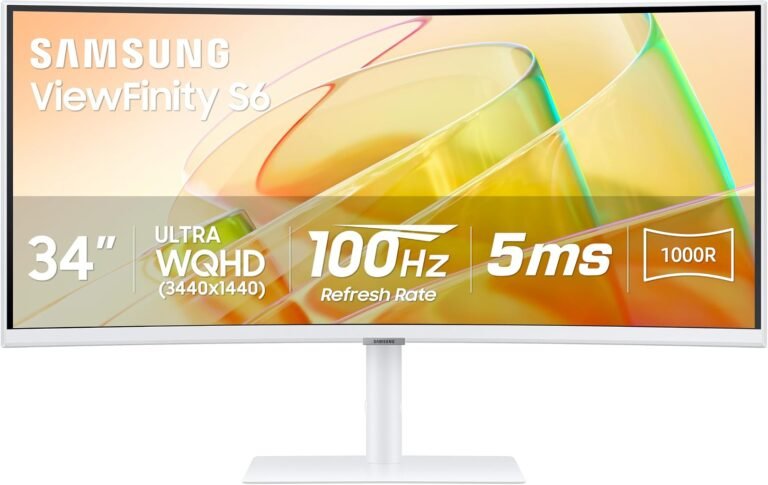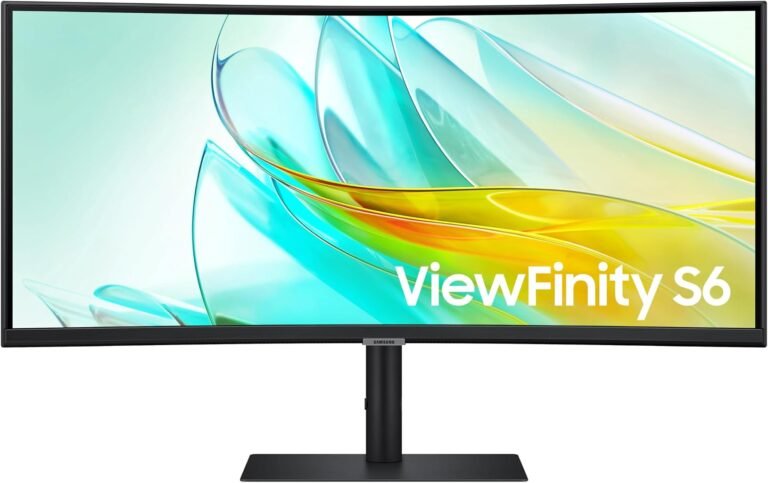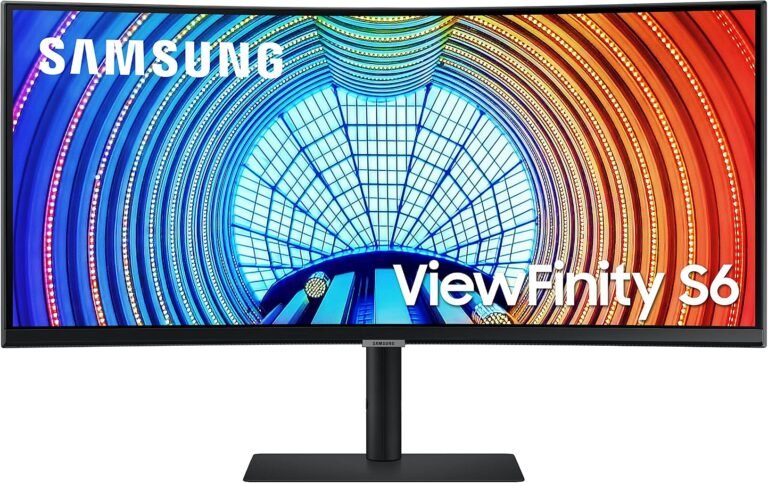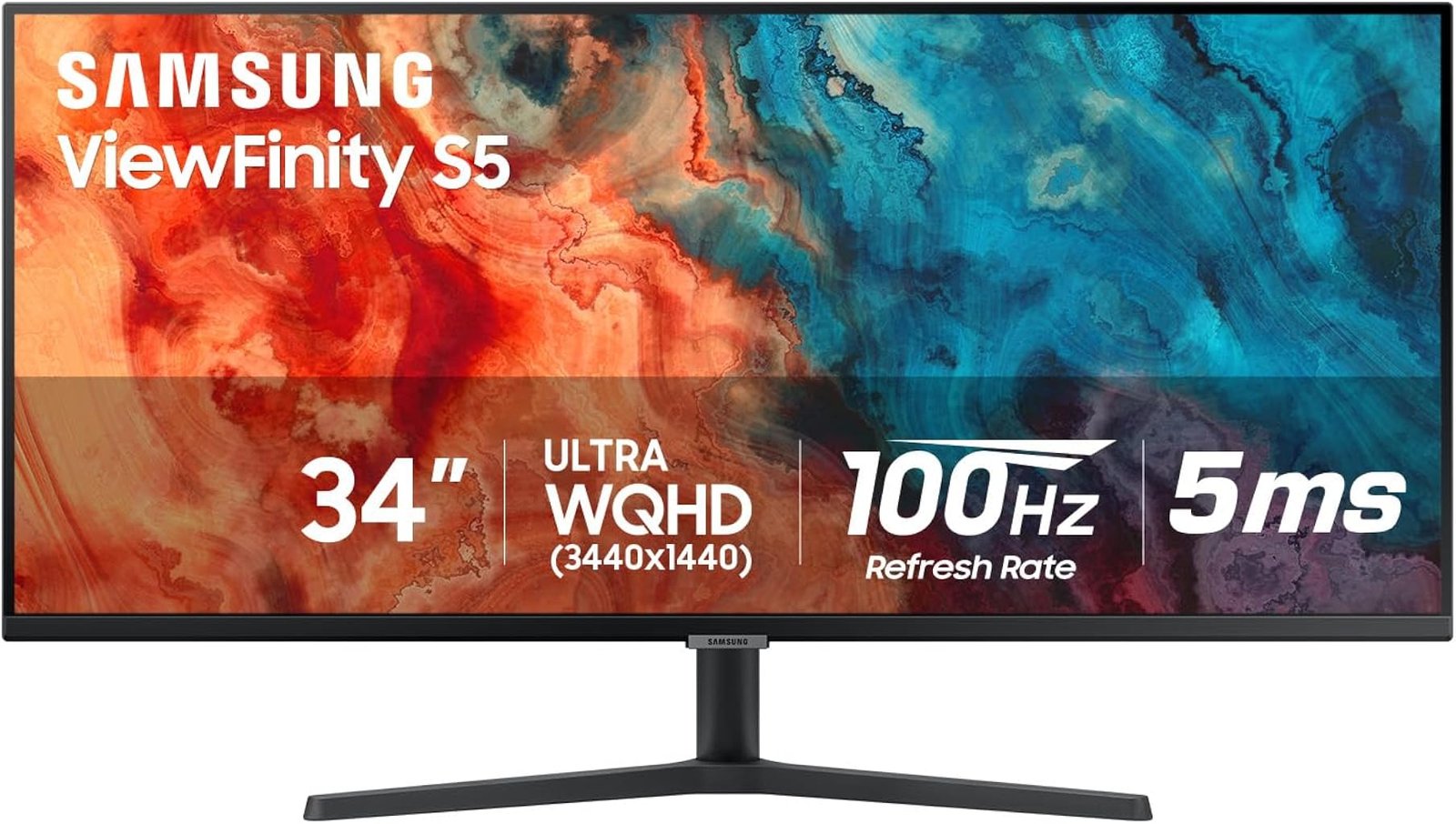
The Samsung ViewFinity S50GC takes a relatively restrained approach to the 34-inch ultrawide monitor. It does not attempt to become a laptop dock, television substitute or esports display. Instead, its case rests on a straightforward collection of specifications: a flat 34-inch VA panel, 3440×1440 resolution, 21:9 aspect ratio, 100Hz maximum refresh rate, HDR10 support, AMD FreeSync and picture-by-picture functionality.
That restraint is significant because ultrawide monitors increasingly split into elaborate subcategories. Some prioritize 165Hz or 240Hz gaming. Others add USB-C charging, Ethernet, KVM switches and Thunderbolt connectivity. Samsung’s S50GC largely avoids those additions. The result is a monitor whose strengths are concentrated in screen space, contrast and moderate high-refresh operation rather than workstation infrastructure.
Samsung’s current documentation for the ViewFinity S50GC family identifies it as a 34-inch Ultra-WQHD monitor with a 21:9 aspect ratio, 100Hz maximum refresh rate, AMD FreeSync and HDR10. That combination places it somewhere between a traditional productivity monitor and a moderate-refresh entertainment display.
Our score is 8.51/10. Customer Sentiment stands at 8.28, Buyer Confidence at 9.6 and Value at 8.15. The spread is revealing. Confidence is unusually high because the S50GC has a clear specification set and few ambiguous hardware dependencies. Value is lower because the $314.95 reference price has to be judged against increasingly aggressive competition from monitors offering USB-C, stronger stands or higher refresh rates.
The S50GC is therefore less about feature accumulation than deciding whether a large, flat ultrawide with conventional connectivity is exactly what the desk requires.
Nearly Five Million Pixels Change the Desktop
The 34-inch S50GC uses a 3440×1440 Ultra-WQHD resolution. That translates to 4,953,600 pixels.
A conventional 2560×1440 monitor displays 3,686,400 pixels, so the Samsung provides approximately 34% more. A 1920×1080 display contains 2,073,600 pixels, meaning the S50GC has roughly 139% more pixels than Full HD.
The additional resolution is primarily horizontal. That distinction matters more than simply comparing total pixel counts.
The active display area measures 797.22mm wide by 333.72mm high, according to Samsung’s published specifications. The resulting 21:9 shape allows applications to spread laterally rather than simply becoming taller.
For office work, this can change how software is arranged. A document can sit beside a browser. A spreadsheet can reveal more columns without horizontal scrolling. Video editors gain a longer timeline. Development software can show source code beside documentation or debugging tools.
The practical question is whether the buyer prefers one continuous workspace or multiple separate displays.
Dual monitors retain advantages. Applications can be maximized independently on physically distinct screens, and one monitor can be rotated or repositioned separately. A single ultrawide removes the center bezels and provides one uninterrupted canvas.
Neither arrangement is universally superior. The S50GC simply makes the single-screen option unusually spacious.
This is one reason the best 34 inch ultrawide monitors are often evaluated as alternatives to dual-monitor installations rather than merely larger replacements for 27-inch screens.
The S50GC Is Flat, Not Curved
The physical design contains a distinction that can easily be missed in the crowded ultrawide market: the S50GC is a flat monitor.
Samsung explicitly lists the display as flat rather than curved.
That separates it from Samsung’s S65TC and from many gaming-oriented 34-inch displays using 1000R, 1500R or 1800R curvature.
Whether flat geometry is an advantage depends largely on use.
A curved screen brings the outer edges toward a centrally positioned viewer. Across a wide 21:9 display, that can make the edges feel more directly oriented toward the eyes. A flat screen, however, preserves straight geometry and can be preferable for certain design, layout and office applications.
Flat panels are also less dependent on one ideal viewing position. Several people looking at the screen from slightly different angles may find flat geometry more neutral.
The S50GC therefore rejects one of the most fashionable characteristics of modern ultrawides. That is not necessarily a deficiency. It is a design choice that makes the monitor more conventional despite its unconventional width.
Buyers specifically seeking wraparound visual immersion should look elsewhere. Those who dislike pronounced monitor curvature may find the S50GC comparatively unusual within the 34-inch category.
VA Technology Emphasizes Contrast
The S50GC uses a VA panel. Samsung specifies typical brightness at 300 cd/m², minimum brightness at 250 cd/m² and a static contrast ratio of 3000:1. Viewing angles are listed at 178 degrees horizontally and vertically.
The 3000:1 contrast specification is one of the more meaningful panel characteristics.
Native contrast describes the separation between the darker and brighter output a panel can produce under specified conditions. Higher native contrast can improve the visual depth of dark interfaces, films and games, particularly when large portions of the image contain shadows.
That makes VA a logical technology for a mixed-use ultrawide.
The trade-off is that panel technology cannot be reduced to a contrast number. VA displays can exhibit different response characteristics across dark and bright pixel transitions, and off-axis image behavior does not remain perfectly identical simply because a manufacturer specifies wide viewing angles.
Samsung lists a 5ms gray-to-gray response time for the S50GC. That figure establishes the manufacturer’s rated response specification but does not describe every individual transition.
For office software and ordinary media, this distinction is unlikely to dominate the experience. Buyers interested primarily in fast competitive gaming should evaluate dedicated gaming displays where motion performance receives greater engineering emphasis.
100Hz Makes Productivity Noticeably More Fluid
The S50GC supports refresh rates up to 100Hz.
The mathematical difference from 60Hz is substantial. A 60Hz display begins a new refresh approximately every 16.67 milliseconds. At 100Hz, that interval falls to 10 milliseconds.
Gaming is the obvious beneficiary, but focusing only on games understates the relevance of refresh rate on a productivity monitor.
Desktop interfaces move constantly. Documents scroll. Cursors cross large distances. Windows are dragged between locations. Browser pages accelerate under mouse wheels and touchpads. Animations accompany ordinary operating-system interactions.
Increasing refresh frequency gives these movements more visual updates.
The S50GC therefore provides a meaningful improvement over the traditional 60Hz office monitor without moving into the more specialized territory of 165Hz, 180Hz or 240Hz gaming displays.
That middle position is arguably the monitor’s defining performance characteristic.
Someone who spends most of the day working but plays games occasionally can benefit from 100Hz in both contexts. Someone buying specifically for competitive shooters has a stronger reason to seek a higher ceiling.
AMD FreeSync Makes 100Hz More Flexible
Samsung includes AMD FreeSync.
Variable-refresh technology allows the display’s refresh timing to coordinate with changing frame delivery from compatible graphics hardware. This becomes relevant when a game cannot maintain a perfectly fixed frame rate.
At 3440×1440, that possibility should be taken seriously. The S50GC requires the GPU to render nearly five million pixels for every complete frame. Compared with 1920×1080, the rendering workload can be considerably heavier before other graphics variables are considered.
A game fluctuating below 100 fps can therefore still benefit from adaptive refresh rather than making the monitor’s 100Hz specification useful only at one exact frame rate.
The combination gives the S50GC credible casual and mixed-use gaming capability.
It does not turn the ViewFinity into a dedicated gaming monitor. Samsung’s own product positioning emphasizes productivity, while Game Mode exists alongside office-oriented functions such as Adaptive Picture, Picture-in-Picture and Picture-by-Picture.
That balance suits a display likely to spend more hours showing applications than competitive matches.
HDR10 Support Is About Compatibility More Than Premium HDR
The S50GC supports HDR10 and up to 1.07 billion colors. Samsung lists NTSC 1976 color-gamut coverage at 72% for the model.
HDR10 compatibility allows the monitor to process relevant high-dynamic-range material, but the surrounding panel specifications set realistic boundaries.
Typical brightness is 300 cd/m². The S50GC is not positioned around a high-tier VESA DisplayHDR certification or a sophisticated local-dimming backlight. It remains a conventional VA LCD monitor.
The distinction matters because HDR has become one of the least informative labels when detached from brightness, contrast and backlight architecture.
A monitor can accept HDR10 content without reproducing the extreme highlights and localized dark areas associated with advanced mini-LED or self-emissive OLED displays.
On the S50GC, HDR10 is best interpreted as additional content compatibility rather than the central reason to purchase the display.
The more consequential image specifications remain 3440×1440 resolution, 3000:1 static contrast and support for more than one billion colors.
Connectivity Is Conventional by Modern Ultrawide Standards
The S50GC includes two HDMI 2.0 inputs and one DisplayPort 1.2 connection. It also provides a headphone output.
What it does not include is just as revealing.
There is no USB-C input. There is no USB hub. There is no Ethernet connection. There is no Thunderbolt interface. Samsung also specifies no wireless display capability.
That gives the monitor a very different personality from docking-oriented ultrawides.
A desktop PC user may consider this entirely adequate. HDMI and DisplayPort remain conventional ways to connect computers and other source devices, and eliminating docking hardware can keep the product simpler.
Laptop users face a different calculation.
Many contemporary productivity monitors allow USB-C to carry video, peripheral data and laptop charging through one cable. The S50GC does not provide that architecture. A laptop may therefore require its own charger and, depending on the computer’s ports, an adapter or dock.
This is one of the monitor’s most meaningful limitations at the $314.95 reference price.
The buyer is paying primarily for the panel and ultrawide format rather than workstation connectivity.
Picture-by-Picture Makes Better Use of the Width
The S50GC supports both Picture-in-Picture and Picture-by-Picture.
These functions are particularly relevant on a 21:9 monitor.
Picture-by-picture allows two sources to share the panel simultaneously. A personal desktop and work laptop, for example, can each use part of the screen without requiring two physical monitors.
This does not eliminate every inconvenience associated with multi-computer use. The S50GC lacks the integrated KVM switching found on more elaborate workstation displays, so keyboard and mouse management remains separate.
Even so, PBP gives the large horizontal surface additional utility.
Picture-in-picture takes a different approach by placing one source within another. That can be useful when a secondary feed needs to remain visible without dividing the entire display.
Neither function will matter to every owner. For users working across several devices, however, they make the screen’s width more than a passive characteristic.
Adaptive Picture and Eye-Care Features Target Long Work Sessions
Samsung includes Adaptive Picture, Eye Saver Mode and flicker-free functionality.
Adaptive Picture adjusts display characteristics in response to the viewing environment. Eye Saver Mode changes the image to reduce blue-light output, while flicker-free operation addresses another potential source of visual discomfort.
These features should not be treated as substitutes for appropriate workstation habits. Screen distance, room lighting, text size and regular changes in focus remain relevant to long-duration computer use.
Their presence nevertheless makes sense on a ViewFinity product.
A monitor intended for productivity may remain active throughout an entire working day. Small differences in brightness behavior or visual comfort can therefore matter more than they would on a display used for an occasional gaming session.
The S50GC’s software features reinforce the same theme established by its 100Hz refresh rate: everyday desktop behavior receives attention rather than being treated as secondary to headline specifications.
The Stand Is a Clear Compromise
Samsung uses a simple stand for the S50GC.
Adjustment is limited to tilt from approximately -2 degrees to +22 degrees. There is no manufacturer-listed height or swivel adjustment. The display does support a 100×100mm VESA mounting pattern.
This is one of the monitor’s more obvious weaknesses.
A 34-inch ultrawide is physically large enough that vertical positioning can materially affect comfort. Users vary in height, chair setup and desk dimensions. A stand with height adjustment makes it easier to place the display appropriately without resorting to risers or changing furniture.
The VESA mount provides an alternative. A compatible monitor arm can add considerably more positioning flexibility and potentially recover desk surface.
That solution carries an additional cost.
Buyers comparing the S50GC with more expensive ultrawides should therefore include stand quality in the calculation. A cheaper monitor plus a separate arm can narrow the price difference surprisingly quickly.
The Physical Footprint Deserves Measurement
With its stand attached, the S50GC measures approximately 815.3mm wide, 457.7mm high and 221.3mm deep. Without the stand, depth falls to 36.4mm. Weight is approximately 4.9kg with the stand and 4.2kg without it.
The width is the number most likely to cause trouble.
At more than 81 centimeters, the monitor can dominate a compact desk. Speakers, desktop towers and other peripherals may need to move. A secondary monitor can make the arrangement even wider.
The relatively low 4.9kg assembled weight is useful for monitor-arm selection, although any mounting solution should still be checked against both VESA compatibility and its own load limits.
The narrow chassis depth without the stand also illustrates how much of the desk footprint comes from the supporting base rather than the panel itself.
A monitor arm can therefore change the physical experience substantially even though the screen remains the same size.
There Are No Built-In Speakers
Samsung specifies no integrated speakers on the S50GC.
This keeps the monitor relatively simple, but it means audio requires headphones, external speakers or another connected device.
For a productivity monitor, the omission can be meaningful.
Video calls, training videos and casual media are routine parts of many working environments. Integrated speakers are rarely acoustically exceptional, yet they remove the need for another peripheral.
The headphone output provides a straightforward wired-audio path, but it does not replace built-in sound for users who prefer an uncluttered desk.
This is another area where the S50GC’s philosophy becomes visible: Samsung has concentrated the budget on the display rather than attempting to turn it into a self-contained workstation.
Power Consumption Is Moderate
Samsung lists typical power consumption at 32W, with 0.5W in DPMS power-saving operation and 0.3W when switched off. The European specification lists annual consumption at 47kWh under its applicable methodology.
The 32W typical figure provides a useful basis for an illustrative calculation.
If the monitor consumed 32W for eight hours every day of a 365-day year, it would use approximately 93.4kWh over those active hours. Actual consumption varies according to brightness settings, content, power-management behavior and operating time.
Electricity cost then depends on the local tariff.
For a large 34-inch display, the stated typical power figure is relatively modest in absolute terms. More elaborate high-brightness or high-refresh display architectures can consume considerably more.
The monitor accepts 100–240V AC through an external adapter.
Buyer Confidence Is the Standout Rating
Our score for the Samsung ViewFinity S50GC is 8.51/10.
Buyer Confidence is higher at 9.6, and that difference is deliberate. Samsung’s documentation leaves relatively little uncertainty about the hardware: 34 inches, 3440×1440, VA, 100Hz, 3000:1 static contrast, 300 cd/m² typical brightness, 5ms GtG response, HDR10, FreeSync, two HDMI connections, DisplayPort and a tilt-only stand. Samsung also maintains dedicated monitor support resources for manuals, downloads, warranty information and troubleshooting.
Confidence in the product’s identity does not mean every design choice earns the same enthusiasm.
Customer Sentiment is 8.28, closer to the overall score. The S50GC has a coherent purpose, but several omissions narrow its audience. USB-C would improve laptop integration. Height adjustment would improve ergonomics. Integrated speakers would make everyday multimedia simpler.
Value stands at 8.15.
At the $314.95 reference price, the monitor provides nearly five million pixels, 100Hz operation, VA contrast, HDR10, FreeSync and multi-source display functions. That is a credible hardware package. Value becomes less compelling when the buyer needs to add a monitor arm, USB-C dock and speakers.
The scores therefore describe a monitor that performs its primary job convincingly but deliberately leaves several secondary jobs to other hardware.
Who Should Consider the Samsung ViewFinity S50GC?
The S50GC has a broad but identifiable audience. Strong matches include:
- Desktop users wanting substantially more horizontal workspace than a conventional 16:9 monitor provides.
- Office users moving from 60Hz who value smoother scrolling and interface motion.
- Buyers who specifically prefer a flat ultrawide rather than pronounced curvature.
- Mixed-use owners who want FreeSync and 100Hz for occasional gaming without purchasing a dedicated esports monitor.
- Multi-source users who can make practical use of PIP and PBP.
- Buyers who value VA contrast for dark interfaces, films and games.
- Users prepared to add a VESA arm if the tilt-only stand is insufficient.
The weaker fit is equally clear.
Laptop users seeking single-cable USB-C charging should look elsewhere. Competitive gamers will find higher-refresh alternatives. Anyone expecting premium HDR reproduction should prioritize more advanced backlighting or OLED technology. Buyers requiring integrated audio will need external equipment.
The S50GC is therefore strongest when simplicity is considered an advantage rather than an omission.
The S50GC and S65TC Serve Different Desks
Samsung’s ViewFinity naming can make the S50GC and S65TC appear more similar than they are.
Both are 34-inch 3440×1440 VA ultrawides with maximum 100Hz refresh rates. Their workstation strategies, however, diverge sharply. Samsung’s ViewFinity comparison information lists the S50GC as a flat display with HDMI, DisplayPort and headphone connectivity, while the S65TC is curved and adds Thunderbolt 4, LAN, USB connectivity, KVM functionality, speakers and an adjustable stand.
The distinction helps explain the S50GC.
It is not an incomplete S65TC. It is the simpler alternative.
A desktop computer already equipped with Ethernet, USB ports and external speakers may have little need for the S65TC’s docking architecture. In that environment, paying primarily for the screen can be entirely rational.
A laptop-centered workstation reverses the argument. Thunderbolt charging, peripheral connectivity and Ethernet can eliminate enough additional hardware to justify a more elaborate monitor.
The correct comparison therefore starts with the desk rather than the display.
Final Considerations
The Samsung ViewFinity S50GC earns its 8.51/10 score by concentrating on the characteristics that make a 34-inch ultrawide useful without surrounding the panel with expensive workstation hardware.
Its 3440×1440 resolution produces 4,953,600 pixels across a 21:9 workspace. The flat VA panel carries a 3000:1 static contrast specification, 300 cd/m² typical brightness and 5ms manufacturer-rated response time. A 100Hz refresh ceiling makes ordinary desktop motion smoother than conventional 60Hz operation, while AMD FreeSync gives gaming frame rates greater flexibility. HDR10, support for up to 1.07 billion colors, PIP and PBP broaden the monitor’s capabilities without changing its fundamental purpose.
The omissions are just as central to the assessment.
There is no USB-C. There is no USB hub, Ethernet interface or integrated speaker system. The simple stand provides tilt rather than height or swivel adjustment. HDR10 compatibility should not be mistaken for premium HDR hardware. Competitive gamers can find much higher refresh rates elsewhere.
Those compromises explain why Buyer Confidence reaches 9.6 while Value sits at 8.15 and Customer Sentiment at 8.28. The monitor is easy to understand and its core specifications are well documented. The value question becomes more conditional because modern ultrawide buyers increasingly expect connectivity and ergonomic features that the S50GC deliberately leaves aside.
For shoppers comparing the best 34 inch ultrawide monitors, the S50GC makes a useful counterargument to feature inflation. Not every monitor needs to become a dock, network interface, charging station and speaker system.
Sometimes the computer already handles those jobs.
In that environment, the S50GC’s simplicity can work in its favor. It provides the horizontal workspace that defines the ultrawide format, a refresh rate high enough to improve everyday motion, VA contrast suitable for mixed work and entertainment, and adaptive refresh for gaming.
The calculation changes when missing features require additional purchases. A monitor arm, USB-C dock and external speakers can quickly alter the economics of a $314.95 monitor. Buyers should therefore price the complete desk rather than the display alone.
That is the most useful way to read the 8.51/10 assessment. The ViewFinity S50GC is not distinguished by the number of functions Samsung managed to place behind the panel. Its case rests on whether the buyer actually needs those functions in the first place. When the answer is no, the monitor’s comparatively direct approach becomes its strongest argument.