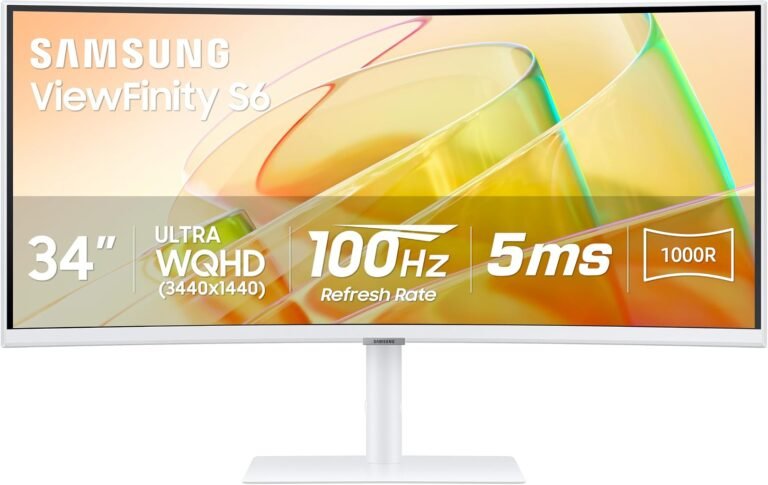
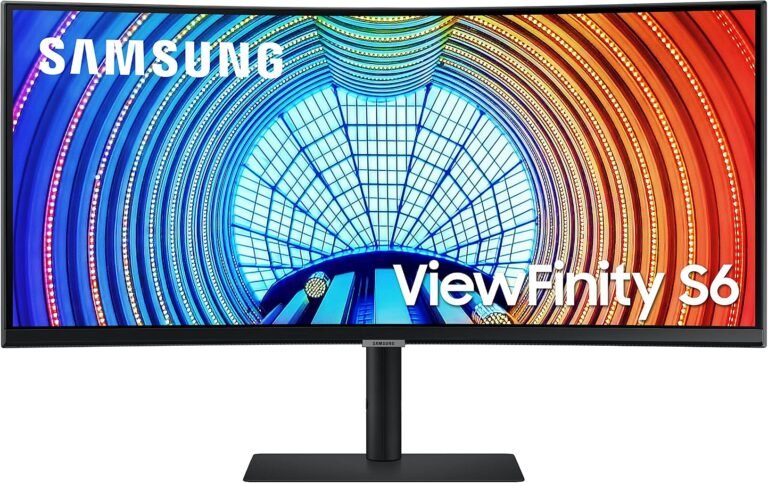
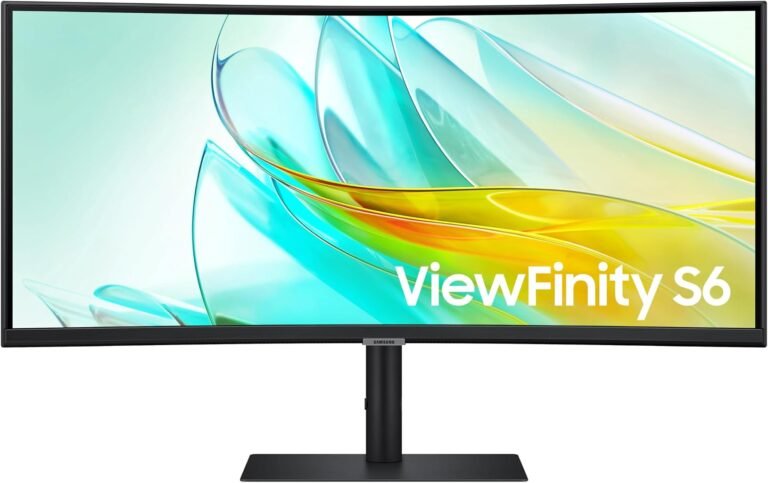
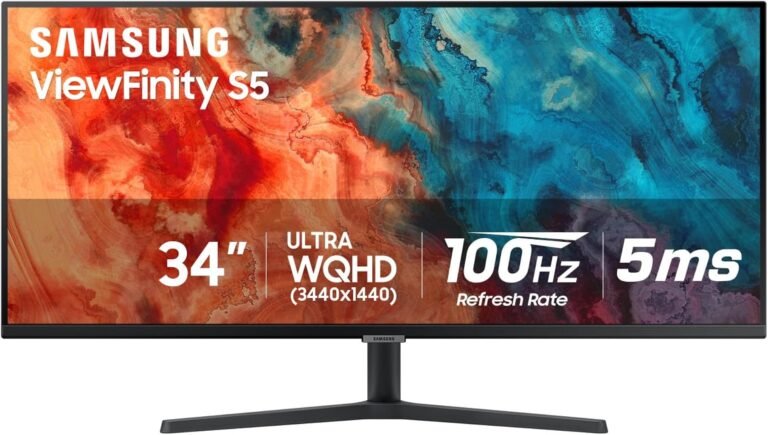
The Samsung ViewFinity S65UA, S65UC and S65TC illustrate an unusually restrained form of monitor evolution. Across these three 34-inch ultrawides, Samsung did not chase higher resolution, extreme refresh rates or a radical change in panel technology. Instead, the display itself remains strikingly consistent while the electronics surrounding it become progressively more capable.
All three inhabit the same basic productivity category: 34-inch curved ultrawide monitors built around 3440 × 1440 resolution and a 21:9 aspect ratio. Samsung’s documentation identifies 1000R curvature and a maximum 100Hz refresh rate across the family. The later S65UC and S65TC specifications establish a VA panel with 350 cd/m² typical brightness, 3000:1 static contrast, HDR10 and support for up to 1.07 billion colors.
The real question is therefore not which produces dramatically more pixels or substantially smoother motion. It is how much connection infrastructure the desk needs.
At evaluated prices of $329.99 for the S65UA, $349.99 for the S65UC and $399.99 for the S65TC, the price ladder is remarkably logical. Each step asks the buyer to spend more for a monitor increasingly capable of functioning as the center of a multi-device workstation.
Our scores, however, do not rise with price. The S65UA earns 8.15/10, narrowly ahead of the S65UC at 8.14/10. The S65TC receives 7.86/10. Customer Sentiment is 7.84 for the S65UA, 8.06 for the S65UC and 7.4 for the S65TC. Buyer Confidence runs in a different order: 9.31, 8.51 and 9.37 respectively. Value stands at 7.91 for the S65UA, 8.03 for the S65UC and 7.67 for the S65TC.
Those numbers expose the central tension. The S65TC is the most capable workstation hub, but the S65UC produces the strongest Value score. The older S65UA remains the highest-rated overall by a margin of only 0.01 over the S65UC.
More capability, in other words, does not automatically create more value.
The Display Foundation Changes Very Little
The similarities are extensive enough that screen quality alone provides little reason to move from one generation to another.
Samsung’s S65UA documentation specifies a 34-inch Ultra-WQHD display with 3440 × 1440 resolution, a 21:9 aspect ratio, 1000R curvature and 100Hz maximum refresh rate. Samsung also lists AMD FreeSync and HDR capability.
The ViewFinity S65UC retains the 34-inch 3440 × 1440, 21:9 and 1000R arrangement. Samsung specifies a VA panel, 350 cd/m² typical brightness, 3000:1 static contrast, HDR10, 5ms response time, 178-degree horizontal and vertical viewing angles, up to 1.07 billion colors and a maximum 100Hz refresh rate.
The S65TC specification follows the same broad formula: 34 inches, 3440 × 1440, VA, 1000R, 350 cd/m² typical brightness, 3000:1 static contrast, 5ms response and a maximum 100Hz refresh rate.
That degree of continuity simplifies the buying decision.
A buyer choosing the S65TC over the S65UA is not paying primarily for a sharper image or a substantially faster panel. The extra money is directed toward the workstation around the screen.
3440 × 1440 Remains the Main Productivity Argument
A 3440 × 1440 image contains 4,953,600 pixels.
Standard 2560 × 1440 contains 3,686,400 pixels. The ultrawide format therefore provides about 34% more pixels than conventional QHD, with most of the increase extending horizontally.
That additional width changes how a desktop can be organized.
A large document can sit beside a browser. A spreadsheet can expose more columns without constant horizontal scrolling. A video-editing timeline gains horizontal room. Development environments can display code beside documentation or diagnostic output.
This is why 34-inch 3440 × 1440 monitors have persisted even as affordable 4K displays have become common. Their advantage is not raw pixel count. A 3840 × 2160 display contains considerably more pixels. The advantage is shape.
A 21:9 desktop resembles two smaller working areas joined without a bezel through the center.
For users comparing the best 34 inch ultrawide monitors for office work, that geometry remains one of the category’s strongest arguments.
All three Samsung models deliver it equally.
1000R Curvature Is Aggressive for a Productivity Monitor
The 1000R curve deserves careful consideration because it is one of the more distinctive characteristics shared by the three monitors.
Curvature ratings describe the radius of the hypothetical circle formed if the curved panel continued around itself. A 1000R screen corresponds to a radius of 1,000mm, or one meter.
That makes it substantially more curved than common 1500R and 1800R ultrawides.
The design has an obvious purpose. A 34-inch 21:9 monitor is physically broad, and its outer edges sit farther from the viewer than the center when the screen is flat. Curvature brings those edges inward.
For ordinary office multitasking, that can make the broad desktop feel more visually cohesive.
The compromise appears in geometry-sensitive work.
Straight horizontal lines follow the physical curve of the panel. Large architectural drawings, grids and certain design tasks may therefore feel less neutral than on a flat monitor.
This is a buying criterion that no S65 model resolves because all three use 1000R curvature.
Someone who dislikes strongly curved productivity screens should look beyond this trio rather than searching for the least curved option among them.
100Hz Is More Useful for Work Than the Specification Suggests
A maximum refresh rate of 100Hz may appear modest beside 165Hz, 240Hz and 360Hz gaming displays, but those comparisons miss the purpose of the ViewFinity family.
At 60Hz, each refresh interval lasts approximately 16.67 milliseconds.
At 100Hz, it falls to 10ms.
The difference affects ordinary interface motion. Scrolling can appear smoother, window movement becomes more fluid and cursor motion receives more frequent visual updates.
Samsung explicitly frames the S65UA’s 100Hz refresh rate partly around smoother mouse movement and productivity rather than treating it solely as a gaming specification.
All three monitors therefore sit in a useful middle ground.
They are smoother than conventional 60Hz office displays without demanding the cost, bandwidth or graphics performance associated with high-refresh gaming hardware.
AMD FreeSync also broadens their secondary gaming usefulness.
None should be mistaken for a competitive gaming monitor. A 100Hz ceiling provides one new refresh opportunity every 10ms, compared with roughly 4.17ms at 240Hz.
For work, casual gaming and general desktop use, 100Hz is considerably easier to justify.
VA Panel Technology Prioritizes Contrast
The S65UC and S65TC specifications identify VA panels with a 3000:1 static contrast ratio.
That is relevant because conventional IPS monitors commonly operate around the 1000:1 contrast class.
A higher native contrast ratio allows darker areas to appear darker relative to bright portions of the image. For spreadsheets and word processing, the effect may not dominate the experience. For movies, photographs, dark application themes and games, the distinction can be more visible.
VA also carries trade-offs.
Pixel response can vary by transition type, and Samsung specifies a 5ms response time for the S65UC and S65TC. These are productivity-oriented monitors rather than esports displays.
The broader viewing-angle specification is 178 degrees horizontally and vertically, but specification-sheet viewing angles should not be interpreted as proof that image characteristics remain perfectly identical at every off-axis position.
The curve further encourages a centered seating position.
For a single user at a desk, that arrangement is logical. For a group attempting to view the screen simultaneously, it is less ideal.
HDR10 Is Compatibility, Not a Premium HDR Guarantee
All three monitors incorporate HDR capability, with HDR10 explicitly identified across the family.
The later S65UC and S65TC also support up to 1.07 billion colors, while Samsung lists typical brightness at 350 cd/m².
These specifications require measured expectations.
HDR10 defines signal and content compatibility. It does not by itself guarantee the extreme peak luminance, advanced local dimming or black-level performance associated with high-end HDR displays.
A 350-nit VA productivity monitor and a high-output mini-LED display can both accept HDR content while producing very different visual results.
HDR on the ViewFinity S65 family is therefore better interpreted as expanded media compatibility rather than the central reason to choose one.
More importantly for this comparison, HDR does not meaningfully separate the three.
Connectivity does.
The S65UA Established the USB-C Workstation Formula
The S65UA is the oldest design here, but its architecture already anticipated how modern productivity monitors would be used.
USB-C allows a compatible laptop to connect to the display through a modern multipurpose interface rather than relying exclusively on HDMI or DisplayPort.
That matters because laptops increasingly spend their working day moving between mobile and desktop environments.
A conventional monitor treats the notebook as simply another video source. A USB-C productivity monitor can become part of the laptop’s desk infrastructure.
At $329.99, the S65UA therefore retains a coherent position.
It delivers the same essential ultrawide geometry and 100Hz desktop behavior while establishing the USB-C connection that distinguishes a workstation-oriented monitor from a basic display.
Its 8.15/10 overall score-the highest of the three, though only fractionally-is not a declaration that the oldest model has the most features.
It reflects how effectively its capabilities align with the evaluated price.
The S65UC Is the Value Sweet Spot
The S65UC costs $349.99, only $20 more than the S65UA.
That modest increase buys a more developed workstation package.
Samsung’s business specification identifies built-in speakers, USB-C connectivity and an integrated KVM switch. It retains 3440 × 1440 resolution, 100Hz operation, 1000R curvature, HDR10 and FreeSync.
The KVM switch is especially significant for a two-computer desk.
A user may have a company laptop for work and a personal desktop for everything else. Without KVM functionality, both computers can require separate keyboards and mice, manual cable changes or an external switching device.
An integrated KVM allows peripherals to be shared more naturally between connected systems.
This is why the S65UC earns our highest Value score of the trio at 8.03.
The $20 premium over the S65UA is relatively small compared with the potential convenience of integrated switching and speakers.
For many buyers, this is where the ViewFinity S65 family reaches its most balanced configuration.
The S65TC Changes the Connection Standard
The S65TC costs $399.99, placing it $50 above the S65UC and $70 above the S65UA.
The panel itself does not explain that increase.
Thunderbolt 4 does.
Samsung specifies Thunderbolt 4 connectivity with 90W charging on the S65TC. It also lists daisy-chain support, LAN connectivity, an integrated KVM switch, three downstream USB-A ports, a downstream Thunderbolt connection and built-in 5W speakers.
This turns the S65TC into something closer to a docking display.
A compatible laptop can connect through Thunderbolt 4, receive up to 90W of charging power and access additional monitor-connected devices. Ethernet can be incorporated into the desk through the monitor. Daisy chaining can extend a supported multi-monitor arrangement.
Those features are not cosmetic.
For the correct laptop-centered workstation, they can eliminate a separate Thunderbolt dock.
That possibility is the S65TC’s strongest argument.
Why Thunderbolt 4 Does Not Automatically Make the S65TC the Best Value
The problem is utilization.
A desktop computer connected through DisplayPort gains little from 90W laptop charging. A user with no need for wired Ethernet receives little benefit from LAN integration. Someone using one monitor gains nothing from daisy-chain capability.
The S65TC can therefore be the most technically capable model while simultaneously delivering the weakest value to a simple desk.
Our Value score of 7.67 reflects that tension.
The evaluated $399.99 price is $70 higher than the S65UA and $50 higher than the S65UC. That premium makes sense only when the Thunderbolt-centered features replace equipment or cable complexity that would otherwise exist.
For a Thunderbolt laptop user who would otherwise buy a separate dock, $50 over the S65UC can be remarkably reasonable.
For a desktop-only user, it buys infrastructure with little purpose.
Value therefore changes according to what the monitor can remove from the desk.
The S65TC Has the Strongest Docking Credentials
Samsung’s broader ViewFinity comparison identifies the S65TC with Thunderbolt 4, HDMI, DisplayPort, LAN, USB-B upstream, three USB-A downstream connections, a downstream Thunderbolt 4 port, headphone connectivity, KVM switching and 5W × 2 speakers.
That connection set is far more consequential than adding another picture mode.
It allows the monitor to become a physical hub.
For offices where employees regularly arrive with laptops, one high-bandwidth connection can reduce setup friction. Power, display output and peripheral access can be consolidated around the monitor.
The 90W charging specification is also far more useful than low-power USB-C implementations that technically charge a device but cannot comfortably sustain many professional laptops under load.
Ninety watts will not satisfy every high-performance mobile workstation, but it covers a broad range of conventional productivity notebooks.
This is the clearest reason to choose the S65TC.
KVM Makes the S65UC and S65TC Better for Two Computers
The S65UC and S65TC both integrate KVM functionality.
That creates a meaningful generational distinction from a basic single-source ultrawide workflow.
The practical scenario is ordinary: one keyboard, one mouse, two computers.
A work laptop may connect during business hours while a personal computer remains attached for evening use. KVM functionality allows the same input devices to participate in both environments without constant physical reconnection.
For remote and hybrid workers, that can matter more than a small increase in brightness or refresh rate.
It also strengthens the S65UC’s position.
A buyer does not need to reach the $399.99 S65TC merely to gain KVM switching. The $349.99 S65UC already addresses that need.
The extra $50 therefore buys Thunderbolt-oriented infrastructure rather than the fundamental ability to share peripherals.
Built-In Speakers Reduce Desk Hardware
Both the S65UC and S65TC incorporate speakers, with Samsung specifying 5W output on the relevant models.
Built-in monitor speakers rarely replace dedicated audio hardware for listeners prioritizing bass extension, stereo separation or high output.
That is not their strongest use.
Their value lies in reducing equipment for video calls, system audio, training material and ordinary media playback.
In an office where desk space already contains a laptop, keyboard, mouse and perhaps a second computer, eliminating external speakers can be useful.
The 34-inch ultrawide format already aims to replace multiple displays. Integrated audio extends the same consolidation philosophy.
Again, the S65UC captures much of this advantage without requiring the S65TC’s higher price.
Ergonomics Matter More on a 34-Inch Curved Screen
Samsung equips the later S65 models with height-adjustable stands. The S65TC, for example, provides approximately 4.72 inches of height adjustment, tilt from roughly -2 to 20 degrees and swivel from -30 to 30 degrees. It also supports a 100 × 100mm VESA mount.
The S65UC similarly uses an ergonomic height-adjustable design.
This matters because a 34-inch 1000R display is physically dominant at normal desk distances.
If the monitor sits too high, the user spends the day looking upward across a broad surface. If it sits too low, neck posture moves in the opposite direction.
Height adjustment is therefore not merely a premium stand feature. It directly affects whether the ultrawide format works comfortably through a full workday.
VESA compatibility also allows a suitable monitor arm to replace the included stand.
The S65UA Still Has the Highest Overall Score
The S65UA receives our 8.15/10 rating, narrowly exceeding the S65UC’s 8.14.
A difference of 0.01 points is functionally a tie, but the scoring logic is still useful.
At $329.99, the S65UA delivers the essential ViewFinity proposition at the lowest evaluated price: 34-inch 3440 × 1440 ultrawide workspace, 1000R curvature, 100Hz operation, USB-C, HDR and FreeSync.
Its Customer Sentiment score is 7.84, Buyer Confidence reaches 9.31 and Value stands at 7.91.
The high Buyer Confidence score reflects a mature, clearly defined configuration. There is little confusion about its purpose.
The weaker Customer Sentiment and Value figures keep it from separating decisively from the S65UC.
For buyers willing to spend another $20, the newer model’s workstation additions can be more useful.
The S65UC Is the Most Balanced Purchase
The S65UC receives 8.14/10 overall, effectively level with the S65UA.
Its Customer Sentiment score of 8.06 is the highest of the trio, while Value at 8.03 is also the strongest. Buyer Confidence is lower at 8.51.
At $349.99, the S65UC sits in the middle financially and functionally.
It avoids the S65TC’s $399.99 price while retaining the core 3440 × 1440, 100Hz, 1000R experience. It adds KVM switching and speakers to a USB-C-oriented workstation design.
For a buyer with two computers but no specific need for Thunderbolt 4, this configuration is difficult to dismiss.
The S65UC asks for only $20 more than the S65UA and $50 less than the S65TC.
That pricing structure makes it the most balanced model for many conventional mixed-device desks.
The S65TC Is the Specialist
The S65TC receives the lowest overall score at 7.86/10 and the lowest Value rating at 7.67.
Yet it has the highest Buyer Confidence score: 9.37.
That combination is not contradictory.
The S65TC has a very clear purpose. Samsung documents its Thunderbolt 4 interface, 90W charging, LAN, KVM, daisy chaining, USB connectivity and built-in speakers in considerable detail.
Confidence in what it does is high.
The issue is how many buyers need everything it does.
Customer Sentiment at 7.4 is the lowest of the trio, while the $399.99 evaluated price places greater pressure on its specialized capabilities to justify themselves.
A Thunderbolt laptop user can make excellent use of those capabilities. A conventional desktop user cannot.
The S65TC is therefore not weaker because it has fewer features. It scores lower because its additional features are more expensive and more situational.
Strengths and Trade-Offs by Model
The S65UA makes the strongest case when:
- The $329.99 evaluated price is the priority.
- USB-C connectivity is needed without a more elaborate docking setup.
- One primary computer will use the monitor.
- 3440 × 1440 and 100Hz meet the performance requirements.
- The buyer wants the basic ViewFinity ultrawide formula with minimal additional cost.
- A high 9.31 Buyer Confidence score matters.
The S65UC makes the strongest case when:
- Two computers will share one desk.
- Integrated KVM switching has practical value.
- Built-in speakers can replace separate desktop audio.
- USB-C remains preferable to a Thunderbolt-centered setup.
- Spending $20 more than the S65UA is acceptable.
- The highest Value score of 8.03 and Customer Sentiment score of 8.06 align with the buyer’s priorities.
The S65TC makes the strongest case when:
- Thunderbolt 4 is already central to the laptop workflow.
- Up to 90W laptop charging can replace a separate charger or dock connection.
- Wired Ethernet through the monitor is useful.
- Daisy chaining is part of the planned monitor setup.
- KVM switching and built-in speakers are also needed.
- The additional $50 over the S65UC can replace other desk hardware rather than merely duplicate it.
Where They Fit Among the Best 34 Inch Ultrawide Monitors
The best 34 inch ultrawide monitors are not necessarily the fastest.
For office work, connection architecture can matter more than 165Hz or 240Hz refresh rates. A monitor displaying spreadsheets, browser windows, documents, development tools and video calls rarely needs esports-level motion performance.
The ViewFinity S65 family recognizes that distinction.
Its 100Hz refresh rate improves ordinary desktop fluidity without turning the products into gaming monitors. The 3440 × 1440 resolution creates meaningful horizontal workspace without the scaling questions that can accompany higher-density 4K screens. The 1000R curve pulls the broad display toward a centered user.
USB-C, KVM and Thunderbolt then determine how deeply each model integrates into the desk.
The weakness is that the panel itself does not materially advance as prices rise.
Someone seeking stronger HDR, professional-grade color specialization or gaming-oriented response performance should consider other monitor categories.
These Samsung models prioritize workspace and connectivity.
Final Considerations
The Samsung ViewFinity S65UA, S65UC and S65TC are easier to understand when viewed as three levels of workstation integration built around a remarkably stable display platform.
All three center on a 34-inch 21:9 ultrawide format at 3440 × 1440. The family uses 1000R curvature and a maximum 100Hz refresh rate, while the later models document VA technology, 350 cd/m² typical brightness, 3000:1 static contrast, HDR10 and up to 1.07 billion colors.
The S65UA establishes the foundation at $329.99.
Its 8.15/10 overall score, 7.84 Customer Sentiment, 9.31 Buyer Confidence and 7.91 Value rating describe a monitor whose greatest advantage is delivering the essential ultrawide USB-C productivity experience at the lowest evaluated price.
The S65UC costs $349.99 and receives 8.14/10 overall. Its 8.06 Customer Sentiment and 8.03 Value ratings are the strongest in the comparison, while Buyer Confidence stands at 8.51.
For many users, that is the most rational balance. An additional $20 over the S65UA brings a more developed workstation arrangement, including KVM functionality and speakers, without requiring the larger jump to Thunderbolt 4.
The S65TC is different.
At $399.99, it receives 7.86/10 overall, 7.4 for Customer Sentiment, 9.37 for Buyer Confidence and 7.67 for Value. It is simultaneously the lowest-scoring overall model and the one in which the publication has the highest Buyer Confidence.
The explanation lies in specialization.
Thunderbolt 4 with 90W charging, Ethernet, daisy chaining, KVM, expanded USB connectivity and built-in speakers create a clearly defined workstation hub. A buyer who needs those capabilities knows exactly what the additional $50 over the S65UC is buying.
A buyer who does not need them is simply spending more money around essentially the same 34-inch 3440 × 1440, 100Hz screen.
For a single-computer desk where cost matters, the S65UA remains highly defensible.
For a two-computer desk needing USB-C, KVM and integrated audio, the S65UC offers the strongest balance and earns the highest Value score.
For a Thunderbolt laptop workstation where the monitor is expected to replace part of a docking setup, the S65TC is the logical specialist despite its lower overall rating.
The progression from S65UA to S65UC to S65TC is therefore not a conventional ladder from worse display to better display. The pixels remain largely the same. What changes is everything connected to them.
That distinction is what makes the comparison useful. The correct ViewFinity is not determined by which model carries the newest suffix or the highest evaluated price. It is determined by how many cables, computers and separate desk devices the monitor is expected to replace.