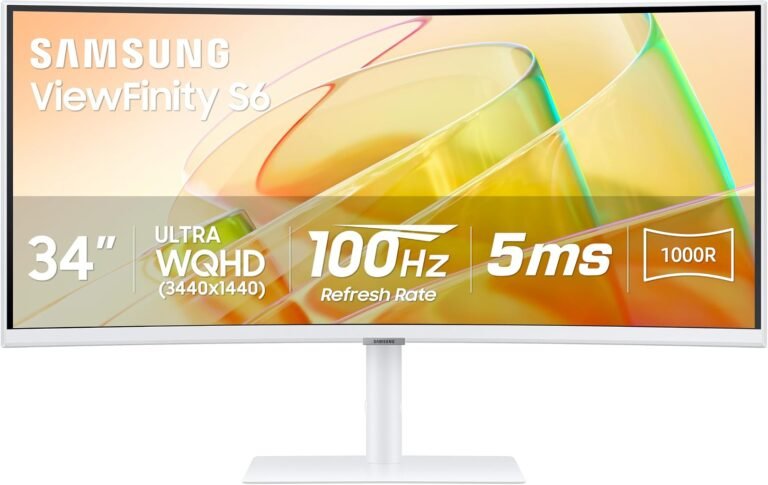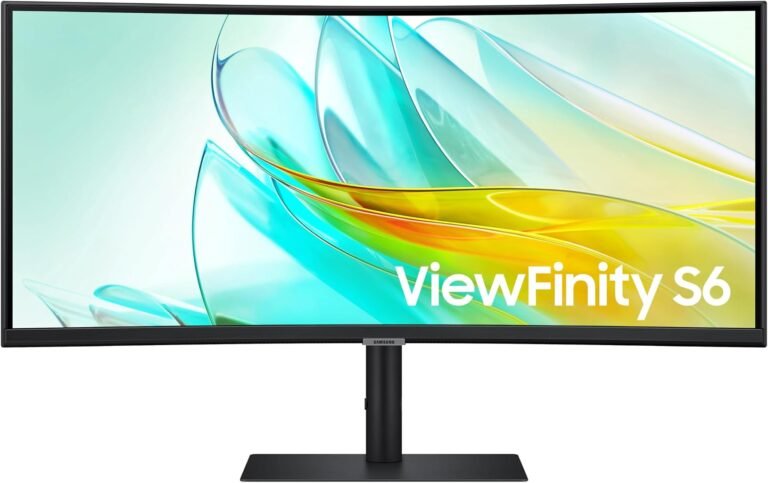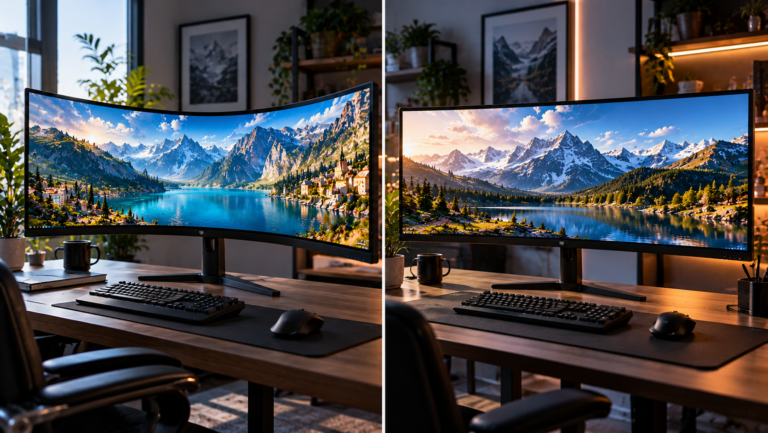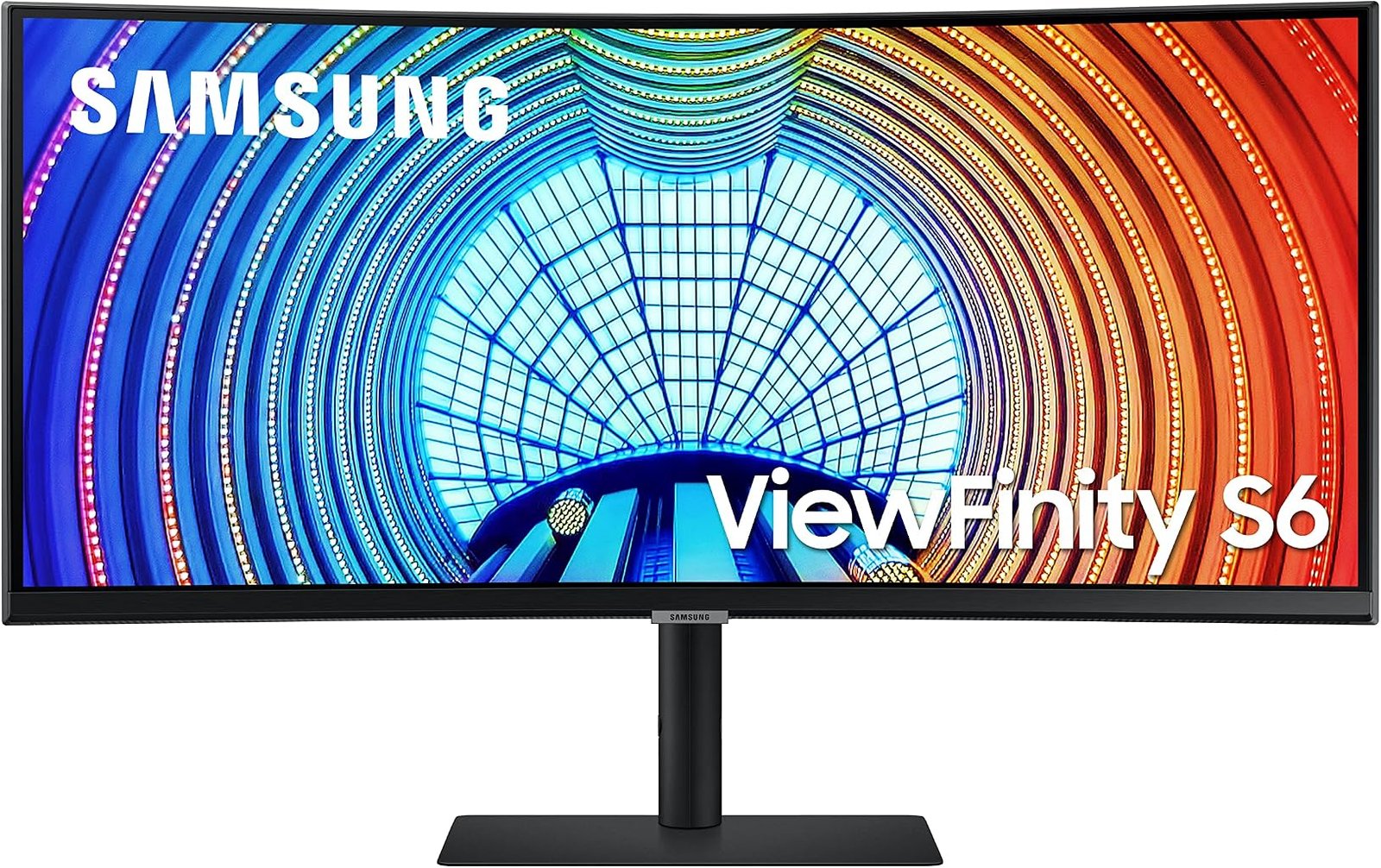
The Samsung ViewFinity S65UA LS34A654UBNXGO belongs to a class of ultrawide monitors that makes more sense when judged as part display and part docking station. Its 34-inch 3440 × 1440 VA panel is only the beginning. A 100Hz refresh rate, 1000R curvature, USB-C with 90W charging, Ethernet, a three-port USB hub, DisplayPort, HDMI and an adjustable stand turn it into something closer to a desktop connection center built around an ultrawide screen.
That distinction defines this Samsung ViewFinity S65UA LS34A654UBNXGO Curved Monitor review. The S65UA is not primarily chasing competitive gaming specifications, nor is it attempting to compete with professional reference displays. Its stronger argument is practical consolidation: one 21:9 screen can replace a more fragmented arrangement of displays, chargers, hubs and network adapters.
Our score is 8.15/10. Customer Sentiment stands at 7.84, Buyer Confidence at 9.31 and Value at 7.91. At the $329.99 reference price, those numbers point toward a monitor with a clearly identifiable buyer: someone who values workspace, laptop connectivity and ergonomic flexibility more than extreme refresh rates.
The 34-Inch Ultrawide Format Makes Sense for Work
The S65UA uses a 34-inch Ultra-WQHD panel with 3440 × 1440 resolution and a 21:9 aspect ratio. Samsung’s official S65UA specifications confirm the resolution, 1000R curvature, 100Hz maximum refresh rate and the LS34A654UBNXGO model designation.
The resolution amounts to 4,953,600 pixels. Conventional 2560 × 1440 QHD contains 3,686,400 pixels, meaning 3440 × 1440 displays approximately 34% more pixels. Almost all of that expansion occurs horizontally.
That geometry explains why 34-inch ultrawides have remained relevant even as larger 4K monitors have become easier to find. The user is not simply purchasing more pixels. The screen is reshaping how those pixels are distributed.
A document can sit beside a browser without either being squeezed into an unusually narrow column. A spreadsheet exposes more fields. Video-editing software can stretch its timeline. Development tools can keep code, reference material and output visible at once. Picture-by-Picture and Picture-in-Picture support add further flexibility when multiple sources are involved. Samsung lists both functions for this model.
This is one reason the S65UA still belongs in discussions around the best 34 inch ultrawide monitors for work. Its specifications are built around the desktop rather than around a single headline number.
The 1000R Curve Is Aggressive by Office-Monitor Standards
The S65UA has a 1000R curvature, meaning its curve follows the arc of a circle with a one-meter radius.
That is a stronger curve than the 1500R and 1800R geometry found on many other 34-inch monitors. It gives the Samsung a distinctive physical presence and makes correct positioning more consequential.
The rationale is understandable. On a wide flat display, the edges are physically farther from a centrally positioned viewer than the middle of the screen. Curvature turns those edges inward. Samsung presents the 1000R design as a way to keep a wide display within a more consistent field of view.
That does not make 1000R universally preferable to a gentler curve.
A single user sitting directly in front of the display is the strongest use case. Someone regularly sharing the screen with colleagues from off-center positions may prefer flatter geometry. Work involving visual inspection of straight lines can also make pronounced curvature more noticeable.
Desk depth deserves attention as well. An ultrawide with substantial curvature is meant to surround the user’s central viewing position rather than sit at an arbitrary distance. Buyers moving from a small 24-inch office display should expect to spend time adjusting distance, height and angle.
The S65UA rewards a deliberate workstation arrangement.
VA Technology Prioritizes Contrast
Samsung specifies 350 cd/m² typical brightness and a 4000:1 typical contrast ratio. The monitor supports up to 1.07 billion colors, HDR10 and a 178-degree horizontal and vertical viewing-angle specification.
The 4000:1 contrast figure is especially relevant because the S65UA uses VA panel technology.
VA panels generally pursue stronger native contrast than conventional IPS displays. In practical terms, dark portions of an image can appear deeper because the LCD structure blocks more of the backlight when displaying black.
The limitation is that this remains a backlit LCD. It cannot switch individual pixels completely off in the manner of OLED. HDR10 compatibility should therefore not be interpreted as evidence that the S65UA will reproduce HDR with the same luminance range and black control as an OLED or advanced local-dimming display.
The 350-nit typical brightness figure also places the HDR feature in context. HDR10 support ensures compatibility with HDR10 signals; it does not transform the monitor into a specialist HDR mastering display.
For ordinary office use, however, 350 nits is a practical specification. Many indoor workspaces do not require extreme luminance, and excessive brightness can be uncomfortable during long sessions.
The S65UA’s more persuasive visual argument is therefore its combination of ultrawide resolution and 4000:1 specified native contrast rather than the mere presence of an HDR badge.
A 100Hz Refresh Rate Is More Than an Office Luxury
Traditional business monitors spent years anchored around 60Hz. The S65UA reaches 100Hz.
At 60Hz, a monitor refreshes approximately every 16.67 milliseconds. At 100Hz, that interval falls to 10 milliseconds. The improvement is visible in cursor movement, scrolling, window animation and other motion across the desktop.
This matters more on a 34-inch ultrawide than the specification might initially suggest. A pointer routinely travels long distances across a 3440-pixel-wide desktop. Windows are moved between large zones. Web pages and documents often fill tall portions of the panel while being scrolled rapidly.
A higher refresh rate does not make software execute faster, but it can make the visual response to user input appear smoother.
The S65UA stops at 100Hz, however. Gaming-focused 34-inch monitors now reach 144Hz, 165Hz, 180Hz and 240Hz. Anyone primarily buying for high-frame-rate competitive gaming has clear reasons to look elsewhere.
That boundary is central to the product. The 100Hz specification raises the S65UA above basic office displays without turning it into a specialist gaming monitor.
FreeSync Makes Gaming More Credible
Samsung includes AMD FreeSync. The company describes the feature as synchronizing monitor and graphics-card refresh behavior to reduce tearing and stutter.
The technical problem behind variable refresh is well established. A GPU does not necessarily produce frames at fixed intervals. Rendering time changes with scene complexity. When a display updates at a fixed rate while frames arrive at varying rates, parts of different frames can appear during one screen update, creating tearing. Other synchronization methods can introduce stutter when timing does not align cleanly.
The history is useful here. In 2014, VESA added Adaptive-Sync to DisplayPort 1.2a, describing a system in which the display can dynamically match a GPU’s rendering rate on a frame-by-frame basis.
Modern variable-refresh certification has grown considerably more rigorous. VESA’s Adaptive-Sync Display program uses more than 50 test criteria covering areas such as refresh rate, flicker, gray-to-gray response, dropped frames and frame-rate jitter.
The S65UA should not be treated as equivalent to a modern 180Hz or 240Hz gaming monitor because it has FreeSync. The more measured interpretation is that FreeSync gives its 100Hz panel a useful gaming capability for mixed-use systems.
For strategy games, simulations, role-playing titles and general single-player gaming, 100Hz ultrawide operation can be a substantial improvement over conventional 60Hz office hardware.
USB-C Is the Center of the S65UA’s Workstation Strategy
The most consequential connection on the S65UA is USB-C.
Samsung specifies up to 90W of charging through the USB-C port. The same connection is intended to carry data, while the monitor also provides an Ethernet port so a connected laptop can reach a wired network through the display.
That changes the economics of the monitor.
Consider a typical notebook workstation. Without integrated connectivity, the desk may require a laptop charger, video cable, USB hub and USB-to-Ethernet adapter or dedicated docking station. The S65UA can consolidate several of those functions.
A compatible laptop connects through USB-C. The monitor supplies up to 90W, handles the display connection and exposes peripherals attached through its USB hub. Ethernet can remain connected to the monitor rather than to a separate adapter.
Ninety watts is particularly useful because it covers a broader range of notebooks than the 60W or 65W delivery offered by many USB-C monitors. It still does not guarantee enough power for every high-performance mobile workstation or gaming laptop, which may require substantially more under heavy load.
For mainstream business notebooks, though, 90W is a meaningful specification.
This is where the S65UA separates itself from cheaper ultrawides whose USB-C ports provide video but little charging capability. A port’s shape reveals very little about what it actually does. Power delivery, video transport, data and network integration determine whether USB-C genuinely simplifies a desk.
Ethernet and the USB Hub Reduce Peripheral Clutter
The S65UA includes one Ethernet connection and three USB 3.0 hub ports. Samsung also lists one HDMI 2.0 input, one DisplayPort 1.2 input, one USB-C connection and a headphone output.
That assortment reveals the monitor’s business orientation more clearly than its panel specification.
A desktop PC can remain attached through DisplayPort or HDMI while USB-C handles a work laptop. Keyboard, mouse or other peripherals can live on the monitor’s hub. Wired networking stays at the desk.
There is no integrated speaker system, according to Samsung’s specification sheet. Users relying on monitor audio will therefore need headphones or external speakers.
That omission is defensible on a work-focused display, but it does slightly weaken the monitor’s all-in-one credentials. Integrated speakers rarely replace dedicated audio equipment, yet they are convenient for calls and basic system sound.
The S65UA consolidates video, charging, networking and USB connectivity more successfully than it consolidates media functions.
Ergonomics Are Better Than a Fixed-Stand Ultrawide
A wide monitor benefits disproportionately from a capable stand because incorrect positioning affects a large visual area.
Samsung specifies 120mm of height adjustment, tilt from approximately -2 degrees to 25 degrees and swivel of roughly 30 degrees in either direction. A 100 × 100mm VESA mounting pattern is also supported. The monitor weighs 7.6kg with its stand and 5.1kg without it.
Those figures make the S65UA considerably easier to position than an ultrawide limited to tilt adjustment.
Height should be established first. A display this wide should not force the user to tilt the head upward or downward throughout the working day. The screen can then be angled so the central viewing position aligns naturally with its 1000R curve.
Swivel is useful for small changes in seating position, though the pronounced curvature means this is fundamentally a monitor intended for a primary viewer rather than a group gathered around the desk.
VESA compatibility also gives users an alternative when the supplied stand consumes too much desk depth. A suitably rated monitor arm can free surface area and permit more flexible positioning.
Picture-by-Picture Has Real Utility on an Ultrawide
Samsung lists both Picture-in-Picture and Picture-by-Picture functionality.
Picture-by-Picture is particularly relevant to 21:9 hardware because the screen is wide enough to make simultaneous sources practical. A work laptop and another computer can share the panel without either machine requiring its own physical monitor.
That arrangement will not replace every dual-monitor workflow. Two separate monitors still allow independent orientation and physical positioning. But a single ultrawide removes the bezel seam and can simplify a desk where space is limited.
Samsung also supports its Easy Setting Box software for Windows and macOS through the product support channel, giving users another route for organizing application windows across the broad desktop.
The lesson is straightforward: ultrawide productivity improves when the screen is divided intentionally. Maximizing every application across 3440 horizontal pixels wastes much of the format’s advantage.
Eye-Care Features Are Sensible, but Ergonomics Still Matter More
Samsung includes Eye Saver Mode, Flicker Free operation, an Eco Light Sensor and Adaptive Picture. The company describes the display’s eye-care system as adjusting brightness and color temperature according to the environment and identifies it as TÜV-certified.
Such features can make long sessions more comfortable, particularly when ambient lighting changes.
They should not be treated as substitutes for physical workstation design.
Monitor distance, text size, glare, room lighting, posture and regular changes in visual focus all affect how comfortable a display feels during extended use. A poorly positioned 34-inch monitor does not become ergonomically ideal because it has an eye-care mode.
The adjustable stand and automatic picture controls work best as complementary features: one manages physical geometry, the other manages aspects of the image.
The $329.99 Value Question
At the $329.99 reference price, the S65UA receives a Value score of 7.91.
That score is positive but deliberately below our overall 8.15/10 rating. The reason is that the ultrawide market contains many inexpensive 3440 × 1440 displays. Resolution alone no longer justifies a substantial premium.
The S65UA earns its money through integration.
The 90W USB-C charging capability, Ethernet port, three-port USB hub, 100Hz refresh rate, FreeSync, adjustable stand and 1000R panel collectively create the proposition. A buyer who uses those features receives much more practical utility than someone who simply connects a desktop through HDMI and leaves the hub unused.
This is a recurring pattern in modern productivity monitors. Value is increasingly determined by what hardware the monitor can remove from the desk.
For a notebook user who would otherwise purchase a separate USB-C dock, the S65UA’s connectivity can change the cost calculation substantially. For a desktop-only user who already owns a hub, wired network connection and suitable peripherals, much of that advantage disappears.
The 7.91 Value score reflects that split.
What the Editorial Scores Reveal
Our overall score of 8.15/10 reflects a monitor with a well-defined purpose and few conceptual contradictions.
Buyer Confidence is considerably higher at 9.31. That figure reflects the clarity of the product’s design. A 3440 × 1440 VA ultrawide at 100Hz is established hardware territory, while USB-C charging and Ethernet address common notebook-workstation needs directly.
Customer Sentiment stands at 7.84. That is positive, but it sits below Buyer Confidence and the overall score. The gap is useful because it prevents the assessment from becoming a simple exercise in specification counting. A monitor can be technically coherent without being ideal for every desk or every buyer.
Value at 7.91 similarly restrains the overall judgment. The S65UA’s value proposition depends heavily on connectivity. Someone who needs 90W USB-C charging, Ethernet and a USB hub can justify the monitor more easily than someone purchasing purely for screen size.
Taken together, the scores portray a product that is easier to recommend to a specific user than to everyone.
Where the S65UA Falls Short
The S65UA’s limits are visible without searching for obscure faults.
First, 100Hz is a strong office refresh rate but modest beside modern gaming ultrawides. Buyers building a system around high-frame-rate shooters have better-suited choices.
Second, HDR10 support does not by itself make this a high-end HDR display. The 350-nit typical brightness specification and conventional VA backlight establish realistic boundaries.
Third, the 1000R curvature is aggressive. Users who prefer a nearly flat working surface or frequently share the display from off-center positions may find gentler curvature more comfortable.
Fourth, there are no built-in speakers. A desk intended for video calls or casual media without headphones will require separate audio hardware.
Finally, the monitor’s strongest economic argument weakens for desktop-only users. USB-C charging and Ethernet integration are major features only when the connected computer can exploit them.
These are not obscure technical footnotes. They are the factors that determine whether the S65UA is the right kind of monitor.
Who Should Buy the Samsung ViewFinity S65UA?
The clearest buyer is a laptop-centered professional who wants a large continuous workspace and fewer cables.
A 90W USB-C connection can power many business notebooks while carrying the display and data connection. Ethernet remains permanently attached to the monitor. USB peripherals can stay connected at the desk. The laptop then arrives and leaves through one principal cable.
The S65UA also makes sense for users replacing two smaller office monitors. Its 3440 × 1440 canvas is well suited to paired application windows, wide spreadsheets and timeline-heavy software.
Mixed-use users gain another benefit. A 100Hz refresh rate and FreeSync give the monitor enough gaming ability for less competitive titles without forcing the purchase toward a specialist gaming design.
The weaker candidates are competitive gamers, buyers prioritizing high-end HDR, users demanding integrated speakers and anyone who dislikes pronounced curvature.
The S65UA is therefore less a universal 34-inch monitor than a particularly coherent notebook workstation display.
Final Considerations
The Samsung ViewFinity S65UA LS34A654UBNXGO makes its case through integration rather than excess.
Its 34-inch 3440 × 1440 VA panel provides almost five million pixels across a 21:9 desktop. The 100Hz refresh rate is a meaningful improvement over traditional 60Hz business monitors. A specified 4000:1 typical contrast ratio gives the VA panel a useful foundation for dark content, while HDR10 and support for up to 1.07 billion colors broaden its media capabilities.
Yet the display itself is only half the story. USB-C with up to 90W charging, Ethernet, three USB hub ports, HDMI and DisplayPort allow the S65UA to replace several connections that otherwise accumulate around a notebook workstation. Its height-adjustable, swiveling and tilting stand gives the pronounced 1000R panel enough physical flexibility to be positioned properly.
Our 8.15/10 score reflects that coherent design. Customer Sentiment of 7.84 introduces some restraint, while Buyer Confidence of 9.31 shows how clearly the monitor’s intended role can be defined. Value at 7.91 is strongest when its docking functions are actively used rather than treated as incidental extras.
The central trade-off is equally clear. The S65UA is neither a 240Hz gaming monitor nor a premium HDR display. Its 100Hz ceiling, conventional VA backlight and lack of speakers set boundaries around what it can replace.
For a work-focused desk, those boundaries are reasonable. The S65UA directs its hardware budget toward the things a notebook user encounters every day: horizontal working room, charging, network access, peripheral connections, ergonomic adjustment and smoother-than-60Hz motion.
That makes the Samsung ViewFinity S65UA less interesting as a specification trophy and considerably more interesting as a piece of desk infrastructure.