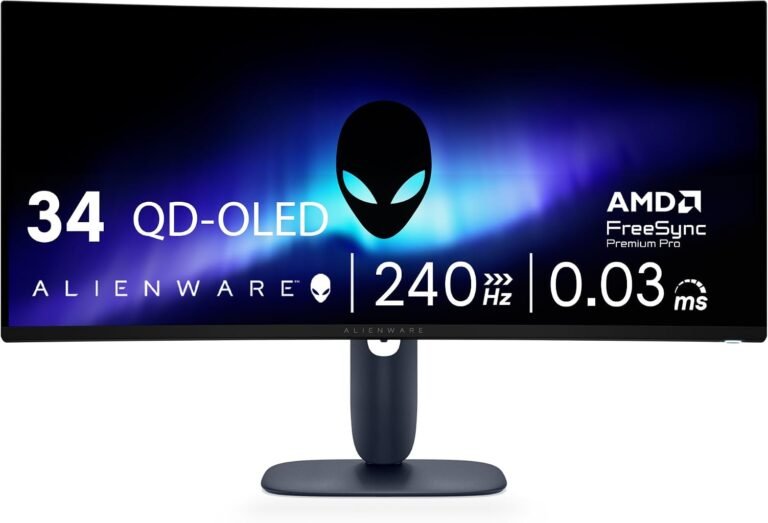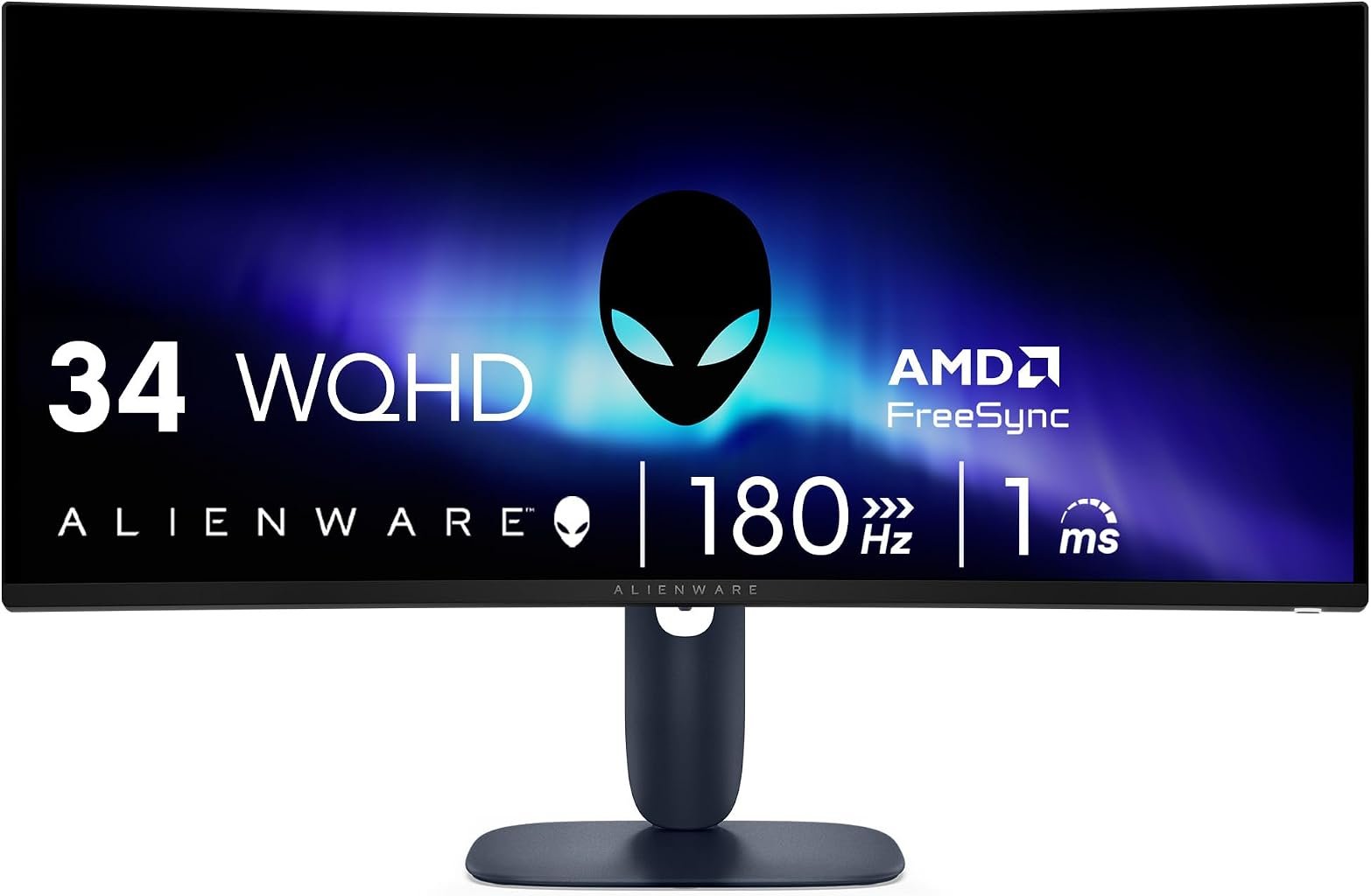
The Alienware AW3425DWM enters a part of the gaming-monitor market where specification discipline matters more than branding. At 34 inches, with a 3440 × 1440 ultrawide resolution, 180Hz refresh rate, VA panel technology and a 1500R curve, it targets players who want greater horizontal immersion without moving into the substantially higher pricing associated with premium OLED ultrawides.
That distinction matters because the AW3425DWM should not be confused with Alienware’s similarly named AW3425DW. The latter belongs to a different display class. The AW3425DWM uses a conventional backlit VA architecture and builds its argument around 180Hz gaming, strong native contrast, broad color coverage and modern connectivity rather than OLED pixel response and black-level behavior.
Dell documents the AW3425DWM through its official Alienware monitor support resources, which include the user guide, quick-start material, physical dimensions and service documentation. The hardware centers on a 34-inch 3440 × 1440 panel capable of 180Hz, with 400 cd/m² brightness, a 3000:1 native contrast ratio, 95% DCI-P3 coverage, AMD FreeSync Premium and VESA AdaptiveSync support.
Our score is 8.83/10. Customer Sentiment stands at 8.72, Buyer Confidence reaches a particularly strong 9.66 and Value is 8.40. At the $363.22 reference price, the monitor’s attraction rests on how much gaming hardware it brings together without crossing into the financial territory of high-refresh OLED alternatives.
The 3440 × 1440 Format Still Has a Strong Gaming Case
The AW3425DWM uses a 3440 × 1440 native resolution across its 34-inch ultrawide panel. That produces 4,953,600 pixels.
A standard 2560 × 1440 QHD display contains 3,686,400 pixels. The Alienware therefore displays roughly 34% more pixels, almost entirely by extending the image horizontally.
For games that support 21:9 rendering properly, this can materially change the visual presentation. Racing titles expose more of the track and surroundings. Open-world games reveal more peripheral scenery. Strategy interfaces gain horizontal room. First-person games can produce a broader presentation when their field-of-view implementation supports ultrawide displays correctly.
The graphics workload also deserves attention.
A 3840 × 2160 4K image contains 8,294,400 pixels. The AW3425DWM therefore asks a graphics processor to render only about 60% as many pixels as native 4K while still delivering considerably more working area than standard QHD.
That balance is one reason 3440 × 1440 remains prominent among the best 34 inch ultrawide monitors. It can look substantially more expansive than 16:9 QHD without imposing the same GPU burden as 4K.
For a 180Hz monitor, that distinction becomes especially useful. High refresh rates have little gaming value when the graphics hardware cannot produce correspondingly high frame rates. The lower pixel count relative to 4K gives modern GPUs a more realistic opportunity to approach the monitor’s refresh ceiling.
A 180Hz Refresh Rate Is the Central Performance Specification
Alienware gives the AW3425DWM a maximum refresh rate of 180Hz at its native 3440 × 1440 resolution. Dell’s specifications also identify HDMI 2.1 and DisplayPort 1.4 pathways capable of supporting the native resolution at 180Hz.
The mathematical difference from conventional displays is substantial.
At 60Hz, a display begins a new refresh every 16.67 milliseconds. At 100Hz, that interval falls to 10 milliseconds. At 144Hz, it is approximately 6.94 milliseconds. At 180Hz, the interval drops to about 5.56 milliseconds.
Those figures do not guarantee an equally large improvement in perceived responsiveness at every step. Moving from 60Hz to 100Hz removes 6.67 milliseconds from the refresh interval, while moving from 144Hz to 180Hz removes about 1.39 milliseconds.
The gains therefore become progressively smaller as refresh rate rises.
Yet 180Hz remains meaningful for gaming. Fast camera movement can appear clearer, aiming updates occur more frequently and input-driven changes can reach the display sooner when the rest of the system keeps pace.
The specification also places the AW3425DWM comfortably above productivity-oriented 100Hz ultrawides without pushing into the 240Hz category, where maintaining very high frame rates at 3440 × 1440 becomes increasingly demanding.
VA Technology Gives the Monitor a 3000:1 Native Contrast Specification
Alienware uses a VA panel with a specified 3000:1 native contrast ratio and brightness of 400 cd/m². Dell also specifies 1.07 billion supported colors and 95% coverage of DCI-P3 under CIE 1976.
The contrast figure is particularly relevant.
A conventional IPS gaming monitor often carries a native contrast specification around 1000:1. A 3000:1 VA specification permits a substantially wider relationship between the panel’s bright and dark output.
Dark games can benefit from this characteristic. Horror titles, night environments and shadow-heavy scenes place greater demands on black reproduction than bright competitive games. Higher native contrast can prevent dark areas from looking as gray or washed out as they may on lower-contrast LCD technology.
The limitation is inherent to the display architecture.
VA remains an LCD technology using a backlight. OLED displays control light at individual pixels and can effectively switch pixels off when displaying black. The AW3425DWM therefore cannot reproduce OLED-style black levels merely because its VA contrast specification is relatively strong.
That distinction is central to understanding its position. The Alienware offers stronger native LCD contrast without requiring the buyer to move into OLED pricing and behavior.
The 1500R Curve Fits Gaming Better Than Office Restraint
The AW3425DWM uses a 1500R curved panel.
The curvature figure describes the radius of the theoretical circle that would be created by extending the display’s physical arc. Lower values represent tighter curvature, meaning 1500R is more pronounced than 1800R but considerably gentler than an aggressive 800R design.
On a 34-inch 21:9 display, 1500R represents a reasonable middle position.
The screen bends sufficiently to draw its outer edges inward toward a centrally positioned viewer, but it avoids the strongly wrapped appearance of tighter gaming monitors.
That geometry suits the intended use. Gaming usually involves one person positioned near the center of the display. The disadvantages of curvature when several people view a screen from different positions therefore matter less than they might on a shared office monitor.
Productivity remains perfectly possible. The 3440 × 1440 desktop provides substantial room for multiple applications. Yet buyers whose primary workload involves spreadsheets, CAD drawings or other tasks where straight-line presentation dominates may prefer gentler curvature.
For the AW3425DWM, the physical design clearly prioritizes a central gaming position.
Response Time Requires More Nuance Than a Single Number
Alienware provides several response-time modes rather than presenting pixel behavior as one universal figure. The documented settings include 4ms in Fast mode, 2ms in Super Fast and 1ms in Extreme.
That hierarchy matters because response-time specifications rarely tell the entire story in isolation.
A pixel must transition quickly enough to keep pace with the display’s refresh cycle. At 180Hz, each refresh interval lasts approximately 5.56 milliseconds. Slow transitions can therefore extend into subsequent frames and create visible trailing.
Increasing overdrive can accelerate transitions, but aggressive overdrive may introduce overshoot, where pixels move beyond their intended value before settling.
This is why the fastest selectable response mode is not automatically the best mode for every game or refresh rate.
The AW3425DWM’s 1ms Extreme setting establishes its fastest advertised response configuration, while the 2ms and 4ms options give users alternatives when a different balance between transition speed and image behavior is preferable.
Without laboratory measurements for a specific unit and mode, responsible analysis should stop there rather than pretending that the menu label alone predicts every transition.
FreeSync Premium and AdaptiveSync Address Frame Timing
The AW3425DWM supports AMD FreeSync Premium and VESA AdaptiveSync. Dell lists both technologies in its official specification set.
Variable refresh technology addresses a fundamental problem in PC gaming: the graphics processor does not necessarily finish every frame at a perfectly regular interval.
A complex scene may render more slowly than a simple one. If the monitor updates independently of that changing output, parts of different frames can appear during the same scan, producing tearing. Traditional synchronization can eliminate tearing but may introduce other compromises when frame delivery and refresh timing diverge.
Adaptive refresh allows the display timing to follow compatible GPU output within its supported operating range.
VESA’s certification framework goes considerably further than merely checking whether a monitor can alter its refresh rate. The organization’s Adaptive-Sync Display testing requirements cover refresh rate, flicker, gray-to-gray response behavior, video frame dropping and frame-rate jitter, among other criteria.
That context makes the AW3425DWM’s VESA AdaptiveSync support more meaningful than a generic claim of variable-refresh compatibility.
HDMI 2.1 Is More Useful Than a Legacy HDMI Implementation
Alienware equips the monitor with two HDMI connections supporting HDMI 2.1 capabilities. Dell specifies support for WQHD 3440 × 1440 at 180Hz, 10-bit color, FRL and VRR through those ports. DisplayPort 1.4 supports the same native resolution and refresh rate with DSC, HDR and VRR.
That is a significant connectivity decision.
Some ultrawide gaming monitors achieve their highest refresh rate only through DisplayPort while imposing lower refresh limits through HDMI. The AW3425DWM’s ability to expose its core gaming specification through either modern connection gives PC users greater flexibility.
The presence of two HDMI inputs also accommodates multi-device desks.
A gaming PC can remain attached through DisplayPort while other compatible devices use HDMI. The exact behavior of consoles on a 21:9 display still depends on the console and game because major consoles commonly target 16:9 output rather than native 3440 × 1440 ultrawide rendering.
The HDMI implementation is therefore strongest as a flexible high-bandwidth connection rather than a guarantee that every external device will exploit the panel’s full aspect ratio.
The USB Hub Is Useful but Does Not Turn the Monitor Into a Laptop Dock
The AW3425DWM includes USB connectivity, but its philosophy differs substantially from productivity ultrawides centered on USB-C Power Delivery.
Dell lists one 5Gbps USB-B upstream port and two 5Gbps downstream USB-A connections, one of which supports Battery Charging 1.2.
That arrangement is practical for a gaming desktop.
A keyboard, mouse, controller receiver or another low-bandwidth peripheral can remain connected through the monitor rather than reaching directly to the computer.
What the AW3425DWM does not attempt to become is a one-cable USB-C notebook workstation with 65W, 90W or greater laptop charging.
That omission is understandable given the product’s gaming orientation, but it matters for mixed-use buyers.
Someone seeking one monitor for a corporate USB-C laptop during the day and gaming desktop at night may find productivity-oriented ultrawides more convenient. The Alienware concentrates its connectivity budget on high-refresh video inputs and conventional USB peripheral support.
95% DCI-P3 Coverage Broadens Its Use Beyond Games
Dell specifies 95% DCI-P3 coverage under CIE 1976 and support for 1.07 billion colors.
That gives the monitor a broader color specification than a basic sRGB-only office panel.
DCI-P3 coverage is relevant to modern games, video and other wide-gamut content. It also gives creators working with broader color workflows more room than a conventional display restricted closely to sRGB.
The specification should still be interpreted carefully.
Color-gamut coverage alone does not establish professional reference accuracy. Calibration behavior, white point, gamma tracking, uniformity and the exact production workflow all matter for color-critical work.
The AW3425DWM is first and foremost gaming hardware.
Its 95% DCI-P3 specification nevertheless makes it more versatile than a monitor whose color capabilities are treated as an afterthought. Players who also edit video, photographs or digital artwork gain a panel with credible gamut breadth, even if dedicated professional displays remain preferable for tightly controlled production environments.
The 400-Nit Brightness Specification Is Useful but Not Transformative
Dell specifies brightness at 400 cd/m².
That is a healthy figure for a conventional gaming monitor and provides useful headroom in brighter rooms.
Brightness alone, however, should never be treated as a complete description of HDR capability.
High-impact HDR depends on the relationship between bright highlights and dark regions, not simply how bright a full image can become. Local dimming behavior, black level, color volume and content mastering all affect the final result.
The AW3425DWM’s strongest contrast argument remains its 3000:1 native VA specification rather than an attempt to compete directly with premium mini-LED or OLED HDR hardware.
For ordinary SDR gaming, 400 nits offers substantial flexibility. Many users will operate well below maximum brightness in a controlled indoor environment.
For HDR enthusiasts specifically chasing intense highlights and near-black precision, higher-tier display technologies offer a more ambitious route.
110 Pixels Per Inch Is a Sensible Desktop Density
Dell specifies approximately 110 pixels per inch.
That figure helps explain why 3440 × 1440 works so effectively at 34 inches.
Pixel density is high enough to produce reasonably fine desktop text at normal viewing distances without reaching the density of smaller 4K monitors, where operating-system scaling often becomes more desirable.
The format therefore works well for a gaming monitor that also handles conventional desktop tasks.
A user can spend the morning in a browser, document editor or development environment and move into a game later without the screen feeling absurdly coarse for productivity or unnecessarily demanding for gaming.
That dual-purpose character is one of the strongest practical arguments for 34-inch UWQHD.
It is not the highest-resolution path. It is a balanced one.
Ergonomics Matter on a Wide Curved Display
A 34-inch ultrawide needs more physical consideration than a compact 24-inch monitor.
The panel is wide, and its curve assumes that the viewer sits reasonably close to the center. Correct height and distance therefore affect comfort as well as visual geometry.
The AW3425DWM provides an adjustable stand rather than forcing the user into a fixed position. For buyers considering an aftermarket monitor arm, Dell’s support library includes dedicated physical-dimension documentation for the model.
Desk depth deserves equal attention.
A wide curved display placed too close can require excessive eye and head movement, while pushing it too far away reduces the immersive advantage of the 21:9 format.
The correct position will vary with eyesight, desk dimensions and seating posture. The important point is that 34-inch ultrawides should be treated as physical workspace decisions, not merely specification upgrades.
The $363.22 Value Proposition Is Aggressive
At the $363.22 reference price, our Value score is 8.40.
That rating reflects the amount of gaming hardware involved: 3440 × 1440 resolution, 180Hz refresh, a 3000:1 native contrast specification, 400-nit brightness, 95% DCI-P3 coverage, FreeSync Premium, VESA AdaptiveSync and HDMI connectivity capable of supporting the monitor’s native high-refresh mode.
The obvious comparison is OLED.
OLED ultrawides can deliver much faster pixel transitions, vastly deeper black levels and more precise light control. They also commonly command higher prices and introduce a different ownership calculation around static-content use.
The AW3425DWM offers a conventional LCD route for buyers who prioritize high refresh, strong VA contrast and ultrawide resolution while keeping spending under tighter control.
That does not make it universally better value. Someone primarily doing office work might obtain more utility from USB-C charging, Ethernet and a KVM switch than from 180Hz.
Value follows workload.
For gaming-first use, the AW3425DWM’s hardware-to-price relationship is convincing.
What the Editorial Scores Reveal
Our overall score of 8.83/10 is the strongest of the four editorial measures.
Customer Sentiment follows closely at 8.72. The narrow difference reflects a product whose gaming proposition is straightforward: high-refresh ultrawide performance without requiring an OLED panel.
Buyer Confidence rises substantially to 9.66.
That figure reflects how coherent the AW3425DWM’s specification set is. The resolution, refresh rate, VA contrast, adaptive-sync technologies and video connections all point toward the same audience. There is little ambiguity about what the monitor is trying to accomplish.
Value stands at 8.40. That is positive but lower than the overall score because the market includes cheaper gaming displays as well as more expensive monitors offering OLED technology or higher refresh rates.
The score differences are useful precisely because they resist the idea that every strength should receive the same numerical treatment.
The AW3425DWM inspires particularly high confidence as a gaming product. Its value remains strong, but buyers still need to decide whether 34-inch ultrawide gaming is the right format for their system.
Where the Alienware AW3425DWM Falls Short
The first limitation is inherent to VA LCD technology. A 3000:1 native contrast specification is strong by conventional LCD standards, but it cannot reproduce the pixel-level blacks of OLED.
The second is response behavior. Alienware offers response modes down to a specified 1ms in Extreme mode, but VA pixel transitions and overdrive behavior deserve more scrutiny than a single advertised figure can provide.
The third limitation is workstation connectivity. There is no productivity-focused USB-C charging system turning the monitor into a one-cable laptop dock.
The fourth is refresh-rate positioning. At 180Hz, the AW3425DWM is fast, but 240Hz ultrawides now exist for buyers who prioritize maximum motion performance.
Finally, 3440 × 1440 itself requires meaningful GPU performance. Driving almost five million pixels at frame rates approaching 180 fps can be demanding in modern graphically intensive games.
A monitor can display 180 frames each second only when the rest of the system can deliver them.
Who Should Buy the Alienware AW3425DWM?
The strongest candidate is a PC gamer seeking a 34-inch ultrawide with substantially more speed than a 100Hz productivity display but without moving to premium OLED pricing.
The 180Hz refresh rate suits fast games while remaining useful for slower cinematic titles. The 3000:1 native contrast specification makes the VA panel attractive for darker content. FreeSync Premium and VESA AdaptiveSync address variable frame delivery, while the HDMI 2.1 and DisplayPort 1.4 connections give modern PCs flexible routes to the panel’s native specification.
It is also a reasonable mixed-use monitor for someone who games heavily but still needs a large desktop for work.
The weaker match is a notebook-centered professional who prioritizes USB-C charging and docking. OLED buyers seeking near-black precision and extremely fast pixel behavior also have clear reasons to spend more.
Competitive players interested primarily in the highest possible refresh rate may prefer 240Hz or faster hardware, particularly if they play less graphically demanding esports titles at very high frame rates.
Final Considerations
The Alienware AW3425DWM is built around a disciplined gaming formula: 3440 × 1440 resolution, 180Hz refresh, VA contrast and adaptive synchronization at a price that remains below many premium OLED ultrawides.
Its 4.95-million-pixel canvas provides roughly 34% more pixels than standard 2560 × 1440 QHD while demanding substantially less rendering work than 4K. The 1500R curve suits a central gaming position, and the 3000:1 native contrast specification gives the VA panel an advantage over lower-contrast conventional LCD alternatives when dark scenes dominate.
Performance is where the product earns its identity. At 180Hz, each refresh interval lasts roughly 5.56 milliseconds. Alienware provides response modes ranging from 4ms Fast through 2ms Super Fast to a specified 1ms Extreme setting. FreeSync Premium and VESA AdaptiveSync support help manage variable frame delivery, while DisplayPort 1.4 and HDMI 2.1 provide modern high-refresh video connectivity.
The compromises are equally identifiable. This is not OLED, so black-level control and pixel response operate within conventional LCD limits. It lacks the USB-C charging and docking functions increasingly common on productivity ultrawides. And a gaming PC still needs enough graphics performance to exploit 3440 × 1440 at high frame rates.
Our 8.83/10 score reflects the strength and focus of the package. Customer Sentiment at 8.72 closely tracks that assessment. Buyer Confidence reaches 9.66 because the monitor’s specifications align unusually well around a clearly defined gaming role. Value at 8.40 acknowledges both the attractive $363.22 reference price and the existence of alternatives aimed at different priorities.
The AW3425DWM does not need to imitate its more expensive OLED relatives to justify itself. Its argument is simpler: nearly five million ultrawide pixels, a 180Hz ceiling, 3000:1 specified native contrast, broad DCI-P3 coverage and adaptive refresh technology in a gaming display whose price leaves more room in the budget for the graphics hardware required to drive it.
For a PC gamer who wants ultrawide scale and high-refresh performance without paying primarily for OLED technology, that is a carefully judged combination.