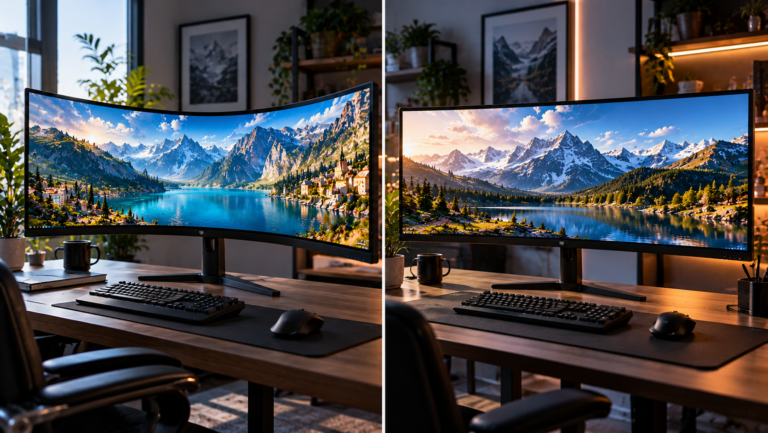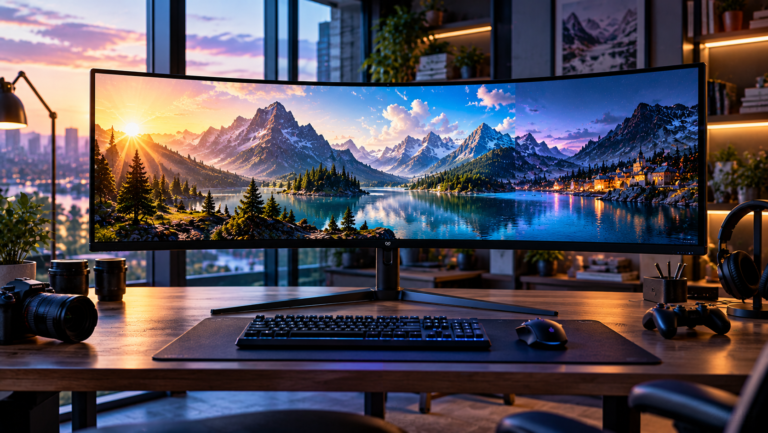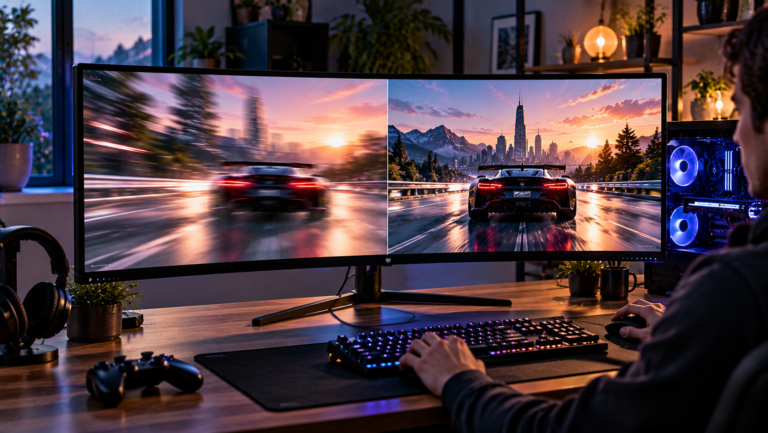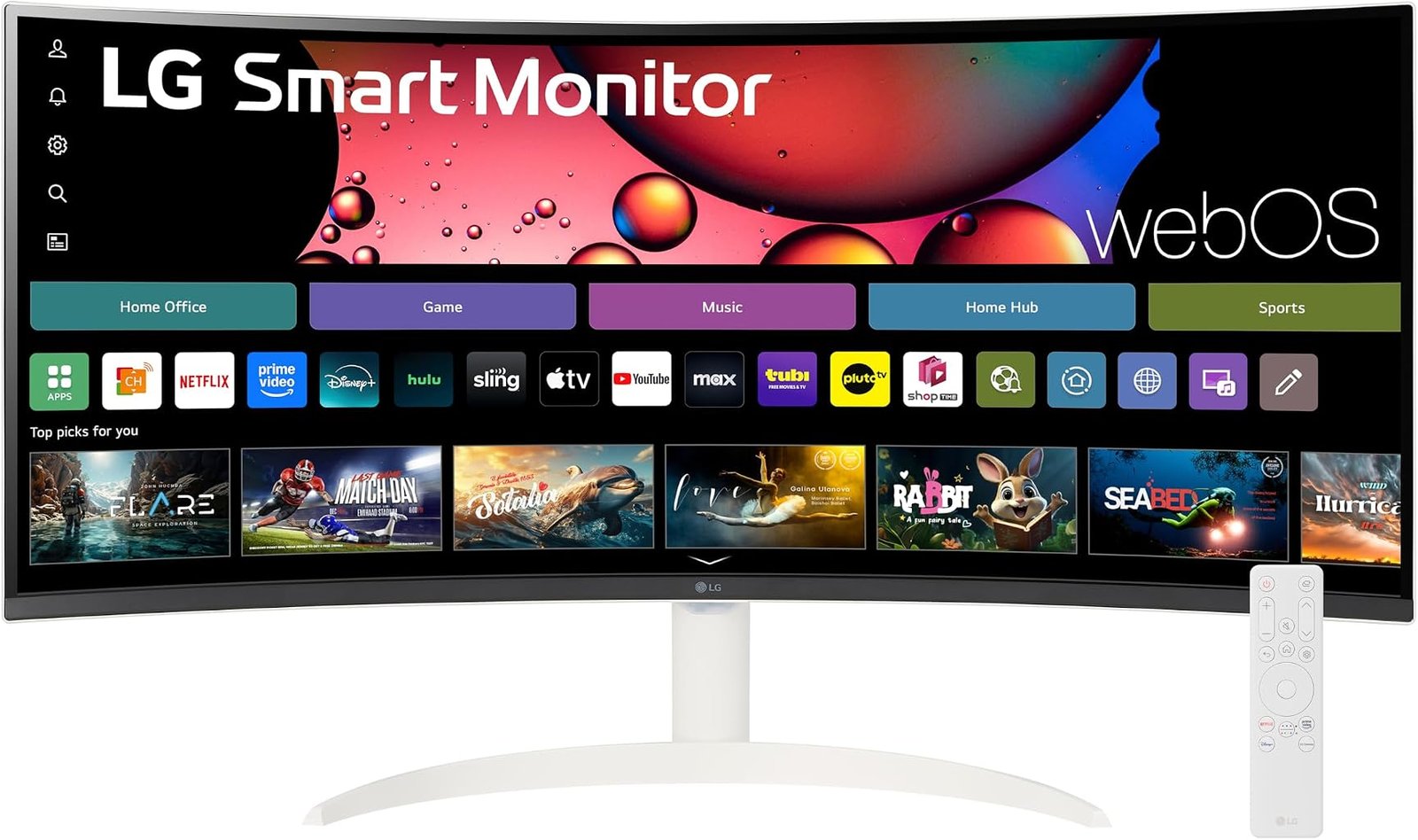
The LG 34SR60QC-W is built around an unusual proposition. Rather than treating a monitor as a passive endpoint waiting for a computer, LG has effectively merged a 34-inch ultrawide desktop display with some of the software architecture of a smart television. The result is a 3440×1440 curved VA monitor that can operate at up to 100Hz while running webOS, streaming content independently, connecting wirelessly to other devices and functioning as a conventional PC display when required.
That hybrid identity is the central issue in evaluating it. Buyers comparing the best 34 inch ultrawide monitors will find models with faster refresh rates, more elaborate ergonomic stands and stronger gaming credentials. What distinguishes the 34SR60QC-W is not dominance in one specification. It is the attempt to reduce the boundary between monitor, streaming display and connected-home screen.
Our score is 8.62/10. Customer Sentiment stands at 8.5, Buyer Confidence at 9.35 and Value at 8.28. Those ratings reflect a product with a well-defined purpose and credible hardware foundation, but also one whose appeal depends heavily on whether its smart features solve an actual problem. At a $329.99 reference price, this is not merely a question of buying 34 inches of screen. The buyer is paying for an operating system and connected-device functionality alongside the panel.
A 34-Inch Ultrawide With Nearly Five Million Pixels
The physical foundation is straightforward. LG specifies a 34-inch 21:9 curved WQHD display with 3440×1440 resolution and a maximum 100Hz refresh rate. The panel uses VA technology and an 1800R curve. LG’s regional technical specifications list typical brightness at 300 cd/m², typical contrast at 3000:1 and typical sRGB coverage at 99%.
The resolution deserves more attention than its familiar “WQHD” label suggests.
A 3440×1440 frame contains 4,953,600 pixels. Standard 2560×1440 contains 3,686,400. The ultrawide format therefore provides approximately 34% more pixels, concentrated primarily in additional horizontal workspace.
That difference changes how the screen functions.
A conventional 16:9 monitor tends to encourage maximized applications or overlapping windows. A 21:9 desktop makes side-by-side work more natural. A document can sit beside research material. A spreadsheet can expose more columns. Video-editing timelines can stretch farther horizontally. Communication software can remain visible without reducing the primary application to a narrow strip.
For games that properly support ultrawide resolutions, the additional width can also increase the visible horizontal environment. Support varies by title, so 21:9 should never be assumed to produce an ideal result everywhere.
The screen’s 1800R curvature is moderate rather than severe. On a panel approximately 81 centimeters wide, that geometry draws the edges toward the viewer enough to reduce the impression of looking across a large flat surface.
The VA Panel Prioritizes Contrast
LG uses a VA panel rather than IPS or OLED. That decision defines much of the monitor’s visual character.
A 3000:1 native contrast specification is relevant for mixed entertainment use. VA technology can render dark scenes with stronger black-to-bright separation than many lower-contrast LCD designs. That suits films, television and games containing large shadowed areas.
The trade-off is that VA technology should not be judged solely through its static contrast figure. Pixel-transition behavior can vary substantially depending on the transition being performed, particularly around darker shades. LG specifies a 5ms response time for this model. That number is useful as a manufacturer specification, but it cannot describe every possible pixel transition or establish motion performance across the entire refresh range.
The 34SR60QC-W is therefore better interpreted as an entertainment-and-productivity display with gaming capability than as a dedicated esports panel.
That distinction becomes even clearer when refresh rate enters the discussion.
100Hz Is a Significant Upgrade Over 60Hz, but Not a Gaming Ceiling Breaker
The monitor operates at up to 100Hz.
At 60Hz, each refresh interval lasts approximately 16.67 milliseconds. At 100Hz, that interval falls to 10 milliseconds. The reduction affects more than games. Cursor movement, browser scrolling, window animations and desktop transitions can all appear smoother.
The improvement is substantial enough to matter during everyday use, particularly for someone moving from a conventional 60Hz office display.
Yet 100Hz exists in an increasingly crowded middle ground. Dedicated gaming monitors commonly operate at 144Hz, 165Hz, 180Hz, 240Hz or beyond. A competitive player buying primarily for high-frame-rate shooters can obtain substantially more refresh headroom elsewhere.
That does not invalidate 100Hz. It simply changes the intended audience.
The LG is better suited to a user whose day might include spreadsheets in the morning, browser-based work in the afternoon, streaming video at dinner and a game afterward. Under those circumstances, 100Hz provides smoother operation without turning the entire product around esports requirements.
The model also supports variable refresh rate, according to LG’s detailed regional specifications. That can help coordinate the monitor’s refresh behavior with changing frame delivery from a connected gaming system, reducing the visual disruption associated with mismatched rendering and refresh timing.
webOS Changes What a Monitor Can Do Without a PC
The defining feature is webOS.
LG identifies the 34SR60QC-W as a webOS Smart Monitor rather than a conventional UltraWide with a few extra applications. The distinction matters because the display can access entertainment services without requiring a computer to provide the interface.
This changes the ownership model.
A conventional monitor is effectively inert without a source device. The LG can function independently for supported streaming services once it has network access and the necessary accounts. LG also provides a full web browser and Wi-Fi connectivity on this model.
The value becomes obvious in spaces where one screen performs several jobs. In a bedroom, small apartment, dormitory or multipurpose office, the monitor can handle PC work during the day and transition into a streaming display without requiring the computer to remain running.
That is more than a novelty when desk space is constrained.
It also changes the remote-control question. A conventional monitor is usually controlled through buttons or a joystick positioned under or behind the chassis. A smart display needs a more television-like interaction model. LG lists remote-controller support and compatibility with its Magic Remote ecosystem, although included accessories can vary by market and package.
The result is a monitor that sometimes expects to be used from farther away than normal desktop distance.
Streaming Is Useful, but It Comes With Dependencies
Smart functionality introduces requirements that ordinary monitors avoid.
LG explicitly states that an internet connection and streaming-service subscriptions are required for relevant services. Availability can also vary by region.
That sounds obvious, but it affects how the smart portion of the purchase should be valued.
webOS does not make paid entertainment subscriptions free, nor does it guarantee identical application availability indefinitely across every country. The monitor provides the platform; content rights, service availability and subscription costs remain separate.
This is why the 34SR60QC-W makes the most sense when the buyer already wants an independent entertainment display. Someone who intends to keep a desktop computer connected permanently may simply run every streaming service through that computer and rarely use webOS.
For that person, part of the product’s distinguishing feature set becomes redundant.
For a laptop user who disconnects the computer every evening, the calculation changes substantially. The screen remains useful after the computer leaves the desk.
AirPlay 2 and Screen Share Broaden the Wireless Argument
LG supports AirPlay 2, Screen Share and Bluetooth on the 34SR60QC-W.
AirPlay 2 allows compatible Apple devices to send supported content to the monitor over the same network. LG specifies that the Apple device and monitor must share a Wi-Fi network and states compatibility requirements of iOS 12.3 or later or macOS 10.14.5 or later for AirPlay 2 on this model.
The significance is less about replacing wired desktop connectivity than reducing friction for casual sharing.
A laptop presentation, photograph or video does not necessarily require an HDMI cable to appear on the larger display. The monitor can also receive content from compatible devices through Screen Share.
Bluetooth adds another layer. Wireless audio devices and other supported accessories can interact with the monitor independently of the attached computer.
Taken together, these functions reinforce the product’s central identity. The LG is designed to be a networked screen first and a passive peripheral second.
Built-In Audio Makes More Sense on a Smart Monitor
The 34SR60QC-W integrates two 7W speakers.
Built-in speakers are sometimes difficult to justify on productivity monitors because desktop users frequently own headphones or external audio equipment. On a smart monitor, the logic is stronger. Streaming directly through webOS would be considerably less useful if every viewing session required a separate audio system.
Two 7W speakers do not eliminate the acoustic limitations of a monitor chassis. Buyers prioritizing deep bass, large soundstage or high-volume cinematic reproduction will still obtain more from dedicated speakers or a suitable external audio solution.
For everyday television, online video, background music and video calls, however, integrated sound means the display can operate independently without another mandatory peripheral.
That independence is a recurring theme with this model.
HDR10 Support Needs Realistic Expectations
LG lists HDR10 support and HDR Effect, alongside typical sRGB coverage of 99%.
HDR support should be interpreted carefully.
Compatibility with HDR10 means the monitor can accept and process HDR10 material. It does not establish premium HDR performance by itself. LG’s regional specifications explicitly list VESA DisplayHDR certification as absent for this model.
That distinction is useful.
The monitor’s typical brightness is 300 cd/m², and its VA panel uses conventional LCD architecture. Buyers expecting the intensely bright highlights and per-pixel black control associated with premium HDR displays should adjust expectations accordingly.
HDR10 is therefore better treated as content compatibility than the primary purchase argument.
The stronger visual selling points are the 3440×1440 resolution, 21:9 width, VA contrast and 100Hz refresh rate. Those characteristics affect almost everything displayed on the panel rather than only HDR material.
The Connectivity Story Has an Important Limitation
The 34SR60QC-W includes two HDMI inputs, two downstream USB-A ports, a headphone output and Ethernet connectivity according to LG’s detailed specifications.
The absence of USB-C video input is notable in this category.
Many productivity-oriented ultrawides increasingly use USB-C to combine video, peripheral data and laptop charging over one cable. The 34SR60QC-W takes a different route. Its smart capabilities reduce dependence on a computer for entertainment, but a laptop owner seeking a single-cable USB-C docking arrangement will not find that architecture here.
This creates an interesting division between “smart” and “connected.”
The LG is highly connected at the software level through Wi-Fi, Bluetooth, AirPlay 2, Screen Share and Ethernet. At the physical workstation level, however, it is less ambitious than a USB-C monitor with high-wattage Power Delivery.
Buyers should distinguish those two concepts before purchasing.
Someone seeking wireless entertainment may prefer the LG approach. Someone seeking one-cable laptop docking may find another ultrawide better suited to the desk.
Ethernet Is an Unusual but Logical Addition
The inclusion of an RJ-45 Ethernet port deserves attention because it reinforces the smart-display architecture.
Wi-Fi is convenient, but wired networking can be useful in locations where wireless congestion, distance or building construction makes connectivity inconsistent. Streaming applications depend on network reliability in a way conventional monitor functions do not.
Ethernet therefore gives the smart platform an alternative connection path.
This is another example of the 34SR60QC-W behaving more like a television platform than an ordinary computer monitor. A normal display has little reason to connect directly to a network. webOS changes that requirement entirely.
The 1800R Curve Favors Centered Use
The display’s 1800R curvature is gentler than the aggressive curves found on some gaming ultrawides. LG lists the screen at 34 inches with 178-degree horizontal and vertical viewing angles.
At normal desk distance, the curve helps bring the edges of the 21:9 panel inward without making the screen look dramatically wrapped around the user.
That is a sensible compromise for a hybrid display.
An extreme curve can work well when one person sits directly in front of a gaming monitor, but it can become less natural when the same screen is watched from farther away as an entertainment display. An 1800R radius preserves much of the ultrawide visual effect without making the geometry excessively aggressive.
The monitor is still fundamentally designed around a centered viewer. A 34-inch 21:9 curved screen is not an ideal substitute for a large living-room television watched by several people from widely separated seating positions.
Its smart-TV characteristics should not obscure its desktop proportions.
Ergonomics Are a More Noticeable Compromise
LG specifies tilt adjustment for the 34SR60QC-W rather than a full height-adjustable stand. The monitor supports a 100×100mm wall-mount pattern.
This is one of the product’s clearer limitations.
A 34-inch ultrawide is physically substantial. LG lists dimensions with the stand at approximately 809.1mm wide, 483.3mm high and 223.3mm deep. Weight with the stand is about 6.1kg.
On a monitor of this size, height adjustment can materially affect ergonomics. Users vary in height, chair position and desk geometry. A tilt-only stand offers fewer ways to align the display naturally with eye level.
The VESA mounting option provides a solution for buyers prepared to add a monitor arm or separate stand. That adds cost, however, and should be considered when comparing the LG with models that include stronger ergonomic adjustment from the outset.
The physical footprint also deserves measurement before purchase. A screen more than 80 centimeters wide can dominate a compact desk.
Gaming Features Exist Without Turning It Into an UltraGear
LG includes Black Stabilizer, VRR and a maximum 100Hz refresh rate. Those features give the 34SR60QC-W credible gaming functionality.
They do not transform it into an UltraGear gaming monitor.
That distinction matters because the internal architecture and buyer priorities are different. Dedicated gaming models can offer substantially higher refresh rates, faster advertised response behavior, gaming-oriented stands and certification programs centered on motion performance.
The 34SR60QC-W instead asks whether 100Hz is enough when gaming is one activity among many.
For a large group of users, the answer will be yes. Strategy games, role-playing titles, simulation games, slower single-player releases and casual competitive play do not necessarily require 240Hz. Running modern games at 3440×1440 also places a considerably heavier load on a GPU than conventional 1920×1080.
The display therefore pairs naturally with users who value ultrawide presentation more than extreme frame rates.
Competitive esports players have a different priority structure and should buy accordingly.
The Smart-Home Layer Is More Than Streaming
LG also integrates ThinQ Home Dashboard functionality.
This extends the monitor beyond streaming applications by placing compatible connected-device controls within LG’s smart ecosystem. The usefulness will vary dramatically between households.
A person with no compatible smart-home equipment may barely interact with the feature. Someone already using the ThinQ ecosystem can gain another control surface without introducing a dedicated smart display.
This illustrates the broader challenge of evaluating smart monitors: feature quantity and feature value are not the same thing.
The strongest smart feature is whichever one removes an actual device, cable or repeated task from the user’s setup. For one owner, that may be AirPlay. For another, it may be native streaming. For another, Bluetooth audio or ThinQ integration.
The hardware does not require every feature to be equally useful.
Reading the Editorial Scores
Our 8.62/10 score reflects the strength of the overall design rather than a claim that every component leads its category.
Buyer Confidence is particularly high at 9.35. LG maintains dedicated support documentation for the 34SR60QC-W, including an owner’s manual and quick guide, while the manufacturer publishes extensive display, smart-platform and compatibility details. That makes the monitor comparatively straightforward to evaluate before purchase.
Customer Sentiment at 8.5 sits closer to the overall score. The product’s concept is easy to understand once its intended audience is identified: it is an ultrawide monitor for users who also want independent entertainment and wireless-device features.
Value stands at 8.28, lower than Buyer Confidence because the $329.99 reference price needs to be judged against the features an individual buyer will actually use. Someone who already owns a streaming device, keeps a desktop PC permanently connected and has no interest in AirPlay or smart-home integration may obtain more hardware value from a conventional ultrawide with a stronger stand or USB-C connectivity.
A buyer who can eliminate a separate streaming device or television from a small workspace extracts considerably more utility from the same hardware.
That explains the score distribution. The LG is easy to assess, easy to place within the market and less easy to recommend to every 34-inch ultrawide buyer indiscriminately.
Who Should Consider the LG 34SR60QC-W?
The strongest buyer fit emerges when the monitor will perform more than one job.
Suitable users include:
- Home-office users who want a 3440×1440 workspace during working hours and independent streaming afterward.
- Apartment, bedroom or dormitory users trying to combine a monitor and entertainment display in one physical footprint.
- Mac, iPhone and iPad users who can make practical use of AirPlay 2.
- PC users who prefer 100Hz fluidity but do not require esports-level refresh rates.
- Buyers who value VA contrast for mixed entertainment and productivity.
- Users already invested in LG’s connected-device ecosystem.
- Multi-purpose setups where built-in speakers, Bluetooth and webOS reduce the need for additional equipment.
The weaker fit is just as clear. Competitive players targeting very high refresh rates should focus on dedicated gaming monitors. Laptop users prioritizing USB-C video and high-wattage charging should consider displays built around docking functionality. Buyers needing substantial stand adjustment should account for the cost of a VESA arm or choose a model with height adjustment included.
Professional color-critical workflows also demand more than a quoted 99% sRGB gamut figure. Calibration behavior and measured color accuracy matter more in those environments than smart applications.
The Real Competition Is Not Just Other Monitors
The unusual aspect of the 34SR60QC-W is that its competition includes products outside the monitor aisle.
A conventional ultrawide plus a streaming stick can reproduce part of the experience. A small smart television plus a separate productivity monitor can reproduce another part. A USB-C monitor with a connected laptop can perform many of the same entertainment tasks through the computer.
The LG’s argument is consolidation.
Its value rises when one screen can replace multiple screens or eliminate peripheral devices. That calculation becomes particularly compelling in spaces where physical area matters more than owning specialized equipment for every activity.
It becomes less compelling in a dedicated desktop environment where a powerful PC is always available and the owner already has a separate television.
That is why the webOS architecture cannot be treated as an automatic advantage. It is an advantage only when independence from the computer has practical value.
Final Considerations
The LG 34SR60QC-W earns its 8.62/10 score by combining several mature technologies in a configuration that remains relatively unusual: a 34-inch 3440×1440 curved VA panel, 100Hz refresh, HDR10 compatibility, wireless connectivity, built-in 7W stereo speakers and a full webOS smart platform.
None of those individual specifications should be exaggerated.
One hundred hertz is not an esports-class refresh ceiling. HDR10 compatibility does not imply premium HDR hardware. The tilt-only stand is less flexible than a height-adjustable design. The lack of USB-C video and laptop charging is conspicuous for a productivity-oriented ultrawide near this price. A VA panel also carries different motion characteristics from faster gaming-focused LCD and OLED alternatives.
Yet those limitations coexist with a coherent design philosophy.
The monitor can work without a computer. It can stream supported services through webOS, receive AirPlay 2 content, use Screen Share, connect through Bluetooth, access a network through Wi-Fi or Ethernet, produce sound through its own speakers and then return to conventional 3440×1440 desktop duty when a PC is connected. LG’s own positioning centers precisely that combination of ultrawide workspace and independent entertainment.
Buyer Confidence at 9.35 reflects how clearly that identity can be established. Customer Sentiment at 8.5 and Value at 8.28 are more conditional because the smart features must earn their place in the user’s routine. Software functionality that goes unused is simply hardware cost wearing a digital disguise.
For buyers comparing the best 34 inch ultrawide monitors, the deciding question is therefore not whether the LG 34SR60QC-W has the fastest panel or the longest feature list. It does not need either distinction.
The more useful question is whether the screen is expected to stop being useful when the computer is turned off.
For the user who wants an ultrawide workstation by day and an independent connected entertainment display afterward, the 34SR60QC-W answers that question with unusual clarity. Its compromises are visible, its strongest functions are easy to identify, and its smart architecture changes the role of the monitor in a way that specifications such as resolution and refresh rate alone cannot capture.