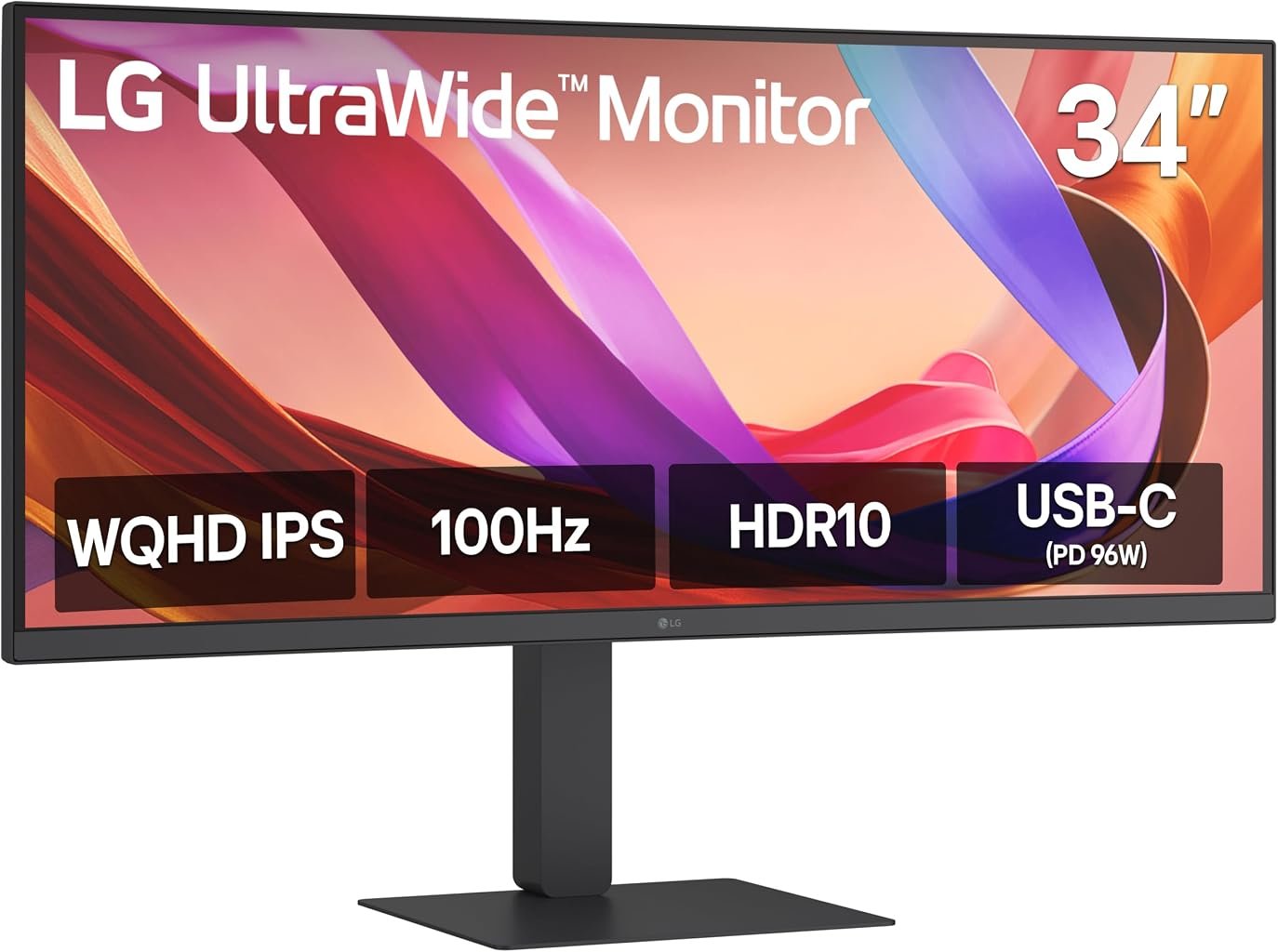
The LG 34U650A-B approaches the 34-inch ultrawide category from a productivity-first direction. Its central specifications are familiar-3440 × 1440 resolution, a 21:9 aspect ratio and 100Hz refresh-but LG surrounds that panel with a notably broad workstation feature set. USB-C delivers up to 96W of power, Ethernet is built in, a KVM switch supports multi-computer desks, the stand provides height, tilt and swivel adjustment, and two 7W speakers handle everyday audio.
The panel itself also differs from many similarly priced ultrawides. Rather than using VA technology, the 34U650A-B employs IPS. LG’s official specifications for the 34U650A-B list a 34-inch 3440 × 1440 IPS display, 3800R curvature, 100Hz maximum refresh rate, 5ms GtG response in Faster mode, 99% typical sRGB coverage, HDR10, factory color calibration and 300 cd/m² typical brightness.
That combination establishes the monitor’s priorities before any deeper analysis begins. This is not an esports display disguised as office hardware. Nor is it a specialist HDR screen. It is a wide, relatively gently curved IPS workstation intended to handle several applications, multiple computers and a laptop-centered desk without requiring an extensive collection of external adapters.
Our score is 8.3/10. Customer Sentiment stands at 8.28, Buyer Confidence at 8.54 and Value at 8.15. At the $379.99 reference price, those ratings describe a monitor with substantial practical depth, particularly for buyers who will use its USB-C, KVM, Ethernet and ergonomic features rather than treating them as extras.
The 3440 × 1440 Canvas Remains Highly Practical
The 34U650A-B displays 3440 × 1440 pixels across a 21:9 panel. That works out to 4,953,600 individual pixels.
A standard 2560 × 1440 QHD monitor displays 3,686,400 pixels. The LG therefore provides approximately 34% more pixels, with almost all of that expansion devoted to horizontal working space.
That distinction matters because many desktop tasks benefit more from width than from additional vertical resolution. Spreadsheet users can expose more columns. Writers can keep research beside a document. Developers can place an editor alongside documentation, a browser or terminal window. Video-editing applications gain a wider timeline.
A 3840 × 2160 4K monitor still carries far more pixels-8,294,400 in total. That is approximately 67% more than 3440 × 1440. Yet raw pixel count does not fully describe usability.
The ultrawide format rearranges the desktop rather than simply making it denser. At 34 inches, 3440 × 1440 provides enough horizontal area for meaningful side-by-side work while remaining less demanding on graphics hardware than 4K.
That balance explains why the resolution remains prominent among the best 34 inch ultrawide monitors. The format is mature because its geometry addresses a real desktop problem: conventional 16:9 screens can feel constrained when two substantial applications need to remain visible simultaneously.
The 3800R Curve Is Unusually Gentle
Curvature is one of the more interesting aspects of the 34U650A-B. LG specifies 3800R, substantially gentler than the 1000R, 1500R and 1800R curves frequently encountered on modern ultrawides.
The figure describes the radius of the theoretical circle formed by extending the curve. Lower values indicate tighter curvature. A 1000R display therefore wraps inward much more noticeably than a 3800R screen.
This changes the character of the LG.
A strongly curved monitor tends to emphasize a central seating position and can create a more enveloping visual presentation. The 34U650A-B takes a restrained route. Its panel bends inward, but the physical effect is much closer to a lightly curved working surface than a wraparound gaming display.
That can suit productivity.
Straight lines in spreadsheets, design interfaces and documents experience less obvious physical curvature. Sharing the display with another person can also feel less restrictive because the geometry is not shaped as strongly around one viewer.
The trade is equally apparent. Buyers specifically seeking a pronounced curve for games or cinematic content may find 3800R too subtle.
Neither approach is inherently superior. The LG simply makes its priorities unusually clear: curvature is present, but it does not dominate the viewing experience.
IPS Technology Changes the Visual Balance
The 34U650A-B uses an IPS panel rather than the VA technology found in many 34-inch curved monitors. LG’s regional documentation specifies 178-degree horizontal and vertical viewing angles, 300 cd/m² typical brightness and a typical contrast ratio of 1000:1.
IPS and VA panels involve different priorities.
VA displays commonly provide substantially higher native contrast. A VA ultrawide with a 3000:1 contrast specification can produce deeper LCD blacks than a conventional IPS panel rated around 1000:1.
IPS technology instead tends to be favored where viewing consistency and color behavior across wider angles matter more.
That makes the LG especially interesting for mixed productivity. A large ultrawide places the outer edges of the display at more oblique angles relative to the viewer than the center. IPS characteristics can therefore be useful across a wide desktop.
The limitation becomes more apparent in dark environments. A 1000:1 contrast specification cannot reproduce the deep black levels associated with high-contrast VA panels, much less OLED displays capable of switching individual pixels off.
The 34U650A-B consequently favors viewing consistency over maximum native contrast. That is a rational choice for office work, content creation and general productivity, but buyers who spend much of their time watching dark films in dim rooms may prefer a different panel technology.
The Color Specification Is Well Matched to Mainstream Creative Work
LG specifies 99% typical coverage of the sRGB color space and factory color calibration. The display supports 1.07 billion colors through 10-bit operation implemented as 8-bit plus FRC on documented regional specifications.
The 99% sRGB figure is more useful than a vague claim about vivid color.
sRGB remains highly relevant to web graphics, office applications, presentation work and a large volume of digital imagery. Near-full coverage therefore aligns closely with the monitor’s intended audience.
Factory calibration adds another useful layer. It indicates that color adjustment forms part of the manufacturing process rather than leaving the panel entirely at generic factory settings.
That does not make the 34U650A-B a substitute for a specialist reference monitor.
Professional print matching, grading and other color-sensitive workflows can require hardware calibration, controlled lighting and wider color spaces. Buyers working in those environments should evaluate a display according to the exact color standard used by their production pipeline.
For mainstream photography, web content, presentations and office graphics, however, the LG’s IPS panel and 99% sRGB specification form a coherent combination.
HDR10 Is Present, but the 300-Nit Figure Sets Expectations
The 34U650A-B accepts HDR10 content. LG also provides an HDR Effect mode.
HDR support needs context because accepting an HDR signal and producing high-impact HDR are different capabilities.
The monitor’s typical brightness is 300 cd/m², with 240 cd/m² listed as the minimum specification on LG regional documentation. Its typical contrast ratio is 1000:1.
Those figures establish the practical boundary.
High-impact HDR reproduction generally benefits from considerably greater luminance capability, strong black control and a display architecture capable of creating a large difference between bright highlights and dark regions. The LG uses a conventional IPS backlight rather than pixel-level OLED illumination or an advanced local-dimming system.
The 34U650A-B should therefore be viewed as HDR-compatible productivity hardware rather than an HDR showcase.
That distinction does not diminish the usefulness of HDR10 support. It allows compatible media and applications to operate within an HDR workflow. It simply prevents the HDR badge from carrying more interpretive weight than the underlying display specifications justify.
A 100Hz Refresh Rate Improves More Than Games
LG gives the monitor a maximum refresh rate of 100Hz.
The improvement over 60Hz can be expressed directly. A 60Hz display begins a new refresh every 16.67 milliseconds. A 100Hz display reduces that interval to 10 milliseconds.
The difference affects routine desktop interaction.
Scrolling through documents can appear smoother. Pointer movement becomes easier to follow. Windows dragged across a 3440-pixel-wide desktop display more intermediate positions during the same movement.
Those changes do not make software execute faster, but they change how fluidly the interface presents user input.
For office users accustomed to 60Hz monitors, this can be one of the most immediately visible upgrades after screen size.
Gaming also benefits, although 100Hz establishes a clear ceiling. Modern gaming ultrawides can operate at 165Hz, 180Hz, 240Hz or beyond. Competitive players seeking very high frame rates therefore have obvious alternatives.
The LG instead provides enough refresh headroom for a smoother desktop and mixed gaming without making gaming performance the organizing principle of the product.
The 5ms Response Specification Confirms Its Priorities
LG specifies a 5ms gray-to-gray response time in Faster mode.
That number should be separated conceptually from the 100Hz refresh rate. Refresh rate describes how often the display can present a new frame. Pixel response describes how quickly pixels transition between states.
A monitor can therefore have a high refresh rate while still displaying visible transition behavior if its pixels cannot change quickly enough.
The 5ms figure places the 34U650A-B firmly in general-purpose territory.
For productivity, the specification is sensible. For casual games and slower single-player titles, it is unlikely to be the defining limitation for many users. For competitive gaming, displays built around much faster pixel-transition specifications deserve attention.
LG also includes Dynamic Action Sync and Black Stabilizer. These functions add gaming-oriented flexibility without changing the monitor’s fundamental character.
The 34U650A-B is a productivity display with gaming accommodations, not gaming hardware repurposed for spreadsheets.
USB-C With 96W Power Delivery Is a Major Advantage
The USB-C implementation is one of the 34U650A-B’s strongest workstation features.
LG specifies data transmission, video connectivity and up to 96W of USB-C Power Delivery.
Ninety-six watts is substantial for a monitor.
Many productivity displays supply 60W, 65W or 90W. Moving to 96W broadens the range of notebooks that can operate from the monitor without relying on their original power adapter.
Compatibility still needs to be checked against the laptop’s requirements. High-performance mobile workstations and gaming notebooks can demand far more than 96W under heavy workloads.
For mainstream professional notebooks, however, the figure gives the LG considerable flexibility.
The practical workflow is simple: a compatible laptop connects through USB-C, sends its display signal to the monitor, communicates with attached USB peripherals and receives power.
One connection can therefore replace several cables that would otherwise accumulate around the computer.
This is where the monitor’s price begins to make more sense. The display is also absorbing part of the job normally assigned to a docking station.
Ethernet Pushes the Monitor Further Toward Docking-Station Territory
The 34U650A-B includes an RJ-45 Ethernet connection alongside its USB-C implementation. LG also lists one USB 3.2 Gen 1 upstream connection, three downstream USB-A 3.2 Gen 1 ports and a downstream USB-C 3.2 Gen 1 port.
That connectivity matters because thin notebooks often omit Ethernet.
A conventional laptop desk may require a charger, USB hub, network adapter and video cable. Integrating several of those functions into the monitor reduces the number of separate devices involved.
The LG also provides:
- Two HDMI inputs
- One DisplayPort 1.4 input
- USB-C
- RJ-45 Ethernet
- Three downstream USB-A ports
- One downstream USB-C port
- Microphone input
- A four-pole headphone connection carrying sound and microphone signals
This is a broader connection set than many basic ultrawides offer.
Its usefulness depends on the workstation. A desktop tower already equipped with Ethernet and abundant USB connectivity gains less. A thin USB-C notebook gains substantially more.
The Built-In KVM Switch Targets Multi-Computer Desks
LG includes an integrated KVM switch.
A KVM system allows connected computers to share input peripherals, reducing the need for duplicated keyboards and mice or repeated cable swapping.
The feature is particularly relevant to hybrid work.
A corporate notebook can remain connected through USB-C while a personal computer uses DisplayPort or HDMI. The KVM function allows the monitor to become part of the switching arrangement between those systems.
LG also supports two-source Picture-by-Picture and Picture-in-Picture, creating several ways to work with multiple inputs.
That combination is more consequential on an ultrawide than on a small 16:9 display. A 3440-pixel-wide panel provides enough horizontal room to make simultaneous source viewing practical.
The arrangement will not replace dual monitors for every user. Two physical screens allow independent angles and application behavior. A single ultrawide instead eliminates the central bezel and creates a cleaner physical workspace.
The 34U650A-B gives buyers access to both single-source ultrawide work and multi-source operation.
Two 7W Speakers Are More Substantial Than Basic Monitor Audio
LG equips the monitor with two 7W speakers and identifies its DepthSound audio system as part of the design.
A total rated speaker output of 14W is notable for a productivity monitor.
Integrated speakers still face obvious acoustic constraints. A monitor chassis cannot reproduce the physical scale, stereo positioning or low-frequency output available from capable dedicated speakers.
Yet built-in audio has practical merit.
Video meetings, system sounds, training material and casual media do not necessarily require separate desktop speakers. For a workstation designed around reducing hardware clutter, integrated audio fits naturally.
It also strengthens the monitor’s usefulness in compact offices where desk surface matters more than acoustic ambition.
Buyers with demanding music or film requirements will still want dedicated audio. Everyone else may appreciate having one fewer device requiring space, power and cabling.
The Stand Matches the Monitor’s Productivity Ambitions
The 34U650A-B supports height, tilt and swivel adjustment. A 100 × 100mm VESA mounting pattern is also provided.
That level of adjustment matters on a display measuring more than 80cm across.
LG lists the monitor at 816.7mm wide. With the stand at its upper position, dimensions are 816.7 × 535.2 × 230mm. Weight with the stand is 10.1kg, falling to 7.3kg without it.
The width should be checked against the desk before purchase. The same applies to depth, particularly on compact furniture where viewing distance can become restricted.
Height adjustment is especially useful because the upper portion of a 34-inch panel can sit uncomfortably high or low when the stand provides no vertical control.
VESA mounting gives users another route. A suitably rated monitor arm can recover desk surface and permit more precise positioning, though the 7.3kg panel weight without its stand should be checked against the arm’s capacity.
The 3800R curve makes positioning less demanding than a sharply curved screen, but ergonomic adjustment still matters during long working sessions.
The $379.99 Value Equation Depends on Connectivity
At the $379.99 reference price, our Value score is 8.15.
That score is positive without ignoring the crowded state of the 34-inch ultrawide category. Buyers can find 3440 × 1440 monitors for less money.
The LG’s case therefore cannot rest on resolution alone.
Its stronger economic argument comes from the IPS panel, 96W USB-C charging, Ethernet, KVM switch, extensive USB connectivity, 14W integrated audio, ergonomic stand and multi-source display functions.
A user who needs several of those features may avoid purchasing a separate dock, USB hub or speakers.
A user connecting one desktop computer through DisplayPort may gain far less from the same hardware.
This distinction explains why Value at 8.15 sits below the overall 8.3/10 score. The monitor offers substantial functionality, but the buyer has to use that functionality for the economics to become compelling.
What the Editorial Scores Reveal
Our overall score is 8.3/10.
Customer Sentiment sits extremely close at 8.28. The narrow gap reflects a monitor whose practical strengths align well with its overall editorial assessment.
Buyer Confidence is higher at 8.54. The reason is straightforward: the 34U650A-B uses established display technology and combines it with a feature set that addresses recognizable workstation needs. Its purpose is unusually easy to identify.
Value comes in at 8.15, the lowest of the four figures but still firmly positive. That restraint reflects both the $379.99 reference price and the existence of cheaper 3440 × 1440 alternatives.
The scores collectively describe a monitor whose quality is easier to defend than its necessity.
Someone who needs IPS viewing behavior, 96W charging, Ethernet and KVM functionality can use a large percentage of what the LG offers. Someone who needs only a wide screen can spend less.
Where the LG 34U650A-B Falls Short
Several limitations should be weighed before purchase.
The 1000:1 typical contrast ratio is modest compared with VA ultrawides that can reach 3000:1 or more. Dark-room users prioritizing deep LCD blacks may prefer VA.
The 100Hz refresh rate is a meaningful improvement over 60Hz, but dedicated gaming monitors provide substantially higher refresh ceilings.
The 5ms GtG response specification reinforces the productivity orientation rather than challenging gaming-focused hardware.
HDR10 compatibility is useful, yet the 300 cd/m² typical brightness specification limits expectations for high-impact HDR.
The 3800R curvature is exceptionally gentle. Buyers seeking a strong wraparound effect may barely regard it as curved compared with 1000R or 1800R alternatives.
Finally, the price makes the most sense when the integrated workstation functions are actively used.
These are not obscure weaknesses. They are the dividing lines between the users who should consider the 34U650A-B and those better served elsewhere.
Who Should Buy the LG 34U650A-B?
The strongest buyer profile is a professional using a USB-C notebook as the center of a desk.
That user can exploit 96W charging, Ethernet, USB peripherals and the ultrawide display through a highly consolidated connection arrangement.
Multi-computer users also have a strong reason to examine it. The KVM switch, PBP, PIP and multiple video inputs make the monitor well suited to desks shared between corporate and personal systems.
Creative users working primarily in sRGB can benefit from the IPS panel, 99% typical sRGB coverage and factory calibration.
Office users gain the horizontal working space of 3440 × 1440 and the smoother motion of 100Hz.
Less suitable buyers include competitive gamers, users prioritizing deep VA-style black levels, viewers seeking high-luminance HDR and anyone who wants a strongly curved screen.
The hardware is unusually specific about its intended role. That clarity works in its favor.
Final Considerations
The LG 34U650A-B is an ultrawide monitor built around the idea that productivity depends on more than panel size.
Its 34-inch 3440 × 1440 IPS screen provides nearly five million pixels across a 21:9 workspace. The 3800R curve is exceptionally restrained, making the monitor feel closer to a gently shaped professional display than a deeply wrapped gaming screen. A 100Hz refresh rate gives desktop motion greater fluidity than 60Hz hardware, while 99% typical sRGB coverage and factory calibration reinforce the IPS panel’s productivity credentials.
The limits are equally visible. A 1000:1 typical contrast ratio cannot match the native black performance of many VA panels. The 300 cd/m² typical brightness figure keeps HDR expectations modest. A 5ms response specification and 100Hz ceiling leave competitive gaming to faster displays.
Connectivity changes the assessment substantially.
USB-C can deliver up to 96W while carrying data and video. Ethernet gives compatible notebook users wired networking without a separate adapter. Multiple downstream USB connections expand peripheral support. A built-in KVM helps two computers share the desk, while PBP and PIP provide additional source-management options. Two 7W speakers reduce the need for separate everyday audio hardware.
Our 8.3/10 score reflects that balance. Customer Sentiment at 8.28 closely mirrors the overall assessment. Buyer Confidence rises to 8.54 because the monitor’s purpose and feature set are clearly aligned. Value at 8.15 acknowledges that the $379.99 reference price works best when its docking, switching and connectivity hardware receive regular use.
The 34U650A-B does not attempt to dominate a specification contest. Its refresh rate is not extreme, its HDR hardware is modest and its curve is unusually gentle. Instead, LG concentrates resources on the parts of a monitor that can materially change a working desk: usable horizontal space, IPS viewing behavior, substantial USB-C charging, Ethernet, peripheral connectivity, multi-computer control, integrated audio and physical adjustment.
For a buyer who needs only a 34-inch screen, simpler alternatives exist. For a buyer trying to consolidate a laptop, peripherals, wired networking, two computers and nearly five million pixels of working space into one central display, the LG 34U650A-B presents a far more substantial argument.