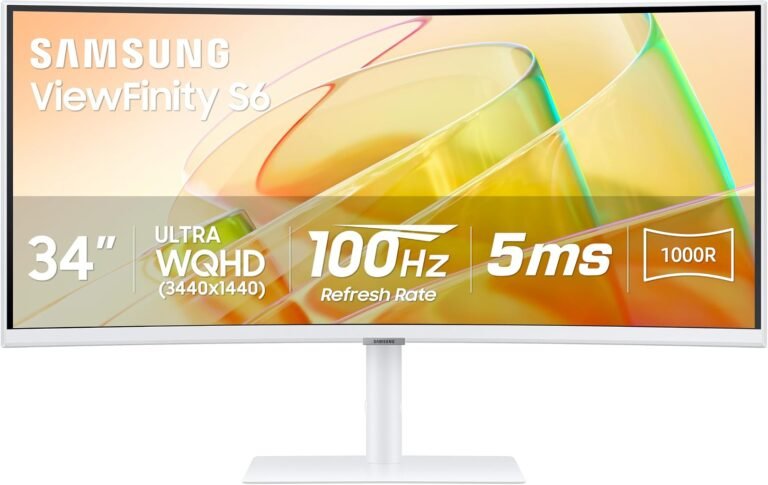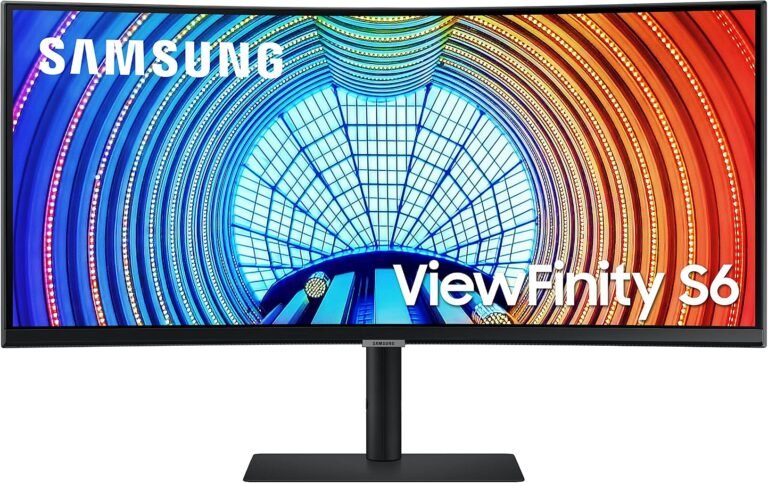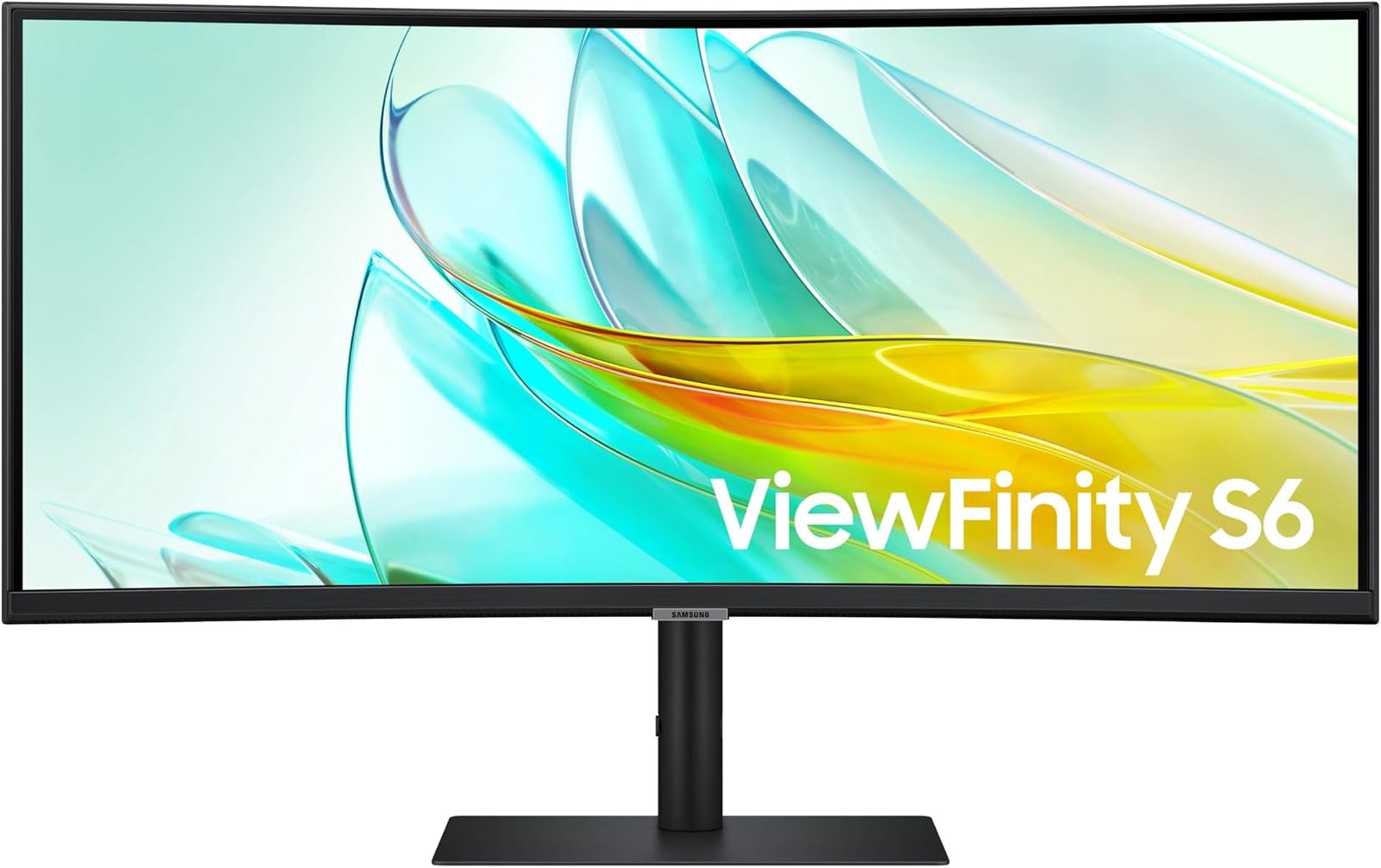
A productivity monitor reveals its priorities through the problems it tries to remove. Some displays concentrate almost entirely on panel specifications. Others treat the screen as one component of a larger workstation, adding charging, networking, peripheral control and source management. The Samsung ViewFinity S65UC belongs firmly to the second group.
The S65UC combines a 34-inch 3440 × 1440 VA panel with 1000R curvature, a 100Hz maximum refresh rate, HDR10, AMD FreeSync, USB-C charging up to 90W, Ethernet, a three-port USB hub, an integrated KVM switch and built-in audio. Samsung’s official ViewFinity S65UC specifications also document a 350 cd/m² typical brightness rating, 3000:1 static contrast ratio and 5ms response time.
That collection of hardware gives the monitor a clear identity. It is less interested in setting gaming records than in reducing the number of devices, cables and screens required around a modern notebook or mixed-computer workstation.
Our score is 8.14/10. Customer Sentiment stands at 8.06, Buyer Confidence at 8.51 and Value at 8.03. At the $349.99 reference price, the S65UC presents a balanced proposition: substantial desktop space and unusually practical connectivity, offset by specifications that are deliberately moderate in areas such as gaming refresh rate and HDR performance.
A 34-Inch Ultrawide Built Around Working Space
The S65UC uses a 34-inch curved VA panel with a 21:9 aspect ratio and Ultra-WQHD resolution of 3440 × 1440.
That resolution contains 4,953,600 pixels. Conventional 2560 × 1440 QHD contains 3,686,400 pixels, so the ultrawide format supplies roughly 34% more pixels. The increase is concentrated horizontally, which is precisely where many desktop workflows benefit from additional room.
A spreadsheet can expose more columns. A browser can remain beside a document without either window becoming excessively narrow. Development environments can place code beside documentation or output. Video editors can extend timelines across more of the display.
The comparison with 4K is also revealing. A 3840 × 2160 screen contains 8,294,400 pixels, about 67% more than 3440 × 1440. The Samsung therefore does not offer 4K-class pixel count, but its lower rendering burden can be useful for mixed productivity and gaming.
This balance is one reason 3440 × 1440 remains common among the best 34 inch ultrawide monitors. It delivers substantially more horizontal working room than ordinary QHD while avoiding the graphics demands and scaling considerations associated with smaller high-density 4K screens.
The S65UC takes that established format and builds workstation functions around it.
The 1000R Curve Is a Defining Physical Choice
Samsung gives the S65UC a pronounced 1000R curvature.
Curvature figures describe the radius of the theoretical circle created if the monitor’s curve were extended. A 1000R display corresponds to a one-meter radius. Lower numbers represent tighter curves, making 1000R considerably more pronounced than 1500R or 1800R ultrawides.
The design has practical consequences.
A 34-inch screen extends far enough horizontally that its edges sit at different angles relative to a centrally positioned viewer. Curving those edges inward changes that geometry. Samsung’s design clearly assumes that the user will sit near the center rather than view the panel regularly from one side.
That makes desk arrangement important. The monitor benefits from being positioned directly ahead of the main seating position, with enough distance to prevent the curve from feeling overwhelming.
The same characteristic can divide buyers.
A user working alone may appreciate the enveloping geometry. Someone frequently sharing the screen with a colleague may prefer a gentler curve or flat display because off-center viewing is less aligned with the physical shape.
The 1000R curve is therefore not decorative. It materially defines how the S65UC should be positioned and used.
VA Technology Provides a 3000:1 Contrast Specification
Samsung specifies a VA panel with a 3000:1 static contrast ratio, 350 cd/m² typical brightness and 178-degree horizontal and vertical viewing angles.
The contrast specification is one of the monitor’s more meaningful panel characteristics.
VA technology is frequently selected for displays where native contrast carries more weight than the viewing consistency associated with many IPS panels. A 3000:1 specification allows a wider relationship between bright and dark output than the approximately 1000:1 figures commonly associated with conventional IPS desktop displays.
That can improve the appearance of dark scenes in films, photographs and games, especially in rooms where ambient lighting is controlled.
There is still a major distinction between VA and OLED. The S65UC relies on an LCD layer and backlight. OLED pixels produce their own light and can effectively switch off individually when displaying black. The Samsung therefore cannot reproduce OLED’s pixel-level black control simply because its native contrast is relatively high for an LCD.
The 350-nit typical brightness rating also establishes sensible expectations. It provides ample luminance for many indoor productivity environments, but this is not a monitor built around extreme brightness.
For office work and general media, the combination is coherent: useful native contrast, moderate brightness and a broad ultrawide canvas.
HDR10 Support Should Be Read Carefully
Samsung supports HDR10 and up to 1.07 billion colors.
HDR compatibility can easily become misleading when treated as a binary feature. A monitor either accepts HDR signals or it does not, but that fact alone says relatively little about how dramatic the resulting image will appear.
High-impact HDR depends on several factors, including peak brightness, black level, contrast behavior, color capability and backlight control. The S65UC’s 350 cd/m² typical brightness and conventional VA architecture establish the boundaries.
Its HDR10 capability is useful for signal compatibility and media playback, but the monitor should not be confused with high-luminance mini-LED hardware or OLED displays capable of controlling light at individual pixels.
The S65UC’s stronger visual case remains its 3000:1 specified static contrast ratio and ultrawide resolution.
For buyers whose workday includes documents, spreadsheets and browser windows before shifting to films or games, that balance may be more relevant than chasing an HDR specification that looks impressive on a product page but requires substantially more expensive display hardware to realize fully.
The 100Hz Refresh Rate Is a Sensible Middle Ground
Samsung specifies a maximum refresh rate of 100Hz.
The numerical difference from traditional 60Hz monitors is straightforward. A 60Hz display refreshes every 16.67 milliseconds. At 100Hz, the interval drops to 10 milliseconds.
That difference affects more than games.
Cursor movement can appear smoother. Long web pages become easier to track during scrolling. Application windows move more fluidly across the large desktop. Those improvements are particularly noticeable on an ultrawide because the user’s eyes frequently follow objects over substantial horizontal distances.
A 100Hz refresh ceiling does not make the S65UC a high-refresh gaming monitor. Modern gaming-focused ultrawides routinely reach 165Hz, 180Hz and 240Hz.
The Samsung instead sits between traditional office hardware and dedicated gaming displays.
That positioning makes sense. A user purchasing primarily for spreadsheets, browser-based work, communications and media gains smoother everyday motion without paying primarily for a refresh rate intended for competitive games.
For mixed-use buyers, 100Hz is arguably more consequential than it appears on a specification sheet.
The 5ms Response Time Establishes the Gaming Boundary
Samsung specifies a 5ms response time.
Response time and refresh rate are frequently treated as interchangeable measures, but they describe different behavior. Refresh rate indicates how frequently the monitor can display a new frame. Pixel response measures how quickly individual pixels change between states.
A 5ms specification is consistent with the S65UC’s productivity-first positioning.
Gaming monitors built around competitive motion performance often advertise substantially lower gray-to-gray response figures. OLED gaming displays can quote pixel-transition measurements far below one millisecond.
The S65UC is not designed to compete in that category.
For office applications, general media and less competitive gaming, the combination of 100Hz and 5ms response is coherent. Buyers focused on fast shooters and high-frame-rate competitive play have clear reasons to prioritize another class of monitor.
This distinction matters because a high-quality productivity monitor does not become deficient merely because it lacks esports specifications. The relevant question is whether its motion characteristics fit its intended workload.
For the S65UC, they largely do.
FreeSync Gives the Monitor Useful Gaming Flexibility
Samsung includes AMD FreeSync, allowing compatible systems to coordinate frame output with the monitor’s refresh behavior.
Variable refresh exists because games do not render every frame at perfectly regular intervals. Scene complexity changes. GPU workload changes. When the display’s refresh cycle and the graphics processor’s frame delivery are poorly synchronized, tearing or stutter can become visible.
The underlying industry technology dates back more than a decade. In 2014, VESA added Adaptive-Sync to the DisplayPort 1.2a standard, explaining that matching display updates dynamically to rendered content could reduce tearing and stuttering.
VESA later created a formal Adaptive-Sync Display certification framework. Its testing extends far beyond maximum refresh rate: the organization evaluates more than 50 criteria covering areas including refresh rate, flicker, gray-to-gray response, frame dropping and frame-rate jitter.
That broader context illustrates why variable-refresh performance cannot be reduced to a single logo.
For the S65UC, FreeSync is best regarded as supporting hardware for mixed use. It makes the monitor more accommodating when games are part of the workload, but its 100Hz ceiling still establishes a clear separation from specialist high-refresh gaming monitors.
USB-C With 90W Charging Is Central to the Design
The S65UC’s USB-C connection supplies up to 90W of charging power.
That figure matters.
Many USB-C productivity monitors stop at 60W or 65W. Those levels are sufficient for numerous thin-and-light laptops, but systems with higher-power processors, discrete graphics or larger displays can demand more.
Ninety watts covers a broader range of productivity notebooks and reduces the likelihood that a separate charger will remain necessary at the desk.
The value of USB-C extends beyond power. Samsung positions the connection as a route for both charging and data, allowing a compatible laptop to use the monitor as part of a one-cable workstation arrangement.
A laptop arrives at the desk and connects through USB-C. The monitor handles its display connection and charging while peripherals remain attached through the display’s USB hub.
That is where the S65UC becomes more than a large screen.
For notebook-centered work, removing a charger, display cable and separate peripheral hub from the daily connection routine can materially simplify the desk.
Ethernet Makes the Monitor Behave More Like a Dock
Samsung includes an Ethernet LAN connection.
That addition is especially relevant because many thin notebooks no longer include full-size Ethernet ports. Wired networking often requires a USB adapter or separate dock.
With the S65UC, Ethernet can remain connected to the monitor. A compatible notebook connected through the workstation arrangement can then make use of the wired network without a separate network adapter hanging from the laptop.
The display also provides three downstream USB 3.0 ports, one DisplayPort 1.2 connection, one HDMI 2.0 input, USB-C and a headphone connection.
That collection of ports shifts the product’s value proposition.
A cheaper ultrawide may provide the same basic 3440 × 1440 resolution while leaving docking duties to separate equipment. The S65UC attempts to absorb more of that hardware into the display itself.
For desktop-only users, this integration has less financial value. For laptop users, it can change the economics considerably.
The Integrated KVM Switch Is More Than a Convenience
One of the S65UC’s more distinctive productivity features is its built-in KVM switch.
KVM stands for keyboard, video and mouse. The basic idea is simple: multiple computers can share a single set of input peripherals.
Samsung states that the S65UC can control two connected sources through one keyboard and mouse. Picture-in-Picture and Picture-by-Picture functions further support multi-source arrangements.
This can materially improve a hybrid workstation.
A work notebook can remain connected through USB-C while a personal desktop uses another display input. Rather than maintaining separate keyboards and mice or manually reconnecting peripherals, the KVM system allows the desk to operate more like one workstation shared between two computers.
That functionality will be irrelevant to someone using only one machine.
For users regularly moving between corporate and personal computers, however, it addresses a real source of desk clutter. The monitor becomes an active switching point rather than merely a screen connected to whatever computer happens to be running.
Picture-by-Picture Fits the Ultrawide Format
Picture-by-Picture has particular relevance on a 21:9 monitor because the panel is wide enough to divide meaningfully between two sources.
A laptop can appear on one portion while another computer appears alongside it. The central bezel that separates a conventional dual-monitor setup disappears, though each source naturally receives less working area than when it controls the full 3440 × 1440 canvas.
There are trade-offs.
Two independent monitors provide greater flexibility in angle, orientation and full-screen application behavior. A single ultrawide offers a cleaner physical arrangement and more continuous visual space.
The S65UC gives the user both conceptual models: one computer can use the full ultrawide desktop, or two systems can share it.
That flexibility strengthens the monitor’s case as workstation hardware.
Built-In Audio Reduces Another Piece of Desk Clutter
Samsung includes an integrated speaker rated at 5W.
Built-in monitor audio rarely replaces a capable pair of desktop speakers or good headphones. Small monitor enclosures impose obvious physical restrictions on bass response, stereo separation and acoustic output.
Yet integrated audio has practical value.
System notifications, calls, training videos and casual media do not always justify dedicated speakers. In a compact office, eliminating another pair of devices and their associated cables can be useful.
The speaker therefore fits the same design philosophy as USB-C, Ethernet and the KVM switch. None of these features is individually exotic. Their significance comes from reducing the number of separate devices required around the monitor.
The S65UC is at its most convincing when evaluated as a workstation rather than as a panel in isolation.
Ergonomic Adjustment Is Properly Addressed
Samsung gives the S65UC 120mm of height adjustment, tilt from approximately -2 degrees to 20 degrees and swivel of about 30 degrees in either direction. A 100 × 100mm VESA mounting pattern is also supported.
These adjustments matter more on a 34-inch 1000R monitor than they would on a small secondary display.
The curve assumes a relatively central viewing position. Height and tilt therefore need to place the screen naturally within the user’s visual field rather than forcing repeated neck movement.
Samsung lists the monitor at 806.6mm wide and 241mm deep with its stand. Weight is 8kg with the stand and 5.2kg without it.
Those measurements are worth checking before purchase. An 806.6mm-wide display requires meaningful desk space, while the 241mm stand depth can become relevant on shallow desks.
VESA compatibility provides another option. A monitor arm rated appropriately for the display’s weight can free desk surface and permit more precise positioning.
Power Consumption Adds Another Useful Data Point
Samsung specifies typical power consumption at 32W, with annual consumption listed at 47 kWh under the manufacturer’s stated measurement framework.
A simple workload calculation helps put 32W into perspective. Eight hours of operation at 32W equals 0.256 kWh. Across 250 working days, that amounts to approximately 64 kWh before accounting for changing brightness, content, sleep periods or other variables.
That is not an electricity-cost forecast. Actual consumption varies with configuration and usage.
It does demonstrate that a large 34-inch ultrawide does not necessarily impose an enormous display-energy burden during normal operation.
Samsung also lists 0.5W consumption in DPMS mode and 0.3W when switched off.
For an office monitor that may remain connected for much of the day, those figures provide useful context beyond headline resolution and refresh specifications.
The $349.99 Value Equation
At the $349.99 reference price, our Value score is 8.03.
That figure is slightly below the overall 8.14/10 rating because the S65UC competes in a crowded part of the monitor market. A 34-inch 3440 × 1440 VA panel is no longer unusual, and lower-cost models can deliver similar basic screen dimensions.
The Samsung justifies more of its price through connectivity.
USB-C with 90W charging, Ethernet, three USB ports, a KVM switch, built-in audio, an adjustable stand, Picture-by-Picture and 100Hz operation create a broader workstation package than resolution alone suggests.
The economics therefore depend heavily on use.
A desktop PC owner who connects through DisplayPort and already owns speakers, a USB hub and networking hardware will leave several of the monitor’s differentiating features unused.
A notebook user sharing the display between work and personal computers can exploit almost every major function.
Value rises with utilization.
What the Editorial Scores Say
Our overall score of 8.14/10 places the S65UC in a solid position for mixed productivity use.
Customer Sentiment at 8.06 sits close to that overall assessment. The proximity of the two figures reflects a monitor whose appeal is broad but not universal.
Buyer Confidence is higher at 8.51. That score reflects the maturity of the core design. A 34-inch 3440 × 1440 VA panel, 100Hz refresh rate, USB-C and established workstation connectivity create a relatively understandable ownership proposition.
Value at 8.03 is the lowest of the four editorial measures, though only narrowly. That restraint is appropriate because buyers who do not use the KVM, Ethernet or USB-C charging functions can find less expensive ultrawides covering the basic display role.
The differences between the scores tell a coherent story.
The S65UC is easier to justify as an integrated workstation than as a simple monitor.
Where the Samsung ViewFinity S65UC Falls Short
The S65UC has several boundaries that should shape a purchase decision.
Its 100Hz maximum refresh rate is smooth for productivity but considerably below modern 165Hz, 180Hz and 240Hz gaming ultrawides.
The 5ms response specification reinforces that distinction. Competitive gaming is not the central engineering target.
HDR10 support adds compatibility, but the 350 cd/m² typical brightness rating and conventional VA backlight limit expectations for dramatic HDR reproduction.
The 1000R curvature is also more aggressive than some office users will prefer. Anyone accustomed to flat displays or gentler 1800R curves should consider how a strongly curved screen fits the desk.
Finally, the S65UC’s economic advantage depends on using its workstation functions. Buyers who have no need for 90W USB-C charging, Ethernet or a KVM switch are paying for hardware they may rarely touch.
Those limitations do not undermine the monitor’s purpose. They define it.
Who Should Buy the Samsung ViewFinity S65UC?
The strongest match is a laptop-centered professional who wants one ultrawide screen to handle display, charging, networking and peripherals.
It is also well suited to users who regularly alternate between two computers. The KVM switch, Picture-by-Picture support and multiple inputs directly address that workflow.
Spreadsheet users, writers, developers and editors can benefit from the 3440-pixel horizontal canvas. The 100Hz refresh rate adds smoother everyday motion, while FreeSync gives the display credible flexibility for gaming after work.
The weaker match is a competitive gamer seeking maximum refresh rate, an HDR enthusiast prioritizing very high luminance or an office user who dislikes pronounced curvature.
A desktop-only buyer with an established docking and peripheral setup may also find that a simpler ultrawide provides similar screen utility for less money.
Final Considerations
The Samsung ViewFinity S65UC is best understood as a workstation monitor whose screen happens to be ultrawide rather than an ultrawide monitor with a few office extras attached.
Its 34-inch 3440 × 1440 VA panel provides almost five million pixels across a 21:9 workspace. The 1000R curve creates a pronounced central viewing geometry, while 3000:1 specified static contrast and 350 cd/m² typical brightness establish a sensible foundation for productivity and general media. The 100Hz refresh rate makes everyday motion noticeably smoother than conventional 60Hz office displays.
Connectivity is what separates the S65UC from more basic alternatives. USB-C supplies up to 90W, Ethernet can bring wired networking to laptops without their own LAN ports, three USB connections support peripherals and the integrated KVM switch allows two computers to share a keyboard and mouse. Built-in audio and an adjustable stand further reduce the need for additional desk hardware.
Our 8.14/10 score reflects that broad competence. Customer Sentiment at 8.06 closely follows the overall assessment, while Buyer Confidence at 8.51 reflects the coherent and established nature of the hardware. Value at 8.03 recognizes that the $349.99 price is easiest to defend when the docking and switching features receive regular use.
There are faster gaming monitors, brighter HDR displays and less aggressively curved productivity screens. There are also cheaper ultrawides for users who simply need 3440 × 1440 pixels.
The S65UC addresses a more specific problem: how to turn a wide display into the center of a multi-computer desk without surrounding it with adapters, hubs, chargers and duplicated peripherals.
For buyers facing that problem, the monitor’s most consequential specifications are not hidden in the panel. They are found on the back, where 90W USB-C, Ethernet, USB connectivity and source management transform a 34-inch screen into a much more capable piece of workstation infrastructure.