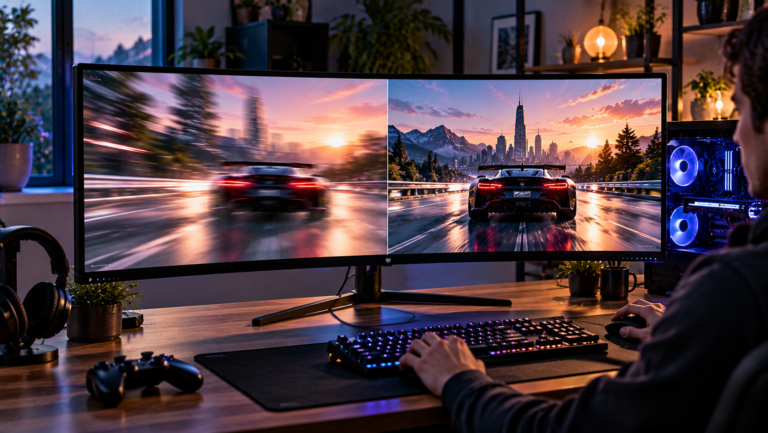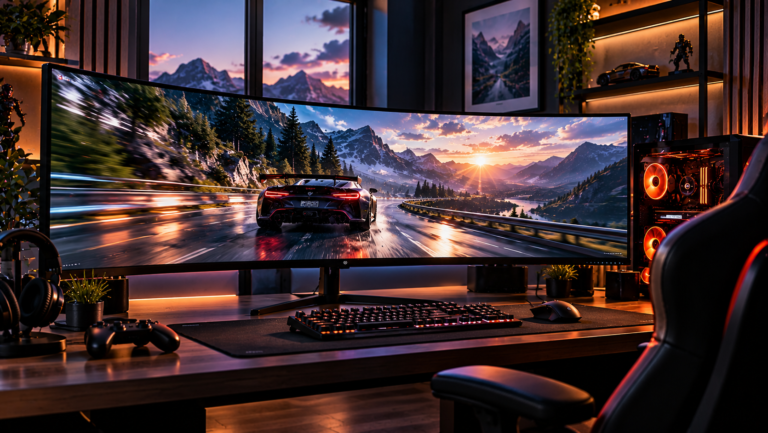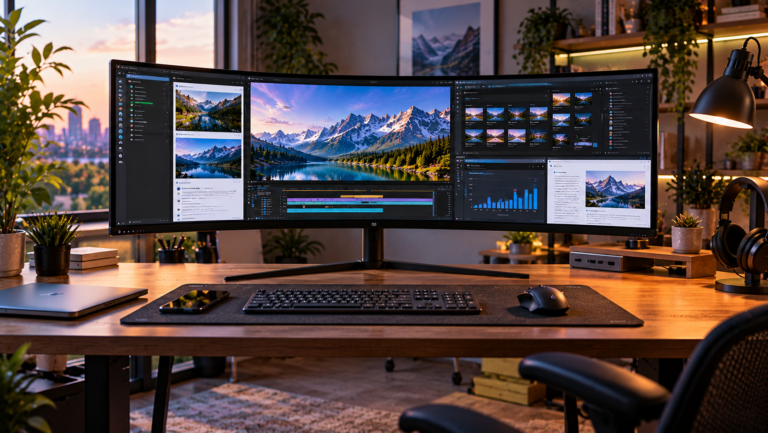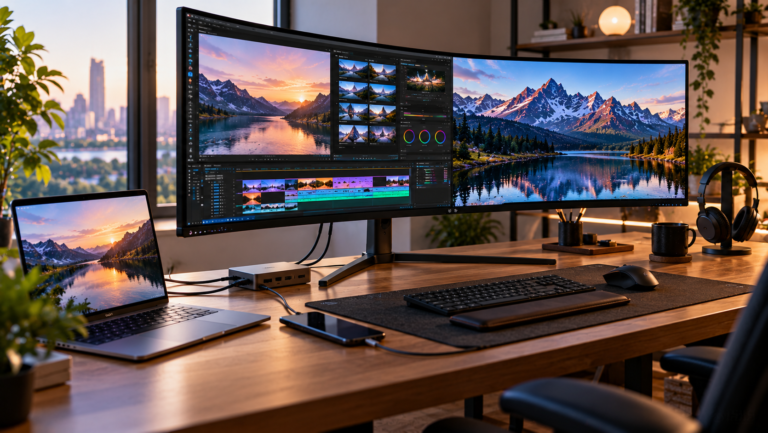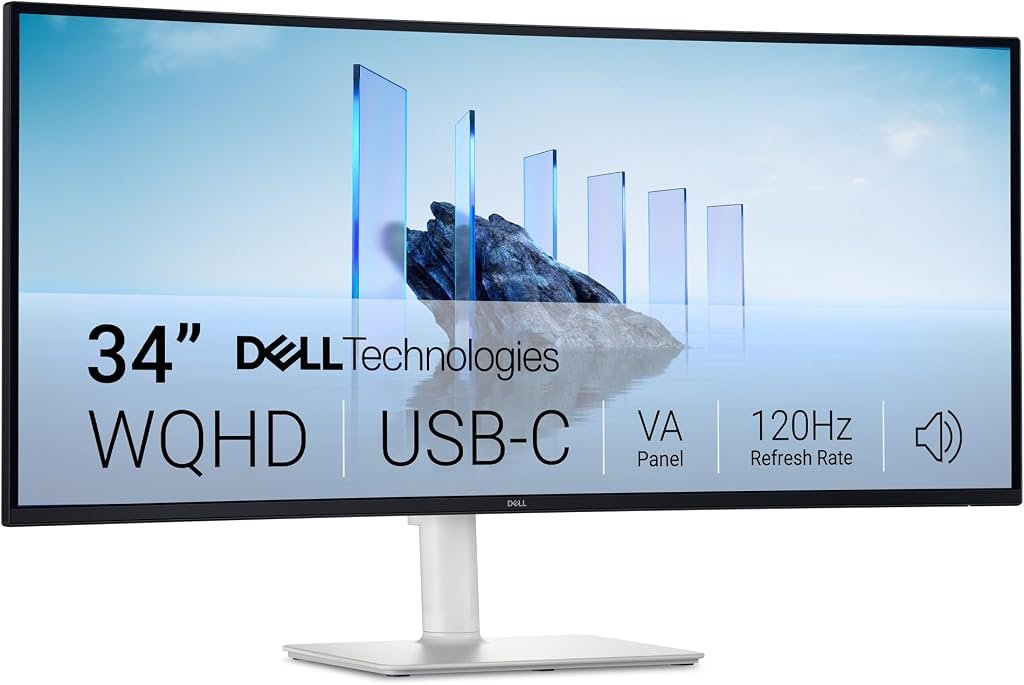
A 34-inch ultrawide monitor has to reconcile two very different ideas of what a desktop display should accomplish. Productivity favors resolution, usable screen area, connectivity and ergonomics. Gaming rewards refresh rate, variable-refresh support and responsive pixel behavior. The Dell S3425DW attempts to occupy the middle of those demands without adopting the price structure of a high-refresh OLED gaming monitor.
That balancing act defines this Dell S3425DW Monitor review.
Dell equips the S3425DW with a 34-inch curved VA panel, 3440 × 1440 resolution and a 120Hz maximum refresh rate. Its 21:9 aspect ratio provides substantially more horizontal room than conventional 16:9 QHD, while USB-C combines video, data and up to 65W of power delivery. AMD FreeSync Premium, two HDMI connections, an integrated USB hub and dual 5W speakers expand its role beyond basic office display duty. Dell’s official S3425DW specifications document the monitor’s display and connectivity hardware.
At the $399.99 reference price, our score is 8.51/10. Customer Sentiment stands at 8.28, Buyer Confidence at a particularly strong 9.57 and Value at 8.15. Those figures characterize the S3425DW accurately: this is not an attempt to win a specification contest. It is a carefully positioned hybrid for users who need one monitor to handle a working day and still provide credible gaming capability afterward.
A 34-Inch Format Built Around Practical Space
The basic attraction begins with resolution.
At 3440 × 1440, the S3425DW renders 4,953,600 pixels. Standard 2560 × 1440 QHD renders 3,686,400. The Dell therefore supplies roughly 34% more pixels than a conventional QHD monitor, with virtually all of the additional working area extending horizontally.
That difference is immediately relevant to office layouts. Two documents can sit side by side without the physical seam created by dual monitors. A spreadsheet can expose additional columns. Video-editing timelines have more room to stretch. Development environments can place code next to documentation, terminals or browser windows.
Dell specifies a pixel density of 109 pixels per inch. That is a useful compromise at normal desktop distances: substantially more workspace than 1080p ultrawide displays without pushing interface elements toward the small dimensions encountered when 4K is packed into relatively compact panels.
The 21:9 format also avoids one of the stranger characteristics of very large 32:9 displays. A 34-inch 21:9 monitor is wide, but it does not require the user to manage an enormous horizontal canvas. For many desks, it remains a workable replacement for a two-window workflow rather than becoming a workstation architecture of its own.
That helps explain why 3440 × 1440 models remain prominent among the best 34 inch ultrawide monitors. The format provides a meaningful increase in workspace without making GPU requirements, desk depth and physical width as demanding as larger ultrawide categories.
VA Technology Gives the S3425DW a Clear Personality
The S3425DW uses Vertical Alignment, or VA, panel technology rather than IPS or OLED. That decision influences almost every aspect of its image characteristics.
Dell specifies a native contrast ratio of 3000:1, along with 300-nit brightness. Color coverage is rated at 99% sRGB and 95% DCI-P3.
The 3000:1 figure is particularly relevant. Conventional IPS monitors commonly prioritize viewing consistency and color behavior while operating at lower native contrast ratios. VA panels generally provide deeper blacks in dark material because they can block more of the backlight when displaying dark pixels.
That does not make the S3425DW equivalent to OLED. An OLED display controls light at individual pixels and can switch a pixel effectively off when rendering black. A conventional VA LCD still relies on a backlight.
The distinction matters most in dark rooms, films with large shadow areas and games dominated by low-light scenes. The Dell’s VA architecture provides a useful contrast advantage over many productivity-oriented IPS displays, but buyers specifically seeking OLED-style black levels are shopping in another class.
Color specifications are respectable for a mixed-use monitor. The 99% sRGB figure covers the color space used by much conventional web and desktop content, while 95% DCI-P3 broadens the monitor’s relevance for richer media.
These specifications should not be confused with evidence of factory-calibrated professional color accuracy. Users performing color-critical print, grading or mastering work should evaluate calibration requirements independently. For mainstream productivity, games, web work and media consumption, however, the stated gamut coverage is appropriately broad.
Why 120Hz Matters Outside Gaming
One of the S3425DW’s strongest decisions is its 120Hz maximum refresh rate.
The difference between 60Hz and 120Hz is not restricted to games. A 60Hz monitor can update the image every 16.67 milliseconds. At 120Hz, the refresh interval falls to roughly 8.33 milliseconds.
That changes ordinary desktop interaction. Scrolling through long web pages, moving application windows and tracking a pointer across a 34-inch panel can appear smoother. The improvement is especially noticeable on an ultrawide because objects often travel substantial horizontal distances.
The S3425DW therefore avoids a compromise that historically affected productivity monitors: excellent connectivity attached to a 60Hz panel.
It does not go to the opposite extreme either. Gaming ultrawides now routinely reach 165Hz, 180Hz and 240Hz, while specialized competitive displays can go substantially higher. Dell stops at 120Hz.
For its intended audience, that restraint makes sense.
A 3440 × 1440 game contains nearly five million pixels per frame. Driving that resolution at 240 frames per second requires considerably more graphics throughput than maintaining 100-120 frames per second. Buyers using mainstream gaming PCs may therefore find 120Hz a more realistic target than the maximum capabilities advertised by expensive competitive monitors.
The result is a monitor that feels distinctly smoother than traditional office hardware without charging primarily for refresh capacity that many mixed-use systems cannot consistently exploit.
FreeSync Premium Adds Substance to the Gaming Side
Dell includes AMD FreeSync Premium, which allows compatible hardware to coordinate monitor refresh timing with the frames generated by the computer.
The underlying problem is straightforward. Games do not render every frame in exactly the same amount of time. A complicated scene may take longer to generate than a simple one. When the GPU’s frame production and the monitor’s fixed refresh cycle fall out of synchronization, visible tearing or stuttering can occur.
The broader Adaptive-Sync concept has a long technical history. In 2014, VESA added Adaptive-Sync to the DisplayPort standard, explaining that a mismatch between display refresh and computer rendering can produce tearing or stuttering.
Modern variable-refresh evaluation is more sophisticated than checking whether a display can change refresh rates. VESA’s later Adaptive-Sync Display program established more than 50 tests covering factors including refresh rate, flicker, gray-to-gray response, dropped frames and frame-rate jitter.
The S3425DW should not be confused with a 240Hz esports monitor simply because it supports adaptive refresh. Its value lies elsewhere: 120Hz plus FreeSync Premium creates a credible gaming platform without turning the entire product into specialist gaming hardware.
Response Time Requires Context
Dell specifies several response-time modes: 5ms gray-to-gray in the normal setting, 3ms in Fast mode and 1ms in Extreme mode.
The existence of multiple figures illustrates why monitor response-time numbers require careful interpretation. Aggressive overdrive can accelerate pixel transitions, but excessive overdrive may introduce inverse ghosting or overshoot. The smallest advertised number is therefore not automatically the setting that produces the cleanest image in every circumstance.
This is one area where standards bodies have attempted to impose more discipline. VESA’s Adaptive-Sync Display specification evaluates gray-to-gray response behavior alongside overshoot and undershoot rather than treating a single best-case response figure as a complete description of motion performance. Its 2023 revision expanded gray-to-gray testing from a 5 × 5 matrix to part of a larger 9 × 9 matrix, more than tripling the number of transition scenarios evaluated.
For the S3425DW’s intended use, the practical interpretation is simple. The monitor provides adjustable response behavior for gaming, but the Extreme label should not automatically be regarded as the correct setting merely because its quoted response number is lowest.
USB-C Is the Feature That Changes the Desk
The S3425DW’s USB-C implementation arguably matters more to its intended audience than FreeSync.
The upstream USB-C connection carries DisplayPort 1.4 video through Alternate Mode, 5Gbps USB data and up to 65W of power delivery. It supports 3440 × 1440 at up to 120Hz with HDR and AdaptiveSync. Dell also includes downstream USB-A connections and a downstream USB-C connection capable of delivering up to 15W.
This enables a straightforward notebook arrangement: connect one USB-C cable and the monitor can receive the image signal, expose connected USB peripherals and supply power to the computer.
For compatible thin-and-light laptops, 65W can be enough to turn the monitor into a basic docking point.
There is an obvious limitation. Sixty-five watts is not universal laptop power. Larger mobile workstations and performance notebooks can require substantially more power under load. Users with such machines may still need their dedicated charger.
Nor does the S3425DW replace every sophisticated dock. There is no reason to treat a USB-C hub monitor as equivalent to a full Thunderbolt workstation simply because both use a reversible connector.
Yet for ordinary productivity notebooks, USB-C materially improves the S3425DW’s proposition. Cable reduction sounds trivial until a laptop is connected and disconnected from the same desk every day. Removing separate power, video and peripheral connections turns a monitor feature into a workflow improvement.
HDMI Connectivity Broadens Its Use Beyond Laptops
Dell provides two HDMI connections in addition to USB-C. The company specifies support for WQHD 3440 × 1440 at 120Hz, 10-bit operation, HDR and variable refresh through the relevant HDMI implementation.
That allows a desktop computer, console or another source to remain attached while USB-C is reserved for a laptop.
The dual-input arrangement reinforces the monitor’s hybrid identity. A user can plausibly maintain a work notebook and personal system on the same display without constantly moving the main cable.
Buyers should still examine the output capabilities of the connected device. Owning a 120Hz monitor does not force a computer or console to output 3440 × 1440 at 120Hz, and game support for 21:9 varies.
The monitor provides the canvas. The source hardware and software determine how fully it can be used.
Integrated Audio Is Useful, Not a Replacement for Dedicated Speakers
The S3425DW contains two 5W speakers for 10W of total rated speaker output.
Integrated speakers are easy to dismiss in monitor comparisons because they rarely compete with dedicated desktop audio equipment. That misses their practical purpose.
They eliminate another pair of devices from a minimalist desk and provide immediate audio for calls, system sounds, videos and casual media. For a home office where headphones handle serious listening, built-in speakers can be more useful than their modest specifications imply.
Users expecting room-filling bass or detailed music reproduction should still plan for external audio. Physics places obvious restrictions on speakers fitted inside a relatively thin monitor chassis.
Their presence is nonetheless consistent with the S3425DW’s broader design philosophy: reduce the number of separate components needed for an ordinary mixed-use workstation.
Ergonomics Strengthen the Productivity Argument
Dell provides height and tilt adjustment rather than forcing the display onto a fixed stand.
Height adjustment is particularly useful on a 34-inch ultrawide because the user’s relationship with the screen is more spatial than with a small laptop panel. If the monitor sits too low, the user spends hours looking downward. If it sits too high, neck posture shifts in the opposite direction.
Curvature also affects placement. A curved ultrawide is generally intended to be viewed from near its center. Sitting far off-axis defeats part of the geometric logic.
The monitor should therefore be positioned before software scaling and window layouts are finalized. The user should first establish comfortable height, tilt and viewing distance, then divide the digital workspace into zones.
A 34-inch ultrawide becomes much more effective when applications have predictable locations rather than being stretched indiscriminately across 3440 pixels.
The $399.99 Value Equation
Our Value score of 8.15 is deliberately lower than the overall 8.51 rating.
That difference captures the monitor’s central economic tension. At $399.99, the S3425DW is not a bargain-basement ultrawide. Less expensive 34-inch 3440 × 1440 monitors exist, and buyers interested only in basic office work can find lower-cost 100Hz-class alternatives.
The Dell earns its position through the combination rather than one extraordinary specification: 120Hz, VA contrast, FreeSync Premium, USB-C with 65W delivery, a USB hub, two HDMI connections, integrated audio and an adjustable stand.
Value therefore improves as more of those features are actually used.
A desktop-only buyer who already owns speakers, never uses USB-C and does not play games would leave a meaningful portion of the hardware idle. For that user, the economics weaken.
A laptop owner who uses USB-C every morning, appreciates 120Hz throughout the working day and games in the evening extracts considerably more utility from the same purchase.
That distinction is central to the 8.15 Value rating.
What the Editorial Scores Say
Our overall score of 8.51/10 places the S3425DW firmly in the upper part of the mixed-use ultrawide category.
Customer Sentiment at 8.28 is positive without being treated as proof that the monitor suits every buyer. More revealing is Buyer Confidence at 9.57, the strongest of its four editorial signals. That score reflects how understandable the product’s proposition is. Dell is not relying on an unusual experimental format or obscure feature combination. The monitor uses established VA technology, a mainstream ultrawide resolution, familiar USB-C connectivity and a moderate 120Hz ceiling.
The 8.15 Value score tempers that confidence. Buyers are paying for versatility.
That creates a clear editorial position: the S3425DW makes more sense as a multi-purpose monitor than as a specialist one.
Where the S3425DW Falls Short
Its limitations follow naturally from its hybrid design.
The 120Hz refresh rate is substantially faster than traditional productivity hardware but below the 165Hz, 180Hz and 240Hz options available to gaming-focused buyers.
The VA panel’s 3000:1 specified contrast is attractive for an LCD, but it cannot reproduce the pixel-level black control of OLED.
USB-C charging reaches 65W, which suits many mainstream laptops but may be insufficient for high-power mobile workstations.
There is also no reason to interpret broad DCI-P3 coverage as a substitute for the specialized calibration requirements of professional color workflows.
None of these shortcomings is surprising. They identify the boundaries of the product.
The S3425DW is not trying to replace a 240Hz OLED gaming display, a reference-grade creative monitor or a high-power Thunderbolt dock. Its purpose is to combine meaningful pieces of all three categories at a more accessible level.
Who Should Buy the Dell S3425DW?
The strongest buyer profile is a user who works and plays at the same desk.
That includes laptop owners who benefit from single-cable USB-C operation, home-office users who want more horizontal space than conventional QHD provides, and PC gamers whose hardware is better matched to approximately 100-120fps ultrawide gaming than to a 240Hz target.
It also suits users replacing a pair of modest monitors with one continuous display.
The weaker buyer profile is equally clear. Competitive players chasing very high frame rates should look toward faster gaming monitors. Users primarily performing color-critical creative work have reasons to prioritize professional calibration features. Owners of laptops demanding substantially more than 65W should not assume the monitor can replace their charger.
Those distinctions matter more than broad labels such as “gaming” or “productivity.” The S3425DW succeeds because it sits between categories deliberately.
Final Considerations
The Dell S3425DW is a monitor built around moderation, but moderation here should not be mistaken for mediocrity.
Its 3440 × 1440 resolution creates nearly five million pixels of workspace. The 34-inch 21:9 format provides substantially more horizontal room than ordinary QHD. A 120Hz refresh rate makes both desktop interaction and games smoother than conventional 60Hz displays. VA technology brings a specified 3000:1 native contrast ratio, while 99% sRGB and 95% DCI-P3 coverage broaden its usefulness for everyday media work. USB-C carries video, data and up to 65W of power through one connection, and FreeSync Premium gives the monitor legitimate gaming credentials.
The compromises are equally visible. There are faster gaming displays, more capable docking monitors and OLED alternatives with fundamentally different black-level performance. Buyers focused exclusively on one discipline can find more specialized hardware.
That is not where the S3425DW makes its strongest argument.
Our 8.51/10 score reflects a display whose specifications reinforce one another rather than compete for attention. Customer Sentiment of 8.28 supports the overall assessment, Buyer Confidence of 9.57 reflects the maturity and clarity of the proposition, and Value of 8.15 acknowledges that the $399.99 price makes the most sense when USB-C, 120Hz gaming and ultrawide productivity will all see regular use.
For someone assembling one desk for work, entertainment and gaming, that combination is precisely the point. The Dell S3425DW does not ask the buyer to choose between an office monitor and a gaming monitor quite as sharply as much of the market still does.