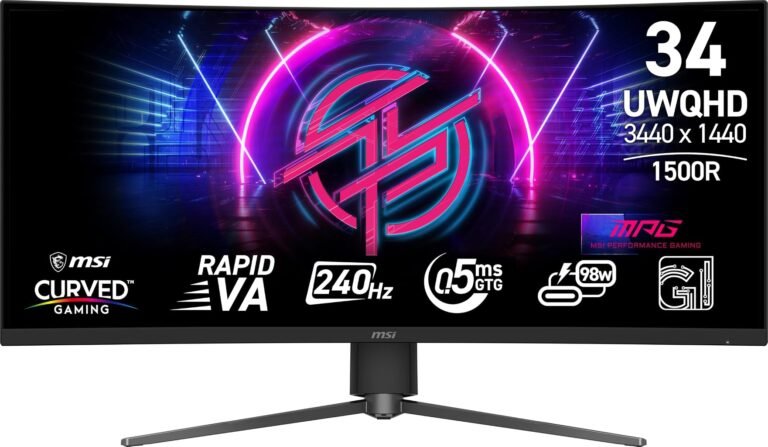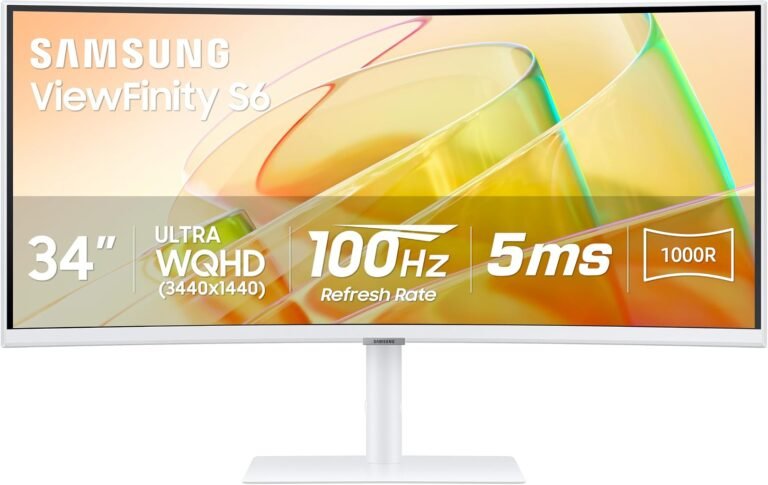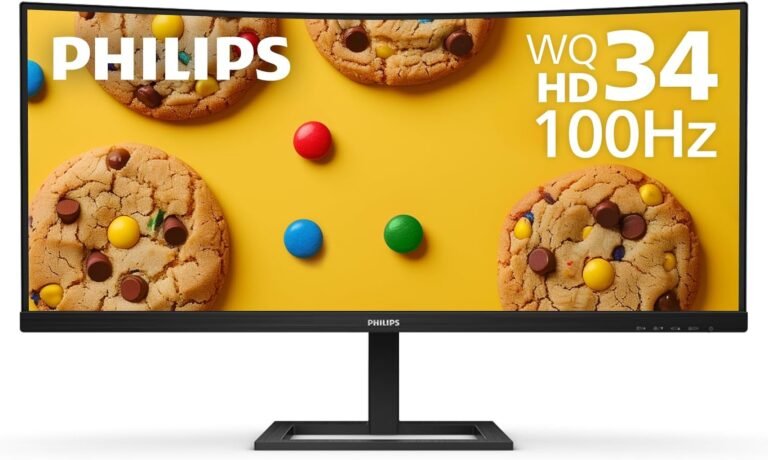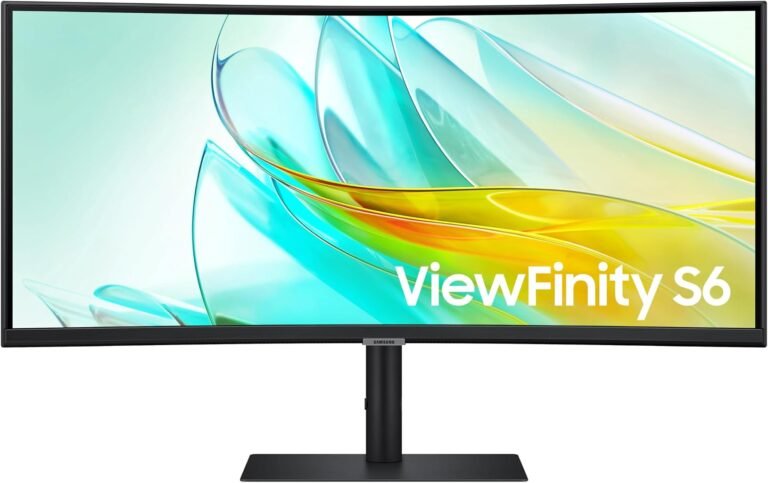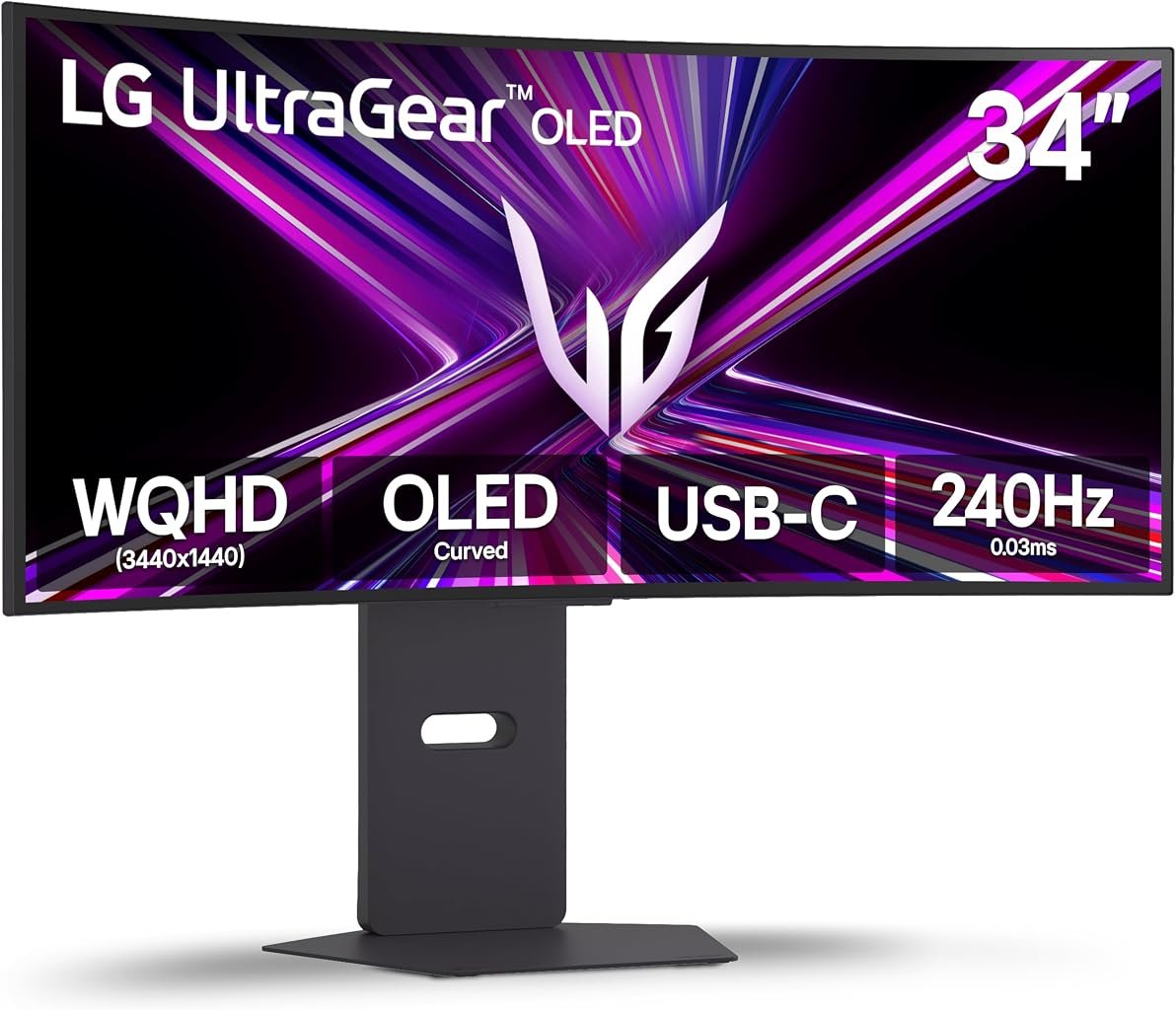
The LG UltraGear 34GX900A-B belongs to a generation of gaming monitors in which the argument is no longer simply OLED versus LCD. The harder questions concern how OLED is packaged, how quickly it refreshes, how sharply the screen curves, what a modern computer can connect through, and whether the resulting combination justifies its price for a particular desk.
LG’s 34-inch UltraGear takes an unusually focused approach. It combines a 21:9 WQHD OLED panel with a 240Hz maximum refresh rate, a quoted 0.03ms gray-to-gray response time and an aggressive 800R curvature. FreeSync Premium Pro and G-SYNC Compatible support address variable-refresh gaming, while HDMI 2.1, DisplayPort 1.4 and USB Type-C broaden its connection options. LG’s official 34GX900A-B specification page also states a 1.5 million-to-one contrast ratio.
Our score is 8.21/10, placing the monitor in Very Good territory. Customer Sentiment is 8.06, Buyer Confidence reaches 8.87, and Value is 8.03. The separation among those figures is revealing. The 34GX900A-B has a coherent technical identity and substantial gaming capability, yet its value depends heavily on whether the buyer can exploit 240Hz operation, ultrawide presentation and OLED contrast rather than merely paying for specifications that remain underused.
At an evaluated price of $689.99, that calculation becomes more favorable. The hardware is not inexpensive, but the price places a 240Hz 34-inch OLED ultrawide within territory once associated with considerably less ambitious display technology.
A 34-Inch Ultrawide Built Around Gaming
The physical concept is immediately apparent: 34 inches, a 21:9 aspect ratio and an 800R curve.
WQHD in this ultrawide format corresponds to the familiar 3440 × 1440 class, producing approximately 4.95 million pixels. A conventional 3840 × 2160 4K display contains roughly 8.29 million. The ultrawide format therefore renders about 40% fewer pixels than 4K, an important distinction when high frame rates are part of the objective.
That does not make 3440 × 1440 easy to drive. Modern games with demanding lighting, ray tracing and high-quality effects can still place considerable pressure on a graphics processor. Yet the resolution provides a more plausible path toward triple-digit frame rates than native 4K, especially when settings are adjusted intelligently.
The 21:9 shape also changes how games are presented. Titles with proper ultrawide support can reveal considerably more horizontal scene information than a 16:9 display. Racing games, simulators, role-playing games and expansive third-person titles often benefit from that wider view.
The 800R curve is much more contentious.
A curvature rating describes the radius of the circle the panel would form if its arc were extended. An 800R display corresponds to an 800mm radius, making the curvature far stronger than common 1500R or 1800R monitors.
LG describes the 800R geometry as steep and dramatic, and that is accurate in practical terms. The screen edges visibly wrap toward the seated viewer.
For games, the geometry has an obvious rationale. Peripheral areas of a wide display are directed inward rather than extending almost flat across the desk. For spreadsheets, architectural drawings or other work where visual straightness matters, the same feature can be distracting.
The curve is therefore not a neutral specification. It is part of the product’s gaming bias.
OLED Supplies the Visual Foundation
The 240Hz figure may dominate gaming discussions, but OLED technology has the greater influence on the 34GX900A-B’s contrast behavior.
Conventional LCD monitors rely on a backlight. Even sophisticated mini-LED displays divide that light into zones rather than controlling illumination at every individual pixel. OLED takes a fundamentally different route because its pixels emit their own light.
When an OLED pixel displays black, it can effectively switch off. A bright object can therefore sit directly beside darkness without requiring a backlight zone to illuminate both areas.
LG specifies a 1.5 million-to-one contrast ratio for the 34GX900A-B. The practical appeal is most apparent in games containing night environments, caves, space scenes, dark interiors and bright effects against black backgrounds.
This is where specifications such as resolution tell only part of the story. A higher-resolution LCD can draw finer detail, but resolution alone says little about black level, haloing or how a small highlight behaves against darkness.
OLED’s weakness is that high luminance across large bright areas is harder to sustain than tiny highlights, and brightness behavior can vary with screen content. Buyers moving from a powerful mini-LED monitor should therefore avoid treating OLED as superior in every display characteristic. The technologies emphasize different strengths.
For dark-scene contrast and pixel-level light control, OLED has an architectural advantage. For extremely bright full-screen content in a heavily illuminated room, high-output LCD designs can retain an advantage.
240Hz Is More Than a Marketing Number
At 60Hz, a display refresh cycle lasts approximately 16.67 milliseconds. At 120Hz, that falls to about 8.33ms. At 240Hz, each cycle takes approximately 4.17ms.
That arithmetic does not represent total input latency, nor does it guarantee that every game will operate at 240 frames per second. It describes how frequently the panel can update when the graphics system has a new frame available.
LG quotes a 0.03ms gray-to-gray response time alongside the 240Hz maximum refresh rate. Response-time claims from manufacturers should not be confused with whole-system latency, which also involves the mouse or controller, CPU, game engine, graphics pipeline and display processing.
OLED nevertheless has a genuine motion advantage because its pixel transitions are extremely fast compared with the slower transitions that can affect LCD panels. High refresh and rapid pixel behavior complement one another: the display can receive new frames frequently without slow pixel transitions erasing much of the resulting clarity.
The strongest beneficiaries are obvious. Competitive shooters, racing games and fast action titles can exploit high refresh rates when the PC produces sufficient frame rates.
Yet the effect is not restricted to competition. Rapid camera pans in single-player games also look smoother at high frame rates. Even desktop cursor movement and window animation become more fluid.
The limitation is computational. LG states that a graphics card supporting DisplayPort 1.4 or HDMI 2.1 is required to achieve refresh rates up to 240Hz.
A 240Hz monitor paired with a system producing 70fps is not useless-the OLED contrast and ultrawide format remain-but a significant portion of the display’s performance budget is left untouched. The best purchasing decision therefore considers the GPU and monitor together.
Adaptive Sync Addresses Uneven Frame Delivery
Games rarely hold one exact frame rate indefinitely. Complexity changes from scene to scene, causing GPU rendering times to rise and fall.
Variable refresh rate technology exists to reduce the visual disruption created when display refresh timing and GPU frame delivery diverge.
The 34GX900A-B supports FreeSync Premium Pro and is G-SYNC Compatible. LG explicitly lists both systems among the monitor’s central gaming features.
The distinction between G-SYNC Compatible and displays containing dedicated NVIDIA G-SYNC hardware is sometimes blurred in retail descriptions. NVIDIA defines G-SYNC Compatible monitors as displays that do not use NVIDIA processors but are validated to provide what the company calls a “good, basic variable refresh rate (VRR) experience.”
The historical context is useful. NVIDIA introduced G-SYNC in 2013 as a method of synchronizing monitor refresh behavior with GPU rendering rather than forcing frames into a rigid display cadence. The underlying problem was older than the technology: when a GPU and fixed-refresh monitor operate asynchronously, parts of different frames can appear on the screen simultaneously, producing visible tearing.
Adaptive sync does not remove the need for stable performance. Consistent frame delivery still feels better than severe fluctuations. What it does is make ordinary variations less visually disruptive.
That makes the 34GX900A-B well aligned with modern PC gaming, where graphics workloads can shift substantially within the same title.
The 800R Curve Demands the Right Desk
Monitor curvature is often discussed as though more curvature automatically creates more immersion. The reality is more conditional.
An 800R panel strongly favors a centered seating position. The user is expected to sit near the middle of the arc, where the screen edges angle toward the eyes. Move far away or substantially off-axis, and the geometry becomes less coherent.
Desk depth therefore matters.
A 34-inch ultrawide already requires meaningful horizontal space. The pronounced curvature also projects portions of the panel forward relative to a flat screen, making monitor placement and keyboard distance worth considering before purchase.
The advantage is that the 34-inch size avoids some of the sheer physical excess associated with 39-, 45- and 49-inch ultrawides. It remains large, but it does not dominate a room in quite the same manner.
For a dedicated gaming station, 800R can feel purposeful. For a desk shared with another person, used for color-critical layout work or frequently viewed from the side, it is harder to defend.
This distinction helps position the 34GX900A-B among the best 34 inch ultrawide monitors. It is not trying to be the most neutral screen in that category. Its curvature makes a deliberate trade: stronger wraparound presentation for less geometric neutrality.
USB Type-C Makes This Model More Flexible
Connectivity is one of the more interesting aspects of the 34GX900A-B because LG has not restricted it to conventional gaming-PC inputs.
The company lists HDMI 2.1, DisplayPort 1.4 and USB Type-C connectivity. That matters because USB-C can make a modern ultrawide substantially easier to integrate with notebooks and mixed-device desks.
The inclusion distinguishes the 34GX900A-B from gaming monitors that assume DisplayPort from a desktop PC will handle nearly everything.
HDMI 2.1 also gives the display a modern connection path for consoles and PCs. Console buyers should nevertheless understand the limitations of the ultrawide format. Current mainstream consoles are designed principally around 16:9 output rather than native 21:9 ultrawide gaming. A 34-inch 21:9 monitor therefore makes greater spatial sense for PC gaming than for a console-only installation.
For desktop PCs, DisplayPort 1.4 remains straightforward. LG specifically identifies both DisplayPort 1.4 and HDMI 2.1 as routes capable of supporting the monitor’s high-refresh operation when paired with suitable graphics hardware.
The connectivity story is therefore broader than pure gaming, even though gaming remains the display’s central purpose.
HDR, Black Levels and What Certification Numbers Mean
HDR monitor specifications are particularly prone to oversimplification. A single brightness number cannot describe contrast behavior, black level, color performance and highlight reproduction simultaneously.
The distinction becomes clearer when looking at industry standards. Under VESA’s current DisplayHDR performance criteria, True Black categories impose dramatically lower black-level requirements than conventional DisplayHDR tiers. For example, VESA’s published criteria specify a maximum black level of 0.0005 cd/m² for True Black categories under the relevant test.
That figure illustrates why emissive displays behave differently in dark HDR material. Deep black is not merely a stylistic preference; it increases the contrast between darkness and nearby highlights.
The 34GX900A-B’s OLED architecture is therefore particularly well suited to content where small bright elements appear against dark surroundings.
The trade-off appears when much of the image becomes bright simultaneously. OLED monitors can reduce luminance as the bright area expands, whereas powerful LCD backlights may sustain higher broad-area brightness.
Room conditions consequently matter. A gaming room with controlled lighting plays to OLED’s strengths. A desk positioned opposite large uncovered windows can make raw brightness more consequential.
HDR quality is not one race with one winner. The 34GX900A-B’s strengths are black level, pixel-level illumination and contrast precision rather than brute-force full-screen luminance.
OLED Ownership Requires Some Awareness
OLED’s self-emissive structure brings another consideration: uneven pixel aging.
Static interface elements repeatedly displayed in the same location can age pixels differently from surrounding areas. Over sufficiently prolonged and uneven use, that creates the possibility of permanent image retention commonly called burn-in.
The subject is sometimes treated with unnecessary alarm and sometimes dismissed too casually. Neither approach is useful.
Gaming naturally introduces varied imagery, but some games contain persistent health bars, maps and interface elements. Desktop operating systems add taskbars, browser controls and application menus. A monitor used for eight hours of static office software every weekday therefore faces a different workload from one used primarily for varied gaming and video.
LG provides OLED-care functions across its OLED gaming-monitor family, and ordinary precautions remain sensible: allow automatic maintenance routines to operate, use reasonable sleep timers and avoid leaving unnecessary static imagery on screen indefinitely.
Warranty coverage adds context. LG’s U.S. support page for the 34GX900A-B lists two years of labor coverage and two years of parts coverage.
That does not eliminate the need for reasonable OLED use, but it gives buyers a defined support period rather than leaving ownership conditions ambiguous.
Productivity: Better Equipped, Still Gaming First
A 21:9 monitor naturally lends itself to multitasking. Two large windows can sit side by side without the bezel interruption of a dual-monitor arrangement. Video-editing timelines gain horizontal space, while spreadsheets can expose more columns.
The USB Type-C connection also makes the 34GX900A-B more plausible for mixed work and gaming than an ultrawide limited to DisplayPort and HDMI.
Yet several characteristics prevent it from becoming an obvious office-first choice.
The 800R curvature is the largest. Documents and spreadsheets do not need a wraparound presentation, and users performing visual design may prefer flatter geometry.
OLED also deserves consideration for text-heavy static workloads. The technology’s subpixel characteristics can produce text rendering that differs from conventional RGB LCD layouts, while persistent interface elements create a less favorable aging pattern than changing video or game imagery.
Then there is simple economics. A large portion of the purchase price funds gaming capabilities: 240Hz operation, extremely fast pixel response, adaptive sync and OLED contrast. A worker whose applications run happily at 60Hz receives little direct productivity benefit from much of that hardware.
The 34GX900A-B can work during the day and game at night. Its design priorities merely make the second activity more persuasive than the first.
Our Scores Explain the Trade-Off
Our overall score of 8.21/10 reflects a Very Good monitor with a defined audience rather than a universally optimal display.
Customer Sentiment is 8.06. That figure indicates positive buyer fit while leaving room for the polarizing characteristics inherent to the product. The steep curve, OLED ownership considerations and ultrawide format are not minor details; they influence daily use.
Buyer Confidence reaches 8.87, the strongest of our ratings. There is a straightforward reason. The 34GX900A-B presents a coherent package from an established display manufacturer, and its core features are clearly documented: 34-inch 21:9 OLED construction, 240Hz maximum refresh, 0.03ms quoted response time, 800R curvature, adaptive-sync support and modern connectivity. LG’s U.S. support documentation also establishes a two-year parts-and-labor warranty.
Value receives 8.03 at the evaluated $689.99 price. That is a positive score, but value depends more heavily on usage than raw capability.
A player with a strong gaming PC who regularly reaches high frame rates can exploit the monitor’s defining features. Someone running cinematic games at 50 to 70fps still benefits from OLED contrast and ultrawide presentation but extracts less value from the 240Hz ceiling.
The gap between Buyer Confidence at 8.87 and Value at 8.03 is therefore logical. Confidence in the monitor’s identity is higher than certainty that every buyer needs the performance being purchased.
Where the 34GX900A-B Is Strongest
Several characteristics form the core of its appeal:
- The 34-inch 21:9 format offers meaningful peripheral screen space without reaching the physical scale of larger super-ultrawides.
- WQHD resolution reduces rendering demands compared with 4K while retaining substantial desktop and gaming detail.
- The 240Hz maximum refresh rate provides headroom for high-frame-rate PC gaming.
- The quoted 0.03ms GtG response specification aligns with OLED’s naturally rapid pixel transitions.
- Per-pixel illumination produces deep blacks and avoids conventional LCD backlight blooming.
- The 800R curvature creates a distinctly wraparound presentation for a centered viewer.
- FreeSync Premium Pro and G-SYNC Compatible support address variable frame delivery.
- HDMI 2.1, DisplayPort 1.4 and USB Type-C provide a modern selection of connection standards.
- The evaluated $689.99 price produces an 8.03 Value score for a feature set that combines OLED, ultrawide geometry and 240Hz operation.
These advantages reinforce one another. High refresh without fast pixel transitions would be less convincing. OLED without adaptive sync would be less useful for variable-frame-rate gaming. Ultrawide geometry without a suitable GPU would leave performance constrained.
The monitor works best when the rest of the system is equally deliberate.
Where It Demands Compromise
The drawbacks are equally relevant:
- The 800R curvature is unusually aggressive and will not suit every productivity workflow.
- A 240Hz ceiling provides diminishing value when the connected PC rarely produces high frame rates.
- OLED panels require more awareness of persistent static imagery than conventional LCD monitors.
- Full-screen brightness is not the defining strength of desktop OLED technology.
- The 21:9 format is substantially better exploited by PC games than current mainstream consoles.
- The centered viewing geometry of an 800R screen makes it less natural for shared viewing.
- A buyer focused primarily on documents, coding or spreadsheets is paying for gaming performance that those workloads barely use.
These are not obscure technical footnotes. They determine whether the 34GX900A-B feels carefully matched to its owner or unnecessarily specialized.
Who Should Buy the LG UltraGear 34GX900A-B?
The clearest audience is the PC gamer with a capable graphics card and a preference for immersive ultrawide presentation.
Fast shooters can exploit the 240Hz refresh ceiling. Racing and simulation games can make effective use of the curved 21:9 field. Dark cinematic games benefit from OLED black levels. Titles with broad landscapes gain from additional horizontal scene space.
The monitor also makes sense for a user maintaining one desk for both a desktop gaming PC and a USB-C-equipped computer. Its connection options make that arrangement more practical than on gaming monitors built around HDMI and DisplayPort alone.
Buyers moving from a 60Hz LCD stand to notice several changes simultaneously: much higher refresh capability, much faster pixel transitions, ultrawide geometry and self-emissive contrast. That combination represents a more substantial experiential shift than simply replacing one 16:9 LCD with a higher-resolution version of the same basic format.
The weaker audience is equally identifiable.
A console-only player cannot fully exploit native 21:9 PC gaming. A productivity-first user may find the 800R curve unnecessarily assertive. A buyer working in intense ambient light may place greater value on sustained brightness. Someone with a modest graphics card may spend little time near the refresh rates that distinguish this display.
Product fit therefore matters more than specification prestige.
Final Considerations
The LG UltraGear 34GX900A-B is a highly focused interpretation of the 34-inch OLED ultrawide.
Its defining characteristics are coherent: a 21:9 WQHD OLED panel, 240Hz maximum refresh rate, quoted 0.03ms GtG response, 800R curvature, FreeSync Premium Pro, G-SYNC Compatible validation and connectivity through HDMI 2.1, DisplayPort 1.4 and USB Type-C. LG also specifies a 1.5 million-to-one contrast ratio.
Our 8.21/10 overall score reflects a monitor with substantial gaming strengths and meaningful specialization. Customer Sentiment at 8.06 and Value at 8.03 indicate a favorable assessment without treating the hardware as universally appropriate. Buyer Confidence at 8.87 is stronger because the product’s purpose, specifications and support structure are comparatively easy to define.
At the evaluated $689.99 price, the value argument is strongest for buyers who will actually use the technology they are funding. A powerful gaming PC, varied gaming library, controlled lighting and preference for ultrawide presentation create the right conditions. Under those circumstances, OLED contrast and 240Hz responsiveness address different aspects of image quality rather than competing for attention.
The 800R curvature remains the deciding physical characteristic. Some users will find its wraparound geometry central to the experience; others will regard it as an unnecessary distortion of a screen that also needs to handle work. Neither reaction is irrational. Curvature this pronounced is a design decision with consequences, not decoration.
OLED ownership carries similar nuance. Pixel-level illumination gives the monitor its deep blacks and precise contrast, but static desktop content deserves more care than it would on a conventional LCD. Buyers planning years of text-heavy office use should account for that distinction.
Among the best 34 inch ultrawide monitors, the 34GX900A-B therefore earns attention through specialization rather than neutrality. It is not a monitor attempting to disappear into every workflow. It is a gaming display built around speed, contrast and enclosure, with enough modern connectivity to broaden its usefulness beyond a single desktop PC.
For the right system, those priorities align cleanly. For the wrong one, the same specifications become expensive capacity sitting idle. The difference is not hidden somewhere in laboratory measurements. It can be determined before purchase by examining the games being played, the graphics hardware driving them, the lighting around the desk and the amount of time the display will spend showing static work.
That makes the final assessment unusually straightforward: the LG UltraGear 34GX900A-B is strongest when treated as the gaming monitor it was engineered to be. Its 8.21/10 score recognizes both the quality of that focus and the limits imposed by it.