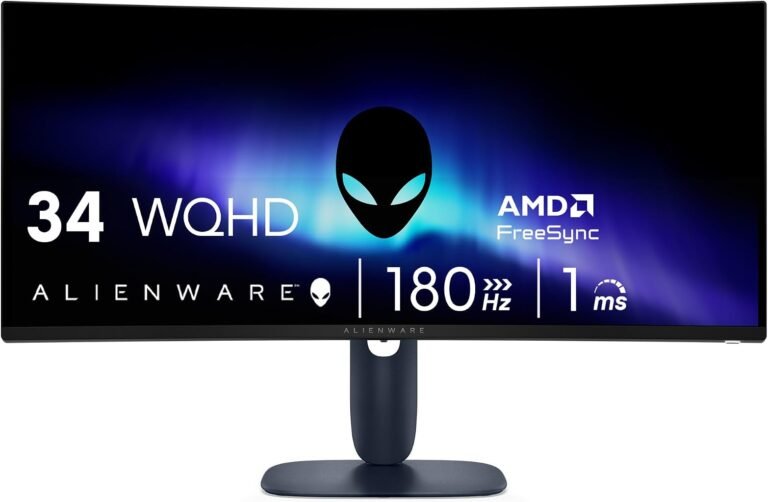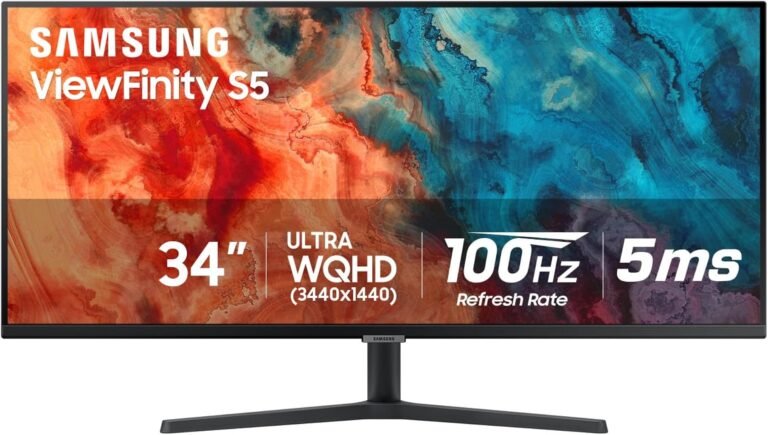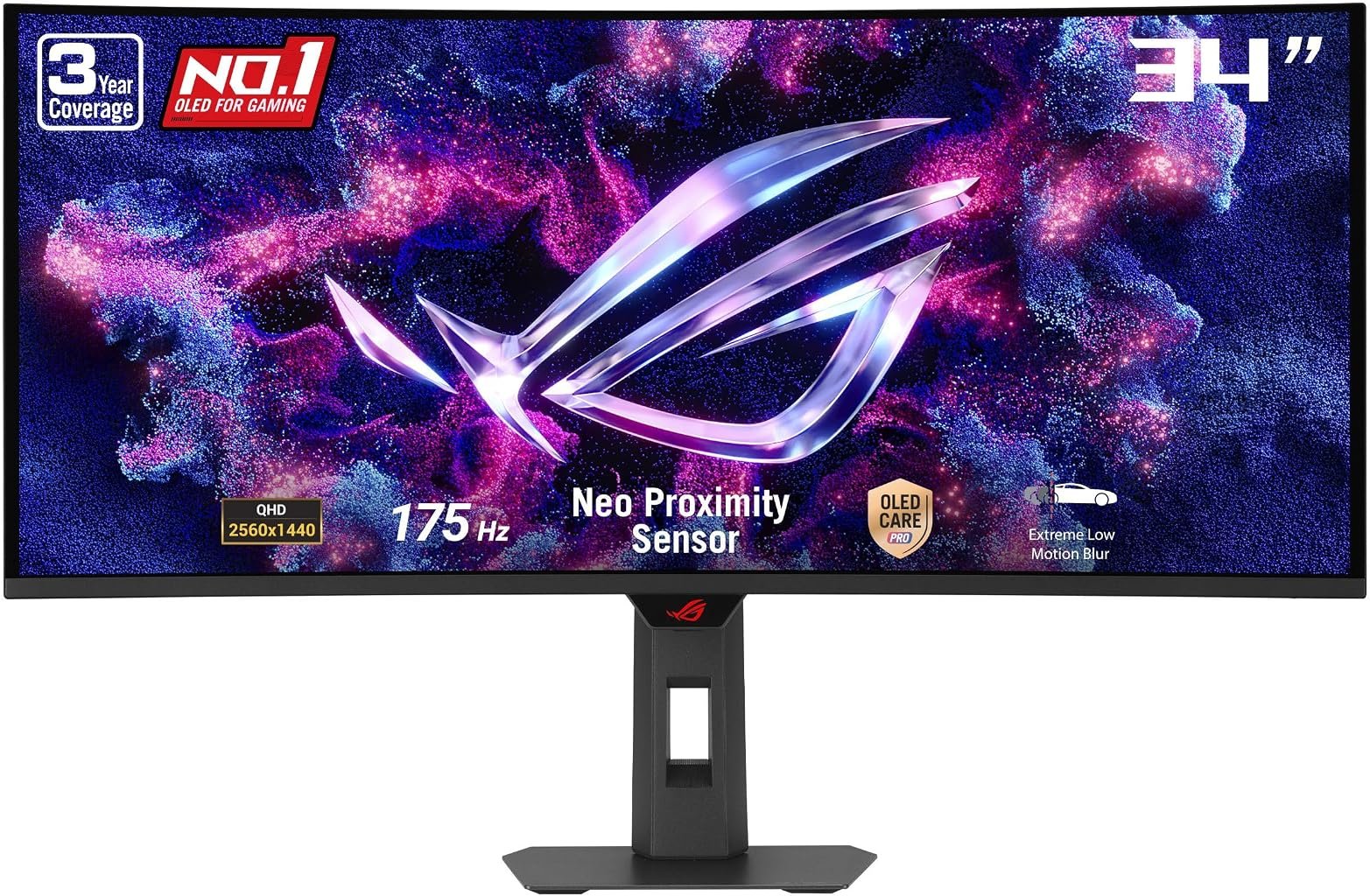
The ASUS ROG Strix OLED XG34WCDG enters the 34-inch ultrawide category with a combination that immediately separates it from conventional LCD alternatives: a 3440×1440 QD-OLED panel, 175Hz refresh rate, 0.03ms manufacturer-rated gray-to-gray response time, 1800R curvature, true 10-bit color and VESA DisplayHDR 400 True Black certification.
Those specifications give the monitor an unusually broad assignment. It is expected to deliver the motion characteristics demanded by gaming while retaining the resolution, color capability and physical width required for creative work and ordinary desktop productivity. OLED technology changes the equation further because each pixel produces its own light rather than relying on an LCD layer illuminated by a backlight.
The official ASUS specifications for the XG34WCDG list a 34-inch 21:9 QD-OLED panel, 3440×1440 resolution, 1800R curvature, 175Hz maximum refresh rate, 0.03ms GtG response, 99.3% DCI-P3 coverage and peak HDR brightness of 1,000 cd/m². ASUS also specifies a 1,500,000:1 contrast ratio and Delta E of 2 or less.
Our score is 8.45/10. Customer Sentiment stands at 8.5, Buyer Confidence at 8.54 and Value at 8.28. The narrow spacing among those figures is meaningful. There is little dispute about the technical ambition of the XG34WCDG; the more difficult question is whether a $749 reference price makes sense for a buyer who can exploit OLED contrast, 175Hz operation and the monitor’s extensive gaming functions.
For the appropriate system and workload, the argument is substantial. For buyers who primarily need spreadsheet space or casual gaming, much of the hardware will go unused.
QD-OLED Changes the Fundamental Image Architecture
The most consequential specification is not 175Hz. It is QD-OLED.
Conventional LCD monitors require a backlight. Liquid-crystal pixels regulate how much of that light passes through the panel, but they cannot individually switch off the backlight behind them. OLED uses self-emissive pixels, allowing individual pixels to produce light or become effectively black.
That distinction changes contrast behavior.
ASUS specifies a contrast ratio of 1,500,000:1 for the XG34WCDG. More important than the numerical ratio is the panel’s ability to produce extremely dark pixels adjacent to bright ones without depending on a limited number of local-dimming zones.
This is particularly relevant to games containing stars, dark interiors, nighttime scenes, illuminated HUD elements and bright effects against black backgrounds. Traditional LCD backlights can illuminate areas surrounding a bright object. OLED’s pixel-level illumination approaches the problem differently.
VESA created its DisplayHDR True Black standard specifically for emissive display technologies. In its explanation of the standard, VESA states that DisplayHDR True Black permits black levels down to 0.0005 cd/m².
That characteristic is central to understanding why OLED HDR can look materially different from HDR on an ordinary edge-lit LCD even when the LCD advertises a high peak-brightness figure.
The 3440×1440 Resolution Remains a Practical Ultrawide Balance
The XG34WCDG uses 3440×1440 resolution across its 34-inch 21:9 panel.
That means 4,953,600 pixels are generated in every complete frame. Conventional 2560×1440 contains 3,686,400 pixels, so the ASUS requires approximately 34% more pixels. Against 1920×1080, the difference reaches roughly 139%.
This is a meaningful GPU workload.
At the same time, 3440×1440 avoids the substantially greater rendering demands of 4K-class ultrawide formats. That matters on a gaming monitor because high refresh rates have little practical value if the graphics hardware cannot produce enough frames to use them.
The format also works well beyond games.
A 21:9 desktop provides enough width to position several applications side by side. Video-editing timelines gain horizontal space. Large spreadsheets reveal more columns. Creative software can leave tool palettes visible without compressing the primary canvas as severely as on a narrower display.
That dual-purpose character explains why the best 34 inch ultrawide monitors are rarely evaluated only through frame rates. A monitor of this width becomes a large piece of desktop infrastructure even when no game is running.
175Hz Provides Meaningful High-Refresh Headroom
The XG34WCDG refreshes at up to 175Hz.
At 175Hz, the interval between refresh opportunities is approximately 5.71 milliseconds. A 144Hz display refreshes approximately every 6.94 milliseconds. At 100Hz, the interval reaches 10 milliseconds, while 60Hz stretches to roughly 16.67 milliseconds.
The largest perceptual improvement usually occurs when moving away from low refresh rates. Even so, 175Hz provides substantial headroom for fast games while remaining demanding enough that the GPU becomes part of the buying decision.
Rendering 3440×1440 at 175 frames per second represents roughly 867 million pixel positions per second before accounting for shading complexity, effects, ray tracing or other rendering work.
That calculation illustrates why the monitor and graphics card cannot be evaluated independently.
Competitive titles with modest graphics requirements can make extensive use of 175Hz. Visually demanding games at maximum settings may run well below that rate, particularly when ray tracing or other expensive effects are enabled.
The monitor does not require 175 fps at all times to remain useful. Adaptive refresh exists precisely because real game frame rates fluctuate.
OLED Response Time Complements the Refresh Rate
ASUS specifies a 0.03ms gray-to-gray response time.
Manufacturer response specifications should not be treated as a universal measurement of every pixel transition, but OLED technology has a fundamental advantage here: its pixels do not rely on the slower liquid-crystal orientation changes used by LCD panels.
This distinction matters because refresh rate and pixel response are separate variables.
A monitor can refresh frequently while pixels remain in transition from the previous image. That produces visible persistence or smearing even when the refresh-rate figure looks impressive.
Fast pixel transitions allow the 175Hz refresh cycle to translate more effectively into motion clarity.
ASUS also includes Extreme Low Motion Blur functionality. The broader point is not that one specification guarantees perfect motion. Rather, the XG34WCDG combines a high refresh ceiling with a display technology inherently suited to rapid pixel-state changes.
That pairing is more coherent than simply attaching an extreme refresh specification to a panel unable to resolve transitions quickly enough.
The 1800R Curve Is Relatively Restrained
The panel has an 1800R curvature.
Among contemporary ultrawides, that is comparatively gentle. Some 34-inch displays use 1500R curves, while more aggressively curved monitors reach 1000R.
The 1800R figure corresponds to a radius of 1,800 millimeters. Across the XG34WCDG’s roughly 800mm-wide active viewing area, the curve draws the edges toward the seated viewer without producing the stronger wraparound geometry of a 1000R display.
This can make the monitor easier to use for mixed workloads.
Gaming gains some visual enclosure from the curvature, while productivity applications retain geometry closer to a flat display. Creative users working with lines, grids or layouts may also prefer the milder curve.
Curvature remains preference-sensitive. A buyer specifically seeking a strongly enveloping ultrawide may favor a tighter radius.
For a monitor attempting to cover gaming and creative work, however, 1800R represents a defensible compromise.
HDR Is More Convincing Because the Pixels Are Self-Emissive
The XG34WCDG carries VESA DisplayHDR 400 True Black certification. ASUS specifies peak HDR brightness of 1,000 cd/m², with the qualification that peak brightness can vary because of color pre-calibration.
That 1,000 cd/m² figure should not be interpreted as sustained full-screen brightness. OLED displays commonly reach their highest luminance on smaller bright areas rather than across the entire panel.
The monitor’s typical brightness is specified at 250 cd/m².
Those two figures describe different operating conditions, and confusing them can lead to unrealistic expectations. The XG34WCDG is capable of intense localized HDR highlights, while ordinary large-area desktop brightness is substantially lower.
The self-emissive panel is the other half of the HDR equation.
VESA describes DisplayHDR True Black as an open standard for emissive displays, with requirements addressing deep black levels, color and HDR behavior. The XG34WCDG’s certification therefore carries more information than simple HDR10 compatibility.
For games and films in controlled lighting, the combination of near-black pixel output and bright localized highlights can produce substantial dynamic separation.
Color Capability Extends Beyond Gaming
ASUS specifies 99.3% DCI-P3 coverage, true 10-bit color and factory color accuracy of Delta E 2 or less.
Those figures give the XG34WCDG relevance outside gaming.
Wide-gamut support is useful for photography, video and digital-content workflows that operate beyond the conventional sRGB color space. True 10-bit output allows more gradations per color channel than an 8-bit pipeline, reducing the potential for visible banding in smooth gradients when the software and source material also support higher bit depth.
A Delta E specification of 2 or less indicates ASUS is positioning the display for work where color error matters, although professional color workflows should still incorporate calibration, controlled lighting and application-specific color management.
The monitor also includes a color-calibration report through ASUS DisplayWidget Center.
This creates an interesting crossover. The XG34WCDG carries unmistakable gaming branding, but its QD-OLED panel and color specifications make it credible for mixed gaming and creative environments.
Adaptive-Sync Covers Both Major GPU Ecosystems
The XG34WCDG supports variable refresh and carries AMD FreeSync Premium Pro and G-SYNC Compatible certification.
This is particularly relevant at 3440×1440.
A game that averages 140 fps may fall below 100 fps in demanding scenes and rise considerably higher elsewhere. Fixed refresh can expose those fluctuations through tearing or uneven frame presentation.
Variable refresh allows display timing to track frame delivery within supported operating conditions.
The monitor is also VESA AdaptiveSync Display 175Hz certified, giving the 175Hz capability another standardized performance reference rather than leaving it solely as a manufacturer marketing figure.
For buyers switching GPU brands over the life of the monitor, support across AMD and NVIDIA environments reduces platform dependence.
That matters because a premium monitor may remain on a desk through several graphics-card generations.
Connectivity Is Strong, but USB-C Charging Is Modest
ASUS provides one DisplayPort 1.4 connection with Display Stream Compression, two HDMI 2.1 FRL ports and one USB-C connection supporting DisplayPort Alternate Mode.
The monitor also includes two USB 3.2 Gen 1 Type-A ports, one USB 2.0 Type-A port and a headphone jack.
That is a broad connection set.
Desktop PCs can use DisplayPort, consoles and other systems can use HDMI 2.1, and compatible laptops can send video through USB-C.
The weakness is Power Delivery.
USB-C charging is limited to 15W. That is insufficient to replace the primary charger for most performance laptops and many ordinary productivity notebooks under sustained workloads.
The USB-C port should therefore be understood primarily as a video, data and low-power connection rather than a full single-cable laptop-docking system.
This distinction matters at $749 because competing productivity-oriented ultrawides may provide 65W, 90W or greater USB-C charging.
The ASUS prioritizes gaming connectivity rather than laptop-dock replacement.
The Integrated KVM Adds Multi-System Utility
A KVM switch is included.
This allows connected systems to share attached keyboard and mouse hardware through the monitor’s USB architecture, reducing the need to move peripherals manually between computers.
For a gaming desktop paired with a work laptop, this can be unusually useful.
One keyboard and mouse arrangement can remain on the desk while the user changes systems. The feature also gives the monitor greater relevance to people whose desk must handle both professional and personal hardware.
It does not erase the limitation of 15W USB-C charging. A work laptop may still require its own power adapter.
Even so, KVM functionality broadens the XG34WCDG beyond the traditional single-PC gaming setup.
OLED Care Pro Addresses the Technology’s Main Longevity Concern
OLED’s ability to control light at the pixel level brings an accompanying issue: differential pixel aging.
Static interface elements displayed repeatedly for long periods can age pixels unevenly, potentially creating persistent image retention commonly described as burn-in.
ASUS addresses that risk through OLED Care Pro.
The XG34WCDG product documentation describes a Neo Proximity Sensor that detects when the user leaves and switches the display to a black screen. Because OLED pixels produce their own light, a black screen substantially reduces unnecessary pixel operation while the user is absent.
OLED Care also encompasses panel-protection functions intended to manage long-duration usage.
These safeguards do not change the physical aging characteristics of organic light-emitting material. They are risk-management measures.
The distinction matters particularly for users displaying static productivity interfaces for many hours each day.
ASUS strengthens the ownership proposition by listing a three-year warranty that includes panel burn-in coverage for the XG34WCDG.
That does not eliminate the need for sensible OLED usage, but it materially improves Buyer Confidence.
The Stand Has the Adjustments a Premium Ultrawide Needs
The stand supports height, tilt and swivel adjustment.
Height adjustment spans 110mm. Tilt ranges from -5 to +20 degrees, while swivel reaches 25 degrees in either direction. The monitor also supports a 100×100mm VESA mounting pattern.
These specifications matter because the monitor is physically substantial.
ASUS lists dimensions with the stand of approximately 81.2cm wide, 54.5cm high and 19.9cm deep. Weight with the stand is approximately 8.3kg, falling to 6.2kg without it.
A display more than 81 centimeters wide requires deliberate desk planning.
The adjustable stand makes positioning easier, while VESA support allows a compatible arm to recover desk area or provide a wider movement range.
ASUS also includes a quarter-inch tripod socket, useful for attaching compatible cameras, lights or other equipment around a streaming or content-creation setup.
There Are No Integrated Speakers
ASUS does not include speakers.
For a $749 monitor, that omission deserves consideration, although the impact depends heavily on the intended buyer.
Gaming users often rely on headphones, headsets or dedicated speakers. Creative users may already own external audio equipment. In those settings, low-powered integrated monitor speakers would add limited value.
A minimalist desk is affected more directly.
Anyone expecting the monitor to handle basic system audio will need another device. The headphone connection provides wired audio output but does not replace speakers.
This is another indication that the XG34WCDG prioritizes panel performance and gaming hardware over peripheral consolidation.
Power Consumption Is Relatively Controlled
ASUS specifies power consumption below 36W, with power-saving consumption below 0.5W and powered-off consumption below 0.3W.
The monitor accepts 100–240V at 50/60Hz.
A 36W ceiling used as an illustrative eight-hour daily operating figure would correspond to no more than roughly 105kWh over 365 days under that simplified scenario. Actual consumption will vary according to content, HDR use, brightness, OLED behavior and power-management settings.
OLED consumption can be particularly content-dependent because individual pixels generate their own light. A mostly dark image and a bright full-screen image place different demands on the panel.
The published figure therefore provides a useful reference rather than a prediction of a household electricity bill.
Gaming Utilities Add Function Without Defining the Monitor
ASUS includes GamePlus, GameVisual, Shadow Boost, Dynamic Crosshair, Dynamic Shadow Boost, AI Visual, Aspect Control and DisplayWidget Center.
Some of these functions are competitive aids rather than image-quality improvements.
Shadow-related controls can increase visibility in dark game areas. Dynamic Crosshair can modify aiming assistance according to the displayed scene. Aspect Control allows the display area to be configured differently for games that do not benefit from the full 21:9 format.
DisplayWidget Center moves many monitor settings into software, reducing dependence on physical on-screen-display navigation.
These features add flexibility, but the XG34WCDG would remain technically interesting without them. Its real identity comes from QD-OLED, 175Hz operation, rapid pixel response and ultrawide geometry.
Software utilities are supporting actors.
Buyer Confidence and Customer Sentiment Are Closely Matched
Our overall score is 8.45/10.
Customer Sentiment reaches 8.5, while Buyer Confidence stands slightly higher at 8.54. That narrow difference reflects a monitor whose capabilities are relatively easy to establish and whose design choices align closely with its intended audience.
ASUS publishes detailed specifications covering the panel, ports, color capability, HDR certification, stand, power consumption and warranty. Dedicated XG34WCDG support resources also provide access to product documentation and support infrastructure.
Buyer Confidence benefits further from the three-year warranty including burn-in coverage. OLED ownership carries different longevity considerations from LCD, making explicit panel coverage more relevant here than it would be on many conventional monitors.
Value is the lowest editorial rating at 8.28.
The reason is straightforward: $749 buys technically advanced display hardware, but the buyer needs to exploit that hardware for the price to make sense.
A user working primarily in office applications will gain little from 0.03ms response behavior or 175Hz gaming performance. A gamer using an underpowered GPU may rarely exploit the refresh ceiling. Someone requiring a laptop dock may be frustrated by 15W USB-C charging.
Value improves substantially when gaming, HDR media and color-sensitive creative work all share the same desk.
Who Should Consider the ASUS ROG XG34WCDG?
The strongest matches include:
- PC gamers seeking 3440×1440 ultrawide gaming with a 175Hz refresh ceiling.
- Buyers who prioritize OLED black levels and pixel-level light control.
- Players sensitive to LCD motion blur who value extremely rapid OLED pixel transitions.
- Users with AMD or NVIDIA graphics hardware who want broadly supported adaptive refresh.
- Gamers who also perform creative work and can use the 99.3% DCI-P3 gamut and true 10-bit color.
- Multi-computer users who can benefit from the integrated KVM.
- Buyers who value HDMI 2.1 alongside DisplayPort and USB-C video connectivity.
- Users prepared to manage OLED carefully during prolonged static desktop work.
There are equally identifiable weaker matches.
Office-focused laptop users may obtain greater practical utility from an IPS or VA ultrawide with 90W USB-C charging, Ethernet and stronger docking functionality. Buyers uncomfortable with OLED aging considerations may prefer LCD. Competitive players who care only about maximum frame rate can find 240Hz, 360Hz and faster displays, albeit often with different resolutions or aspect ratios.
Users expecting integrated audio will also need external hardware.
The $749 Question Is Really About Utilization
The XG34WCDG’s Value rating of 8.28 should be read through utilization rather than raw specification count.
At $749, the monitor costs considerably more than conventional 34-inch 3440×1440 VA displays. The premium pays for QD-OLED technology, high refresh, rapid pixel response, HDR capability, broad color coverage and gaming-oriented electronics.
That premium becomes rational when those characteristics are repeatedly used.
A gamer playing visually rich single-player releases gains from OLED contrast and HDR. A competitive player can exploit 175Hz and fast response. A video or graphics user gains from the wide gamut and 10-bit color. A person using the monitor for all three workloads extracts considerably more value from the same hardware.
Someone displaying email, documents and spreadsheets eight hours a day faces a different calculation.
That distinction is central when comparing the best 34 inch ultrawide monitors. The category now contains products built around radically different priorities despite sharing the same diagonal size and 3440×1440 resolution.
The XG34WCDG is not trying to minimize the cost of ultrawide screen space. It is trying to make that screen space perform at a level suitable for demanding gaming and high-quality media.
Final Considerations
The ASUS ROG XG34WCDG earns its 8.45/10 score through a tightly connected set of display characteristics rather than a long list of unrelated additions.
Its 34-inch QD-OLED panel provides 3440×1440 resolution across a 21:9 surface with 1800R curvature. The 175Hz refresh rate supplies substantial high-frame-rate capability, while the 0.03ms manufacturer-rated GtG response aligns the panel technology with that refresh ceiling. VESA DisplayHDR 400 True Black certification, 1,000 cd/m² specified peak HDR brightness, 99.3% DCI-P3 coverage, true 10-bit color and Delta E of 2 or less give the screen credible ambitions beyond gaming.
Connectivity is equally broad. DisplayPort 1.4 with DSC, two HDMI 2.1 FRL inputs, USB-C video, a USB hub, headphone output and KVM switching allow several systems to share the display. The adjustable stand and 100×100mm VESA support address the physical demands of an 81.2cm-wide monitor.
The compromises are identifiable rather than hidden. USB-C Power Delivery stops at 15W, limiting the monitor’s usefulness as a laptop docking station. There are no built-in speakers. Typical brightness is 250 cd/m² even though localized HDR peaks can reach much higher. OLED also requires greater awareness of static-content exposure than conventional LCD technology.
ASUS’s OLED Care Pro features and three-year burn-in warranty directly address that last concern, strengthening Buyer Confidence to 8.54. Customer Sentiment at 8.5 closely follows the 8.45 overall score, suggesting a product whose strengths align well with its intended audience. Value at 8.28 remains slightly lower because $749 is substantial money for a monitor, particularly when cheaper 3440×1440 displays can provide the same amount of desktop space.
They cannot, however, provide the same display architecture merely by matching the resolution.
That is the distinction that matters. QD-OLED’s pixel-level light control, 175Hz refresh, rapid response and wide-gamut color capability alter what the 3440×1440 canvas can do. The buyer is paying not for additional pixels, but for different behavior from those pixels.
For gamers who also consume HDR media or perform color-sensitive creative work, that difference can justify the premium. For productivity-first users, a less specialized ultrawide may be economically smarter.
The XG34WCDG therefore succeeds most clearly when treated as a performance display rather than simply a large monitor. Its $749 proposition rests on using the qualities that separate QD-OLED from ordinary LCD hardware. When those qualities align with the workload, the 8.45/10 rating is well supported. When they do not, the same money can purchase a monitor with stronger docking capability, higher charging power or a less demanding ownership profile.