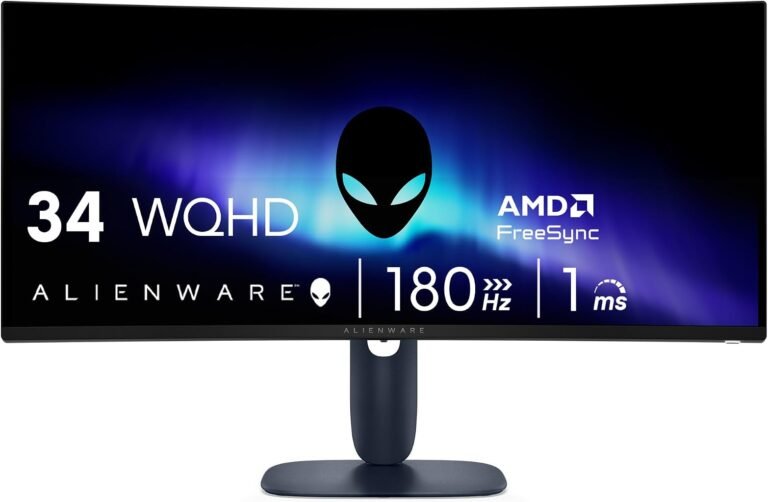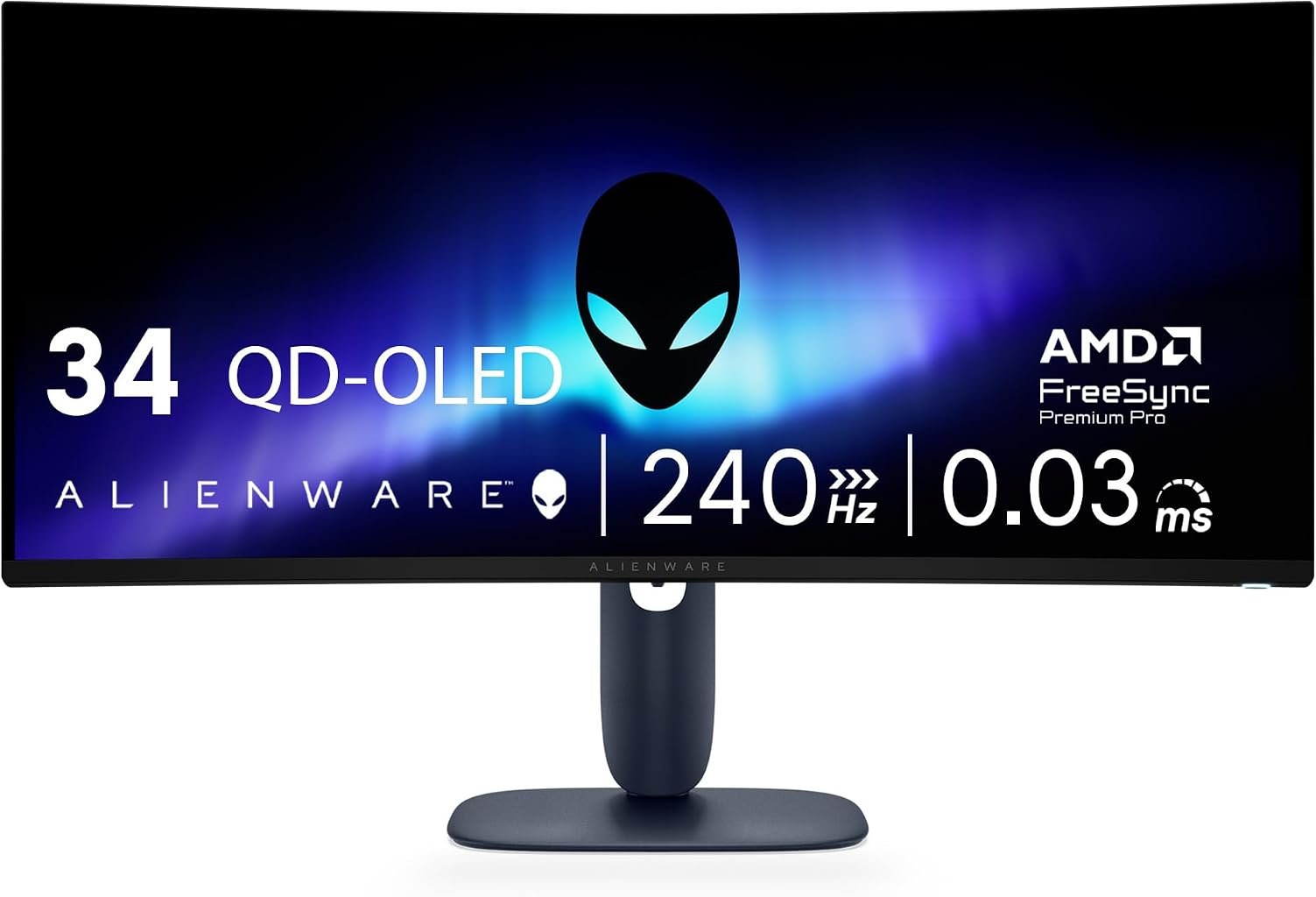
The Alienware AW3425DW represents a consequential shift in what a 34-inch ultrawide gaming monitor can deliver without moving to 4K. Its formula combines a 34.2-inch 3440 × 1440 QD-OLED panel, 240Hz refresh rate, 0.03ms gray-to-gray response specification, 1800R curvature, broad DCI-P3 coverage and three major adaptive-refresh implementations. Those specifications place motion performance and image contrast at the center of the design.
The distinction between this monitor and conventional LCD ultrawides is fundamental rather than cosmetic. QD-OLED uses self-emissive pixels instead of relying on a continuously illuminated LCD backlight. That changes black reproduction, pixel-transition behavior and HDR presentation while introducing its own ownership considerations.
According to Dell’s official AW3425DW specifications, the display runs at 3440 × 1440 up to 240Hz, covers 99.3% of DCI-P3 under CIE 1976, supports 1.07 billion colors and carries VESA DisplayHDR True Black 400 certification. Alienware specifies 250 cd/m² brightness and up to 1000 cd/m² peak brightness, alongside a 1,500,000:1 dynamic contrast specification.
Our score is 8.62/10. Customer Sentiment stands at 8.50, Buyer Confidence reaches 9.35 and Value is 8.28. At the $699.99 reference price, the AW3425DW is not positioned as an inexpensive route into ultrawide gaming. Its case rests instead on whether QD-OLED contrast, 240Hz motion and 0.03ms pixel response justify the considerable premium over conventional VA and IPS alternatives.
QD-OLED Changes the Core Display Equation
The most consequential specification is not 240Hz. It is QD-OLED.
Traditional LCD monitors require a backlight. Their pixels regulate how much of that light reaches the viewer, but they cannot individually stop the backlight itself from operating. Even high-contrast VA displays therefore retain some residual luminance when attempting to reproduce black.
OLED works differently. Individual pixels emit their own light and can effectively switch off when black is required.
This changes the visual relationship between bright and dark objects. A star field, dark corridor or night environment does not depend on an LCD panel attempting to block a shared backlight. Bright elements can appear beside effectively black pixels with far greater local separation.
QD-OLED adds quantum-dot color conversion to the OLED architecture. Alienware specifies 99.3% DCI-P3 coverage and Delta E below 2 color accuracy for the AW3425DW. Those figures make the monitor relevant not only to gaming but also to users who work with wide-gamut visual content.
The technology does not make every other display obsolete. LCD monitors retain advantages in pricing, sustained bright-screen behavior and freedom from OLED-specific concerns around static content.
The AW3425DW therefore represents a trade rather than an unconditional upgrade. It prioritizes pixel-level contrast and extremely fast transitions while asking buyers to accept the different characteristics of an OLED panel.
The 3440 × 1440 Resolution Remains a Rational Gaming Choice
The AW3425DW displays 3440 × 1440 pixels, producing 4,953,600 pixels per frame.
Standard 2560 × 1440 QHD contains 3,686,400 pixels. The Alienware therefore renders approximately 34% more pixels, with the additional area concentrated horizontally.
Native 3840 × 2160 4K contains 8,294,400 pixels, approximately 67% more than 3440 × 1440.
That difference matters enormously at 240Hz.
A monitor cannot exploit a 240Hz refresh ceiling unless the graphics processor can generate sufficiently high frame rates. Rendering almost 8.3 million pixels at very high frame rates places substantially greater pressure on a GPU than rendering just under five million.
The Alienware’s resolution therefore creates a deliberate performance compromise. It provides the broad field of view associated with 21:9 ultrawide gaming while keeping the rendering workload substantially below 4K.
At 34.2 inches, Alienware specifies approximately 110 pixels per inch. That density is also practical for desktop use, producing relatively fine text without requiring the aggressive interface scaling often associated with smaller high-density 4K screens.
This balance helps explain why 3440 × 1440 remains central to many of the best 34 inch ultrawide monitors. The format provides meaningful horizontal expansion without allowing pixel count to undermine the high-refresh performance that gaming hardware is intended to deliver.
240Hz Makes the Motion Argument Serious
The AW3425DW reaches 240Hz at its native 3440 × 1440 resolution through DisplayPort 1.4 and compatible HDMI 2.1 connections.
Refresh intervals reveal what that means.
At 60Hz, a new refresh begins every 16.67 milliseconds. At 100Hz, the interval falls to 10 milliseconds. At 144Hz, it is approximately 6.94 milliseconds. At 180Hz, it reaches about 5.56 milliseconds.
At 240Hz, the interval is approximately 4.17 milliseconds.
The improvement from 60Hz is dramatic mathematically: the display can begin presenting new visual information four times as frequently.
The difference from 180Hz is smaller. Moving from 180Hz to 240Hz reduces the refresh interval by approximately 1.39 milliseconds.
This illustrates an important characteristic of high-refresh displays. Each additional increase produces diminishing reductions in frame interval. Yet those reductions can still matter in fast games where rapid camera movement and repeated aiming adjustments dominate.
The 240Hz specification is especially compelling because it is paired with OLED pixel response rather than a slower LCD panel attempting to keep pace with a very short refresh cycle.
The 0.03ms Response Specification Separates OLED From LCD
Alienware specifies a 0.03ms gray-to-gray response time.
That figure is dramatically lower than the 1ms, 2ms or 5ms specifications common among LCD gaming monitors.
Response time and refresh rate measure different processes. Refresh rate determines how frequently a monitor can present another frame. Pixel response describes how quickly individual pixels transition between states.
At 240Hz, each refresh interval lasts approximately 4.17 milliseconds. A pixel-transition specification of 0.03ms is only a small fraction of that interval.
This is one of OLED’s structural gaming advantages.
LCD monitors can use overdrive to accelerate pixel transitions, but aggressive overdrive can create overshoot artifacts. OLED does not rely on liquid crystals physically changing orientation to control a backlight, allowing pixel transitions to occur far more rapidly.
An advertised response figure never describes every aspect of perceived motion by itself. Frame rate, persistence, refresh timing and game-engine behavior still matter.
Even with that qualification, 0.03ms and 240Hz form a fundamentally different motion proposition from a conventional 5ms 100Hz productivity ultrawide.
The 1800R Curve Is Relatively Restrained
Alienware uses an 1800R curve.
The figure describes the radius of the theoretical circle created if the display’s curvature were extended. A lower number represents a tighter curve, making 1800R gentler than 1500R, 1000R or 800R designs.
That restraint suits a 34.2-inch panel.
The display is wide enough for curvature to bring the outer edges inward, yet 1800R avoids turning the screen into a deeply wrapped surface. It can therefore accommodate gaming and conventional desktop work without making curvature the defining visual characteristic.
This matters because the AW3425DW is expensive enough that many buyers will expect it to perform more than one role.
A strongly curved monitor can work extremely well from a central gaming position but become less comfortable for tasks involving geometric lines or off-center viewing. The Alienware’s gentler arc offers a compromise between immersion and desktop versatility.
For buyers accustomed to flat displays, 1800R is also likely to require less adaptation than a substantially tighter curve.
Black Reproduction Is the Defining Image-Quality Advantage
Alienware lists a 1,500,000:1 dynamic contrast ratio. More important than that large specification is the physical behavior behind it: OLED pixels can switch themselves off.
That capability changes dark-scene reproduction.
An LCD can increase native contrast through VA technology or improve local control through mini-LED dimming zones. Yet a dimming zone can cover many pixels. When a small bright object appears against darkness, the backlight zone may illuminate a larger area than the object itself, potentially creating visible blooming.
OLED avoids that particular limitation because light is controlled at the pixel level.
This does not mean every scene automatically looks more accurate. Source material, calibration, room lighting and display settings remain relevant.
But for games containing night environments, space scenes, caves or high-contrast interfaces, pixel-level black control represents one of the AW3425DW’s strongest reasons for existing.
The difference is architectural rather than dependent on a software preset.
VESA DisplayHDR True Black 400 Gives HDR a Firmer Foundation
The AW3425DW carries VESA DisplayHDR True Black 400 certification.
That distinction matters because VESA’s True Black category was created for emissive display technologies capable of extremely low black levels. Certification places requirements around luminance, black performance, color and other HDR behavior rather than merely confirming that a monitor can accept an HDR signal.
Alienware specifies 250 cd/m² brightness and up to 1000 cd/m² peak HDR brightness for the AW3425DW.
The two figures should not be treated as contradictory. OLED displays can vary luminance according to the size and nature of the bright area being shown. A small HDR highlight can reach much greater intensity than a large bright desktop covering most of the panel.
This behavior distinguishes the AW3425DW from monitors that advertise HDR compatibility while relying on modest LCD contrast and limited backlight control.
The Alienware’s HDR proposition rests on the combination of bright localized highlights and pixel-level black reproduction rather than raw full-screen luminance alone.
99.3% DCI-P3 Coverage Adds Creative Flexibility
Alienware specifies 99.3% DCI-P3 coverage under CIE 1976 and support for 1.07 billion colors.
That color-gamut specification is broader than the basic sRGB coverage expected from general office monitors.
DCI-P3 is particularly relevant to modern HDR and video workflows, while games increasingly make use of wider color capabilities when HDR is enabled correctly.
Alienware also states Delta E below 2 color accuracy.
Those specifications make the AW3425DW potentially useful for creative tasks alongside gaming, particularly video and digital imagery where wide-gamut reproduction matters.
They do not automatically make it a reference display. Professional color work depends on calibration, ambient conditions, workflow standards and application color management.
OLED ownership also requires additional thought when a workday involves static interface elements for extended periods.
The display can therefore support creative work credibly, but its strongest rationale remains a gaming and media environment where its self-emissive architecture receives regular use.
Adaptive Refresh Covers All Three Major Ecosystems
The AW3425DW supports NVIDIA G-SYNC compatibility, AMD FreeSync Premium Pro and VESA AdaptiveSync.
That breadth reduces GPU-brand dependence.
Variable refresh allows a compatible monitor to coordinate its refresh timing with changing frame delivery from the graphics processor. When frame rates fluctuate, synchronization can reduce visible tearing and improve the relationship between rendered frames and display updates.
VESA’s Adaptive-Sync framework adds standardized testing to the equation. The organization evaluates factors including refresh behavior, flicker, gray-to-gray response, frame dropping and frame-rate jitter rather than relying solely on a manufacturer’s compatibility statement.
The combination of 240Hz and broad adaptive-refresh support is especially useful because demanding games will not always run at 240 frames per second.
A graphically intensive title may move through a much lower and variable frame-rate range. Adaptive refresh therefore remains relevant even when the monitor’s maximum frequency is rarely reached.
HDMI 2.1 and DisplayPort 1.4 Both Support 240Hz
Alienware provides one DisplayPort 1.4 connection supporting up to 3440 × 1440 at 240Hz with DSC and HDR.
It also provides two HDMI connections capable of supporting 3440 × 1440 at 240Hz with FRL, HDR and VRR under the HDMI 2.1 implementation.
That flexibility is useful.
Some high-refresh monitors impose a substantial capability difference between DisplayPort and HDMI. The AW3425DW instead allows its native 240Hz mode through both modern video pathways when connected to suitable hardware.
The dual HDMI arrangement also accommodates several systems without repeated cable swapping.
Console users should still understand the aspect-ratio issue. Mainstream consoles commonly output 16:9 rather than native 21:9 ultrawide images. HDMI 2.1 bandwidth does not alter the source device’s supported aspect ratios.
For PC gaming, however, the port arrangement is appropriately matched to the panel.
USB Connectivity Is Peripheral-Focused Rather Than Docking-Focused
The AW3425DW provides a 5Gbps USB Type-B upstream connection, a 5Gbps downstream USB-A port and a downstream 5Gbps USB-C port capable of supplying up to 15W.
That USB-C connection should not be mistaken for the 65W, 90W or 100W-class Power Delivery ports found on productivity monitors.
Fifteen watts is suitable for charging smaller devices but is not intended to turn the Alienware into a one-cable workstation for a performance notebook.
This reflects the product’s priorities.
A gaming desktop normally has its own power supply and video connection. USB functionality is therefore aimed more at convenient peripheral access than replacing a docking station.
Users seeking one monitor to alternate between a corporate USB-C notebook and gaming PC should account for this limitation. A separate dock or additional laptop connections may still be required.
OLED Panel Care Deserves Serious Consideration
OLED’s advantages arrive with a characteristic that LCD buyers rarely need to consider: differential pixel aging.
Static interface elements displayed repeatedly can age pixels unevenly over very long periods. Manufacturers have therefore developed panel-protection systems intended to reduce this risk.
Alienware states that the AW3425DW uses an enhanced anti-burn-in algorithm alongside an anti-burn-in graphite sheet. Dell also backs the display with a three-year warranty that includes panel burn-in coverage.
That warranty materially changes the ownership calculation.
It does not mean static content should be ignored indefinitely. A user spending ten hours each day with fixed application toolbars has a different usage pattern from someone primarily playing varied full-screen games and watching films.
OLED makes the most sense when buyers understand the technology rather than treating it as an LCD with better blacks.
For gaming-first use, the trade can be highly rational. For predominantly static office work, conventional LCD technology remains attractive precisely because image retention requires less consideration.
Ergonomics Match the Premium Positioning
Alienware provides height, tilt, swivel and slant adjustment.
Dell specifies tilt from approximately -5 degrees to 21 degrees, swivel of roughly 20 degrees in either direction and additional slant adjustment.
This matters because a 34.2-inch curved monitor establishes a fairly specific relationship between screen and viewer.
The user benefits from sitting near the horizontal center of the panel, with the screen positioned at an appropriate height and distance. Poor placement can reduce the ergonomic advantage of the curve and increase unnecessary head movement.
The stand therefore needs to do more than keep the display upright.
For users with limited desk depth, monitor-arm mounting may offer another route, provided the arm is correctly rated for the display.
Physical placement deserves attention before purchase. A premium panel cannot compensate for a desk that forces the screen too close to the viewer.
The $699.99 Value Question Is Really an OLED Question
At the $699.99 reference price, our Value score is 8.28.
That is the lowest of the four editorial measures, and the reason is not difficult to identify.
A buyer can obtain 3440 × 1440 resolution for substantially less. A conventional VA ultrawide can provide high native contrast. High-refresh LCD models can reach 180Hz or beyond.
The premium is being paid for the combination.
QD-OLED supplies pixel-level black control and exceptionally fast transitions. The panel reaches 240Hz. Alienware specifies 0.03ms GtG response, 99.3% DCI-P3 coverage and up to 1000-nit peak HDR brightness. VESA DisplayHDR True Black 400, G-SYNC compatibility, FreeSync Premium Pro and VESA AdaptiveSync add further depth.
A buyer who values those characteristics can make a coherent case for the price.
Someone mainly writing documents and browsing the web cannot.
The AW3425DW’s value rises sharply with the amount of gaming, HDR media and dynamic visual content in the user’s daily workload.
What the Editorial Scores Reveal
Our overall score is 8.62/10.
Customer Sentiment follows at 8.50, indicating close alignment between the monitor’s broad appeal and our editorial assessment.
Buyer Confidence is substantially higher at 9.35.
That difference reflects the coherence of the product. QD-OLED, 240Hz, 0.03ms response, 3440 × 1440 resolution and broad adaptive-refresh support all reinforce the same gaming objective. The monitor is not trying to disguise its priorities.
Value at 8.28 introduces necessary restraint.
At $699.99, the AW3425DW requires a buyer to place meaningful financial value on OLED behavior. Conventional LCD ultrawides can deliver the same resolution for far less money, while some offer productivity features such as high-wattage USB-C charging and Ethernet that the Alienware does not attempt to match.
The score pattern therefore tells a consistent story: confidence in the product is extremely high, while value depends more strongly on workload and budget.
Where the Alienware AW3425DW Falls Short
The first limitation is price. The $699.99 reference figure places the AW3425DW well above mainstream 34-inch VA and IPS ultrawides.
The second is OLED ownership. Static-content users need to think about differential pixel aging in a way LCD owners generally do not, even with Alienware’s protection measures and three-year burn-in warranty.
The third is productivity connectivity. The downstream USB-C connection provides 15W rather than notebook-class Power Delivery, so this is not a one-cable laptop docking monitor.
The fourth concerns brightness behavior. OLED can produce very bright localized HDR highlights, but sustained large bright areas behave differently from high-output LCD backlights. Buyers equating a 1000-nit peak figure with constant full-screen brightness will misunderstand the specification.
Finally, 240Hz at 3440 × 1440 demands substantial graphics performance. Less demanding competitive games can approach the monitor’s ceiling relatively easily with powerful hardware, while visually intensive modern titles may operate far below 240 fps.
The monitor provides the capacity. The PC must still supply the frames.
Who Should Buy the Alienware AW3425DW?
The strongest candidate is a gaming-focused PC user who values contrast and motion quality enough to pay for QD-OLED.
Fast competitive games benefit from 240Hz and 0.03ms pixel response. Cinematic games benefit from pixel-level black control, broad DCI-P3 coverage and HDR capability. The 21:9 format adds horizontal scale without imposing the full rendering cost of 4K.
It also suits a user who alternates between gaming and media consumption.
Creative work is possible, particularly where DCI-P3 coverage is useful, but buyers spending most of every day in static productivity applications should weigh OLED characteristics carefully.
Notebook-centered professionals requiring 90W-class USB-C charging, Ethernet and KVM functionality have better workstation-oriented choices.
Budget-focused gamers can also save considerably by selecting a 180Hz VA ultrawide.
The AW3425DW is strongest when its expensive attributes are used repeatedly rather than merely admired on a specification sheet.
Final Considerations
The Alienware AW3425DW is a gaming monitor whose most important qualities reinforce one another.
Its 3440 × 1440 resolution provides nearly five million pixels across a 34.2-inch ultrawide canvas. That is approximately 34% more pixels than standard QHD but substantially fewer than 4K, giving graphics hardware a more realistic opportunity to produce the high frame rates required by a 240Hz display.
QD-OLED then changes what those pixels can do.
Individual light emission allows effectively black pixels beside bright content, while the 0.03ms response specification gives the panel transition speed that conventional LCD technology struggles to reproduce. VESA DisplayHDR True Black 400 certification, 99.3% DCI-P3 coverage and up to 1000-nit peak HDR brightness strengthen the visual argument.
The gaming specification is equally focused. A 240Hz ceiling reduces the refresh interval to approximately 4.17 milliseconds. G-SYNC compatibility, AMD FreeSync Premium Pro and VESA AdaptiveSync address variable frame delivery. DisplayPort 1.4 and two HDMI 2.1-capable connections support the native 3440 × 1440 resolution at 240Hz under the documented configurations.
The trade-offs deserve equal weight. The $699.99 reference price is substantial. USB-C charging is limited to 15W rather than laptop-class Power Delivery. OLED owners need to consider static-content usage, although Alienware’s three-year burn-in warranty and panel-protection measures reduce some of the ownership uncertainty.
Our 8.62/10 score reflects a monitor with a sharply defined purpose rather than universal appeal. Customer Sentiment at 8.50 sits close to that assessment. Buyer Confidence at 9.35 is particularly high because the hardware choices align closely around high-performance gaming. Value at 8.28 is more restrained because the premium only makes sense when QD-OLED contrast, 240Hz motion and HDR behavior receive regular use.
The AW3425DW does not make conventional LCD ultrawides irrelevant. Instead, it establishes why a buyer might willingly pay more than the cost of a competent VA or IPS alternative.
For the right user, the answer is found in the combination: ultrawide scale without 4K’s full GPU burden, OLED black control without a backlight, 240Hz refresh without slow LCD transitions, and enough color and HDR capability to make slower cinematic games as relevant to the purchase as competitive ones.
That combination gives the Alienware AW3425DW a clear editorial identity. It is expensive because it concentrates its budget on the panel and the gaming experience rather than workstation docking. Buyers who share those priorities will understand where the money went.