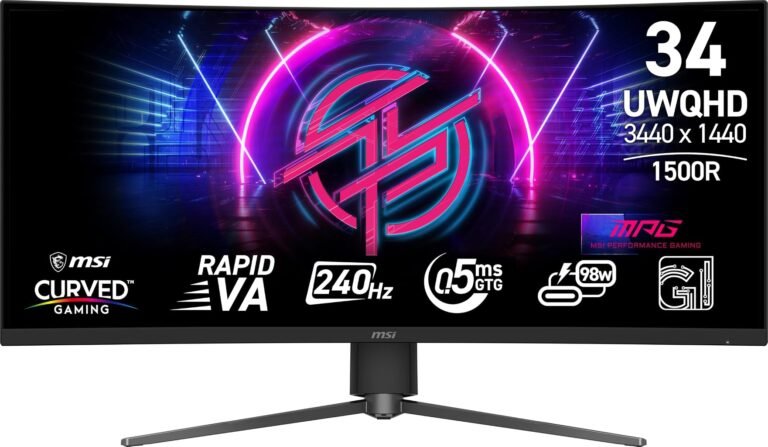
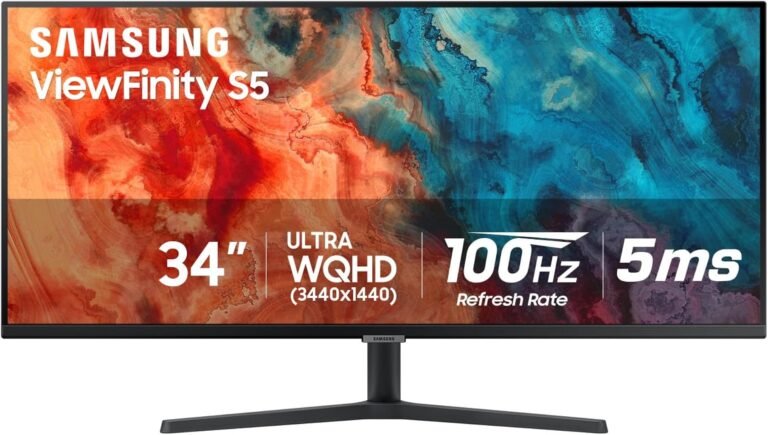
Refresh rate is among the easiest monitor specifications to compare and one of the easiest to misinterpret. One hundred hertz is lower than 160Hz; 160Hz is lower than 240Hz. The arithmetic encourages a straightforward assumption that every step upward produces a proportionately better experience.

The human experience is less tidy.
A higher refresh rate allows a monitor to update its image more frequently, which can improve motion clarity, reduce the time between completed frames and user-visible updates, and make interactions feel more immediate. Yet the gains are nonlinear. Moving from 60Hz to 100Hz removes more time from each refresh interval than moving from 160Hz to 240Hz. Meanwhile, an ultrawide monitor asks a graphics processor to render substantially more pixels than a conventional 16:9 display at a comparable vertical resolution.
Refresh rate, frame rate, pixel response, resolution, graphics workload and variable-refresh technology therefore operate as a system. A 240Hz specification tells only one part of the story.
For office work, 100Hz can already feel markedly smoother than 60Hz. For mixed gaming and productivity, the 144–180Hz region provides a different balance. At 240Hz, the case becomes more specialized: fast games benefit, but achieving frame rates capable of exploiting the panel becomes considerably harder at ultrawide resolutions.
The meaningful question is not whether 240Hz is faster. It plainly is. The question is what those extra refreshes change during actual use.
What Refresh Rate Really Measures
A monitor’s refresh rate describes how many times it can update the displayed image each second.
A 100Hz monitor can refresh up to 100 times per second. A 160Hz monitor can refresh 160 times. A 240Hz monitor can refresh 240 times.
The more revealing way to examine those figures is to convert them into time per refresh.
The calculation is straightforward:
Refresh interval = 1,000 milliseconds ÷ refresh rate
That produces:
- 100Hz: 10 milliseconds per refresh
- 160Hz: 6.25 milliseconds per refresh
- 240Hz: approximately 4.17 milliseconds per refresh
- 60Hz: approximately 16.67 milliseconds per refresh
These figures reveal why refresh-rate improvements have diminishing temporal returns.
Moving from 60Hz to 100Hz reduces the refresh interval by about 6.67 milliseconds. Moving from 100Hz to 160Hz removes another 3.75 milliseconds. Moving from 160Hz to 240Hz removes roughly 2.08 milliseconds.
The numerical increase from 160Hz to 240Hz is 50 percent, but the reduction in maximum refresh interval is only about two milliseconds.
That difference is meaningful in some circumstances. It is not equally meaningful in all circumstances.
Why 100Hz Feels So Different From 60Hz
The jump from a traditional 60Hz desktop to 100Hz is often more apparent than the numbers initially suggest.
At 60Hz, the monitor waits as long as 16.67 milliseconds between refresh opportunities. At 100Hz, that interval falls to 10 milliseconds. Cursor movement, scrolling, window animations and game motion can consequently be presented more frequently.
This affects productivity as well as gaming.
Dragging windows across a 3440 × 1440 desktop produces more intermediate positions. Scrolling through a long web page looks less discontinuous. Moving a mouse pointer across the enormous horizontal distance of an ultrawide panel becomes visually smoother.
None of this makes a spreadsheet calculate faster or a browser load sooner. Refresh rate changes visual presentation and interaction timing, not underlying application performance.
For office-oriented ultrawides, 100Hz therefore represents more than a gaming specification. It can materially improve the feel of everyday desktop movement while remaining modest enough that ordinary computer hardware can support the refresh rate for desktop applications without needing to render demanding 3D graphics at 100 frames per second.
Why Frame Rate and Refresh Rate Are Different
A 240Hz monitor does not automatically produce 240 frames per second.
The display and graphics processor have separate jobs. The GPU renders frames. The monitor displays them.
A game running at 80 frames per second on a 240Hz display is still producing roughly 80 unique frames each second. The panel’s ability to refresh 240 times does not create the missing 160 frames.
This distinction is central to ultrawide purchasing.
NVIDIA’s explanation of G-SYNC variable refresh technology describes synchronization between the display’s refresh behavior and the GPU’s frame output as a means of addressing tearing and reducing display-related artifacts. AMD’s FreeSync technology similarly synchronizes display refresh with frame production. These systems exist because GPU frame delivery is not inherently locked to a monitor’s fixed refresh cycle.
A high-refresh ultrawide becomes most useful when the computer can generate frame rates high enough to exploit it.
That requirement becomes expensive in pixels.
Ultrawide Resolution Changes the Performance Equation
A 3440 × 1440 ultrawide contains:
3440 × 1440 = 4,953,600 pixels
A standard 2560 × 1440 display contains:
2560 × 1440 = 3,686,400 pixels
The ultrawide therefore contains about 34.4 percent more pixels per frame.
At 240 frames per second, a 3440 × 1440 game theoretically involves nearly 1.19 billion pixel positions per second before accounting for the enormous additional complexity of shading, geometry, lighting, ray tracing, post-processing and other rendering operations.
A 5120 × 1440 super-ultrawide raises the pixel count to 7,372,800 per frame—exactly twice the pixel count of 2560 × 1440 and about 88.9 percent of the 8,294,400 pixels in a 3840 × 2160 4K image.
This is why refresh-rate recommendations that make sense for a 1920 × 1080 esports monitor cannot simply be transferred to an ultrawide.
Rendering 240 frames per second at ultrawide resolution is a materially different workload.
100Hz: A Rational Baseline for General Computing
At 100Hz, an ultrawide begins to leave traditional 60–75Hz desktop behavior behind without demanding extreme gaming performance.
For document work, browsing, spreadsheets, programming and media consumption, 100Hz is already enough to make ordinary motion appear smoother. The improvement is particularly noticeable when scrolling or moving objects across a wide desktop.
Video itself generally does not require 100 unique frames every second. Films are commonly distributed at frame rates far below 100 fps, and much streaming material uses 24, 25, 30, 50 or 60 fps depending on content and region. A 100Hz monitor does not transform a 24 fps film into native 100 fps footage.
Gaming is where its ceiling becomes clearer.
A 100Hz panel can show up to 100 unique refreshes per second. For slower single-player games, strategy titles, simulations and visually demanding games running around 60–100 fps, that may be entirely adequate.
For fast competitive games where the GPU can generate 150, 200 or more frames per second, 100Hz begins leaving potentially useful temporal information undisplayed.
The distinction is workload-driven rather than ideological.
160Hz: The Middle Ground Has Mathematical Logic
Refresh rates around 144Hz, 160Hz, 165Hz and 180Hz have become common in gaming displays for a reason. They remove a large portion of the frame interval remaining at 100Hz without imposing the full rendering demands associated with trying to feed a 240Hz screen.
At 160Hz, each refresh interval is 6.25 milliseconds.
Compared with 100Hz’s 10 milliseconds, the monitor receives 60 percent more refresh opportunities each second and reduces the interval between those opportunities by 37.5 percent.
That is a substantial change.
Fast camera pans look more continuous. Mouse-controlled movement can feel more immediate. Games running above 100 fps can display more of the frames the GPU produces.
Yet 160Hz remains achievable at 3440 × 1440 in a broader range of games and hardware configurations than 240 fps.
This is one reason the best 34 inch ultrawide monitors often cluster around the high-refresh middle rather than treating maximum hertz as the sole objective. Resolution, HDR capability, panel behavior, pixel response and graphics performance all compete for the same budget.
A balanced monitor is not necessarily the one with the largest number printed beside “Hz.”
240Hz: Where Diminishing Returns Meet Real Advantages
At 240Hz, the display receives a refresh opportunity every 4.17 milliseconds.
That is objectively faster than 160Hz.
The mistake is assuming the subjective improvement should resemble the jump from 60Hz to 160Hz. It cannot, because the time removed from each interval is much smaller.
Consider the progression:
60Hz → 16.67 ms
100Hz → 10.00 ms
160Hz → 6.25 ms
240Hz → 4.17 ms
Moving from 60Hz to 160Hz removes 10.42 milliseconds from the refresh interval. Moving from 160Hz to 240Hz removes only about 2.08 milliseconds.
For competitive gaming, two milliseconds can matter. An entire performance ecosystem exists around minimizing latency: high-polling-rate mice, fast keyboards, low-latency game settings, high-frame-rate rendering and fast displays.
For writing emails, manipulating spreadsheets or watching a 24 fps film, the same two milliseconds carry far less practical weight.
This is why 240Hz should be understood as a specialized advantage rather than a universal requirement.
Research Shows That Humans Can Benefit Beyond Traditional Frame Rates
Claims that people “cannot see beyond 60Hz” have little scientific foundation. Human visual perception does not operate as a camera with a fixed frame-rate ceiling.
Research has repeatedly demonstrated perceptual and performance differences at high display rates under appropriate conditions.
A study presented by researchers from NVIDIA and collaborators at ACM SIGGRAPH examined the effects of frame rate on aiming performance. The paper, Effects of Frame Rate on User Performance in First Person Shooter Games, tested frame rates from 30 to 240 fps and found that higher frame rates improved aiming performance, with benefits extending to the highest rates tested.
The result does not mean every user needs 240Hz. The experiment involved a task specifically sensitive to visual updates and aiming.
That distinction is precisely the point.
High refresh rates become more useful as the task becomes more dependent on rapidly changing spatial information.
Refresh Rate Also Influences Latency
Higher refresh rates can reduce display-related latency because a new frame has more frequent opportunities to begin appearing on the screen.
At 60Hz, waiting for the next refresh can involve an interval approaching 16.67 milliseconds. At 240Hz, the equivalent interval is only 4.17 milliseconds.
The complete input-to-display latency chain, however, is much larger than the monitor refresh interval alone.
It can include:
- Input-device polling and processing
- Game-engine processing
- CPU rendering preparation
- GPU rendering
- Frame queues
- Synchronization behavior
- Display processing
- Pixel response
This is why a 240Hz monitor cannot guarantee a low-latency system. It merely reduces one potential component.
NVIDIA’s Reflex technology documentation focuses specifically on measuring and reducing system latency across the rendering pipeline, illustrating how many stages exist between an input and the resulting visual response.
Refresh rate matters, but it operates inside that chain.
Pixel Response Can Undermine High Refresh Rates
A monitor refreshing every 4.17 milliseconds gains little if its pixels require substantially longer than that to complete their transitions.
This is where panel technology becomes inseparable from refresh rate.
OLED pixels generally transition extremely quickly, making high-refresh OLED displays particularly effective at preserving the motion advantages associated with 240Hz.
LCD panels require liquid crystals to change orientation. IPS and VA response times vary by transition, temperature, overdrive setting and refresh rate. Some transitions can be fast while others lag behind.
Aggressive overdrive can accelerate LCD transitions but may overshoot the target value, producing inverse ghosting.
This creates a useful distinction between nominal refresh rate and usable motion performance.
Two monitors can both advertise 240Hz yet look different during movement because one panel completes its pixel transitions more cleanly.
Independent response-time measurements are therefore more useful than relying solely on a manufacturer-quoted “1 ms” specification.
Variable Refresh Rate Matters More Than Chasing a Perfect Frame Rate
Modern games rarely maintain one exact frame rate.
A game might run at 145 fps in a corridor, 112 fps during combat and 87 fps in a demanding outdoor scene. Fixed-refresh operation can create visible tearing when GPU output and monitor refresh timing diverge.
Variable refresh rate, or VRR, allows the display to adapt its refresh timing to the incoming frame rate within a supported range.
This makes high-refresh ultrawides substantially more forgiving.
A 160Hz monitor does not require a game to remain locked at exactly 160 fps to provide a good experience. If VRR operates correctly, fluctuating frame rates below the maximum can still be presented smoothly without conventional tearing.
Likewise, a 240Hz monitor can still benefit games running below 240 fps.
This changes the purchasing calculation. The question is not simply, “Can this computer produce 240 fps all the time?” It is also whether the games frequently reach frame rates high enough for the additional refresh headroom to become useful.
Competitive Games Make the Strongest Case for 240Hz
Esports-style games often combine relatively modest rendering complexity with a high sensitivity to motion and latency.
That combination is ideal for 240Hz.
Games designed around rapid aiming and movement can run at very high frame rates on suitable hardware, making it possible to feed the monitor enough unique frames to exploit the refresh rate.
The ultrawide complication is game support.
Competitive titles do not universally treat 21:9 and 32:9 displays in the same way. Some support ultrawide resolutions normally. Others constrain the field of view or display a 16:9 image with side bars for competitive consistency.
A 240Hz ultrawide therefore needs to be evaluated not only against GPU performance but also against the games being played.
A high refresh rate cannot create ultrawide support where the software does not provide it.
Single-Player Games Shift the Priorities
Graphically demanding single-player games present almost the opposite scenario.
High-quality shadows, ray tracing, complex geometry, dense environments and advanced effects can reduce frame rates dramatically. At 3440 × 1440, maintaining 240 fps in such workloads can be unrealistic even on powerful hardware unless image-quality settings are reduced or upscaling and frame-generation technologies are employed.
In these games, 160Hz can provide considerable headroom without requiring the player to pursue 240 fps.
A 100Hz display can also make sense if visual quality is prioritized and typical frame rates remain between roughly 60 and 100 fps.
This exposes a central trade-off. There is little value in buying 240Hz and then reducing visual settings aggressively merely to reach a number that the user does not actually value.
Refresh rate should support the desired gaming experience rather than dictate it.
Frame Generation Complicates Refresh-Rate Comparisons
Modern rendering technologies can generate additional frames between conventionally rendered frames.
NVIDIA DLSS Frame Generation and AMD Fluid Motion Frames are examples of techniques designed to increase displayed frame rates under compatible conditions. NVIDIA’s DLSS documentation describes frame generation as part of its current AI-assisted rendering technology.
This can make high-refresh ultrawides easier to feed visually.
Generated frames, however, are not equivalent to increasing the underlying simulation and input sampling rate. A game might display a substantially higher frame rate through frame generation while retaining an input response characteristic tied more closely to its lower base rendering rate.
That does not make generated frames useless. They can improve visual fluidity considerably.
It does mean that “240 fps” requires context.
A native or conventionally rendered 240 fps competitive game and a graphically intensive game using frame generation to display 240 fps are not producing the same latency characteristics.
Productivity Does Not Stop Benefiting at 100Hz
High refresh rates are frequently discussed as gaming features, but desktop interfaces are full of motion.
Scrolling text, moving windows, dragging objects, animated menus and cursor movement can all become smoother as refresh rate increases.
The gains remain nonlinear.
The jump from 60Hz to 100Hz is substantial. Moving from 100Hz to 160Hz can still be readily visible, especially during scrolling and rapid pointer movement. Moving from 160Hz to 240Hz is more subtle for ordinary desktop tasks.
Text does not become sharper simply because the refresh rate increases. A stationary spreadsheet at 240Hz contains no additional spatial detail compared with the same spreadsheet at 100Hz on an otherwise identical panel.
For productivity, resolution, pixel density, text rendering, screen size, ergonomics and panel uniformity can therefore deserve higher priority once refresh rate reaches a reasonably smooth level.
A 160Hz display with excellent text clarity can be a better working tool than a 240Hz display with inferior text rendering.
Refresh Rate Can Affect Interface Comfort in Unexpected Ways
Large ultrawides exaggerate cursor travel.
A mouse pointer moving from one edge of a 3440-pixel-wide desktop to the other traverses a substantial visual distance. On a low-refresh screen, the gaps between successive displayed pointer positions are larger.
Higher refresh rates fill in more intermediate positions.
Scrolling produces a similar effect. At higher refresh rates, text and interface elements move through smaller positional increments between refreshes, making motion easier to track.
This does not mean that every person will rank 160Hz over 100Hz as highly as a competitive gamer would. Sensitivity varies, as does workload.
The physical principle remains measurable: more temporal samples are being displayed.
Connection Bandwidth Cannot Be Ignored
High-resolution, high-refresh displays move enormous quantities of image data.
A 3440 × 1440 image contains almost five million pixels. Sending that image hundreds of times per second at high color depth requires substantial interface bandwidth.
DisplayPort and HDMI versions, chroma format, bit depth and Display Stream Compression can therefore determine whether a monitor’s advertised resolution and refresh rate are available from a particular computer.
The VESA Display Stream Compression standard was created to enable higher display resolutions, refresh rates and color depths within available interface bandwidth, using visually lossless compression.
This is particularly relevant to high-refresh ultrawides.
A buyer connecting a 240Hz monitor to an older laptop or graphics card may discover that the connection, rather than the panel, establishes the usable refresh ceiling.
Ports are not administrative details at these data rates. They are part of the performance specification.
100Hz, 160Hz and 240Hz Suit Different Priorities
The refresh-rate decision becomes clearer when tied to actual use rather than hierarchy.
- 100Hz is a strong baseline for office work, general computing, media and slower gaming. It offers a large improvement in temporal smoothness over 60Hz without making extreme GPU performance central to the purchase.
- 160Hz suits mixed productivity and gaming particularly well. Its 6.25 ms refresh interval represents a substantial improvement over 100Hz while remaining easier to exploit at 3440 × 1440 than 240Hz.
- 240Hz is most defensible for users who play fast games, own hardware capable of high frame rates or place unusual value on motion clarity and reduced refresh intervals. OLED can make this level particularly effective because pixel response is less likely to become the limiting factor.
These categories overlap. They are workload descriptions, not rigid classifications.
The Monitor Should Be Matched to the GPU, Not Aspirations
A refresh-rate specification has value only when the rest of the system can use it.
Before choosing a high-refresh ultrawide, buyers can examine benchmark results for their graphics hardware at the monitor’s native resolution or a closely comparable pixel count.
Average frame rate alone is not enough. Frame-time consistency and lower-percentile performance matter because large fluctuations affect smoothness even when the average looks impressive.
A system averaging 170 fps while repeatedly dropping sharply can feel less consistent than the headline suggests.
Graphics settings matter too. Someone willing to reduce shadows, ray tracing or other demanding settings can target higher refresh rates. Someone who prioritizes maximum visual quality may spend most of the time well below the panel’s ceiling.
The monitor should leave useful headroom without forcing the entire computer to chase an arbitrary number.
Final Considerations
The difference among 100Hz, 160Hz and 240Hz is real, measurable and increasingly subtle as the numbers rise.
At 100Hz, the monitor receives a new refresh opportunity every 10 milliseconds. At 160Hz, the interval falls to 6.25 milliseconds. At 240Hz, it reaches approximately 4.17 milliseconds. Those numbers establish the physical advantage clearly.
They also expose diminishing returns.
The move from 60Hz to 100Hz removes roughly 6.67 milliseconds from each refresh interval. The move from 100Hz to 160Hz removes 3.75 milliseconds. The move from 160Hz to 240Hz removes only about 2.08 milliseconds.
Those last two milliseconds can matter in rapid competitive play. Research into high-frame-rate gaming has demonstrated performance improvements extending into the 240 fps range under tasks designed around fast visual targeting. The same difference carries far less consequence while editing a document or watching conventional film content.
Ultrawide resolution makes the choice more demanding because every frame contains more pixels. A 3440 × 1440 monitor asks the GPU to process roughly 34 percent more pixel positions per frame than 2560 × 1440. A 5120 × 1440 display approaches the pixel count of 4K. Feeding those screens at 240 frames per second can require formidable rendering performance.
Pixel response then determines whether the panel can physically keep pace. Variable refresh rate determines how gracefully the monitor handles fluctuating frame delivery. Interface bandwidth determines whether the signal can reach the monitor at the requested resolution, refresh rate and color depth. Game support determines whether the ultrawide format itself can be used properly.
Refresh rate is therefore not a standalone measure of monitor quality.
For general desktop use, 100Hz already changes the character of interaction compared with traditional 60Hz displays. For a workstation that also functions as a gaming system, roughly 160Hz provides a compelling balance between smoothness, latency and achievable ultrawide frame rates. For fast gaming on sufficiently powerful hardware, 240Hz pushes motion and refresh latency farther, particularly when paired with pixel technology capable of completing transitions quickly enough to exploit it.
The hierarchy is mathematically simple but practically conditional: 240Hz is faster than 160Hz, and 160Hz is faster than 100Hz. Whether those additional refreshes become visible, useful information depends on what happens during the few milliseconds between them.