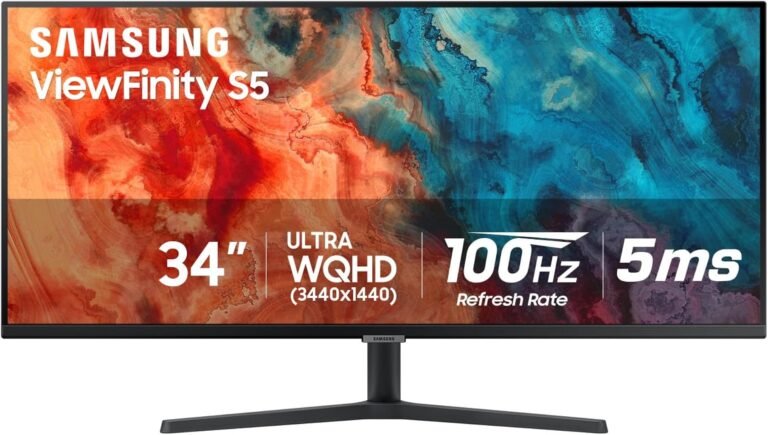
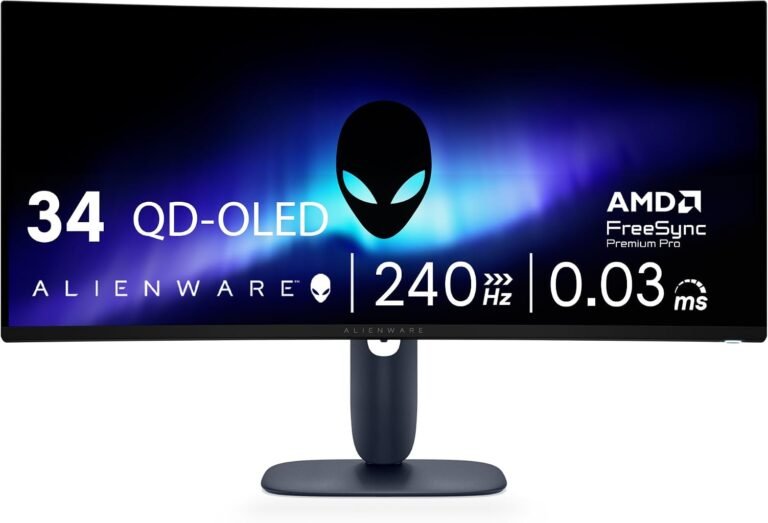
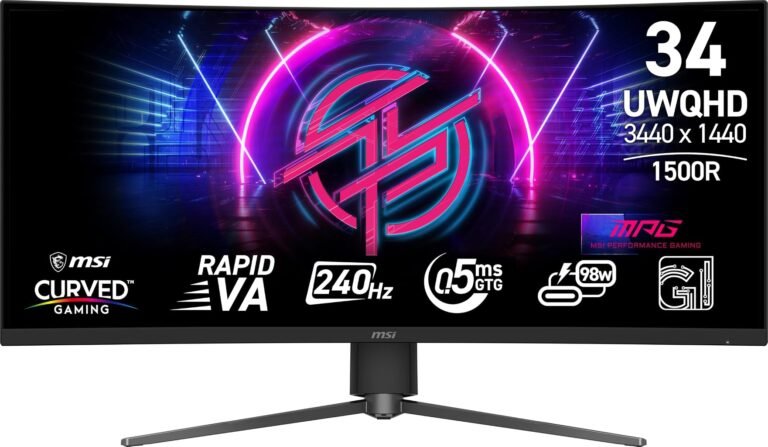
An ultrawide monitor can be described by a tidy collection of numbers: 34 inches, 3440 × 1440 pixels, 165Hz, 1000R curvature. Those figures describe its dimensions and operating envelope, but they do not explain what the screen actually looks like during eight hours of spreadsheets, a dark film, a fast game or a color-sensitive editing session.
For that, panel technology matters.
OLED, IPS and VA displays create images in fundamentally different ways. IPS and VA are forms of liquid-crystal display technology, generally using LED backlighting. OLED is emissive: its pixels generate their own light. That distinction affects black levels, contrast, motion clarity, viewing angles, brightness behavior, text rendering and long-term exposure to static interface elements.
Yet the familiar shorthand-OLED for gaming, IPS for work, VA for contrast-has become less reliable. Modern LCD monitors can combine IPS or VA panels with sophisticated local-dimming backlights. OLED designs now include different subpixel structures, and 2026-generation ultrawide OLEDs are addressing text-rendering limitations found in earlier models. Panel type therefore establishes tendencies, not guaranteed performance.
For ultrawide buyers, those tendencies matter more than they might on a smaller screen. A wide panel puts its edges at greater viewing angles, displays more desktop interface simultaneously and often remains switched on for long sessions. The strengths and weaknesses of each technology become difficult to hide.
The Fundamental Difference: Backlit Pixels Versus Self-Emitting Pixels
IPS stands for in-plane switching. VA stands for vertical alignment. Both are LCD technologies.
An LCD pixel does not generate the light that reaches the viewer. A backlight produces illumination, while liquid crystals regulate how much of that light passes through the pixel structure. IPS and VA differ largely in how those liquid crystals are arranged and how they react to applied voltage.
OLED-organic light-emitting diode-removes the conventional backlight from the equation. Each pixel produces and controls its own light. LG Display describes OLED as a self-emissive technology in which each pixel emits and controls its own illumination.
That structural distinction explains much of OLED’s characteristic performance.
If an OLED pixel needs to display black, it can switch off. An LCD trying to display black must block light coming from behind the panel. Some light generally escapes unless a local-dimming system switches off or substantially reduces the relevant portion of the backlight.
The difference sounds technical. In a dark room, it is immediately visible.
OLED: Pixel-Level Light Control Changes the Image
OLED’s defining strength is not simply “better black.” It is extremely localized control over light.
A star against black space provides an easy example. On OLED, illuminated pixels can produce the star while surrounding pixels remain effectively off. There is no conventional backlight zone illuminating both objects simultaneously.
This matters enormously for HDR because contrast is spatial. A display can have high peak brightness yet still struggle with a tiny bright object surrounded by darkness if its backlight cannot isolate the two.
The VESA DisplayHDR True Black specification illustrates the scale involved. Under its current performance criteria, True Black tiers specify a maximum black luminance of 0.0005 cd/m² in relevant tests.
LCD can attack the same problem through Mini LED local dimming, dividing the backlight into many controllable zones. The best implementations can produce impressive results, but thousands of dimming zones remain very different from controlling light at individual pixels across millions of pixels.
That is why bright objects on dark LCD backgrounds can produce blooming or halos when a backlight zone illuminates surrounding dark pixels.
OLED largely avoids that particular problem.
OLED’s Motion Advantage Is Just as Significant
Black level receives much of the attention, but pixel response is another major OLED advantage.
Fast-moving images can expose the time required for a pixel to change from one state to another. LCD response behavior varies by transition, monitor and overdrive setting. Slow transitions create visible trails or smearing.
OLED transitions are generally much faster.
Current independent monitor testing repeatedly finds near-instantaneous response behavior on OLED gaming displays. A modern 34-inch QD-OLED ultrawide, for example, can combine very high refresh rates with exceptionally fast pixel transitions.
Those two specifications should not be confused. Refresh rate describes how frequently a display can present a new frame. Response time concerns how rapidly its pixels actually transition.
A 240Hz LCD and 240Hz OLED therefore need not produce identical motion clarity.
For games with rapid camera movement, racing simulations and other motion-heavy content, OLED’s response characteristics can be more consequential than its headline contrast ratio.
OLED Has a Workstation Problem: Static Content
The feature that gives OLED its contrast advantage also creates its most discussed long-duration limitation.
OLED materials age through use. Uneven aging can eventually leave persistent differences where static content has repeatedly appeared, generally described as burn-in.
A desktop operating system is full of static material: taskbars, browser controls, application menus, spreadsheet ribbons, editing timelines and window borders. Ultrawide productivity setups can make the pattern more persistent because users often leave the same applications arranged in the same regions for hours.
Long-term testing has demonstrated that permanent image retention is a genuine phenomenon under demanding repeated-content conditions. RTINGS conducted a two-year comparison involving OLED, VA and IPS televisions, specifically examining changes associated with static elements and repeated content.
Modern OLED monitors employ mitigation systems such as pixel shifting, compensation cycles and static-element detection. Usage patterns matter greatly. A machine alternating among games, video, browsing and varied applications creates a different aging pattern from a workstation displaying the same software interface throughout every working day.
For buyers whose ultrawide will spend thousands of hours displaying static productivity interfaces, IPS and VA retain a structural advantage: conventional LCD panels do not carry OLED’s same burn-in risk.
Text Clarity Complicates the OLED Story
An OLED monitor can produce extraordinary photographs and games while rendering ordinary desktop text less cleanly than expected. The reason lies below the pixel level.
Computer text rendering has historically been optimized around conventional RGB subpixel arrangements. Some OLED monitor panels use different structures. QD-OLED panels have used triangular RGB arrangements, while WOLED implementations have used layouts such as RWBG and RGWB.
These arrangements can create colored fringing around fine text edges.
Detailed text-clarity testing explains how WOLED and QD-OLED subpixel structures can affect desktop text, while also showing that higher pixel density reduces the visibility of these artifacts.
This weakness is changing.
Newer OLED panels are appearing with revised subpixel arrangements. In 2026, for example, fifth-generation 34-inch QD-OLED ultrawides arrived using an RGB stripe layout intended to improve text clarity and reduce the color fringing associated with older triangular layouts. A 39-inch WOLED model has also appeared with an RGB layout rather than the dedicated white subpixel arrangement associated with some earlier WOLED implementations.
The purchasing lesson is unusually specific: “OLED text quality” is no longer a sufficiently precise category. Pixel density, OLED generation and subpixel layout all need examination.
IPS: The Predictable Generalist
IPS takes a very different route.
Its strongest traditional characteristic is viewing-angle stability. Colors and contrast remain relatively consistent when the panel is viewed away from the central axis.
That quality is particularly useful on an ultrawide display. Even when one person sits directly in front of a 34-inch or larger monitor, the viewer is effectively seeing the outer edges at an angle.
The wider the screen, the more relevant off-axis behavior becomes.
Professional display manufacturer EIZO’s explanation of LCD panel technologies characterizes IPS viewing-angle behavior as excellent, with almost no chromaticity shift, while describing VA as showing slight chromaticity changes off-axis.
This helps explain IPS’s persistence in professional and productivity displays. A large canvas that looks reasonably consistent from center to edge is useful for image editing, graphics, spreadsheets and multi-window workflows.
IPS also normally uses conventional RGB subpixel structures, which generally work well with desktop text-rendering systems.
For a monitor that spends most of its life displaying words, numbers and interface elements, that mundane strength can matter more than spectacular HDR.
IPS Black Levels Remain Its Familiar Weakness
The compromise becomes obvious in a dark room.
Conventional IPS panels generally produce substantially lower native contrast than VA. Dark scenes can therefore look gray rather than black, particularly when ambient lighting is low.
There is also the phenomenon commonly called IPS glow, in which dark portions of the screen can appear brighter when viewed at an angle. On an ultrawide, the viewer’s relationship with the outer corners can make this behavior more noticeable.
Local dimming can change the equation substantially. An IPS panel paired with a dense Mini LED backlight can lower black levels in selected portions of the image and deliver much stronger HDR than a basic edge-lit IPS monitor.
But the panel and backlight should then be evaluated as a system.
Calling a monitor “IPS” reveals little about how many dimming zones it has, how aggressively those zones operate, how bright it becomes, how much blooming occurs or how accurately its HDR processing tracks the source signal.
Panel labels stop being sufficient once sophisticated backlights enter the discussion.
VA: The LCD Contrast Specialist
VA sits between IPS and OLED in several respects, although describing it merely as a compromise understates its strongest characteristic.
Its native contrast is usually substantially higher than conventional IPS.
That makes VA attractive for dark games, films and mixed desktop use where deeper blacks matter but OLED’s aging characteristics are undesirable. Unlike OLED, a VA monitor can display static desktop applications for prolonged periods without the same permanent burn-in concern. Comparisons between VA and OLED monitor technology illustrate this difference in static-content risk.
The improvement is produced through the way vertically aligned liquid crystals control light transmission. Better light blocking allows dark pixels to remain darker even without pixel-level emissive control.
The result can be especially persuasive in a dim room. A black background on a typical VA panel often looks more convincingly dark than it does on a conventional IPS monitor.
Yet VA has its own compromises.
VA’s Weak Point Appears When Dark Pixels Start Moving
Historically, many VA monitors have struggled with slower transitions involving dark shades.
The result is often described as black smearing: dark objects can leave visible trails during movement because certain pixel transitions cannot keep pace with the requested frame changes.
The severity varies dramatically. Fast modern VA panels can perform far better than older or cheaper implementations, so treating all VA monitors as slow is inaccurate. Still, panel type creates enough of a tendency that response-time measurements deserve attention when evaluating a VA ultrawide for gaming.
Independent comparisons between IPS and VA broadly find that IPS tends to deliver better motion handling with less smearing, while VA typically retains the native-contrast advantage. Testing of the two major LCD panel families illustrates that trade-off.
This is why a specification such as “1 ms response time” should never settle the question by itself. Manufacturer response-time claims can describe selected transitions under selected operating modes. Real panels perform many different pixel transitions, and aggressive overdrive can replace ordinary blur with inverse ghosting.
Measured response behavior across refresh rates is far more informative.
Viewing Angles Matter More on Ultrawides Than the Specification Sheet Suggests
Ultrawide geometry magnifies viewing-angle differences.
A person sitting in front of the center of a broad flat screen is not perpendicular to its outer edges. Curved monitors partly address this by turning the sides toward the viewer, but panel viewing characteristics still matter.
IPS generally handles these angles well. OLED also offers broad viewing angles, which helps preserve image consistency across large screens. VA can exhibit more visible changes in color or gamma as the viewing angle increases.
This does not make VA unsuitable for ultrawides. Curvature can reduce the angles encountered by a centrally positioned viewer, and many VA ultrawides are curved precisely because that geometry suits both the panel and the format.
The distinction becomes more noticeable when several people share the screen. A colleague sitting beside an IPS or OLED display will generally see a more consistent image than someone viewing many VA panels from the same position.
For a single centrally seated user, the practical gap can be much smaller.
HDR Exposes the Technologies Most Clearly
HDR is where panel architecture becomes difficult to disguise.
Effective HDR needs bright highlights, deep blacks, wide color capability and control over the enormous luminance range between them.
OLED begins with the black-level advantage because pixels can switch off individually. VESA created its DisplayHDR True Black specification specifically for emissive displays. In 2019, the organization stated that the standard could enable “up to 100X deeper black levels” compared with its referenced DisplayHDR performance tier. VESA’s announcement explains why emissive displays required separate HDR criteria.
LCD’s answer is brightness and local dimming.
High-performance Mini LED IPS and VA monitors can drive bright highlights to levels that challenge or exceed many OLED monitors while dimming dark areas independently. The weakness is granularity: backlight zones control groups of pixels rather than individual pixels, so demanding patterns can reveal blooming.
OLED brightness is also advancing. VESA introduced a DisplayHDR True Black 1400 tier in July 2026, requiring at least 1,400 cd/m² peak luminance and 700 cd/m² full-screen brightness for certified displays, while retaining black levels as low as 0.0005 cd/m². The new True Black 1400 requirements document how quickly emissive-display performance is moving.
Panel-generation assumptions therefore age quickly.
Bright Rooms Change the Ranking
A monitor is never viewed in a laboratory vacuum. Windows, overhead lights and reflections can alter perceived contrast dramatically.
OLED’s extremely low black level is most obvious under controlled lighting. Some QD-OLED designs can show elevated-looking blacks under strong ambient illumination because of how the panel and coating interact with incoming light. Current testing still observes this behavior on some models.
IPS and VA monitors can sometimes deliver higher sustained SDR brightness, depending on the individual display. That can make an LCD easier to use in a brightly lit office even though its dark-room black level is inferior.
Screen coating matters as well. Glossy surfaces, matte coatings and anti-reflective treatments interact differently with room lighting.
A buyer therefore gains little from asking which panel has the highest theoretical contrast without first considering where the monitor will sit.
Productivity Favors Stability Over Spectacle
For office work, IPS remains difficult to dismiss.
A productivity ultrawide commonly displays large white or light-gray backgrounds, small text and persistent interface elements for many hours. OLED’s perfect black becomes largely irrelevant when most of the screen is displaying a spreadsheet.
IPS offers several advantages in that environment: good viewing-angle stability, conventional text rendering on most models, no OLED-style burn-in risk and broad availability across resolutions and sizes.
VA can be similarly sensible, especially when office work is mixed with dark-room entertainment. Text rendering is generally straightforward on conventional RGB VA panels, and static interfaces pose no OLED aging concern.
OLED becomes more compelling when the workstation is genuinely mixed-use: productivity during the day, gaming or video later, with enough content variation that its image-quality advantages are frequently visible.
The amount of static work matters more than the word “productivity.”
Creative Work Requires More Than a Panel Label
Photographers, video editors and designers should resist equating IPS automatically with professional color accuracy.
Panel type does not determine calibration quality.
A poorly calibrated IPS monitor can be less accurate than a well-calibrated OLED or VA display. Color gamut, factory calibration, hardware calibration support, uniformity, bit depth, tone mapping and application requirements all matter.
IPS’s viewing-angle stability is useful because an image remains relatively consistent across a large canvas. OLED offers exceptional contrast for video and HDR workflows. High-performance VA can be useful when contrast is prioritized.
For HDR video, OLED’s pixel-level light control is especially attractive because dark scenes and small highlights can be represented without LCD backlight blooming. High-zone-count Mini LED displays offer a different balance, potentially combining strong brightness with much deeper blacks than ordinary LCD.
The correct question for professional work is therefore not “Which panel is most accurate?” but “Which specific display maintains the required accuracy, luminance, uniformity and viewing behavior for the workflow?”
Gaming Gives OLED Its Strongest Argument
Gaming exposes almost every display characteristic simultaneously.
Fast motion tests response time. Dark environments test black level. Bright effects test HDR. High frame rates test refresh behavior. Wide viewing fields make ultrawide geometry obvious.
OLED addresses many of those demands unusually well. Deep blacks, pixel-level illumination and rapid response behavior combine effectively with high refresh rates. Modern 34-inch OLED ultrawides now reach refresh rates far beyond the early generations of the format.
VA remains attractive for gaming when dark-room contrast is desired without OLED aging concerns, provided the individual panel controls dark smearing well.
IPS is particularly effective for fast gaming when an LCD is preferred, because good modern IPS implementations can combine high refresh rates with relatively fast transitions and broad viewing angles.
The hierarchy changes with the game. Slow cinematic titles emphasize contrast. Competitive shooters emphasize motion and latency. Strategy games can leave static interfaces visible for long sessions. There is no single panel characteristic that dominates all three.
Why 34-Inch Ultrawides Make the Decision Especially Interesting
The 34-inch 3440 × 1440 category remains a central ultrawide format because it combines substantial horizontal workspace with a pixel density of roughly 110 pixels per inch.
That density is adequate for normal desktop use, but it can expose OLED subpixel fringing more readily than a much denser display. Earlier 34-inch QD-OLED and WOLED models therefore carried a more obvious text-quality compromise than newer high-density OLED screens.
At the same time, 34 inches is wide enough for viewing-angle characteristics to matter and large enough for OLED’s contrast to make games and films visually striking.
This is why lists of the best 34 inch ultrawide monitors increasingly contain fundamentally different display technologies rather than variations of one LCD formula. Choosing among them requires deciding what proportion of the monitor’s life will be spent displaying text, static applications, games, HDR media and color-sensitive content.
The format no longer has one technically obvious panel winner.
A Practical Panel-Type Decision Framework
The useful approach is to match the weakness a user can tolerate to the strength that user will actually see.
- Choose OLED primarily for mixed media and gaming when black level, HDR precision and motion clarity carry high priority and static desktop content does not dominate the monitor’s entire working life.
- Choose IPS primarily for productivity and broad-purpose professional work when text clarity, viewing-angle consistency and freedom from OLED burn-in concerns outweigh perfect blacks.
- Choose VA primarily for high-contrast LCD use when deep blacks are desired without OLED’s static-content aging concern, while accepting that viewing angles and dark-transition performance need closer model-specific inspection.
- Choose Mini LED IPS or VA when HDR brightness is a priority but judge the number and behavior of dimming zones rather than assuming the backlight automatically eliminates LCD’s black-level limitations.
- Check the exact OLED generation before rejecting OLED for text. New RGB-oriented subpixel layouts are changing a weakness that was pronounced on several earlier desktop OLED generations.
- Treat panel type as the beginning of the specification review, not the end. Resolution, pixel density, refresh rate, response behavior, calibration, coating, brightness and local dimming can create enormous differences between monitors using the same broad technology.
This framework also explains why two reviewers can rationally reach different assessments of the same monitor. Someone editing documents for ten hours and someone playing HDR games for three hours are not evaluating the same problem.
Specifications That Matter More Than the Badge
A shopper comparing ultrawides should look beyond the OLED, IPS or VA label and examine measurable characteristics.
Pixel density affects text clarity. Response-time measurements reveal motion behavior. Contrast measurements expose black-level performance. Sustained and peak brightness describe different aspects of HDR and bright-room usability. Viewing-angle testing matters on wide screens. Color-space coverage and calibration accuracy matter for creative applications.
For OLED, subpixel layout and burn-in mitigation deserve scrutiny.
For IPS, native contrast and backlight technology deserve scrutiny.
For VA, dark-transition response and off-axis gamma behavior deserve scrutiny.
For Mini LED LCD, local-dimming zone count is useful but not sufficient by itself. Dimming algorithms determine how intelligently those zones respond to real images.
Even HDR certification requires careful reading. VESA’s certification system separates multiple DisplayHDR and DisplayHDR True Black performance levels, with criteria spanning luminance, black level, color and other behavior. A generic “HDR compatible” label communicates far less.
The panel badge is therefore a clue about engineering constraints. It is not a complete performance report.
Final Considerations
OLED, IPS and VA represent three different approaches to the same problem: producing a convincing image across millions of pixels, thousands of times per minute, on a surface wide enough to dominate a desktop.
OLED controls illumination at the pixel level. That architecture gives it exceptionally deep blacks, excellent local contrast and extremely fast pixel response. Those strengths translate directly into games, films and HDR. Its trade-offs are equally physical: organic emitters age through use, static desktop content can create burn-in risk, and some generations use subpixel structures that complicate text rendering.
IPS remains the more predictable desktop technology. Its viewing-angle stability suits ultrawide geometry, conventional RGB arrangements generally produce clean text, and prolonged static applications do not present OLED’s aging problem. Its familiar weakness is black level. Without sophisticated local dimming, dark-room contrast cannot match OLED and generally falls behind VA.
VA offers another balance. Native contrast is usually substantially stronger than ordinary IPS, while conventional LCD construction avoids OLED’s permanent static-image concern. That combination makes VA particularly relevant for mixed work and entertainment. Its limitations tend to emerge in viewing-angle behavior and slower dark pixel transitions, though individual panels vary enough that measurements matter more than reputation.
None of these technologies stands still. Mini LED backlights have narrowed LCD’s contrast disadvantage. Higher-density OLEDs make subpixel artifacts less visible. Revised RGB-oriented OLED layouts are improving desktop text. OLED brightness standards have advanced far enough that VESA added a True Black 1400 tier in 2026. The old stereotypes are becoming less dependable with each panel generation.
The purchasing decision is therefore best made backward from actual behavior. A workstation displaying code, documents and spreadsheets throughout the day rewards text clarity and resistance to static-content aging. A dark-room gaming system rewards response speed and pixel-level contrast. An HDR editing station demands controlled luminance, color accuracy and predictable tone reproduction. A mixed-use household monitor needs a negotiated balance among all of them.
Panel technology determines the physics underneath the image. It does not determine the entire monitor.
That distinction is particularly consequential with ultrawides because their scale amplifies nearly everything: viewing-angle shifts, inconsistent blacks, desktop text, reflections, motion across peripheral vision and the usefulness of high contrast. On a 34-inch or larger display, small technological differences spread across a very large visual surface.
OLED offers the most radical departure because every pixel becomes its own light source. IPS remains difficult to replace where long-duration desktop work and stable viewing are dominant. VA retains a defensible middle position for users who want stronger LCD contrast without treating static interface exposure as something that must be managed.
The better ultrawide is therefore not identified by three letters printed on a specification sheet. It is identified by matching the panel’s physical behavior to the hours the screen will actually spend doing its job.